LastPass Authenticator

Разработчик: LastPass US LP

Описание

LastPass Authenticator offers effortless two-factor authentication for your LastPass account and other supported apps. With one-tap verification and secure cloud backup, LastPass Authenticator gives you all the security, without any of the frustration.
ADD MORE SECURITY
Safeguard your LastPass account by requiring two-factor authentication codes when signing in. Two-factor authentication improves your digital security by protecting your account with an additional login step. Even if your password is compromised, your account can’t be accessed without the two-factor authentication code.
You can even mark a device as “trusted”, so you won’t be prompted for codes on that device while your account remains protected by two-factor authentication.
TURNING IT ON
To turn on LastPass Authenticator for your LastPass account:
1. Download LastPass Authenticator to your mobile device.
2. Log in to LastPass on your computer and launch “Account Settings” from your vault.
3. In “Multifactor Options”, edit LastPass Authenticator and view the barcode.
4. Scan the barcode with the LastPass Authenticator app.
5. Set your preferences and save your changes.
LastPass Authenticator can also be turned on for any service or app that supports Google Authenticator or TOTP-based two-factor authentication.
LOGGING IN
To login to your LastPass account or other supported vendor service:
1. Open the app to generate a 6-digit, 30-second code OR approve/deny an automated push notification
2. Alternatively, send SMS code
3. Enter the code into the login prompt on your device OR hit approve/deny request
FEATURES
- Generates 6-digit codes every 30 seconds
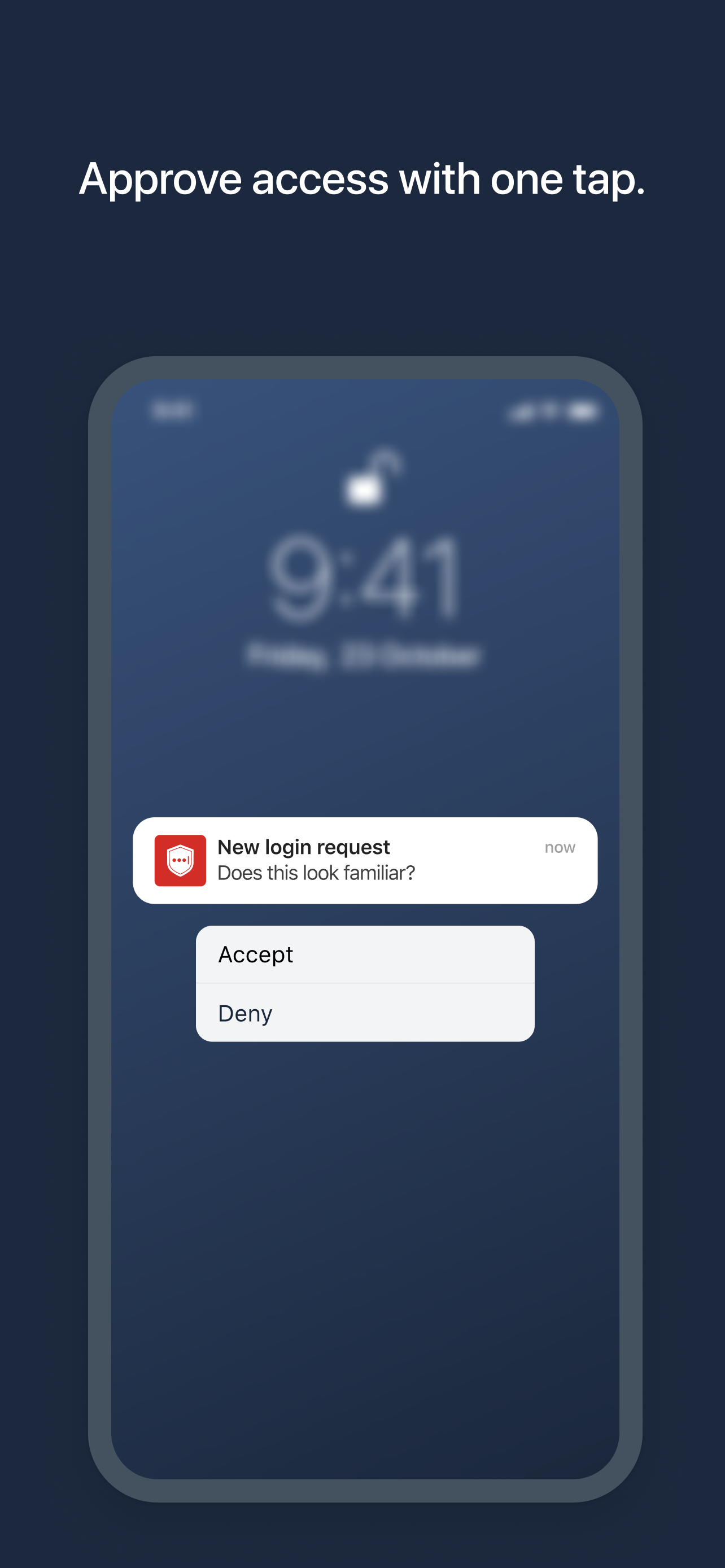
- Push notifications for one-tap approval
- Free encrypted backup to restore your tokens on a new/reinstalled device
- Support for SMS codes
- Automated set-up via QR code
- Support for LastPass accounts
- Support for other TOTP-compatible services and apps (including any that support Google Authenticator)
- Add multiple accounts
Скрыть Показать больше...

Скриншоты

LastPass Authenticator Частые Вопросы

  • Приложение LastPass Authenticator бесплатное?

    Да, LastPass Authenticator полностью бесплатное и не содержит встроенных покупок или подписок.

  • Является ли LastPass Authenticator фейковым или мошенническим?

    ⚠️ Приложение LastPass Authenticator имеет низкие оценки и отрицательные отзывы. Пользователи, похоже, недовольны его качеством или функциями.

    Спасибо за ваш голос

  • Сколько стоит LastPass Authenticator?

    Приложение LastPass Authenticator бесплатное.

  • Сколько зарабатывает LastPass Authenticator?

    Чтобы получить оценку дохода приложения LastPass Authenticator и другие данные AppStore, вы можете зарегистрироваться на платформе мобильной аналитики AppTail.

Оценки пользователей

4.63 из 5

3,612 оценок в Канада

5 star
3,006
4 star
282
3 star
87
2 star
53
1 star
184
История оценок

LastPass Authenticator Отзывы Пользователей

Very quick, easy, secure

Peyhaych on

Канада

Great, quick and secure way to connect

Watch App Doesn’t work

Teknullog on

Канада

If you confirm a login from the watch, it doesn’t work and then the notification is gone on the phone.

Authentication issues

Markholden on

Канада

I am having massive challenges living in and trying to authenticate my multi factor authentication

Next code please

rough seal on

Канада

The newest update says it will display the next code in the remaining 5 seconds of the current code. But it does not. I’m not sure if I need to turn that feature on, or re download the app, but I would like to be able to see the next code.

Do not use LastPass Authenticator

CanadianSwazi on

Канада

The software is flaky. It does work in a consistent fashion. When you have it setup on an iPad and an iPhone the constantly changing codes are different. It does not meet the standard of a password management system. Makes me wonder

Review for Authenticator

Chrissy pal on

Канада

With Authenticator I need my cell phone there so I can accept. It’s not convenient for me to always have my cell phone by my computer I thought I it said I could still type in my password to log into Last Pass. It doesn’t look like it’s that simple.

Watch app broken for months

Winterwalker on

Канада

Used to be able to approve from my watch - but now it just gives an error every single time. Fix please!

Needs Authenticator on Apple Watch

MDF2014 on

Канада

The authenticator should prompt to approve on Apple Watch but there’s no Apple Watch integration other than a push notification that says go to your phone. Because of this, I stopped using the LP Authenticator.

Now I look like a fool

Scholar_ on

Канада

All of my friends have told me to use Bitwarden. I’ve used LastPass because I like the interface. Now the system is breached and I need to open a bitwarden account and change over 100 passwords.

NOT DESIGNED for multiple device sync???

oe,engcysne,du on

Канада

It is very surprising trying to install LastPass Authenticator on multiple devices and having each device warn you that it will wipe out the other device’s passwords. For a service literally built around having your passwords in one place so you don’t have to think about where they are, this is a gallingly poor design decision for their Authenticator app which means I will have to look for a third-party authenticator instead like Authy or Google Authenticator. Other reviews mention this same issue but are 3y old so they must be aware of this issue and choosing not to address it. Very disappointing.

Оценки

История позиций в топах
Позиции в категории
Рейтинг
Категория
Позиция
Топ бесплатных
263
Топ бесплатных
286
Топ бесплатных
309
Топ бесплатных
374
Топ бесплатных
408

Ключевые слова

LastPass Authenticator Конкуренты

LastPass Authenticator Установки

30дн.

LastPass Authenticator Доход

30дн.

LastPass Authenticator Доходы и Загрузки

Получите ценные инсайты о производительности LastPass Authenticator с помощью нашей аналитики.
Зарегистрируйтесь сейчас, чтобы получить доступ к статистика загрузок и доходов и многому другому.

Информация о приложении

Категория
Productivity
Разработчик
LastPass US LP
Языки
English, Dutch, French, German, Italian, Portuguese, Spanish
Последнее обновление
2.23.0 (2 месяца назад )
Выпущено
Mar 16, 2016 (9 лет назад )
Также доступно в
Соединенные Штаты, Австралия, Великобритания, Канада, Нидерланды, Германия, Франция, Швейцария, Новая Зеландия, Бразилия, Италия, Швеция, Норвегия, Бельгия, Индия, Дания, Испания, Япония, Филиппины, Южно-Африканская Республика, Мексика, Австрия, Польша, Ирландия, Таиланд, Израиль, Венгрия, Финляндия, Сингапур, Чехия, Украина, Португалия, Румыния, Вьетнам, Греция, Колумбия, Тайвань, Россия, Аргентина, Малайзия, Гонконг (САР), Болгария, Турция, ОАЭ, Эстония, Чили, Словакия, Саудовская Аравия, Египет, Хорватия, Литва, Индонезия, Мальта, Шри-Ланка, Пакистан, Латвия, Кения, Нигерия, Словения, Республика Корея, Перу, Доминиканская Республика, Люксембург, Кипр, Исландия, Уругвай, Эквадор, Панама, Армения, Гана, Беларусь, Катар, Кувейт, Северная Македония, Ливан, Ямайка, Намибия, о-ва Кайман, Уганда, Маврикий, Иордания, Непал, Парагвай, Азербайджан, Казахстан, Бахрейн, Бермудские о-ва, Мадагаскар, Белиз, Оман, Сенегал, Узбекистан, Ангола, Бруней, Тунис, Суринам, Мали, Алжир
Обновлено
6 дней назад
This page includes copyrighted content from third parties, shared solely for commentary and research in accordance with fair use under applicable copyright laws. All trademarks, including product, service, and company names or logos, remain the property of their respective owners. Their use here falls under nominative fair use as outlined by trademark laws and does not suggest any affiliation with or endorsement by the trademark holders.