Mockup - UI/UX Design

Разработчик: Apprime Studio sarl

Описание

Bring your boldest ideas to life with Mockup—the ultimate UI/UX design tool for iOS.
Whether you're ideating your next app or web design, sketch fluidly with Apple Pencil, create detailed wireframes, and build interactive prototypes—all in one app.
Join over 500,000 designers, developers, and team managers worldwide who trust Mockup for their design process.
Key Features:
Flexible Canvas for UI/UX Design
- Visualize your ideas effortlessly with 45+ device frames in both portrait and landscape orientations.
- Explore limitless design possibilities with a flexible canvas and abundant frames.
- Customize the grid, frame, and background colors for a tailored workflow.
Sketch & Perfect Your Ideas
- Shape your designs with a variety of drawing tools & a full color palette.
- Draw perfect shapes with Shape Detection and Snap-to-grid for precise alignment.
- Move, resize, recolor, and adjust objects easily using the lasso tool.
- Write and edit text directly on the canvas using the Scribble tool.
Wireframe with Ease
- Access a Library of preset elements or create, save, and reuse your own.
- Insert images and visuals from your files into your designs
- Add text, customize, and save text styles for a consistent look.
- Drag & drop text or images from any app directly into your canvas.
- Elevate your designs with 4000+ symbols from Apple's SF Symbols library.
- Add and customize shapes like rectangles, ellipses, and lines.
Stay in Control of Your Objects
- Cut, copy, or paste selections anywhere in the canvas or from other apps.
- Arrange, align, and distribute objects for precise layouts.
- Select or deselect multiple objects at once with Select Objects mode.
Bring Your Ideas to Life with Prototypes
- Connect frames to create interactive flows.
- Preview prototypes in full-screen mode for an immersive experience.
Export, Share, & Collaborate
- Export in high-quality PDF or PNG, or share Mockup files with other users.
- Collaborate in real time and share ideas with colleagues directly from the app using SharePlay.
Streamline Your Workflow
- Group sketches into projects and create nested projects for better organization.
- Multitask with multiple windows for enhanced productivity.
- Control your canvas with expand, rotate, lock, and zoom options.
- Use quick actions to duplicate a sketch across multiple frames, switch two frames, hide frames to create space or add notes, clear, or export a frame.
Access Your Sketches Anywhere, Anytime
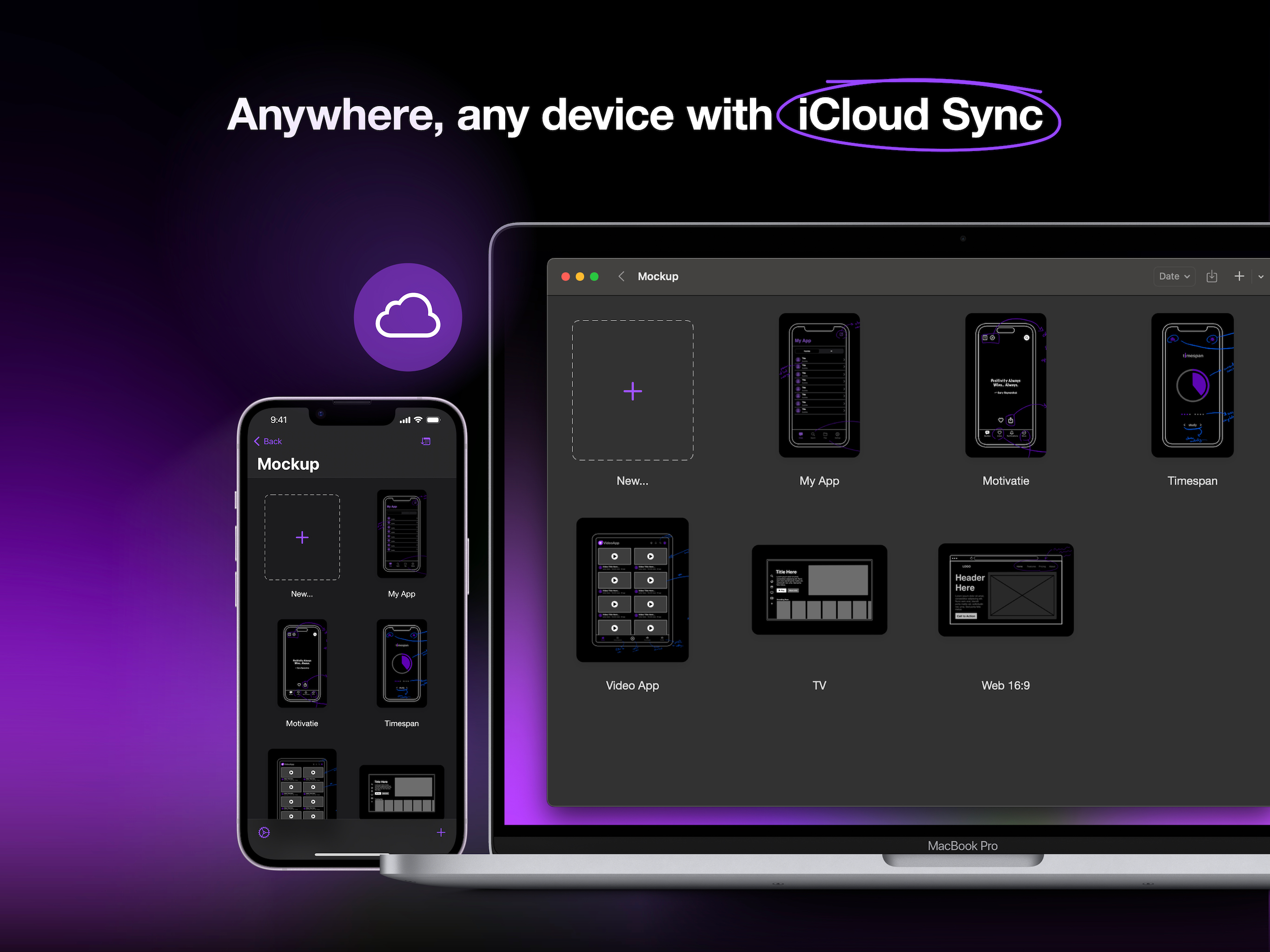
- Sync your sketches and projects across all your devices via iCloud sync.
- Access your recent sketches with the Recents Widget.
- Display sketches directly on your home screen with Preview Widgets.
Optimized for Apple Pencil & iPad
- Apple Pencil Hover: Use Apple Pencil Hover to preview and switch between drawing tools for enhanced precision and control.
- Use Apple Pencil Pro’s squeeze gesture to open the canvas menu to add/remove frames, lock/unlock canvas, adjust tool properties, select multiple objects, or undo/redo.
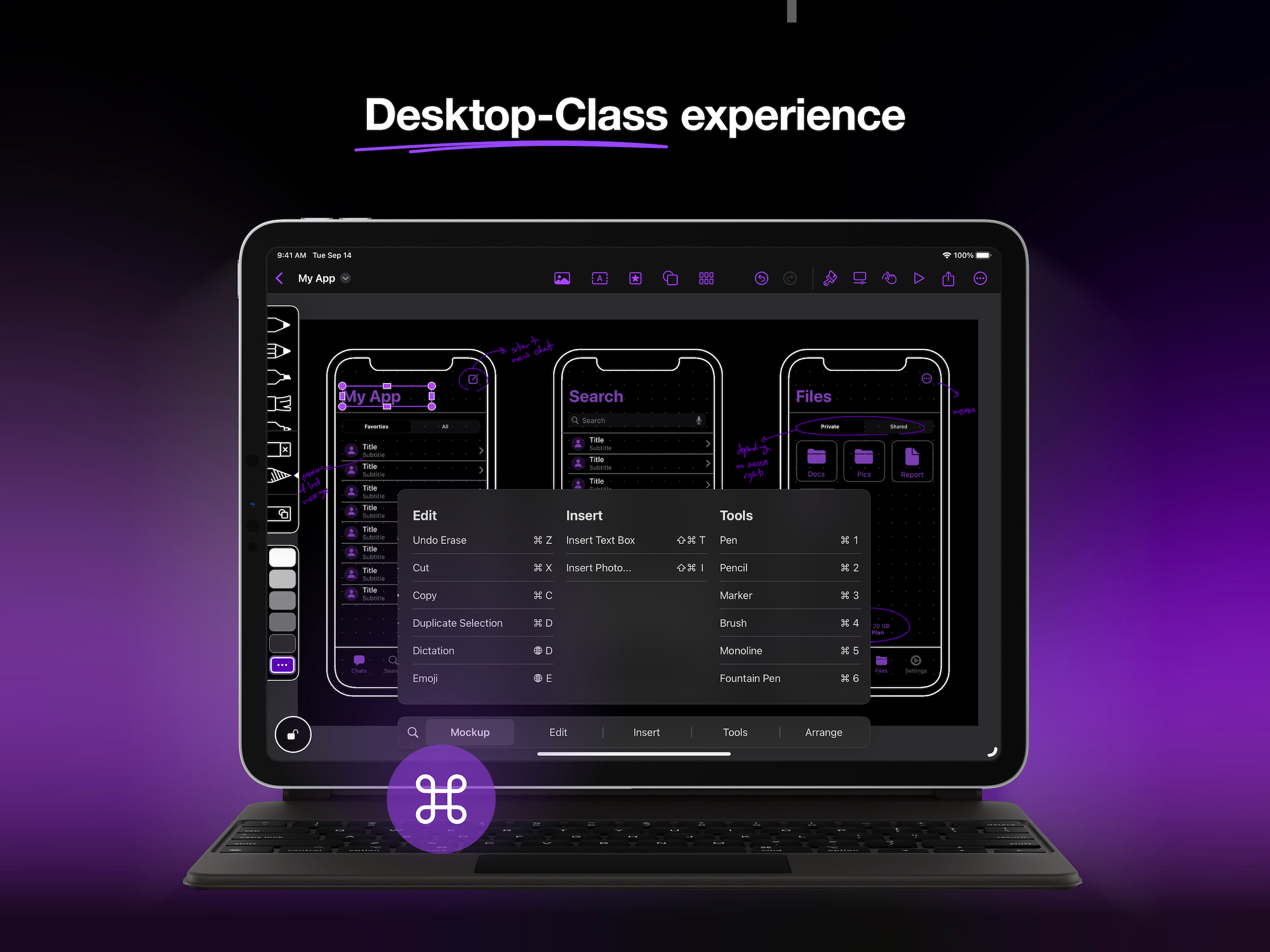
- Enjoy a desktop-class experience with an external keyboard and trackpad support.
Start free and create unlimited projects and sketches, or unlock the premium features with one of our paid plans.
Premium features include:
Start Strong
- Nested Projects
- All Device Frames
- Shape Detection
Work Smarter
- Unlimited Element Sets
- 4000+ Customizable Symbols
- Exclusive Elements
Prototype & Ship
- Prototype
- Watermark-free PDF Exports
- PNG export
- Priority Support.
Terms of Service:
https://apprime.studio/terms-of-service/
Privacy Policy:
https://apprime.studio/privacy-policy/
Скрыть Показать больше...

Встроенные покупки

Mockup Studio Yearly
349.00 r
Mockup Studio Monthly
55.00 r
Mockup Studio Lifetime
1,295.00 r

Скриншоты

Mockup Частые Вопросы

  • Приложение Mockup бесплатное?

    Да, Mockup можно скачать бесплатно, однако в приложении есть встроенные покупки или подписки.

  • Является ли Mockup фейковым или мошенническим?

    🤔 Качество приложения Mockup спорное. Некоторые пользователи довольны, в то время как другие сообщают о проблемах. Рекомендуем ознакомиться с отдельными отзывами для получения более полной картины.

    Спасибо за ваш голос

  • Сколько стоит Mockup?

    Mockup имеет несколько покупок/подписок внутри приложения, средняя цена покупки составляет 566.33 r.

  • Сколько зарабатывает Mockup?

    Чтобы получить оценку дохода приложения Mockup и другие данные AppStore, вы можете зарегистрироваться на платформе мобильной аналитики AppTail.

Оценки пользователей

3.92 из 5

12 оценок в Швеция

5 star
7
4 star
1
3 star
2
2 star
0
1 star
2
История оценок

Mockup Отзывы Пользователей

Почти купил но…

mr.Asmodroid on

Россия

С одной стороны, прикольное приложение и я даже почти его купил. В чем суть моего негодования. Шаблоны UI не адаптивные, к примеру, тут есть блок Tab bar и у него четыре кнопки, а мне нужно только три, и я никак не могу это исправить. Или есть Table View на пять блоков, еси меняешь размер, они не адаптируются, это простые изображения, которые ну никак нельзя подогнать под свое будущее приложение. Есть только их шаблон и ты ничего не можешь с этим поделать. Это мне не нравится. Сделайте свои модули адаптивными и с возможностью настроек, тогда приложение будет действительно ценное и отдать за него деньги, будет не жалко. А так, это обычная коллекция картинок, с возможностью их подвигать на экране, это я могу и в бесплатных блок-схемах делать.

Сыровато, но перспективно

Игрок Авокадо on

Россия

Спасибо за оперативный ответ, буду ждать обновлений.

Приложение сырое

Nikita Bullet on

Россия

Нет никаких элементов вообще похоже просто на рисовалку на экране телефона. Может добавите нормальную библиотеку ассетов и потом будуте выставляться в AppStore?

Best wireframe app

Myma33 on

Россия

Timely updating of device frames, a convenient and minimalistic interface , a convenient sharing system-I will definitely recommend it to my friends, I am seriously thinking about buying a lifetime premium account

Disappointing Design Tool with Poor UX

@beshr on

Швеция

This is a prime example of irony: an app for UI/UX design that fails at its own user experience. Mockup's concept of designing iOS apps directly on iOS devices sounds promising, but the execution is severely lacking. The workspace is frustratingly cramped - the iPhone canvas is too small to work with comfortably, making it nearly impossible to position elements with precision. No grid locking. The tiny resize handles are a constant source of frustration; I often find myself repeatedly tapping just to grab them correctly. Basic operations like moving or deleting elements are unnecessarily tedious. The workflow feels clunky and unrefined, completely opposing the fluid experience you'd expect from a design tool. The interface is counterintuitive and lacks the polish you'd expect from a professional tool. While the concept has potential, I can't justify the premium price tag for software that needs this much improvement. Save your money until they address these basic usability concerns. There are far better alternatives available that actually respect proper UI/UX principles.

Missing features, otherwise great. Horrible name

JeremyAsp on

Швеция

This app was exactly what I was looking for as an UX-student. It offers some great functions, like choosing your frame and adding or removing empty ones. Two features I would like to see implemented however is to expand your frame, and be able to rotate your “canvas” just a few degrees. If I want to sketch a long landing page, I want that in one frame, not multiple. Lastly, the name “Mockup” is awful. It makes it impossible to search any guides or similar for it. Just add some (3 or more) letter to the end of it at least.

Works

Stoplossare on

Швеция

The app works overall but cannot be used to design apps, only for very rough brainstorming. And the resize handles, used to resize objects, are probably the worst ones I’ve ever used. Maybe it works with a pen, but good luck using your finger.

Simple yet seriously powerful

MTurous on

Швеция

This app is the best thing ever. Very easy to learn and use most importantly it is straight to the point.

Hi Mockup!

LoneMage7814 on

Соединенные Штаты

Best App ever!

No onboarding walk-through or explanations

26333333 on

Соединенные Штаты

Leaves you guessing how to do anything, particularly how to link different screens and get to the interactive parts. Seems more like a low-feature static drawing app with some templates. Canceled my trial well before it ended.

Оценки

История позиций в топах
Позиции в категории
Рейтинг
Категория
Позиция
Топ по доходу
85
Топ бесплатных
104
Топ бесплатных
148
Топ бесплатных
183
Топ бесплатных
185

Ключевые слова

Mockup Конкуренты

Mockup Доходы и Загрузки

Получите ценные инсайты о производительности Mockup с помощью нашей аналитики.
Зарегистрируйтесь сейчас, чтобы получить доступ к статистика загрузок и доходов и многому другому.

Информация о приложении

Категория
Graphics Design
Разработчик
Apprime Studio sarl
Языки
German, Arabic, English, French, Japanese, Portuguese, Spanish, Chinese
Последнее обновление
4.0.6 (1 месяц назад )
Выпущено
Sep 3, 2020 (5 лет назад )
Также доступно в
Соединенные Штаты , Китай , Индия , Великобритания , Саудовская Аравия , Канада , Германия , Мексика , Республика Корея , Франция , Таиланд , Турция , Нигерия , Бразилия , Россия , Япония , Италия , Индонезия , Австралия , Вьетнам , Испания , Колумбия , Египет , ОАЭ , Польша , Тайвань , Австрия , Южно-Африканская Республика , Малайзия , Ливан , Швейцария , Украина , Швеция , Гонконг (САР) , Нидерланды , Перу , Аргентина , Израиль , Бельгия , Сенегал , Румыния , Филиппины , Пакистан , Новая Зеландия , Португалия , Норвегия , Армения , Финляндия , Венгрия , Казахстан , Кения , Тунис , Словакия , Чехия , Чили , Дания , Кувейт , Эстония , Гана , Алжир , Уганда , Сингапур , Ирландия , Шри-Ланка , Литва , Иордания , Азербайджан , Словения , Кипр , Мальта , Северная Македония , Узбекистан , Латвия , Намибия , Болгария , Хорватия , Бахрейн , Эквадор , Беларусь , о-ва Кайман , Непал , Люксембург , Исландия , Бруней , Мадагаскар , Греция , Доминиканская Республика
Обновлено
1 неделю назад
This page includes copyrighted content from third parties, shared solely for commentary and research in accordance with fair use under applicable copyright laws. All trademarks, including product, service, and company names or logos, remain the property of their respective owners. Their use here falls under nominative fair use as outlined by trademark laws and does not suggest any affiliation with or endorsement by the trademark holders.