


Smart PDF Document Scanner
Разработчик:
Qrayon

Описание
Ditch the office scanner!
Just snap a photo of your document, and get a PDF file you can instantly send to your colleagues, all from your phone or iPad.
TACK SHARP SCANS
That processor in your phone is quite a little monster. Smart Scanner uses it fully to make the best possible scans. Even full-page articles come out tack-sharp and easy to read.
It automatically detects the page edges and corrects for perspective. Pick full-color scans, grayscale, or black-and-white for maximum legibility. FlashAssist can take perfect scans even in poor lighting conditions. You can even change the correction and enhancement settings after the fact.
POWERFUL COLOR-CODED ORGANIZATION
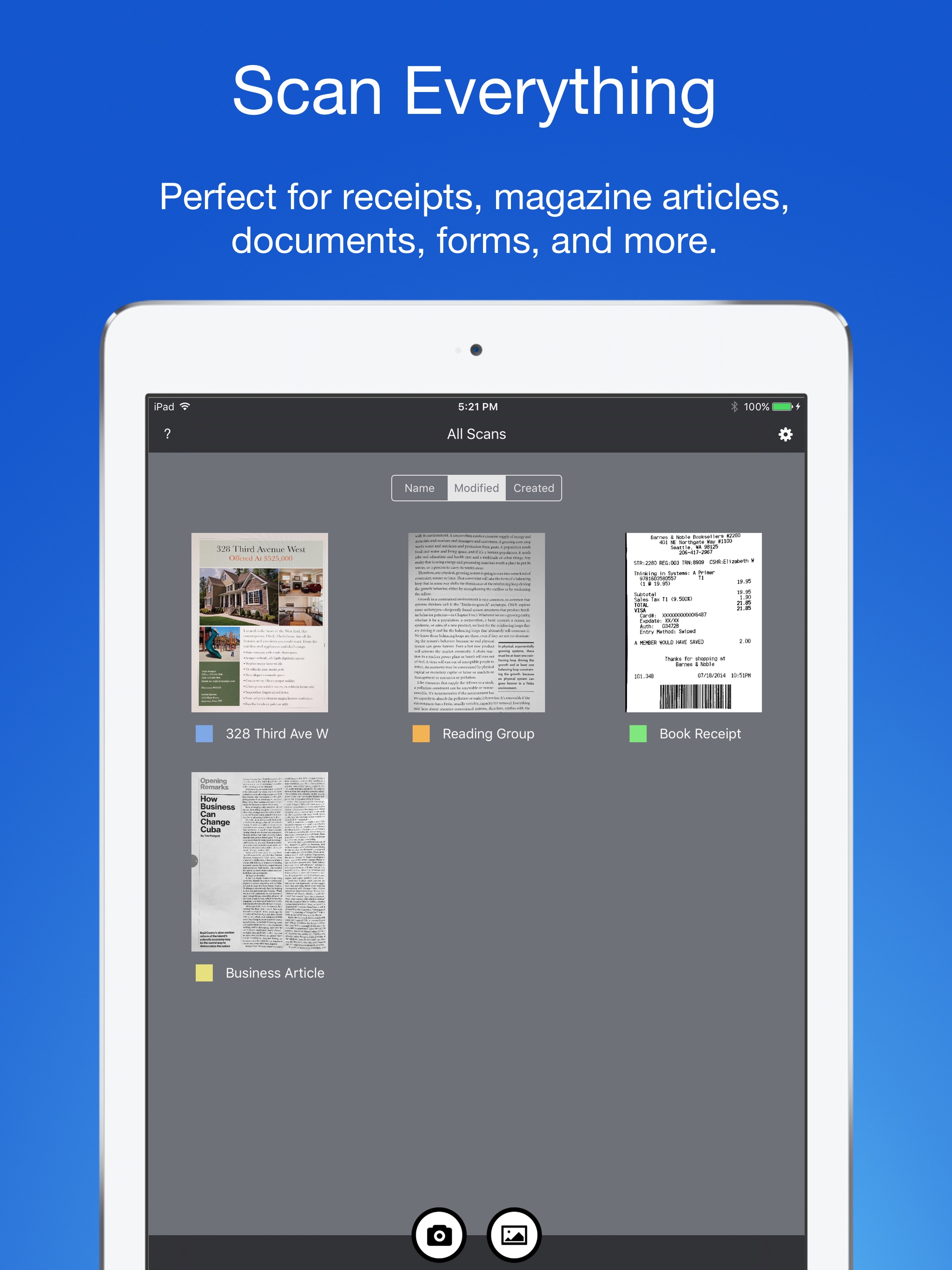
Scanning is just half the problem. You need a good way to keep all your documents organized, and easy to find later. Smart Scanner uses a simple tagging system that is much easier and more powerful than the regular folder system. File documents under custom color-coded categories with just a couple taps. Browse and sort files by category with a couple more.
It's the way filing should work.
FOR ALL YOUR SCANNING NEEDS
+ Quickly scan and send contracts and forms
+ Keep scans of important documents in your pocket, separate form the Photo Library
+ Scan all your travel receipts for easy expense reports
+ Keep digital copies of your notes and sketches
+ Scan articles to read later
+ And more!
TIPS AND TRICKS
Here are a few tips to get the best scans:
+ Place your document on a darker surface to improve the edge auto-detection.
+ You can drag the corners of the blue rectangle to fine tune it after taking a photo.
+ Make sure there is adequate lighting. Use the flash in low-light conditions.
+ You can tap on a page to edit its scan settings (including edges) after the fact.
Скрыть
Показать больше...
Just snap a photo of your document, and get a PDF file you can instantly send to your colleagues, all from your phone or iPad.
TACK SHARP SCANS
That processor in your phone is quite a little monster. Smart Scanner uses it fully to make the best possible scans. Even full-page articles come out tack-sharp and easy to read.
It automatically detects the page edges and corrects for perspective. Pick full-color scans, grayscale, or black-and-white for maximum legibility. FlashAssist can take perfect scans even in poor lighting conditions. You can even change the correction and enhancement settings after the fact.
POWERFUL COLOR-CODED ORGANIZATION
Scanning is just half the problem. You need a good way to keep all your documents organized, and easy to find later. Smart Scanner uses a simple tagging system that is much easier and more powerful than the regular folder system. File documents under custom color-coded categories with just a couple taps. Browse and sort files by category with a couple more.
It's the way filing should work.
FOR ALL YOUR SCANNING NEEDS
+ Quickly scan and send contracts and forms
+ Keep scans of important documents in your pocket, separate form the Photo Library
+ Scan all your travel receipts for easy expense reports
+ Keep digital copies of your notes and sketches
+ Scan articles to read later
+ And more!
TIPS AND TRICKS
Here are a few tips to get the best scans:
+ Place your document on a darker surface to improve the edge auto-detection.
+ You can drag the corners of the blue rectangle to fine tune it after taking a photo.
+ Make sure there is adequate lighting. Use the flash in low-light conditions.
+ You can tap on a page to edit its scan settings (including edges) after the fact.
Скриншоты


Smart PDF Document Scanner Частые Вопросы
-
Приложение Smart PDF Document Scanner бесплатное?
Да, Smart PDF Document Scanner полностью бесплатное и не содержит встроенных покупок или подписок.
-
Является ли Smart PDF Document Scanner фейковым или мошенническим?
Недостаточно отзывов для надежной оценки. Приложению нужно больше отзывов пользователей.
Спасибо за ваш голос -
Сколько стоит Smart PDF Document Scanner?
Приложение Smart PDF Document Scanner бесплатное.
-
Сколько зарабатывает Smart PDF Document Scanner?
Чтобы получить оценку дохода приложения Smart PDF Document Scanner и другие данные AppStore, вы можете зарегистрироваться на платформе мобильной аналитики AppTail.

Оценки пользователей
Приложение еще не оценено в Уганда.
История оценок
Smart PDF Document Scanner Отзывы Пользователей
Нет отзывов в Уганда
Приложение пока не имеет отзывов в Уганда.
Оценки
История позиций в топах
История рейтингов пока не доступна
Позиции в категории
Приложение еще не было в топах
Smart PDF Document Scanner Конкуренты
Smart PDF Document Scanner Установки
30дн.
Smart PDF Document Scanner Доход
30дн.Smart PDF Document Scanner Доходы и Загрузки
Получите ценные инсайты о производительности Smart PDF Document Scanner с помощью нашей аналитики.
Зарегистрируйтесь сейчас, чтобы получить доступ к статистика загрузок и доходов и многому другому.
Зарегистрируйтесь сейчас, чтобы получить доступ к статистика загрузок и доходов и многому другому.
Информация о приложении
- Категория
- Business
- Разработчик
-
Qrayon
- Языки
- English
- Последнее обновление
- 2.5 (11 месяцев назад )
- Выпущено
- Dec 5, 2016 (9 лет назад )
- Также доступно в
- Соединенные Штаты, Великобритания, Канада, Нигерия, Австралия, Ирландия, Индия, Пакистан, Италия, Китай, Алжир, Саудовская Аравия, Южно-Африканская Республика, Швеция, Бельгия, Финляндия, Греция, Гонконг (САР), Хорватия, Венгрия, Индонезия, Исландия, Иордания, Кувейт, Казахстан, Ливан, Шри-Ланка, Литва, Люксембург, Латвия, Мадагаскар, Северная Македония, Мали, Мальта, Малайзия, Норвегия, Непал, Новая Зеландия, Филиппины, Польша, Румыния, Россия, Словения, Словакия, Таиланд, Тунис, ОАЭ, Тайвань, Украина, Уганда, Уругвай, Узбекистан, Вьетнам, Турция, Армения, Ангола, Азербайджан, Бахрейн, Бруней, Беларусь, Белиз, Швейцария, Кипр, Чехия, Дания, Доминиканская Республика, Эстония, Египет
- Обновлено
- 3 месяца назад
This page includes copyrighted content from third parties, shared solely for commentary and research in accordance with fair use under applicable copyright laws. All trademarks, including product, service, and company names or logos, remain the property of their respective owners. Their use here falls under nominative fair use as outlined by trademark laws and does not suggest any affiliation with or endorsement by the trademark holders.
AppTail.