Snap Markup - Annotation Tool

Annotate Photos, Images & Pics

Разработчик: Raghvendra Bhargava

Описание

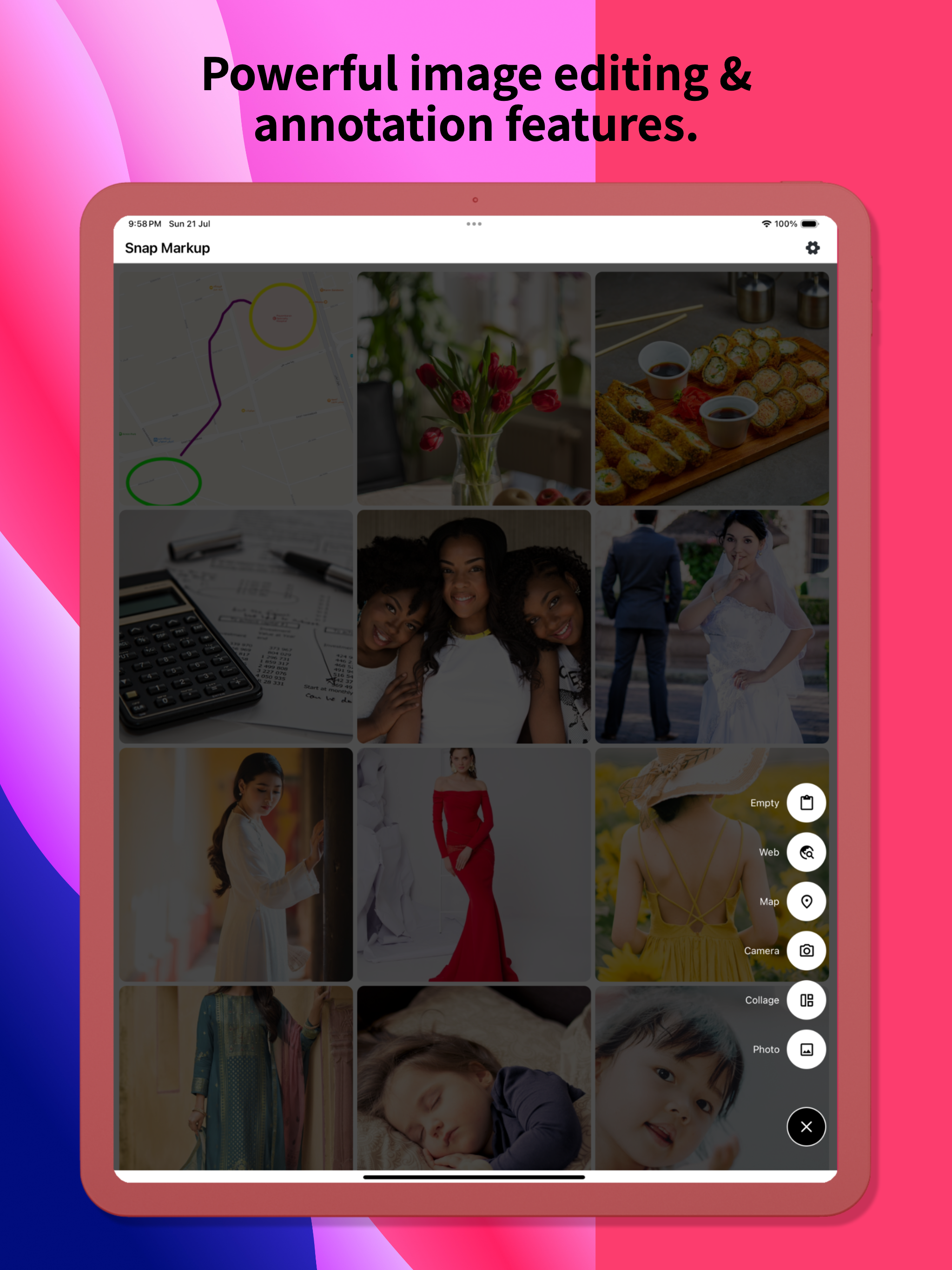
Snap Markup is an easy-to-use and powerful photo markup tool. It offers a variety of annotation features such as cropping, adding text, pixelating images, drawing arrows, rectangles, circles, lines, freehand drawing, curves, triangles, and more. It allows you to edit and markup your photos effortlessly and share them quickly with your friends!
Key Features:
- Crop and rotate images: can be cut into rectangular, round, star, triangle, and other shapes
- Highlight key info: spotlight important details
- Blur images: pixelate to cover areas you don't want to show
- Magnify images: zoom in on selected sections with a loupe
- Add emoji stickers: make your photos lively and interesting
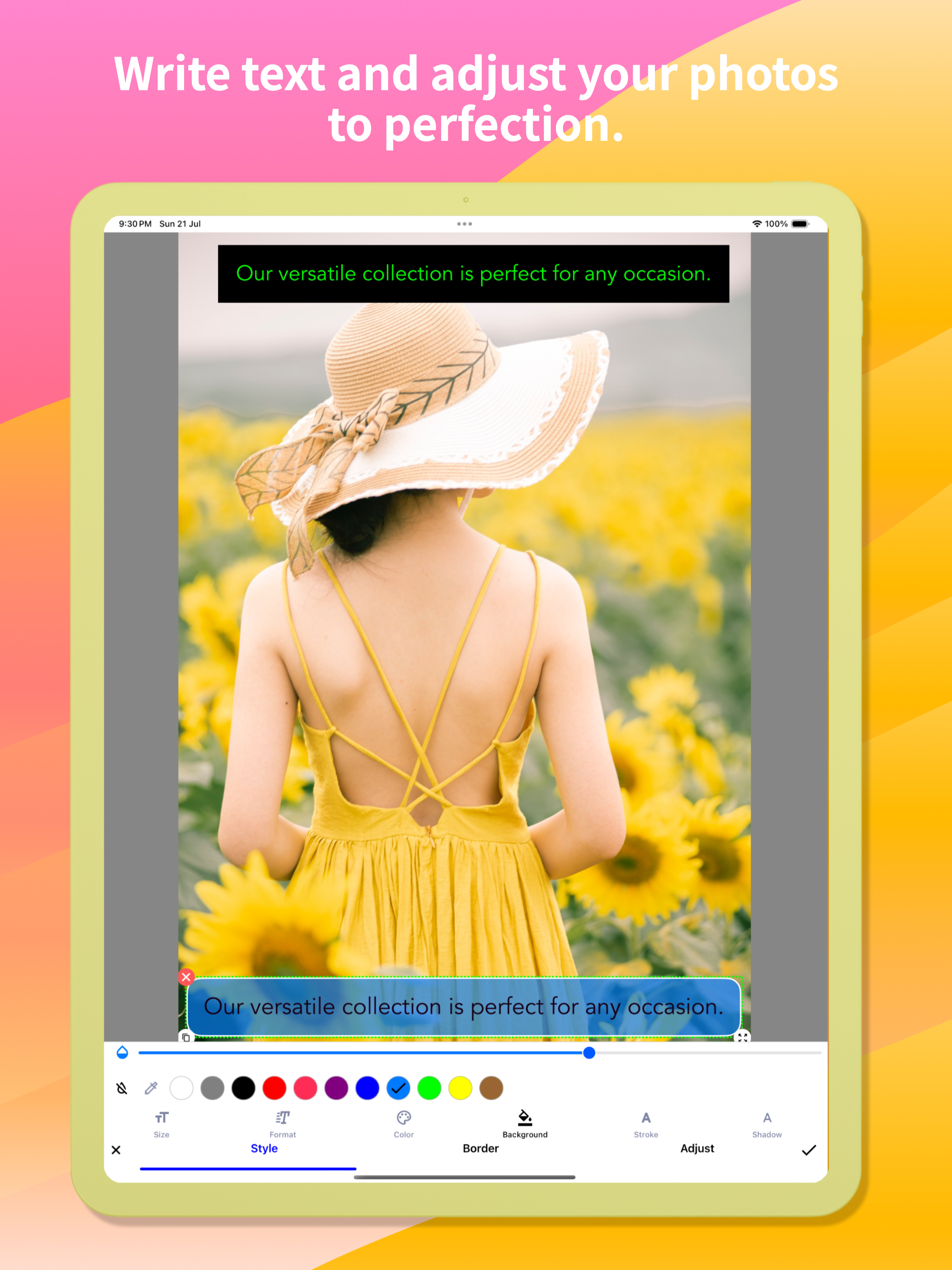
- Add text on photos: customise text colour, background, shadow, stroke, style, size, and more
- Annotate pictures with all necessary tools: Arrow, Rect, Circle, Pen
- Direct annotation of large pictures without needing to crop first
- Import photos from your gallery, save in HD, and share with friends
- High-quality, lossless saving in PNG and JPG formats
- Support for multiple languages
Stitching Photos:
Easily stitch multiple photos into panoramic images, horizontally and vertically.
Webpage and Map Annotation:
Mark up web pages and maps effortlessly, and share your ideas with friends.
Blank Image Creation:
Create blank images and draw according to your needs.
For comments or suggestions on Snap Markup, please contact us at [email protected]. We appreciate your feedback!

Скрыть Показать больше...

Скриншоты

Snap Markup Частые Вопросы

  • Приложение Snap Markup бесплатное?

    Да, Snap Markup полностью бесплатное и не содержит встроенных покупок или подписок.

  • Является ли Snap Markup фейковым или мошенническим?

    🤔 Качество приложения Snap Markup спорное. Некоторые пользователи довольны, в то время как другие сообщают о проблемах. Рекомендуем ознакомиться с отдельными отзывами для получения более полной картины.

    Спасибо за ваш голос

  • Сколько стоит Snap Markup?

    Приложение Snap Markup бесплатное.

  • Сколько зарабатывает Snap Markup?

    Чтобы получить оценку дохода приложения Snap Markup и другие данные AppStore, вы можете зарегистрироваться на платформе мобильной аналитики AppTail.

Оценки пользователей

4.4 из 5

50 оценок в Бельгия

5 star
32
4 star
12
3 star
2
2 star
2
1 star
2
История оценок

Snap Markup Отзывы Пользователей

ничего примечательного

Busla.ru on

Россия

Приложение свою функцию выполняет, но в самом простейшем формальном варианте. Нужно всё нарисовать с первого раза — правки не предусмотрены. Инструменты типа треугольника и «круга» (на самом деле эллипс) неудачные: неудобно прицеливаться, наклонить эллипс нельзя и т.д. и т.п.

Комент

армслм on

Россия

Добавьте пожалуйста Русский язык! Приложение будет топ!

Хороший инструмент

Tihonoviliya on

Россия

Требуется больше шрифтов. И возможность вставлять водяные знаки

Очень хорошо!

88md88 on

Россия

Хотелось бы иметь возможность редактирования, перемещения и предварительной настройки толщины нарисованных элементов на фотографии. Спасибо за приложение!

Not Added Photo Extension directly from Stock Photos App.

Gadjii on

Россия

Added Photo Extension directly from Stock Photos App.

Ed

Edmhey on

Бельгия

Best OK

ESE

Ed-se on

Бельгия

Very nice and easy

Update killed this app.

mypaperstuff on

Соединенные Штаты

I’m so sorry I was on auto-update. This was a great app, now filled with clutter. And what isn’t clutter is ugly. It once had nice small rounded numbers to number objects. No more: big ugly blobs. I only WISH I COULD GO BACK!

Great Value, Almost the Perfect Mark-Up Tool

Petit_Ours on

Соединенные Штаты

I started hunting for a solid screenshot-mark-up app very recently, and Snap Markup is easily the front-runner at this price point. A handful of small adjustments would lock in the fifth star: • Curved arrows & arrowheads
The existing curved-line tool (ideal for conversation tails) is terrific; it would be even better if we could attach an arrowhead—either a gently curved tip or a classic sharp point—while keeping the entire shaft bendable. A little curve on the tail end would polish things further. • Rounded rectangles
A ready-made rounded-rectangle shape would give call-outs softer edges without extra effort. • Smooth cloud shape
A fully rounded “cloud” outline—something more fluid than a comic bubble—would be perfect for friendly notes. • Blank page background colour
When starting from a blank canvas, it would be great to choose the page colour (grey, pastel, etc.) instead of pure white. • Text without auto-frame on photos
On a blank page you can type plain text, but when editing a photo the text box locks itself into a frame as soon as you tap “Done.” A toggle to remove that frame everywhere would be handy. • Underlining in colour
Underlining has always been available, yet the French UI calls the colour picker “accident,” which hides the feature (it’s labelled “stroke” in English). A clearer term—“trait” or “underline”—plus a thickness slider would make the tool far easier to use. • Colour memory & picker search
Right now any chosen colour disappears the moment you pick another shade. If I draw a pale-pink triangle, switch to a pale-green rectangle, and then want another pale-pink shape, finding the exact hue again is tedious. Most iOS apps keep recent or favourite swatches automatically; a small row of saved colours—or even a search box for codes like #FFB6C1—would fix this instantly. • Extra fonts (especially cursive)
One built-in typeface is limiting. A tidy handwritten/cursive font that supports French accents would be wonderful. Access to Google Fonts or the option to import my own .ttf/.otf files would open endless possibilities. • Other text tweaks
– Adjustable line spacing for longer notes.
– Underline thickness and colour controls, as mentioned above. • Highlighting & redaction
Straight, tidy highlighter bars in any saved colour, plus a solid black option for complete redaction, would be very useful. A blur/pixelate tool for phone numbers and faces would round out the privacy features. With these refinements, Snap Markup w

Looks great - But please …

WiildBill on

Соединенные Штаты

Could you make it so your app shows as an option under editing pictures? (an extension.). It’s too cumbersome to find your app, then the picture I want to edit. vs already on the picture in Photos. Thanks so much for the request and keep up the great work !

Оценки

История позиций в топах
История рейтингов пока не доступна
Позиции в категории
Рейтинг
Категория
Позиция
Топ платных
1
Топ платных
7
Топ платных
9
Топ платных
12
Топ платных
62

Ключевые слова

Snap Markup Конкуренты

Snap Markup Установки

30дн.

Snap Markup Доход

30дн.

Snap Markup Доходы и Загрузки

Получите ценные инсайты о производительности Snap Markup с помощью нашей аналитики.
Зарегистрируйтесь сейчас, чтобы получить доступ к статистика загрузок и доходов и многому другому.

Информация о приложении

Категория
Utilities
Разработчик
Raghvendra Bhargava
Языки
English, French, Italian, Japanese, Korean, Polish, Portuguese, Russian, Chinese, Spanish, Turkish
Последнее обновление
2.7 (6 дней назад )
Выпущено
Sep 9, 2015 (10 лет назад )
Также доступно в
Соединенные Штаты, Саудовская Аравия, Тайвань, Китай, Италия, Канада, Германия, Республика Корея, Таиланд, Гонконг (САР), Великобритания, Япония, Австралия, Франция, Бразилия, Вьетнам, Россия, Нидерланды, ОАЭ, Испания, Мексика, Кувейт, Индия, Бельгия, Малайзия, Египет, Греция, Сингапур, Чехия, Филиппины, Турция, Новая Зеландия, Португалия, Оман, Бахрейн, Индонезия, Швеция, Южно-Африканская Республика, Украина, Дания, Швейцария, Австрия, Польша, Норвегия, Казахстан, Финляндия, Румыния, Колумбия, Израиль, Аргентина, Пакистан, Словакия, Ирландия, Катар, Перу, Болгария, Макао (САР), Эстония, Венгрия, Хорватия, Чили, Иордания, Словения, Люксембург, Латвия, Эквадор, Литва, Армения, Гана, Узбекистан, Алжир, Шри-Ланка, Беларусь, Северная Македония, Доминиканская Республика, Тунис, Исландия, Кипр, Непал, Ливан, Уругвай, Мальта, Нигерия, Азербайджан, Мадагаскар, Намибия, Бермудские о-ва, Бруней
Обновлено
4 дня назад
This page includes copyrighted content from third parties, shared solely for commentary and research in accordance with fair use under applicable copyright laws. All trademarks, including product, service, and company names or logos, remain the property of their respective owners. Their use here falls under nominative fair use as outlined by trademark laws and does not suggest any affiliation with or endorsement by the trademark holders.