AirDisk: File Manager

Trasferimento foto senza fili

Published by: Felix Yew

Description

AirDisk Pro – Il modo più semplice per trasferire e gestire i file in modalità wireless
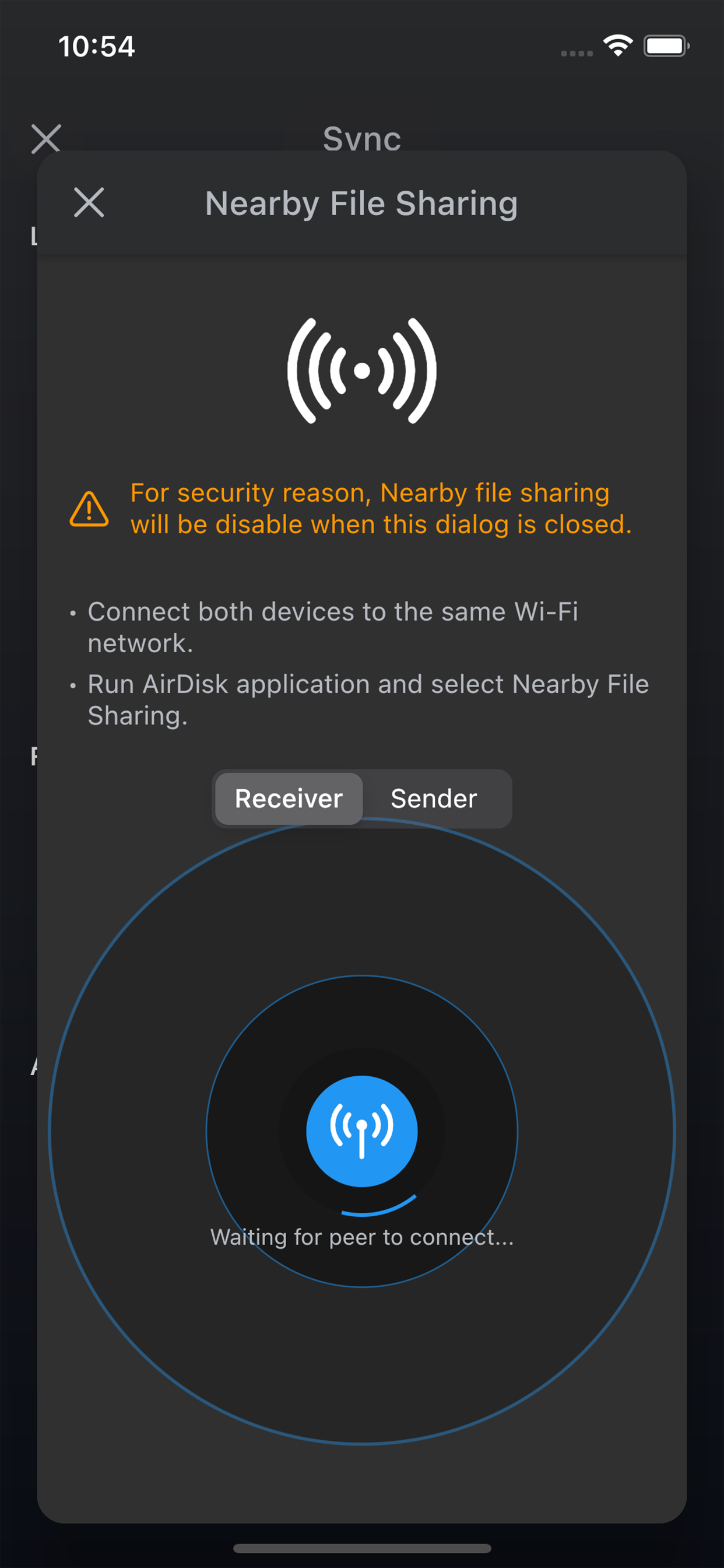
AirDisk Pro trasforma il tuo iPhone o iPad in una potente chiavetta USB wireless, permettendoti di trasferire facilmente i file tra il computer e il dispositivo iOS utilizzando solo un browser web – senza cavi né configurazioni complicate. Basta connettere entrambi i dispositivi alla stessa rete Wi-Fi, aprire un browser sul computer e iniziare il trasferimento dei file in pochi secondi.
Nuova funzionalità: Trasferimento wireless delle foto
Ora puoi trasferire direttamente le foto dall’app Foto di iOS al tuo computer tramite l’interfaccia web, rendendo ancora più facile il backup e l’organizzazione delle immagini!

Perché scegliere AirDisk Pro?
• Trasferimenti wireless rapidi e semplici – Trascina e rilascia i file direttamente dal Finder di Mac o da Esplora File di Windows nell’interfaccia web di AirDisk Pro per trasferimenti immediati.
• Niente cavi, niente problemi – Funziona sulla tua rete Wi-Fi locale per una condivisione veloce tra computer e dispositivo iOS.
• Gestione completa dei file – Archivia, organizza e accedi facilmente a documenti, musica, foto e video in un’unica app.
• Lettore multimediale e visualizzatore di documenti integrati – Apri PDF, ascolta musica, visualizza immagini, accedi ai file di Office/iWork e molto altro direttamente dall’app.

Funzionalità principali:
Trasferimenti di file wireless senza sforzo
• Novità! Trasferisci foto direttamente dall’app Foto di iOS al tuo computer tramite l’interfaccia web.
• Novità! Scarica file dall’app File di iOS al tuo computer tramite il browser web integrato.
• Carica, scarica e gestisci i file direttamente dal browser del tuo computer, senza bisogno di software aggiuntivo.
• Compatibile con Mac e PC, con funzionalità di trascinamento per trasferimenti rapidi.
Sicurezza & privacy
• Protezione con password per i trasferimenti via Wi-Fi e HTTP/FTP, per mantenere i tuoi dati al sicuro.
• Supporto per Touch ID / Face ID per una maggiore sicurezza.
Lettore multimediale avanzato
• Crea e gestisci playlist personalizzate.
• Riproduzione in background, con supporto per riproduzione casuale e ripetizione.
Gestione avanzata dei file
• Sposta, copia, rinomina, elimina, comprimi/estrai file ZIP e RAR, con possibilità di organizzare i file in cartelle.
• Crea file di testo, memo vocali e acquisisci foto/video direttamente nell’app.
Integrazione con il cloud
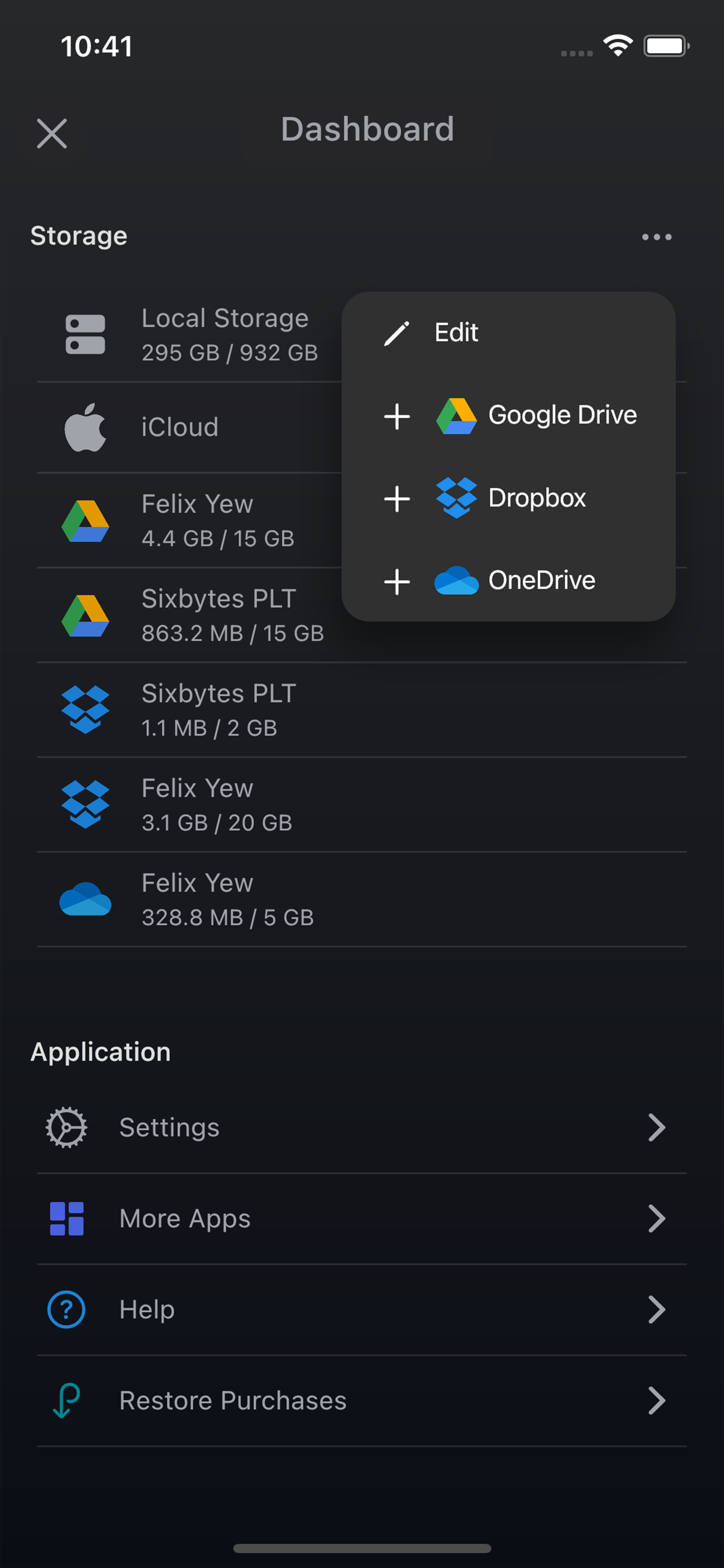
• Accedi facilmente ai file archiviati su iCloud Drive, Google Drive, Dropbox e OneDrive.
App universale
• Un unico acquisto per l’uso completo su iPhone e iPad, senza costi aggiuntivi.

Formati di file supportati:
Documenti: PDF, Word, Excel, PowerPoint, iWork (Pages, Numbers, Keynote)
Audio: MP3, WAV, M4A, AAC, AIF, AIFF, CAF
Immagini: JPG, PNG, GIF, BMP, TIFF, ICO
Video: MP4, MOV, MPV, M4V
Testo & codice: RTF, TXT, HTML, archivi web, codice sorgente

Scopri come AirDisk Pro semplifica la gestione dei file e migliora la produttività!
Scopri di più: https://airdisk.app
Termini di servizio: https://airdisk.app/terms-of-service
Informativa sulla privacy: https://airdisk.app/privacy-policy
Hide Show More...

Screenshots

AirDisk FAQ

  • Is AirDisk free?

    Yes, AirDisk is completely free and it doesn't have any in-app purchases or subscriptions.

  • Is AirDisk legit?

    Not enough reviews to make a reliable assessment. The app needs more user feedback.

    Thanks for the vote

  • How much does AirDisk cost?

    AirDisk is free.

  • What is AirDisk revenue?

    To get estimated revenue of AirDisk app and other AppStore insights you can sign up to AppTail Mobile Analytics Platform.

User Rating

5 out of 5

7 ratings in Italy

5 star
7
4 star
0
3 star
0
2 star
0
1 star
0
Ratings History

AirDisk Reviews

Crashes when you try to buy the non premium versions.

Pahill on

United States

It crashes every time I try to buy the non premium versions. After buying the premium verision. The WiFi transfer doesn’t work. I need a refund!

Doesn’t work

nothingplays on

United States

I can put photos on the app and I can download them from my iPhone onto the computer through the WiFi transfer but the files are “insecure” and don’t work properly and simply cannot be used So good concept just if y'all can make the transferred files not insecure and usable when transferred, you’d be in business

Dont buy it

Estarlin Hidalgo on

United States

Don’t waste your money.

Thanks

Punki g on

United States

Muy fácil y practico

Failed transfer

vikere on

United States

Not waste your time, not working from windows 11

Worked good until update

saduser66666 on

United States

It worked just fine before but now it stop opening on my phone

Help

Sherezader on

United States

I don’t understand how to acces the App on pc, please help. I would like to upload files to my pc.

AirDrop

theCOOOOOOOOOLESTguy on

United States

As I use a windows AND Mac computer, I can’t always use airdrop. So I use this! Very cool app!!!

Store Rankings

Ranking History
App Ranking History not available yet
Category Rankings
Chart
Category
Rank
Top Free
129
Top Free
170
Top Free
195
Top Free
203
Top Free
215

Keywords

AirDisk Installs

Last 30 days

AirDisk Revenue

Last 30 days

AirDisk Revenue and Downloads

Gain valuable insights into AirDisk performance with our analytics.
Sign up now to access downloads, revenue, and more.
This page includes copyrighted content from third parties, shared solely for commentary and research in accordance with fair use under applicable copyright laws. All trademarks, including product, service, and company names or logos, remain the property of their respective owners. Their use here falls under nominative fair use as outlined by trademark laws and does not suggest any affiliation with or endorsement by the trademark holders.