Description

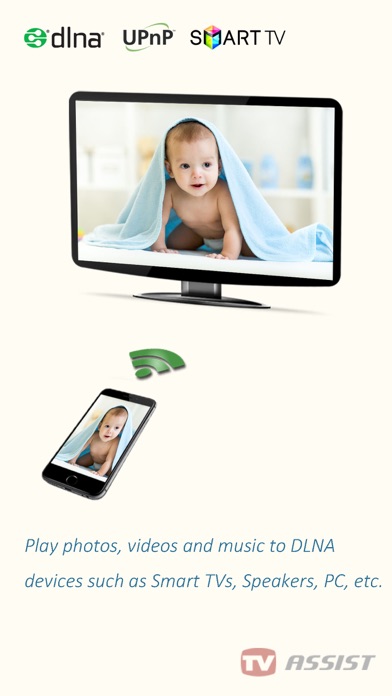
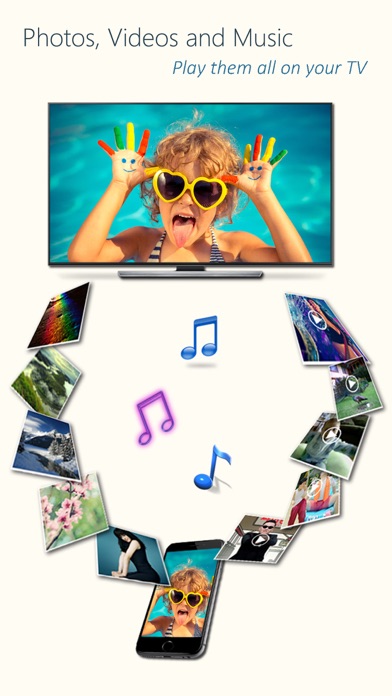
Play photos, videos, and music from your iPhone/iPad to DLNA-compatible devices such as smart TVs, AV systems, speakers, PCs, and other mobile devices.
Easy to use - Just pick your media and tap to play, only one single step to play it on your TV!
Anytime, anywhere, across devices - Enjoy sharing photos, videos, and music with friends and family. Stream content to a nearby TV or other devices for everyone to view or listen together.
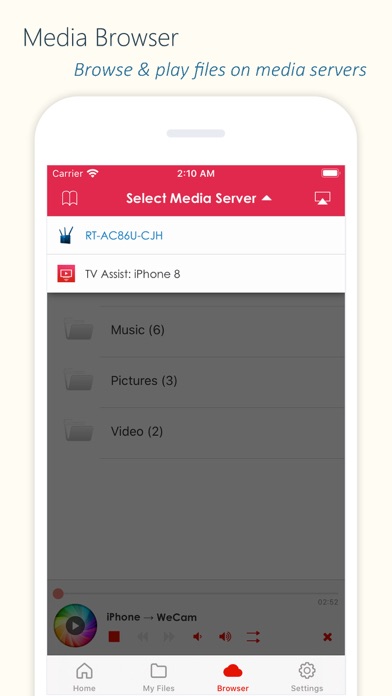
TV Assist also lets you browse media on other DLNA devices and play them directly on your iPhone/iPad or another compatible device.
Getting photos, videos and music from friends is easy - Use TV Assist as a media receiver (renderer) to accept media streamed from other DLNA devices (e.g., another iPhone/iPad running TV Assist).
Key Features:
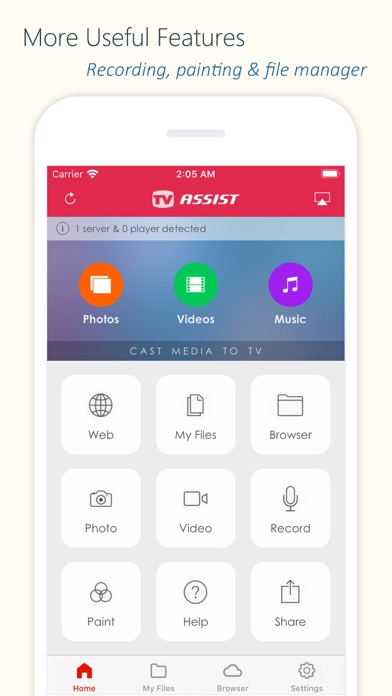
- Display photos on other devices in multiple sizes for the best viewing experience;
- Play videos on other devices in all supported qualities;
- Play music on other devices with metadata;
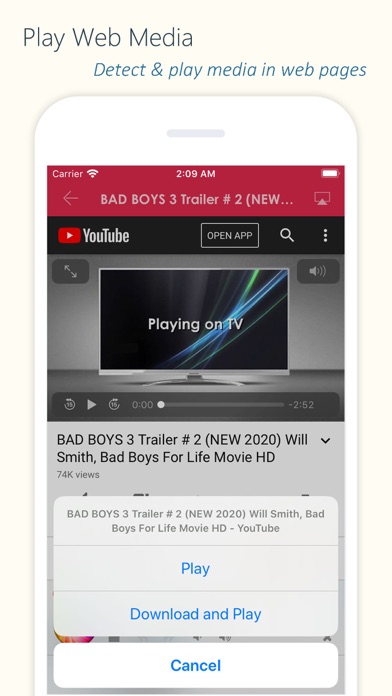
- Detect and play media content from web pages;
- Access and play media files stored on other DLNA devices;
- Upload files to your iPhone/iPad and play them;
- Draw on your TV screen interactively;
- Record videos or audio and stream them directly to TV;
- Work as a renderer: Receive media from other DLNA devices;
- Work as a server: Share your device's media with other DLNA devices.
Supported Devices:
- TVs from Samsung, LG, Sony, Panasonic, Sharp, Philips, Thomson and many others;
- AV systems from DENON, Onkyo, Marantz, Bose, Pioneer and many others;
- Game consoles such as Xbox 360, PlayStation 3;
- Media Players: Apple TV, Sony Blu-ray players, TV boxes and others;
- PCs/Mac: Twonky, Windows Media Player, Plex, and others;
- All DLNA/UPnP-certified devices.
Important Notes:
- TV Assist relies on DLNA technology and requires a WiFi connection;
- Ensure your TV/device is DLNA-compatible and connected to the same local network;
- Some iPhone/iPad media formats may not be supported by your TV/device;
- TV Assist cannot access media from other iOS apps (e.g., the native Videos app). Upload files to TV Assist for playback.
Hide Show More...

In-Apps

Full Version
179.00 ₱
Basic Features
99.00 ₱
Unlimited Music
49.00 ₱
Unlimited Photos
49.00 ₱
Unlimited Videos
49.00 ₱
Advanced Features
99.00 ₱
Online Media Pack
49.00 ₱

Screenshots

FAQ

  • Is 电视助手 free?

    Yes, 电视助手 is free to download, however it contains in-app purchases or subscription offerings.

  • Is 电视助手 legit?

    ‼️️ The 电视助手 app seems suspicious. Many reviews appear fake or manipulated. Exercise caution.

    Thanks for the vote

  • How much does 电视助手 cost?

    电视助手 has several in-app purchases/subscriptions, the average in-app price is 81.86 ₱.

  • What is 电视助手 revenue?

    To get estimated revenue of 电视助手 app and other AppStore insights you can sign up to AppTail Mobile Analytics Platform.

User Rating

4.17 out of 5

247 ratings in Philippines

5 star
167
4 star
28
3 star
14
2 star
8
1 star
31
Ratings History

Reviews

Laggy and cannot share screen only youtube

Awitizedzxzz on

Philippines

Please give me a refund i thought my payment would be worth it cause it says there would be a bonus things but its useless please give me a refund

Assist

zluj2019 on

Philippines

Good job

Good for a freemium app

Rinbhy on

Philippines

Yes there are ads in the app and it’s buggy plus you have to pay for better features. But it works so much better than premium/paid apps. Just please fix the player slider, the casting stability, and the search for casting devices.

CAN’T SEE ALL VIDEOS

The Real Templar on

Philippines

It can’t find the videos I imported with a 3rd party app.

Nice App!! Seemless sync and stream!

d-Ave. on

Philippines

Seamless sync from phone to tv, great app!!

Needs UPnp or download the paid version

arceedeleon on

Philippines

Doesnt work with our Panasonic tv with chromecast.

it does not connect to the tv after a while. i wonder why, just when i bought the upgraded version

maricarjoy8 on

Philippines

☹️

This is great

Paenguin45 on

Philippines

I just cant seem to cast the browser

Not working on sharp smart tv model lc-40SA5500

KSAM_GAMEGUIDE on

Philippines

It just does not work

working on IOS thank you

Avarage Player on

Philippines

This is a legit 100% working..worth it to download!

Store Rankings

Ranking History
App Ranking History not available yet
Category Rankings
Chart
Category
Rank
Top Free
135
Top Free
202
Top Free
240
Top Free
321
Top Free
385

Keywords

Competitors

电视助手 Installs

Last 30 days

电视助手 Revenue

Last 30 days

Revenue and Downloads

Gain valuable insights into 电视助手 performance with our analytics.
Sign up now to access downloads, revenue, and more.

App Info

Category
Photo Video
Publisher
俊红 柴
Languages
Russian, Turkish, German, Italian, Japanese, French, Polish, Thai, Chinese, English, Dutch, Spanish, Vietnamese
Recent release
8.2 (1 month ago )
Released on
Mar 13, 2014 (11 years ago )
Last Updated
5 months ago
This page includes copyrighted content from third parties, shared solely for commentary and research in accordance with fair use under applicable copyright laws. All trademarks, including product, service, and company names or logos, remain the property of their respective owners. Their use here falls under nominative fair use as outlined by trademark laws and does not suggest any affiliation with or endorsement by the trademark holders.