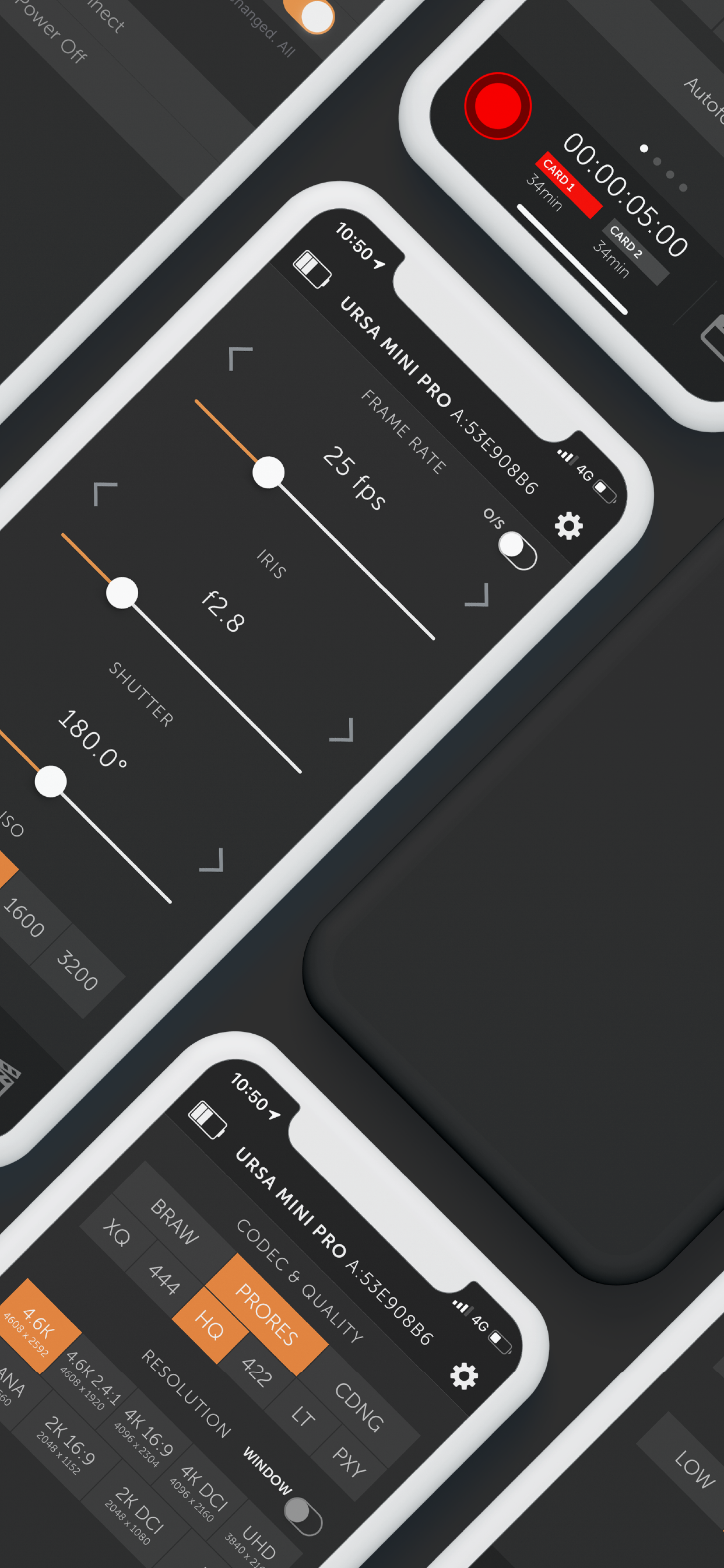
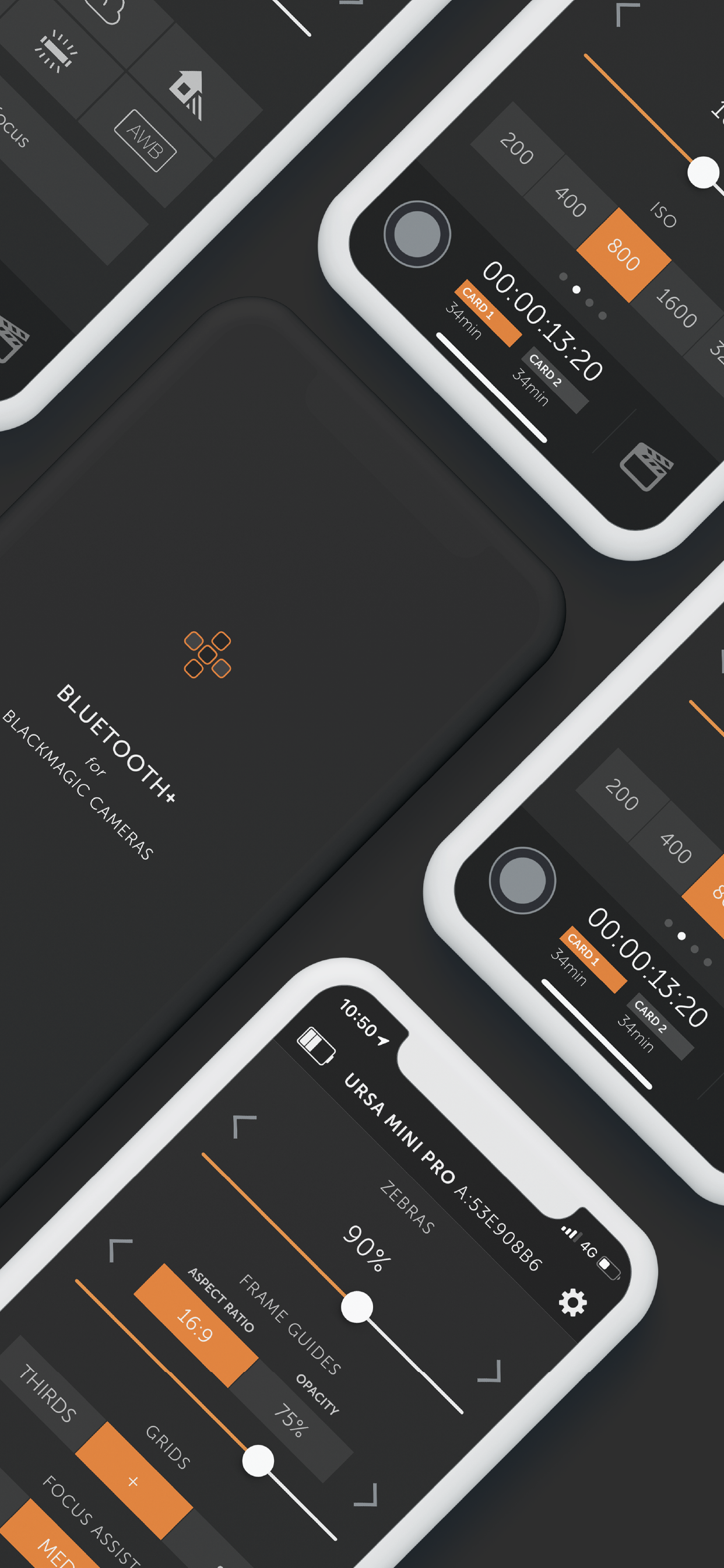
Bluetooth+ for Blackmagic

Pocket 4K / 6K & Ursa Mini Pro

Published by: We Are Empire PTY

Description

-- NEW External Controllers --
Connect Tilta Nucleus Nano & Nucleus-M to control Focus, Iris and Zoom, as well as Start & Stop Recording.
Zoom and Focus control supported on Pocket 4K only.
This is part of the new Pro feature set, which also includes Multi-Cam mode.

-- MULTI-CAM MODE --
Multi-Cam Mode is now part of the Pro feature set, and includes these fantastic features:
• Control up to 12 Blackmagic cameras at once
• Create up to 3 distinct Control Groups, to give you fine-grain control over different settings for different cameras
• You can choose to have changes made on one camera automatically update all the other cameras in its Control Group, or control everything straight from Bluetooth+
• Give your cameras Nicknames to quick, easy control
Multi-Cam gives you control over the following features synced across an entire Group:
• Start/Stop Recording
• White Balance + Tint
• Project frame rate (off-speed frame rates not supported)
• Shutter Angle/Speed
• ISO
• Overlays
• Slate
• Trigger Auto-focus
You can still control all other settings on a camera-by-camera basis, including:
• Trigger stills capture
• Iris control
• Focus + Zoom (on supported lenses)
• Codec + Resolution
• Playback control
• You can also set ISO specifically, rather than by camera group

And of course, everyone has access to all of these amazing features:
• Follow Focus (limited support for EF Mount cameras). See below for more info
• Zoom Control on supported lenses
• Trigger Stills capture
• Record Start/Stop
• White Balance + Tint, including 5 helpful presets and Auto White Balance
• Audio Controls
• Trigger Autofocus (for supported electronic lenses with autofocus enabled on lens)
• Off-speed frame rates
• Aperture (for supported electronic lenses)
• Shutter Angle
• ISO
• Auto-Exposure Control
• Active Card
• Power On/Off
• Monitor Overlays
• Codec & Resolution
• Enter metadata in the Digital Slate (including location data from your iPhone or iPad if you give permission)
• Control Lock - locks critical controls while recording, preventing accidental settings changes during takes

-- Follow Focus --
You can now pull focus wirelessly right from your iPhone or iPad. There are some limitations outlined below.
• Currently only fully supports Pocket 4K, but as of v1.4 we now have limited support for EF mount cameras - Pocket 6K, Ursa Mini Pro G1 & G2
• The camera does not supply the app with any information on the lenses current focus distance, so the app will not update in real time if you pull focus manually on the lens
• Due to the nature of bluetooth, focus pulls may not be 100% smooth. It works well for nice slow pulls, but fast pulls my not feel entirely natural and organic. Unfortunately this is a limitation of the available technology.
• On EF mount cameras, we can only offset focus from its current position, with no broader knowledge of where the lens is in its focus range. This means that focus marks are not possible. In addition, focus pulls on EF mount cameras can be quite jerky depending on the lens in use.

-- Playback Control --
With Bluetooth+ you can control the playback of clips right from your iOS device. There are some notable limitations at this point. Currently you can:
• Start playing a clip, either forwards or backwards
• Navigate between clips, either forwards or backwards
For now, you will not be able to:
• Pause a clip that is already playing
• Change the speed of a clip that is already playing
• Control clip looping

-- Zoom Control --
Control the zoom level on supported lenses. For the most part, this will only work on MFT lenses with electronic zoom. We are currently unaware of EF lenses that support this feature

-- Slate-Only Mode --
As the name suggests, this feature locks the app into Slate-Only mode, without the ability to change critical camera settings or start/stop recording. This means you can let an assistant keep metadata up to date without the fear of interfering with important camera settings.
Hide Show More...

In-Apps

Pro
€9.99
Multi-Cam Control
€9.99

Screenshots

Bluetooth FAQ

  • Is Bluetooth free?

    Yes, Bluetooth is free to download, however it contains in-app purchases or subscription offerings.

  • Is Bluetooth legit?

    🤔 The Bluetooth app's quality is mixed. Some users are satisfied, while others report issues. Consider reading individual reviews for more context.

    Thanks for the vote

  • How much does Bluetooth cost?

    Bluetooth has several in-app purchases/subscriptions, the average in-app price is €9.99.

  • What is Bluetooth revenue?

    To get estimated revenue of Bluetooth app and other AppStore insights you can sign up to AppTail Mobile Analytics Platform.

User Rating

4.26 out of 5

42 ratings in Spain

5 star
29
4 star
4
3 star
4
2 star
1
1 star
4
Ratings History

Bluetooth Reviews

Peor con la ultima actualización

Antoniopch on

Spain

Desde la última actualización ya no funciona con Apple Watch, por lo demás es muy útil con BMPC 4k + Dji Ronin

Stills

Wilson Alec on

Spain

The app in general is fine, the only thing that isn’t working for me is the stills button, it won’t let me take stills, the button shows up and i can press it but nothing happens, this is using the bmpcc4k.

Ya no funciona

dinodraven on

Spain

La app iba perfectamente hasta hace nada pero en enlace con la pocket desde la nueva actualización no va bien. Te pide el código pero no te permite introducir texto. Un desastre.

Bastante buena

Linea Sonora on

Spain

Entre varios parámetros de control de una sola cámara o varias, el Focus Auto funciona perfecto con lentes Sigma Art, Metabones SpeedBooster y BMPCC 4K. Los puntos A, B y C los coje sin problema. Así cómo la velocidad entre ellos. Para ello, hay que mantener pulsado cada punto de foco que quieres.

Focus control

Housesion on

Spain

No se puede utilizar como rack focus, no posiciona los puntos A;B;C lo he probado con variaslentes de canon serie L en BMpc6k y Ursa mini Pro tan solo aparece una barra.

Still button

Aligatorrex on

Spain

I also find it very interesting to add a button to take stills. Now, when I take a picture with the camera button, most of the time it is not very clear due to the movement when the button is pressed

Imprescindible para una BM

Macjosan on

Spain

Tiene opciones que no tiene la app oficial. Vale lo que cuesta. Me encanta.

Doesn’t work at all

J.pres on

United States

Doesn’t work

Love the app overall. Wish it had one thing.

_Jdrum_ on

United States

Just bought a bmpcc 4k and got this app right away. I love all the features. I just want to know if the developer ever plans on adding the ability to use this app as a bluetooth monitor? I would definitely be willing to pay extra for that.

Buggy but useful

AskJoe.TV on

United States

I have a love / hate relationship with this app. When it works, it’s absolutely amazing. In the most recent update they added better support for the full frame BMCC6K, but now I can’t seem to be able to toggle focus assist on any of my four cameras (4K, 6K G2, 6K Pro, 6KFF). The multi cam support is frustrating because I still need to disconnect and re load the app to configure certain features in single mode on each camera one by one. As a single person content creator, I need to rely on this app so that while sitting in front of the camera, I could make some basic changes like triggering and checking the focus with focus assist, adjusting the exposure with false color and configuring my ratio and codec. I’m not sure if this is just a bug in the last update but the toggle is no longer there to turn on the focus assist. They do have settings to change the level of focus assist, but there is no longer away to toggle it on and off. Now, I have to manually walk around to the other side of the camera to turn on focus assist, then get back in front of the camera, then I can adjust the focus and I need to walk behind the camera again to turn the focus assist off and walk back again to stand in front and I need to make sure I stand in the same spot in front so the focus is still good. That’s frustrating.

Store Rankings

Ranking History
App Ranking History not available yet
Category Rankings
Chart
Category
Rank
Top Paid
5
Top Paid
15
Top Paid
18
Top Paid
19
Top Paid
23

Keywords

Bluetooth Competitors

Bluetooth Installs

Last 30 days

Bluetooth Revenue

Last 30 days

Bluetooth Revenue and Downloads

Gain valuable insights into Bluetooth performance with our analytics.
Sign up now to access downloads, revenue, and more.
This page includes copyrighted content from third parties, shared solely for commentary and research in accordance with fair use under applicable copyright laws. All trademarks, including product, service, and company names or logos, remain the property of their respective owners. Their use here falls under nominative fair use as outlined by trademark laws and does not suggest any affiliation with or endorsement by the trademark holders.