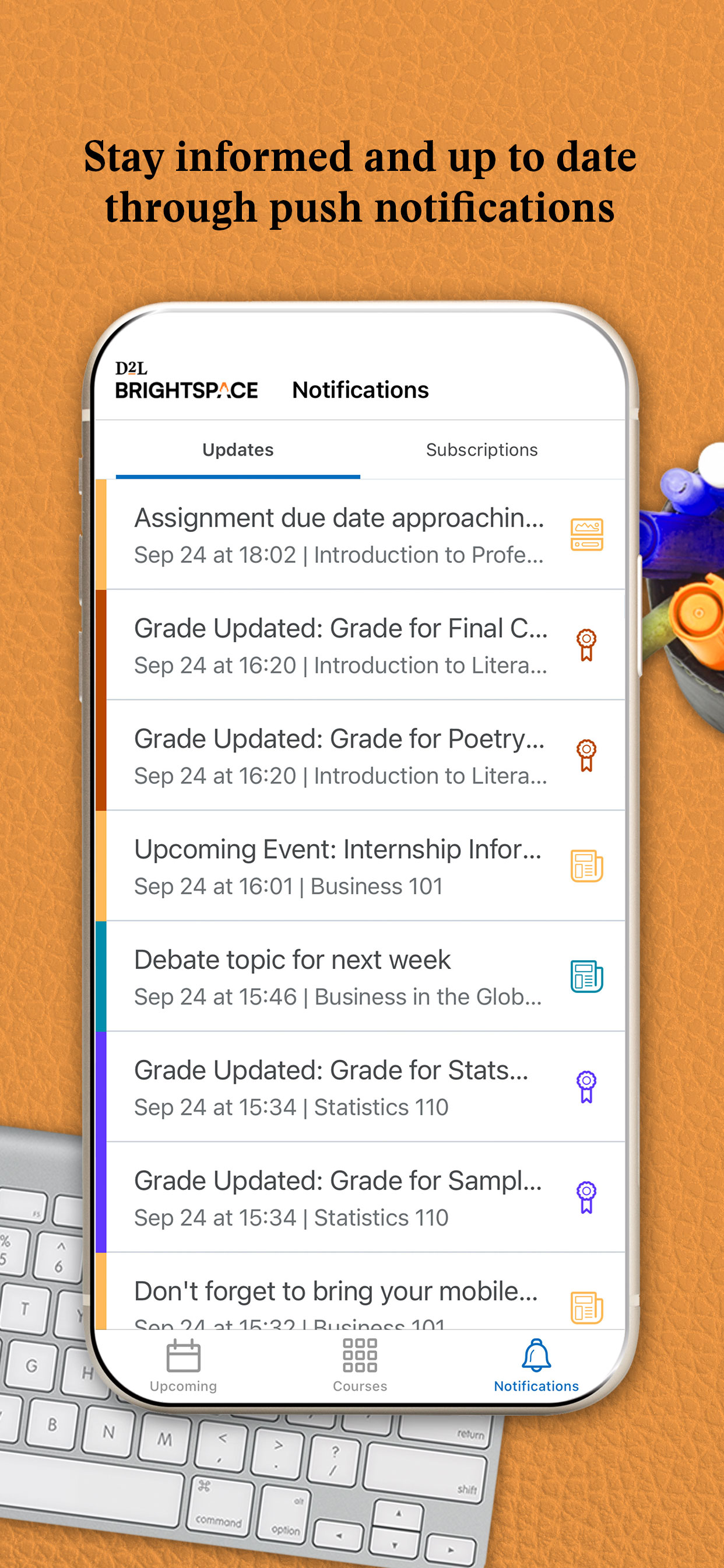
Help instructors and learners stay connected anytime, anywhere, with the Brightspace Pulse App. The app allows you to visualize upcoming activities, manage your time, and stay on top of coursework.
- See all important dates and deadlines for each of your courses, plus add your own
- Stay up to date about course-related updates such as Announcements, Activity Feed, Grades, Quizzes, and Assignments, all through push notifications
- Review course content off-line without a data connection, including video and audio content
- Participate in Activity Feed discussions
-Seamlessly log in to D2L Brightspace via browser to complete additional tasks
-Supports Apple Continuity for login from iPhone to iPad or Mac
NOTE: iPad, iPhone and Mac are trademarks of Apple Inc., registered in the United States and other countries.
HideShow More...
Screenshots
Brightspace Pulse FAQ
Is Brightspace Pulse free?
Yes, Brightspace Pulse is completely free and it doesn't have any in-app purchases or subscriptions.
Is Brightspace Pulse legit?
⚠️ The Brightspace Pulse app has poor ratings and negative feedback. Users seem unsatisfied with its performance or features.
The setup wizard keeps showing up from time to time, even though the app has already been set up. You have to either go through the wizard again, or force close the app and then open it again, which will fix the issue. Very annoying! Please fix ASAP
Error 4866
I dont know why error 4866 comes up. I cant see any updates.
Saleforce?
Why does it route me to sales force when I try to log in? Didn’t do this before.
Good to keep a timeline, but grade or discussion updates don’t load
I like the calendar piece, but I will see a notification from pulse about a grade or discussion, and when I open pulse, the updated grade is not there. It takes a while to update to pulse before I just get to my computer and check my grades on my school portal.
This app is broken
To get this app to work, I REGULARLY have to delete and re-download it. In the two years I’ve used this app for school, it has not changed or updated its issues at all.
Update Issues
Since the update came out, I have not been able to load classes, learning materials, discussions…etc. The wheel just keeps spinning. I hope there is any easy fix to this because it used to be a superb app!
Needs work… a lot
Most of the tome when notifications are opened regarding the app it will send you to a blank page with the only option being to close and reload the app. Most content is shown on the app with the exception of assignments, announcement and communication capabilities to instructors (some of the most important features in my opinion). When in doubt just open the portal take you to a desktop orientated webpage, if thats what I wanted I would have just opened D2L on a browser. Please add more content, fix the blank pages, and occasional technical errors that this app has.
:(
I don’t like swiping to see my grads
I have to delete and reload often
If I click in a notification, the screen goes black. There is nothing for it but to delete the app and reload it. With it, I then have to go through verification of my school and outlook every time. I hate this app for this reason. If I found not use it, I would, by this is my education so I’m stuck with it. Zero stars. Would not recommend.
Poor features
The Pulse educational app has potential, but it needs significant improvements to be truly effective for students.
Pros:
Potentially Powerful: The app offers some useful features.
Cons:
Disorganized: The app is difficult to navigate and not user-friendly.
Poor Assignment Tracking: The To-Do section doesn’t list all weekly activities, making it easy to miss assignments.
Complicated Grades Tab: The Grades tab is confusing and doesn’t show final grades.
Limited Communication: There’s no option to email or message professors directly through the app.
Lack of Customization: The Courses window is too large and can’t be customized.
Comparison to Canvas:
Organization: Canvas is much more organized and user-friendly.
Assignment Tracking: Canvas makes it easy to keep track of all assignments and activities.
Communication: Canvas allows easy contact with professors.
User Interface: Canvas is more intuitive and easier to navigate.
Overall, Pulse is not as good for students compared to Canvas. Major changes and updates are needed to improve its usability and effectiveness.
This page includes copyrighted content from third parties, shared solely for commentary and research in accordance with fair use under applicable copyright laws. All trademarks, including product, service, and company names or logos, remain the property of their respective owners. Their use here falls under nominative fair use as outlined by trademark laws and does not suggest any affiliation with or endorsement by the trademark holders.