DSPhoto Backup

Published by: Thomas Le gravier

Description

Automatically backup all your photos and videos to your Synology NAS. DSPhoto Backup is the complete solution to secure your memories on your Diskstation while managing and freeing up local storage.
SECURE & PRIVATE BACKUP
• End-to-end encryption for your credentials
• Your data never leaves your device
• No tracking, no ads, complete privacy guaranteed
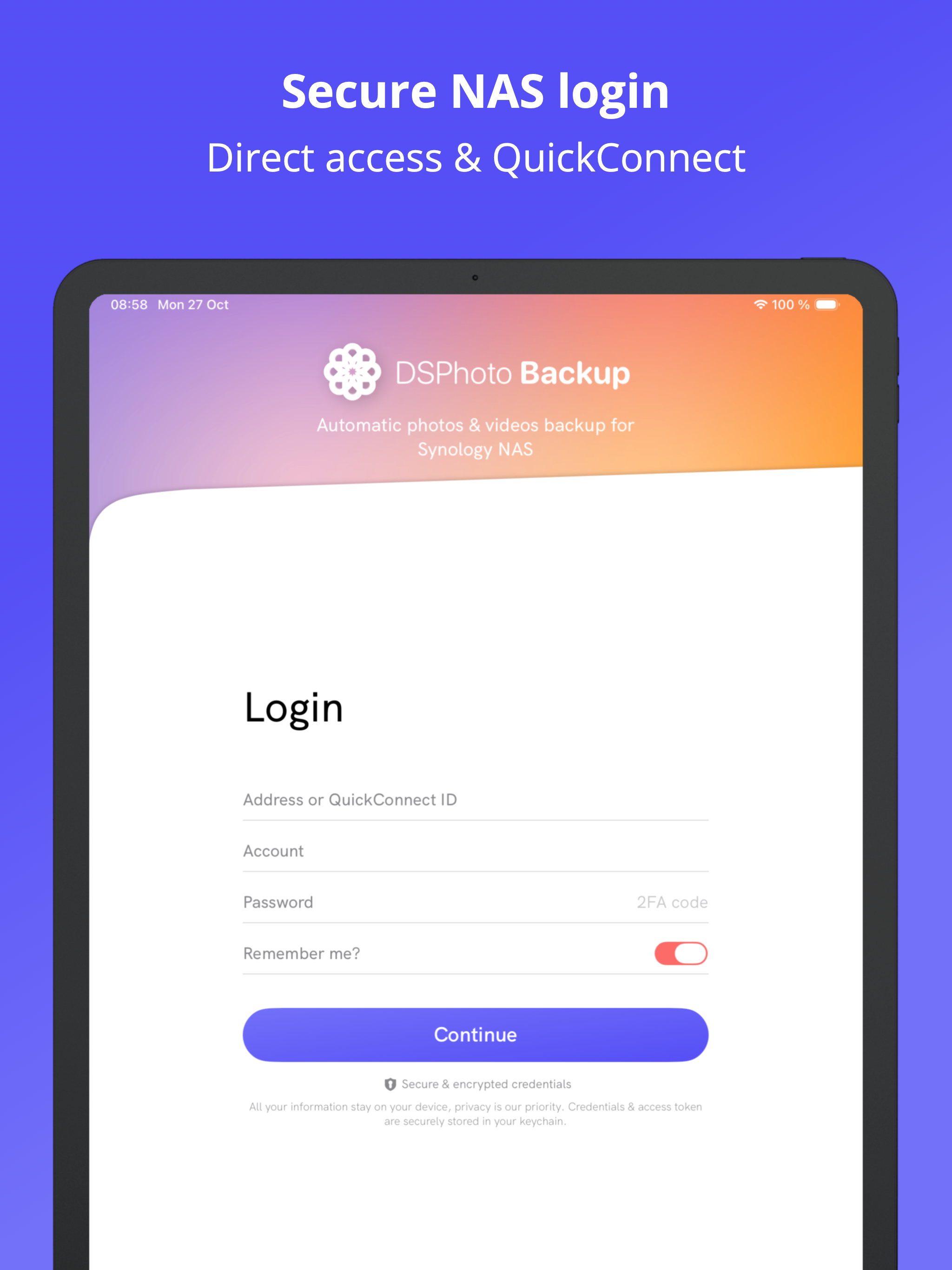
• Works on local network & remotely via QuickConnect
• SSL/TLS encryption & 2FA authentication support
AUTOMATIC PHOTO & VIDEO BACKUP
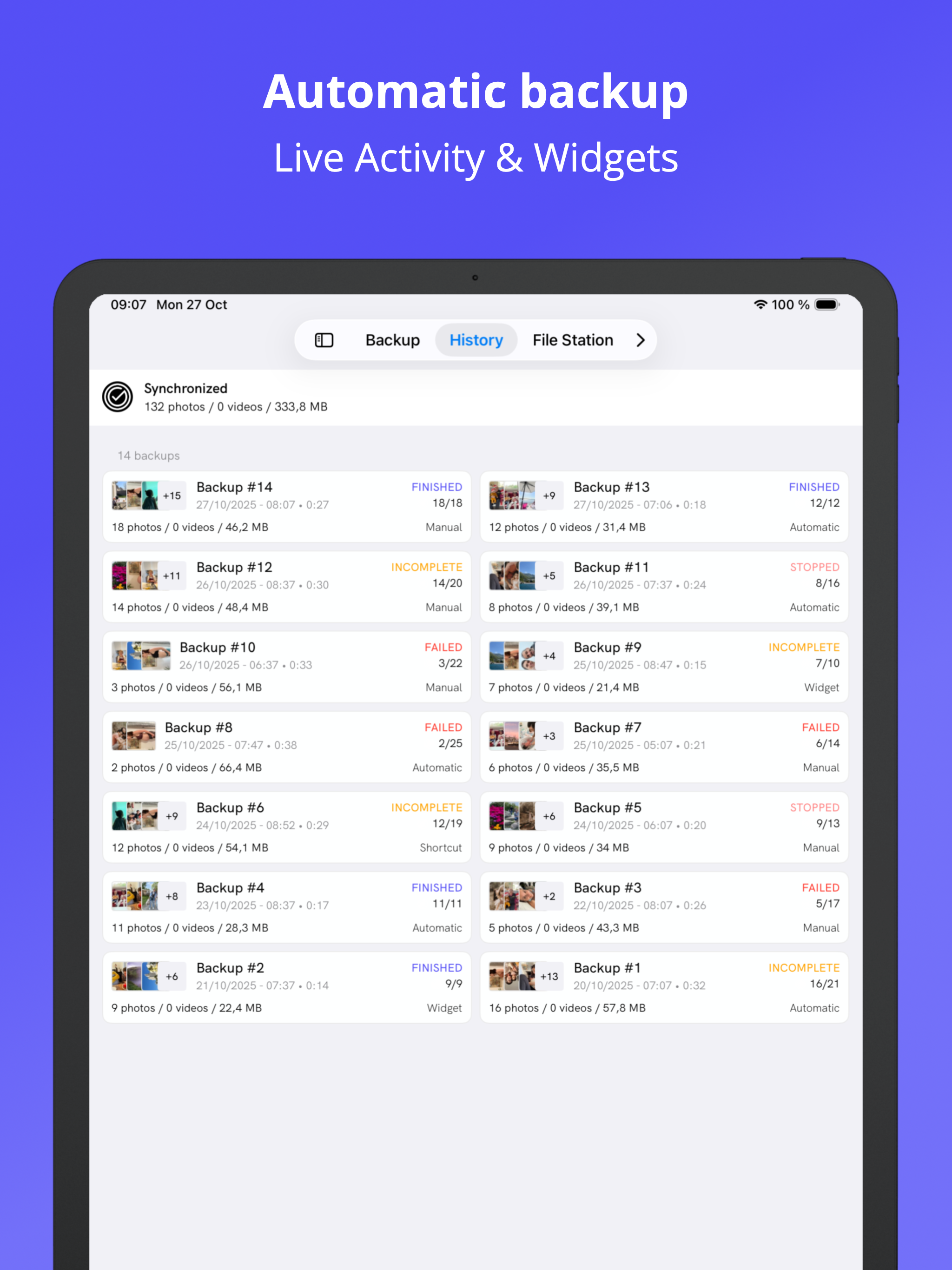
• Smart background sync without user action
• Compatible with DSM 6.0 & DSM 7.0+
• All formats supported: HEIC, RAW, JPEG, MP4, MOV
• Preserves EXIF metadata & GPS location data
• Intelligent duplicate detection
• Advanced filtering by date, size, and album
• Detailed backup history with task tracking
BROWSE & MANAGE NAS FILES
• Navigate through your Synology Diskstation files
• Preview photos, videos, and documents directly
• Download files from your NAS to iPhone
• Upload any files from your device
• Multi-selection and batch operations
• Search and organize your NAS content
LOCAL STORAGE CLEANER
• Identify large photos and videos consuming space
• Detect and remove similar/duplicate photos
• Find screenshots and optimize library
• Clean contacts, events, and reminders
• Battery optimization tips and guides
• Free up iPhone storage after backup
EASY TO USE
• Quick setup in minutes - no technical knowledge required
• Monitor backup with iOS widgets & live activities
• Dark mode support for comfortable viewing
• Background notifications for status updates
• Intuitive interface for all features
FLEXIBLE CONNECTIVITY
• QuickConnect: connect from anywhere
• Direct IP/Host connection
• Custom DDNS support
• Automatic reconnection after network issues
Perfect alternative to Google Photos or iCloud if you own a Synology NAS or Diskstation. Keep full control of your photo library and manage your device storage efficiently.
Works seamlessly with DS File, DS Photo, and other Synology mobile apps.
Made by the Synology community for Synology users.
Need help? Any suggestion or feature request for the app? Email me at [email protected]!
---
Some features require a subscription (monthly/annual) or lifetime purchase. Free trial available.
DSPhoto Backup is not affiliated with Synology Inc.
Terms: https://dsphotobackup.app/resources/terms.html
Hide Show More...

In-Apps

Pro version - Year
$12.99
Pro version - Month
$2.99
Pro version - Lifetime
$34.99

Screenshots

DSPhoto Backup FAQ

  • Is DSPhoto Backup free?

    Yes, DSPhoto Backup is free to download, however it contains in-app purchases or subscription offerings.

  • Is DSPhoto Backup legit?

    🤔 The DSPhoto Backup app's quality is mixed. Some users are satisfied, while others report issues. Consider reading individual reviews for more context.

    Thanks for the vote

  • How much does DSPhoto Backup cost?

    DSPhoto Backup has several in-app purchases/subscriptions, the average in-app price is $16.99.

  • What is DSPhoto Backup revenue?

    To get estimated revenue of DSPhoto Backup app and other AppStore insights you can sign up to AppTail Mobile Analytics Platform.

User Rating

4.64 out of 5

257 ratings in United States

5 star
217
4 star
18
3 star
7
2 star
0
1 star
15
Ratings History

DSPhoto Backup Reviews

Doesn’t run in the background

tim-jitsu on

United States

Seriously? I have to keep my phone from sleeping and have to leave the app open so that the uploading doesn’t stop?

They charge for anything other than lowest quality backup

Philthy2 on

United States

They charge for anything other than lowest quality backup

Best app to upload photos

dj-OneDrive-11 on

United States

I really like the app to upload photos my Synology NAS. Thanks for making it. Just one issue, uploade image name is lowercase and iPhone has uppercase and that is causing issue with duplicate photos in my NAS. Can we get option to keep original file name ?

Not as reliable as expected

tts7en on

United States

This app has the best UI as a backup software. But it is not very reliable. 1. After setting up the auto backup schedule, it worked a few days. Then just silently failed and stopped syncing. When I opened the app again, it says authentication failed? It looks it does not support 2FA very well. And when the authentication fails, it just blindly retries, causing the DSM automatically blocking the phone’s IP. Then even if you update the 2FA code, you still cannot login until removing the IP from the DSM config. This has been happening for months. Very unpleasant experience each time. 2. Somehow there appeared a lot of pictures with sync errors. There is no straightforward message explaining what are those errors, and no options to specify how to resolve them. They just appear there every time I open the app. +1 star for the developer’s fast responses for issues. I’ll update the rating when the mentioned issues are resolved. - - - - Update 12/29/2023 : it looks the app has been running smoothly as expected in the past weeks. Updating the rating to 4 until all issue fixes are confirmed.

Best (and only) alternative

Anony00_ on

United States

The developer is very dedicated to the development of their Synology apps and if you have a problem they are quick to respond. Worth the money and there is a lifetime option!

Funktioniert leider nicht zuverlässig

Olegxl on

Germany

Multitasking nicht funktioniert. Es hängt sehr oft. Filters nicht funktioniert. Und es ist dazu noch kostenpflichtig.

Sichert nur wenige Fotos

Bert9912 on

Germany

Es ist nicht möglich, eine Auswahl der Fotos vorzunehmen; es wurden lediglich ein paar Fotos gesichert; so etwas macht keinen Sinn aus meiner Sicht. Werde die App wieder löschen und auf klassische Weise die Fotos sichern.

Mega

Youmamobile on

Germany

Endlich eine tolle Lösung um auf die Synology die Bilder vom IPhone zu kopieren! Ihr seid Helden! Mega. Es benennt in JPG um und lässt gute Ordnerstruktureb beim kopieren zu. Top! Danke euch allen!

Verbesserungswürdig trotzdem gut

marco0 on

Germany

Generell Dankeschön für die App. Was nicht so gut ist sind folgende zwei Punkte. 1) trotz aller Berechtigungen wird keine automatische Sicherung ausgelöst. Die Einstellungen sind auch alle konfiguriert aber es passier nichts ohne das man manuell startet (eventuell wegen Nord VPN ? Sollte aber bitte trotzdem funktionieren) 2) Leider keine Löschenfunktion wie in der originalen App der bereits gesicherten Fotos & Videos die auf dem Smartphone sind. Diese Funktion fand ich immer super und vermisse diese Für 30€ sollte das doch eigentlich selbstverständlich funktionieren

Great app (also on Mac!!!)

soesoe on

Germany

Many Thanks for this great app, Also that it runs on M1 mac, so my backup is fast

Store Rankings

Ranking History
App Ranking History not available yet
Category Rankings
App is not ranked yet

Keywords

DSPhoto Backup Competitors

DSPhoto Backup Installs

Last 30 days

DSPhoto Backup Revenue

Last 30 days

DSPhoto Backup Revenue and Downloads

Gain valuable insights into DSPhoto Backup performance with our analytics.
Sign up now to access downloads, revenue, and more.

App Info

Category
Utilities
Publisher
Thomas Le gravier
Languages
Hungarian, English, Chinese, French, Dutch, Japanese, Korean, Polish, German, Italian, Russian, Portuguese, Spanish, Thai, Vietnamese
Recent release
2.1.2 (1 week ago )
Released on
May 10, 2023 (2 years ago )
Last Updated
6 days ago
This page includes copyrighted content from third parties, shared solely for commentary and research in accordance with fair use under applicable copyright laws. All trademarks, including product, service, and company names or logos, remain the property of their respective owners. Their use here falls under nominative fair use as outlined by trademark laws and does not suggest any affiliation with or endorsement by the trademark holders.