KineMaster- Video Editor

Vlog & Video Editing Tool

Published by: KineMaster

Description

[ AI Tools for Your Next Video ]
Complex videos can be made quickly with these AI features.
• AI Auto Captions: Add subtitles instantly from video or audio
• AI Text-to-Speech: Create spoken audio from text with one tap
• AI Voice: Make your audio unique when you apply AI Voices
• AI Music Match: Get song recommendations fast
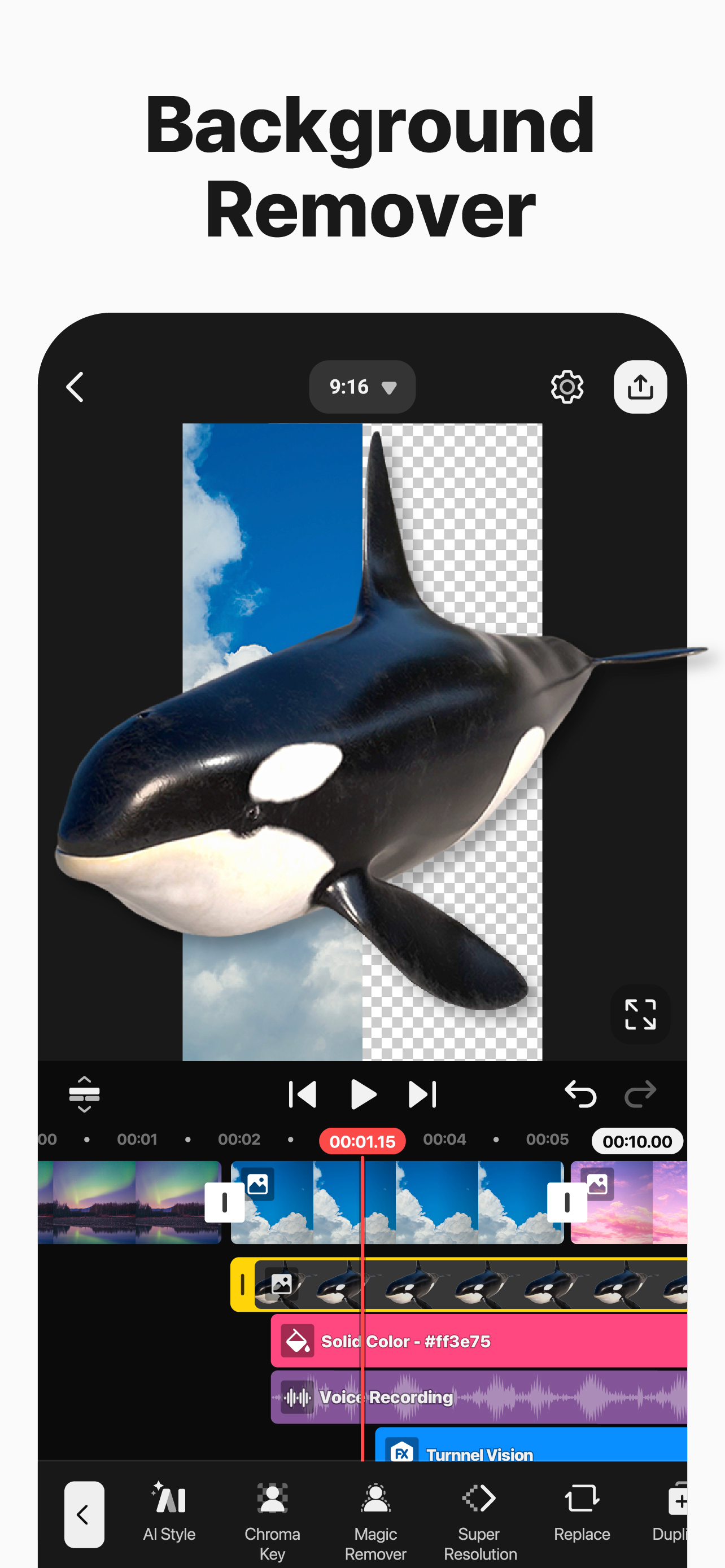
• AI Magic Removal: Cut out the background around people and faces
• AI Noise Removal: Zap distracting sounds in your video or audio
• AI Vocal Separator: Split a song into its vocals and music
• AI Tracking: Make your text and stickers follow moving objects
• AI Upscaling: Boost the size of low-resolution media
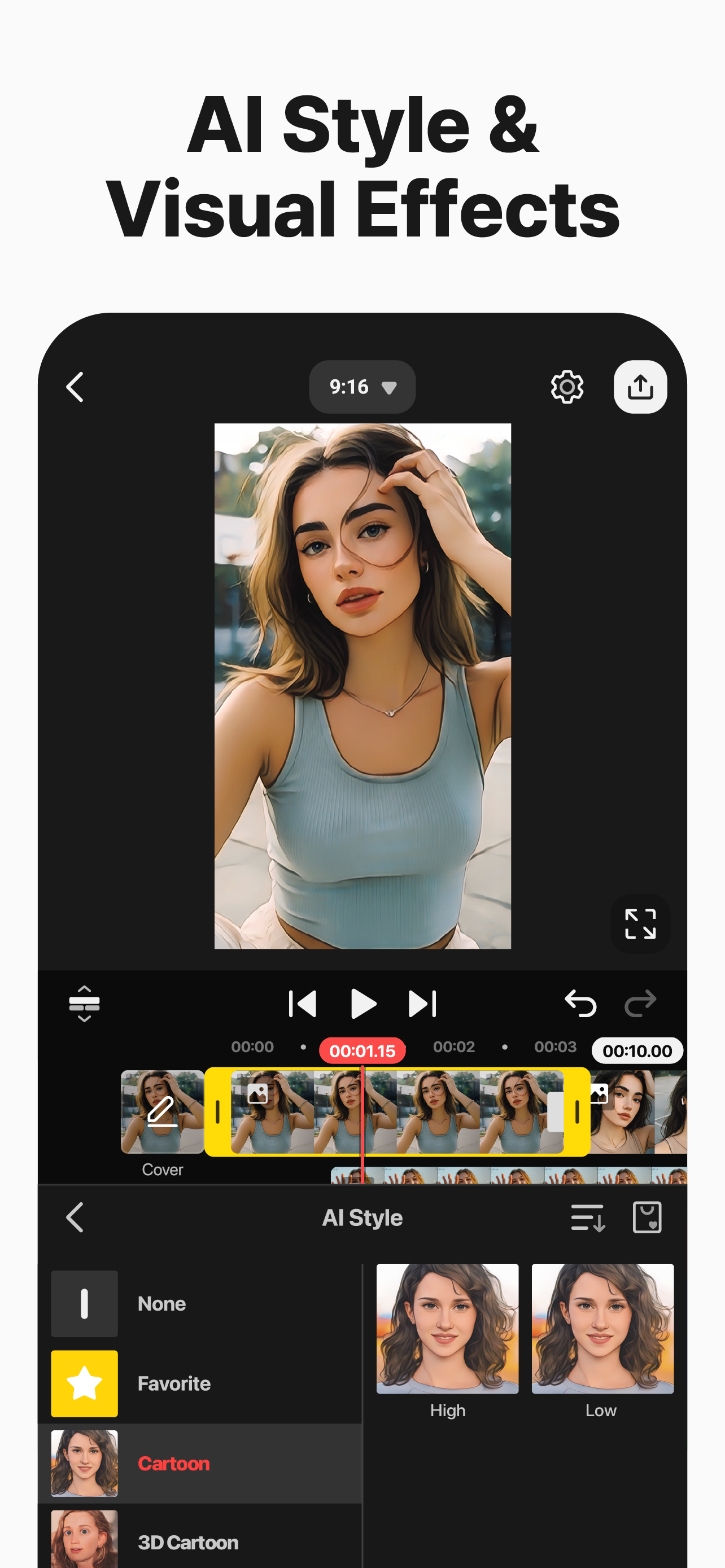
• AI Style: Add artistic effects to your videos and images
[ Professional Video Editing for Everyone ]
KineMaster makes advanced tools easy to use.
• Keyframe Animation: Adjust the size, position, and rotation of every layer
• Chroma Key (Green Screen): Remove backgrounds and combine videos like the pros
• Speed Control: Reverse, slow down, or turn your videos into time-lapse masterpieces
[ Jumpstart Your Creativity ]
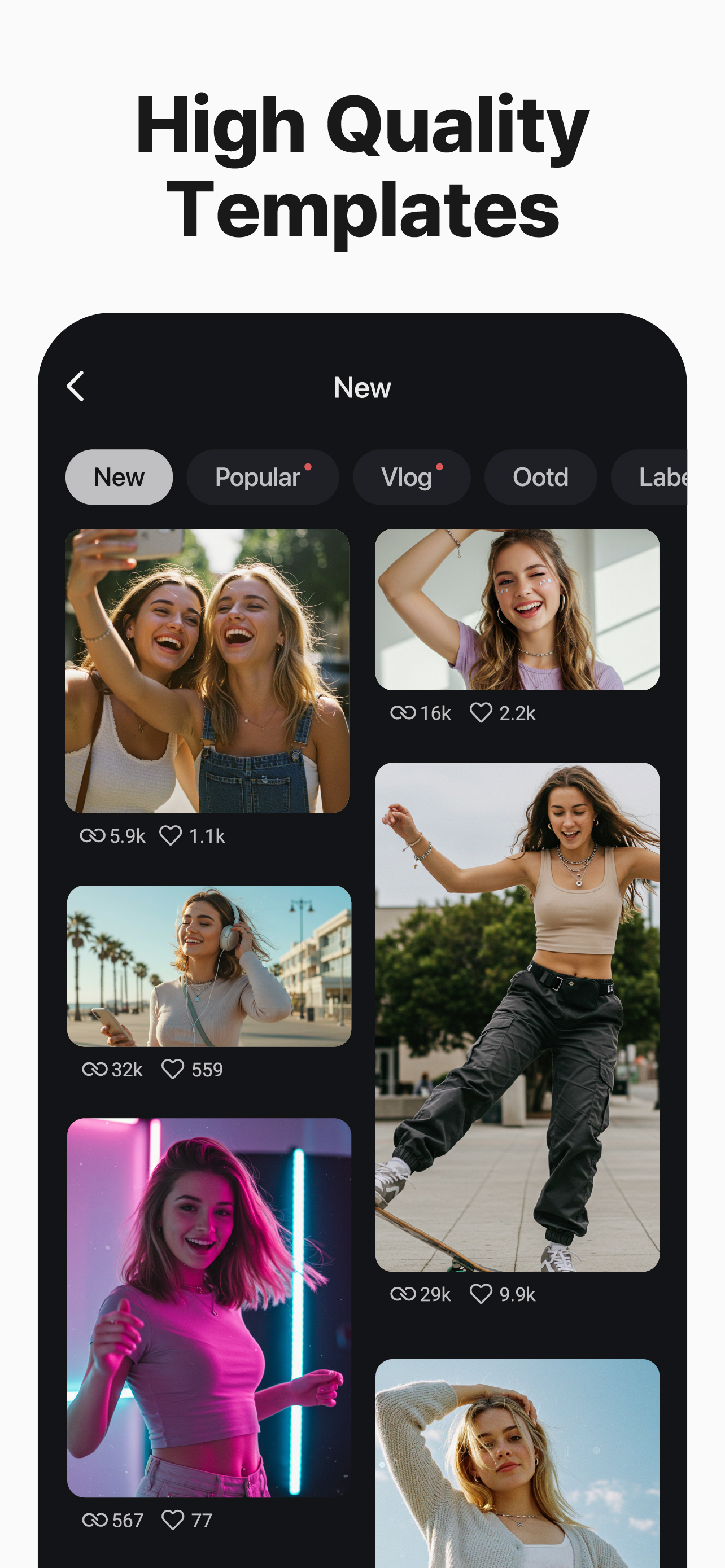
Pick a template, replace its photos and videos, and you’re done!
• Thousands of Templates: Build your own from pre-made video projects
• Mix: Save your video project as a template to share with KineMaster editors everywhere
• KineCloud: Back up personal projects to the cloud to continue editing on another day or another device
[ Make Your Video Stand Out with Assets ]
The KineMaster Asset Store has tens of thousands of resources to make your next video amazing! Effects, stickers, to music and fonts, transitions, and VFX: everything is ready to use.
• Effects & Transitions: Enhance your videos with amazing visuals
• Stickers & Clip Graphics: Add graphic animations and design elements
• Music & SFX: Make a video that sounds as good as it looks
• Stock Videos & Images: Get pre-made green screen effects, free stock footage, and tons of video backgrounds
• Variety of Fonts: Apply design-ready stylish fonts
• Color Filters: Choose from a huge variety of color filters for the perfect look
[ High-Quality Output or Optimized Video: You Decide ]
Save your edited videos in high resolution or dial the quality to make them load fast on social media.
Incredible 4K 60 FPS: Produce videos in 4K and 60 frames per second
Optimized for Social Media Sharing: Save videos that are ready to upload to YouTube, TikTok, Instagram, and more
Transparent Background Support: Make videos ready for compositing for use with other videos
[ The Best Tools for Fast, Precise Editing ]
KineMaster is loaded with tools that make editing fun and easy.
• Offers both portrait and landscape editing, the best of both worlds
• Lots of layers: Add and stack photos, videos, and GIFs to all play at once
• Multiple Undo (and Redo): Revert or reapply your editing history
• Magnetic Guides: Align elements to guides and snap layers in place on the timeline
• Full-Screen Previews: See your edits full screen before saving
KineMaster & Asset Store Terms of Service:
https://resource.kinemaster.com/document/tos.html
Contact: [email protected]
Hide Show More...

Screenshots

KineMaster FAQ

  • Is KineMaster free?

    Yes, KineMaster is completely free and it doesn't have any in-app purchases or subscriptions.

  • Is KineMaster legit?

    🤔 The KineMaster app's quality is mixed. Some users are satisfied, while others report issues. Consider reading individual reviews for more context.

    Thanks for the vote

  • How much does KineMaster cost?

    KineMaster is free.

  • What is KineMaster revenue?

    To get estimated revenue of KineMaster app and other AppStore insights you can sign up to AppTail Mobile Analytics Platform.

User Rating

4.72 out of 5

424 ratings in Jordan

5 star
371
4 star
19
3 star
13
2 star
10
1 star
11
Ratings History

KineMaster Reviews

برنامج قوي و سهل

معلمة فن on

Jordan

فيه جميع الأشياء التي احتاج لها لعمل فيديو جذاب

It’s a good app but

Amazing but one problem’s here on

Jordan

Kinemaster has helped me edit for the past year and a half and I can’t just go to another one since it’s a simple app and that’s good, but it began to crash with the latest version and I can’t open it and began going to the kinemaster old 5 and honestly if you want to continue succeeding especially as a YouTuber start and live on kinemaster old it’s easier to use and THE APPLY TO ALL PUT THE TEXT ON THE SAME LINE AND SIZE SO YOU DONT HAVE TO

Especially when you have a channle

Leen jonaidi on

Jordan

A cool app

KineMaster

ziadyasen on

Jordan

Is A great App

Thank u

ayatiii on

Jordan

Thank u KineMaster for this app. It’s so useful and beautiful app. I always use it in my daily

تجديد مره اخرى

suliman7776 on

Jordan

انا اشتريت النسخه القديمه ولكن يجب علي تجديد في هذه النسخه ارجو المساعده تواصلت عالجيميل وبعثت سكرين شوت

It’s really good

Hakusome issues. on

United States

It’s good app and i use it. It’s easy to use and fun. But sometimes, when i look on TikTok I get jealous of CapCut users because they get more good stuff like it’s hard for me to do a edit of an anime character but for them they just need to use a feature and a few photos. So it’s very good but maybe get CapCut instead.

Please Respond!

28DaAnimator on

United States

The app itself is extremely powerful and is overall a good video editor. However, there’s just ONE problem in the “Handwriting” tool in the Layers menu. In older, 2020 versions, if you were to draw a circle or a square or a line (etc.), applying the “Draw By Stroke” or “Draw By Order” in/out animation would make the shape actually have the drawing animation. But today, in 2025, doing that same thing I listed would just appear. No fade in, no drawing stroke effect, no NOTHING. If you can, please take the time to respond to this. It would make my life SO much easier. If you fix the bug, I will give you a 5 star rating. 01/01/2025

Why amazing

:._buzzdabee_.: on

United States

This is more simple than CapCut and it when you import some images. KineMaster is my favorite app now, it has so much transitions that look cool and it makes me want to use it more often. My toes are hot happy new years😍😍😍😍🥰🥰🥰🥰

Kinemaster is amazing!!

Wonderful game But one fix on

United States

I love Kinemaster!!! I used to do capcut (and still does, I just don't use it as much) but know that I make Gacha reaction videos l, it became so much easier!!!!!!!

Store Rankings

Ranking History
App Ranking History not available yet
Category Rankings
Chart
Category
Rank
Top Grossing
20
Top Grossing
23
Top Free
36
Top Grossing
40
Top Grossing
43

Keywords

KineMaster Installs

Last 30 days

KineMaster Revenue

Last 30 days

KineMaster Revenue and Downloads

Gain valuable insights into KineMaster performance with our analytics.
Sign up now to access downloads, revenue, and more.
This page includes copyrighted content from third parties, shared solely for commentary and research in accordance with fair use under applicable copyright laws. All trademarks, including product, service, and company names or logos, remain the property of their respective owners. Their use here falls under nominative fair use as outlined by trademark laws and does not suggest any affiliation with or endorsement by the trademark holders.