


Description

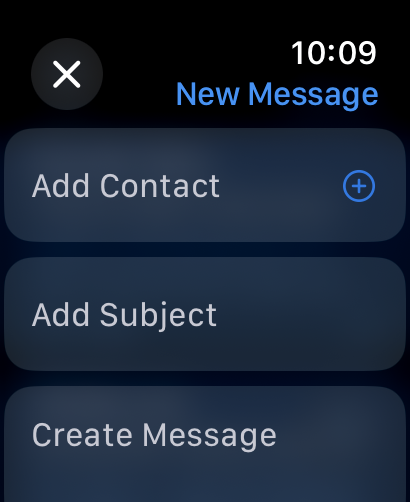
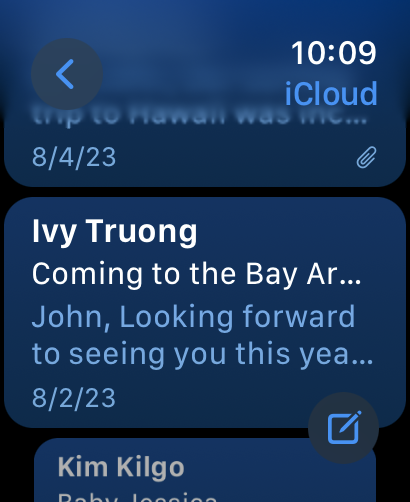
Access, view and manage messages from all your email accounts in one place. Categorise your messages into easy to browse categories. Catch up on email easily with Apple Intelligence–powered Priority Messages and summarisations. Manage your inbox by scheduling emails to send later, snoozing emails you want to get back to later and unsending an email in one tap.
Features
• Access email from iCloud, Gmail, Exchange, Yahoo and Outlook, as well as many other email providers — all in one place.
• View all your accounts in a single inbox, choose a specific mailbox or filter to see just Unread or Flagged messages.
• Automatically organise your messages in to Primary, Transactions, Updates and Promotions categories and focus on the messages that matter most.
• Stay on top of emails with Priority Messages, a new section at the top of your inbox that shows urgent emails.
• Use Smart Reply to quickly respond to messages with a few taps.
• Catch up on email quickly with summarisation of messages and threads.
• Find messages by sender, recipient or subject. Top hits make it easy to find what you’re looking for.
• Manage your inbox by blocking a sender or muting notifications from an overly active thread.
• Flag important contacts as VIPs to receive notifications when their emails arrive.
• Triage email messages using swipe gestures that help you quickly archive, delete, flag, or mark messages as read or unread.
• Use Mail Drop to send large attachments from any account through iCloud.
• Hide your IP address with Mail Privacy Protection so senders can’t link it to your other online activity or determine your locations, and prevent senders from seeing if you’ve opened their email.
Hide Show More...

Screenshots

Mail FAQ

  • Is Mail free?

    Yes, Mail is completely free and it doesn't have any in-app purchases or subscriptions.

  • Is Mail legit?

    ⚠️ The Mail app has poor ratings and negative feedback. Users seem unsatisfied with its performance or features.

    Thanks for the vote

  • How much does Mail cost?

    Mail is free.

  • What is Mail revenue?

    To get estimated revenue of Mail app and other AppStore insights you can sign up to AppTail Mobile Analytics Platform.

User Rating

4.77 out of 5

2,455 ratings in North Macedonia

5 star
2,217
4 star
88
3 star
55
2 star
20
1 star
75
Ratings History

Mail Reviews

Photo attachment bug

k.ramadani on

North Macedonia

This bug has been going on for ages. When composing an email, and trying to attach photos from within the mail app, they show as blue question marks. When I go to the photos app and select them to upload/attach via the email app, then it works. So, this must be something that CAN and should be fixed ASAP.

Not good

Gljjsn on

North Macedonia

Not showing all the mails as in the lap top

Bad

Oqu07 on

North Macedonia

This is the only client where i have trouble setting up email accounts. The windows mail client will identify most settings automatically, while apple wont even allow me to copy paste my username in the fields. It's like an experiment of how far you can push bad UX.

Send/receive mails

Riste K on

North Macedonia

I’m using IPhone 13 (IOS 16.4). Sometimes I have a problem with mail app sometimes can’t receive and send mails.

Ios 16.3.1

Simonaa10 on

North Macedonia

Hi With the latest version of ios 16.3.1 all my emails dissapered! How can I recover them?

Improvement

Goran Ilioski on

North Macedonia

It is a good platform, but can be made much better. Have a suggestion, when you circle in different inbox, the area where the messages are shown, to go blank. Currently the last open massage is shown. Thanks.

Apple mail

Ezfello on

United States

Centurylink email with apple mail has not worker correctly ever since they switched to Brightspeed . I wish you could get it fixed. just google mail problem century link.There are thousands of people mad about this. Hopefully fixed in 18.3.

New deleted email glitch

Nico8486 on

United States

Overall I like Mail’s organization & features. Since the last update my emails don’t cleanly delete by swiping right from w/in the email. Instead I get stuck on the deleted email & it “vibrates” on the screen when I try to swipe right or up/down. I have to tab back the app to see the next email.

Email Search is Broken - Please Fix ASAP

Pb45627 on

United States

Mail search now pulls up emails in random order and really old emails show up first. How do I get it to return results in reverse chronological order like it used to do and like every other email service in the history of the internet does? I want my most recent emails at the top and the old ones at the bottom!! Completely unusable.

Learning

HWSFO on

United States

Very well ,thanks…

Store Rankings

Ranking History
App Ranking History not available yet
Category Rankings
App is not ranked yet

Keywords

Mail Competitors

Mail Installs

Last 30 days

Mail Revenue

Last 30 days

Mail Revenue and Downloads

Gain valuable insights into Mail performance with our analytics.
Sign up now to access downloads, revenue, and more.

App Info

Languages
English, Arabic, Catalan, Croatian, Czech, Danish, Dutch, Finnish, French, German, Greek (modern), Hebrew (modern), Hindi, Hungarian, Indonesian, Italian, Japanese, Korean, Malay, Norwegian Bokmål, Polish, Portuguese, Romanian, Russian, Chinese, Slovak, Spanish, Swedish, Thai, Turkish, Ukrainian, Vietnamese
Recent release
1.5 (1 week ago )
Released on
May 26, 2016 (9 years ago )
Last Updated
2 days ago
This page includes copyrighted content from third parties, shared solely for commentary and research in accordance with fair use under applicable copyright laws. All trademarks, including product, service, and company names or logos, remain the property of their respective owners. Their use here falls under nominative fair use as outlined by trademark laws and does not suggest any affiliation with or endorsement by the trademark holders.