Phocus: 세로 모드 편집기

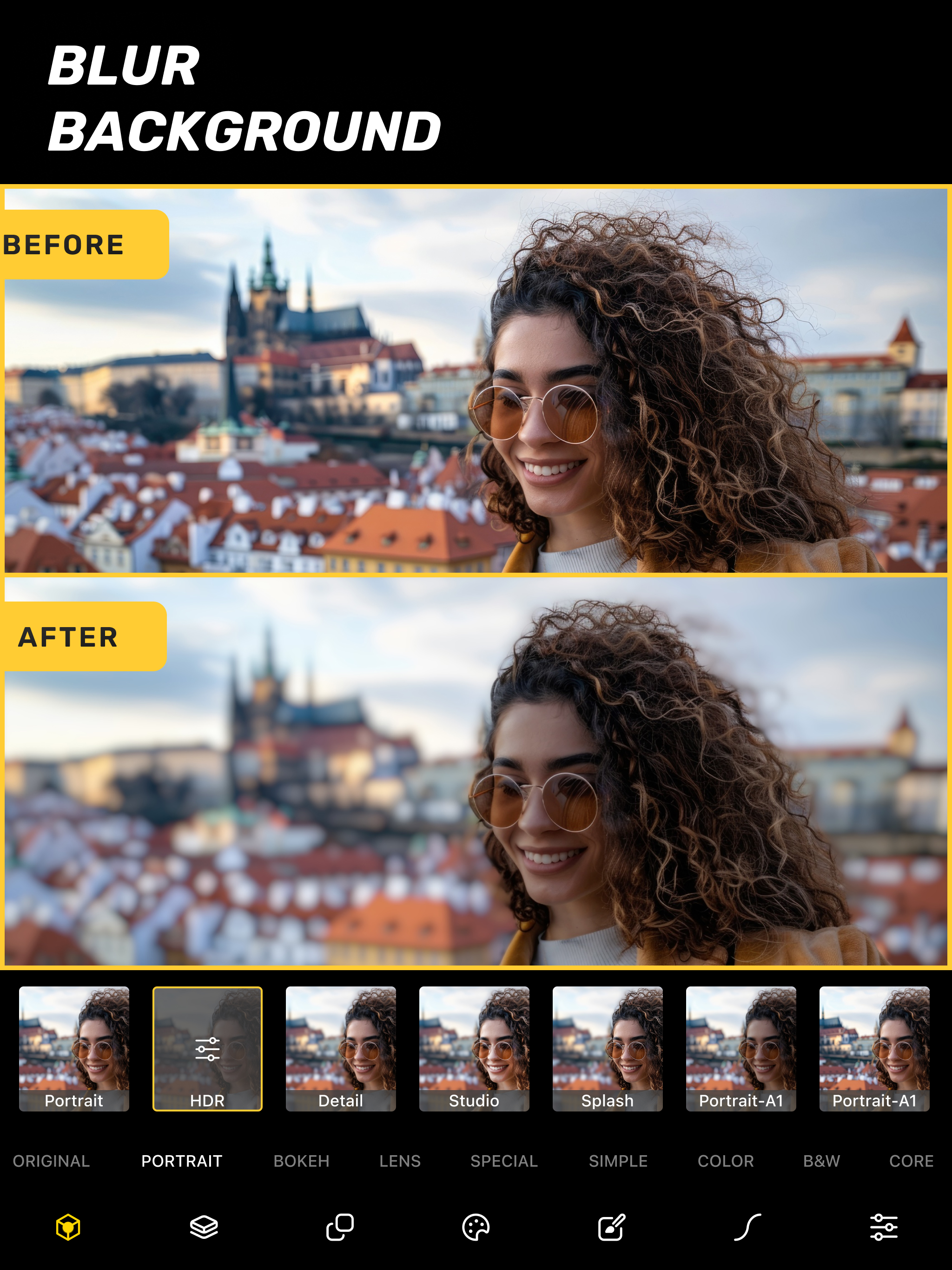
비디오 및 사진 배경 흐림

Description

Phocus is a portrait editor and DSLR-style camera powered by AI, giving you full control over depth, background blur, aperture, bokeh, and focal length. Whether you're capturing cinematic portraits or editing precise lens details, Phocus delivers pro-level photography tools in a fast, intuitive interface built for creators.
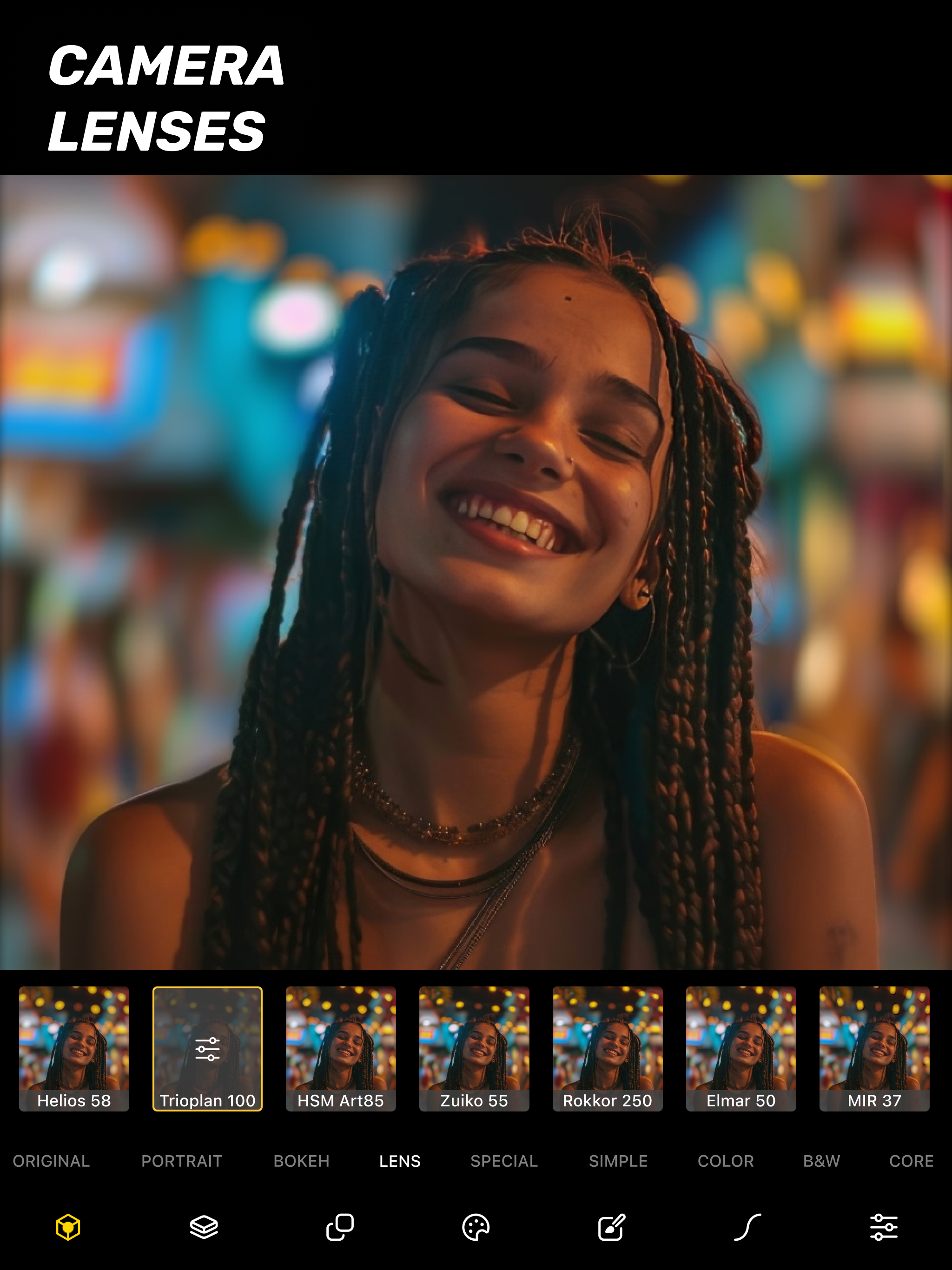
Inspired by real optical systems, Phocus lets you emulate DSLR lens behavior—without external gear. Control blur shape and depth radius with real aperture modeling. Adjust lens type, depth dynamics, and recreate unique bokeh styles from vintage and high-end lenses. Apply subtle distortions and optical characteristics for expressive storytelling. Phocus doesn’t just blur the background—it understands the physics of photography.
"Looking for an app that not only adds the Portrait mode effect to your photos but does a bit more? Then Phocus is the one you're looking for." — iMore
"An Outstanding AI Portrait and Macro Camera for the iPhone. It has clearly established itself as the front runner in this iOS camera apps." — John DeNicola
"The app is a fine example of technical and artistic craftsmanship." — iGeeksBlog
"Phocus is an excellent photo and video editing app for your iPhone that lets you edit both portrait photos and videos with great attention to detail." — The Useful Tech
Phocus enhances your creativity with smart tools:
• AI-powered subject detection and background blur/removal
• Precision brush and eraser tools for edge refinement
• Dual-layer tone editing for foreground and background
• One-tap portrait effects: HDR, mono, studio, stage, color splash, grain, stylize, cartoon
• Portrait matte and depth map export for external workflows
• Depth Visualizer to preview and adjust depth-of-field using real-time depth data
• Tap-to-Focus with enhanced precision using intelligent depth mapping
Whether you’re recreating film looks or developing your own style, Phocus is flexible enough for professionals and intuitive enough for anyone.
Features:
• Portrait Video Blur: Add realistic depth-of-field to videos
• AI Subject Detection: Separate subject and background automatically
• Real Bokeh Simulation: Customizable aperture shapes and light falloff
• Manual Camera Controls: Adjust ISO, shutter speed, white balance, and exposure
• RAW and ProRAW Support: Shoot in full resolution and maximum quality
• DSLR Lens Simulation: Control focal depth, lens behavior, and bokeh intensity
• Aperture & Blur Adjustment: Fine-tune background softness and focus
• One-Tap Background Removal: Instantly blur or replace backgrounds
• Portrait Effects Library: Apply curated filters and artistic looks
• Dual-Layer Editing: Adjust lighting and tone separately for subject and background
• Edge Refinement Tools: Fine control over mask boundaries
• Depth Map & Portrait Matte Export: For external editing workflows
• Depth Visualizer: Interactively adjust depth using combined image and depth data
• Tap-to-Focus: Tap to apply precise depth-based focus on any area
• Built-In Tutorials: Learn Phocus step-by-step
• Optimized for iPhone and iPad: Full-resolution support across devices
Phocus AI Subscription
Unlock full creative control with a Phocus AI subscription, available monthly or annually.
Terms of use: rayinformatics.com/terms
Privacy policy: rayinformatics.com/privacy
Contact: rayinformatics.com/contact
Hide Show More...

In-Apps

Phocus AI Yearly
18.00 ₩
Phocus AI Monthly
7.50 ₩
Phocus AI Unlimited Access
99.00 ₩

Screenshots

Phocus FAQ

  • Is Phocus free?

    Yes, Phocus is free to download, however it contains in-app purchases or subscription offerings.

  • Is Phocus legit?

    🤔 The Phocus app's quality is mixed. Some users are satisfied, while others report issues. Consider reading individual reviews for more context.

    Thanks for the vote

  • How much does Phocus cost?

    Phocus has several in-app purchases/subscriptions, the average in-app price is 41.50 ₩.

  • What is Phocus revenue?

    To get estimated revenue of Phocus app and other AppStore insights you can sign up to AppTail Mobile Analytics Platform.

User Rating

4.71 out of 5

198 ratings in South Korea

5 star
168
4 star
15
3 star
8
2 star
2
1 star
5
Ratings History

Phocus Reviews

Mono and stage lighting doesn’t work.

ㄸㄸㄷ555 on

South Korea

Mono and stage lighting not working. I just paid for a month but these 2 features are not working. Please sort it out, these 2 features are why I paid for the app.

좋아요

KBstar2 on

South Korea

좋아요

It suddenly shuts down often

B079AB on

South Korea

It unexpectedly shuts down too often especially when i touch magic wand tool. Random shutdown without restore is so annoying. I'm using iphone8, ios12.

장단점이 있는 앱

무선급속충전기 on

South Korea

장점: 1. 싱글 카메라 유저도 인물 사진을 만들 수 있다. 2. 실사 사진 뿐만 아니라 일러스트도 심도 효과를 줄수 있다. 단점: 1. 가끔 앱이 갑자기 종료된다.(아이패드 프로 10.5) 2. 수동으로 영역을 지정할 때 손가락 보다 펜슬이 더 편한데도 유니버셜앱을 지원하지 않는다.

Refund, please.

구매목록 삭제해주세요. on

South Korea

I dont want to use this app. This is not useful for me.

최고예요

로열일 on

South Korea

짱짱

와 안 쓸 수가 없네요

PhilipChoipianist on

South Korea

최고에요. 직관적인 인터페이스라서 만지작 하는것도 재미지네요!! 최고!!

너무 좋네요

리비에이라 on

South Korea

공짜로 풀려서 써보는데 브러쉬사이즈 조절도 되고 블로 강도도 조절되고 너무 좋네요 ^^

아이폰x의 무대조명 효과가 부럽지않아요

홍7788 on

South Korea

어렵게 찾아낸 앱 나름 괜찮다. 누끼따기 퀄도 나쁘지 않고

Good product but over sells

GBripped off on

United States

I like the product, it works well but they keep asking me to subscribe to a lot of other junk I don’t want. It is obnoxious.

Store Rankings

Ranking History
App Ranking History not available yet
Category Rankings
Chart
Category
Rank
Top Free
199
Top Free
352
Top Free
473
Top Free
482

Keywords

Phocus Competitors

Phocus Installs

Last 30 days

Phocus Revenue

Last 30 days

Phocus Revenue and Downloads

Gain valuable insights into Phocus performance with our analytics.
Sign up now to access downloads, revenue, and more.
This page includes copyrighted content from third parties, shared solely for commentary and research in accordance with fair use under applicable copyright laws. All trademarks, including product, service, and company names or logos, remain the property of their respective owners. Their use here falls under nominative fair use as outlined by trademark laws and does not suggest any affiliation with or endorsement by the trademark holders.