Sketch 3D

Design 3D Model and Animations

Published by: Victor Ng

Description

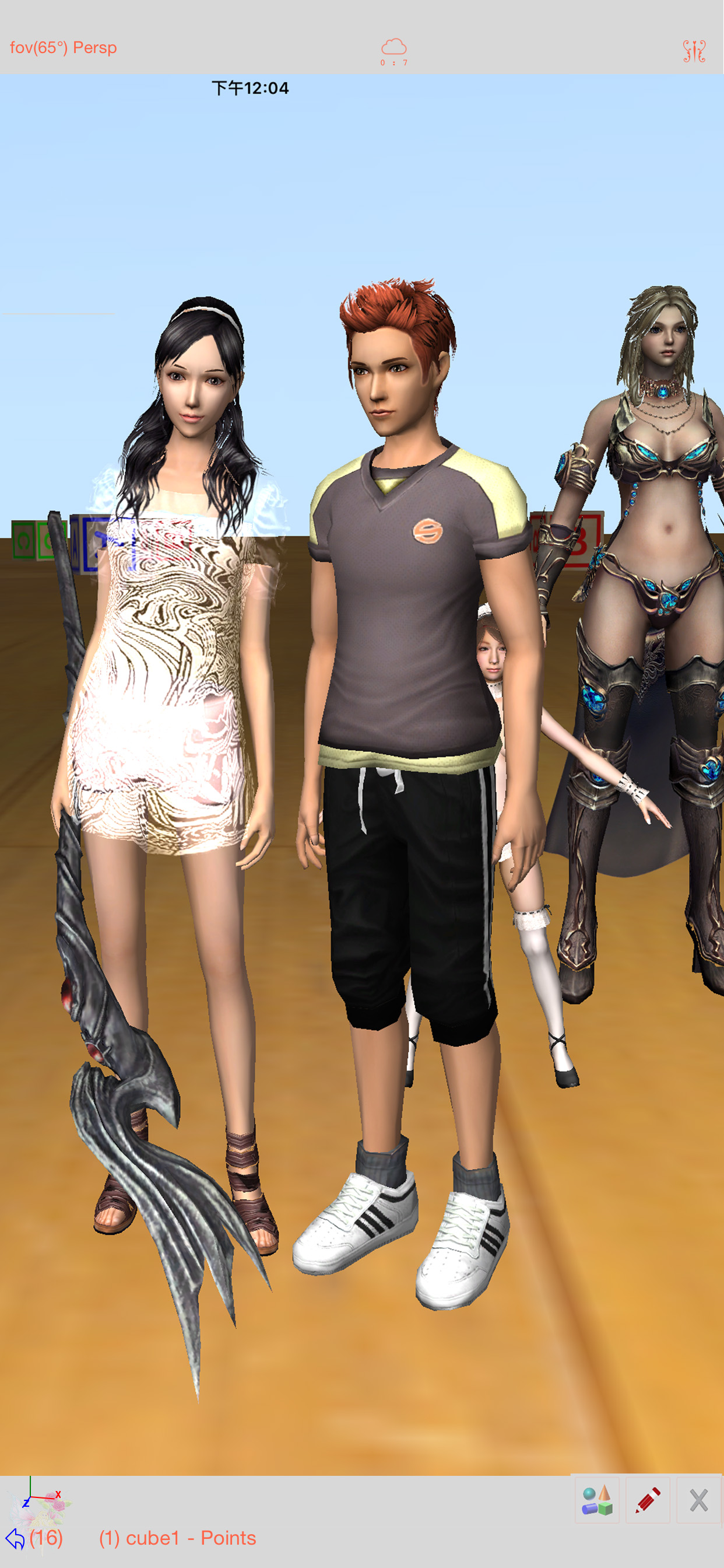
Sketch 3D is a tool for designing 3D models from your fingertips. You could download models from others, and could also share your great designs with other users by saving models in Public space.
New Feature: Integrated MaterialX library into the app.  
Mesh object can be applied with materialx documents. When Saving and Loading with material, the document relative path is stored as a diffuse map entry, similar to the way of handling movie textures. Other features like material adjustment and graph editing are not supported yet. User could download free material documents from public websites and import those zip files with this app, using ShareTo or AirDrop.
Feature: Use True Depth Camera to capture face model.
Feature: Support using video as model texture.
You could use video clips from Photo Album, or from Internet URL (YouTube URL not supported), and then apply it onto a model as texture map.
Feature: Capture movie from the 3D scene.
Note! If your device could not capture movie, then, could try out a smaller output resolution (by tapping the control pane). However, arbitrary output size may stop capturing prematurely.
Feature: Design 3D model animation with skeleton structure.
You could design a skeleton structure by placing bones in hierarchical relation. Attach model to the skeleton, and then moving the bones to define different poses. Each pose represented as a keyframe in the timeline view. And animation sequence is produced by playing interpolation between the keyframes.

Features:
- Import 3D content directly from browser or email, either in .zip, .rar, .7z.
- Support formats: Collada DAE, OBJ, 3DS, STL(for 3D printing), and others.
- Import/export to iCloud drive, via iTune File Sharing, or to Public area via Apple CloudKit Service.
- Supports AirDrop.
- Support Quad faces.
- Smooth surfaces using Subdivision.
- Mirroring editing.
- 2-fingers vertex movement, 3 or 4-fingers planar shape creation.
- Versatile multi-touches drag-through-space gestures to support editing and changing viewing angle at the same time.
- Flexible face strip drawing.
- Stitching boundary faces. Stitch triangle soap into connected faces. Stitch over edge or vertex to form a larger face.
- Stitching Triangles to Quads.
- Loop Cut faces.
- Bevel edges.
- Extrude faces or edges.
- Revolve (Spin).
- Vertex Smoothing.
- Vertex Slide along edges.
- Crease Editing after mesh subdivision.
- Split mesh from, or Join mesh to the editing one.
- Support hierarchical mesh node structure.
- Direct vertex color editing when texture map is not used.
- Edit texture map UV coordinates, include atlas generation.
- 3D Text generation.
- Scene interaction with your created shape.
- Design Animation with skeleton structure.
- Capture movie from the 3D scene.
- Support using video as model texture map.
Hide Show More...

In-Apps

Unlimited Video Capturing
£1.99
Unlimited Keyframe Editing
£1.99

Screenshots

Sketch 3D FAQ

  • Is Sketch 3D free?

    Yes, Sketch 3D is free to download, however it contains in-app purchases or subscription offerings.

  • Is Sketch 3D legit?

    🤔 The Sketch 3D app's quality is mixed. Some users are satisfied, while others report issues. Consider reading individual reviews for more context.

    Thanks for the vote

  • How much does Sketch 3D cost?

    Sketch 3D has several in-app purchases/subscriptions, the average in-app price is £1.99.

  • What is Sketch 3D revenue?

    To get estimated revenue of Sketch 3D app and other AppStore insights you can sign up to AppTail Mobile Analytics Platform.

User Rating

2.67 out of 5

58 ratings in United Kingdom

5 star
13
4 star
10
3 star
6
2 star
3
1 star
26
Ratings History

Sketch 3D Reviews

Needs a manual

A Punter on

United Kingdom

Texture / UV unwrap problems. Otherwise perfect.

This is the worst 3D animation app i have ever seen!!!

hai im a hooman on

United Kingdom

This is actually the worst, difficult,the buttons hardly work, and the shapes will not even spawn! Please fix this!!!.

Help

Spidermanelphaba on

United Kingdom

How do I attach a skeleton rig to a model?

Blender but harder

fp lumberjack 3d on

United Kingdom

Use blender, not this crap

Fix this now

fhdhdhdhhdhdhryrurur on

United Kingdom

I hate you and your app i made a model with lots and lots of objects and when I try to share it to files the game crashes and loses my work and another thing when I try to resize an object it just move the object back and it doesn’t have any basis models so I want you to fix all of it or I’m shutting you down permanently

Quite bad

An - drew ( Andrew was taken ) on

United Kingdom

This app seemed fun at first but then when I tried to make something it turned out really hard to do so. I tried making a simple circular platform but I couldn’t find a way to do it as there was only a sphere (that wouldn’t turn flatter whatever I did) and a ring with a large hole in the middle that wouldn’t fill so I tried combining the two which to my surprise didn’t work. I wouldn’t recommend to anyone. If I can’t really make anything on it I don’t think a 4 or 5 year old can.

Amazing! Animation limit needs to be longer though...

kleber spencer on

United Kingdom

The app is amazing for modeling! You can make 3D stuff and also animations! Just one problem... the 3D animation limit is only 3 seconds! Can you please make it longer? I understand if you cant. Thank you!

Great app but difficult

mir dir fir on

United Kingdom

This app is really good and is absolutely amazing but it has some problems it’s quite hard to animate sometimes and you can only use the models that are on the app(as far as I’m aware)overall a very good app I hope you can keep up the good work on it(P.S If you CAN download models on to it please let me know how.)

App with great potential

MTNGQ on

United Kingdom

This is a fantastic app with great potential! I was really surprised it exists on the iPad. The User Interface is not straight forward and a previous knowledge if using 3d modelling software is required to get the use of it I was looking for a traditional 3d modelling app with subdivision tool (Mesh smooth), I have tried many but this one stood up. I am surprised by the features it offers. It has a bone system!! I managed to do a simple 3d model and exported it to another 3D software and managed to render it, it looked perfect! During one of my trials, the app crashed. And the main menu is corrupted but again it has potential. I wanted to get in touch with the developer to check if any future support is planned. However, the website is offline and could not manage to get Victor NG direct email. I am more than happy to pay to use the app, if further development is on the way. I have many suggestions regarding the UI and available features. The app seems abandoned now but I really encourage the developer to give it more love and support. It has potential to be a leading 3D modelling tool on the iPad. Specially that new versions are more than capable of handling such tools.

Don’t know how to do it

fnaf and warrior cats on

United Kingdom

I wanted to make a 3d animation because it is my dream to be a Disney animator but I don’t know how to actually make a character because there are way to much buttons and have of them barely work

Store Rankings

Ranking History
App Ranking History not available yet
Category Rankings

Keywords

Sketch 3D Competitors

Sketch 3D Installs

Last 30 days

Sketch 3D Revenue

Last 30 days

Sketch 3D Revenue and Downloads

Gain valuable insights into Sketch 3D performance with our analytics.
Sign up now to access downloads, revenue, and more.
This page includes copyrighted content from third parties, shared solely for commentary and research in accordance with fair use under applicable copyright laws. All trademarks, including product, service, and company names or logos, remain the property of their respective owners. Their use here falls under nominative fair use as outlined by trademark laws and does not suggest any affiliation with or endorsement by the trademark holders.