
Needs external device
This is not an app that's just using the GPS information of your iPhone. Instead it needs a certain device to connect to. Useless if you don't own one of these.



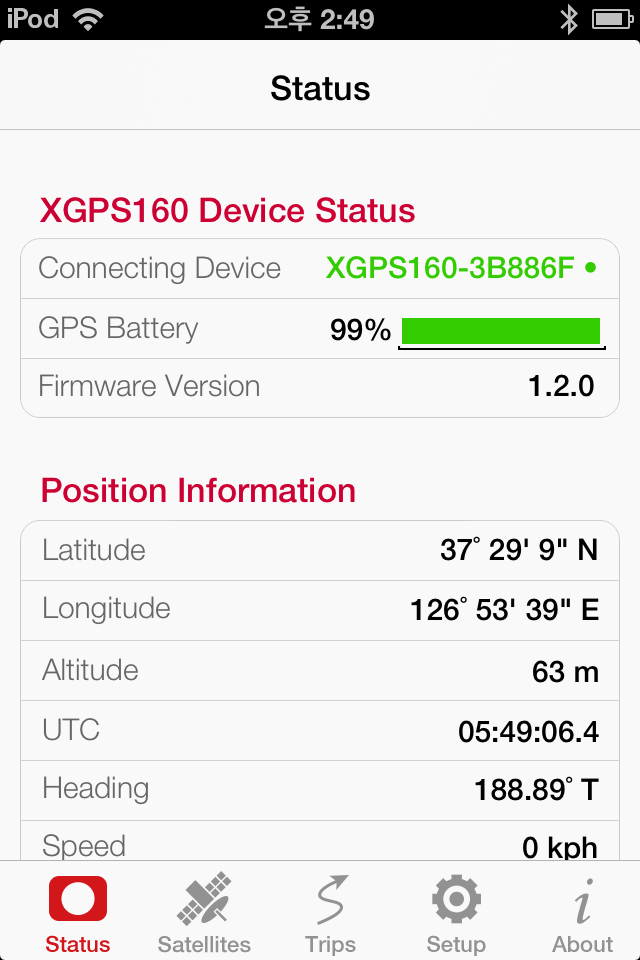
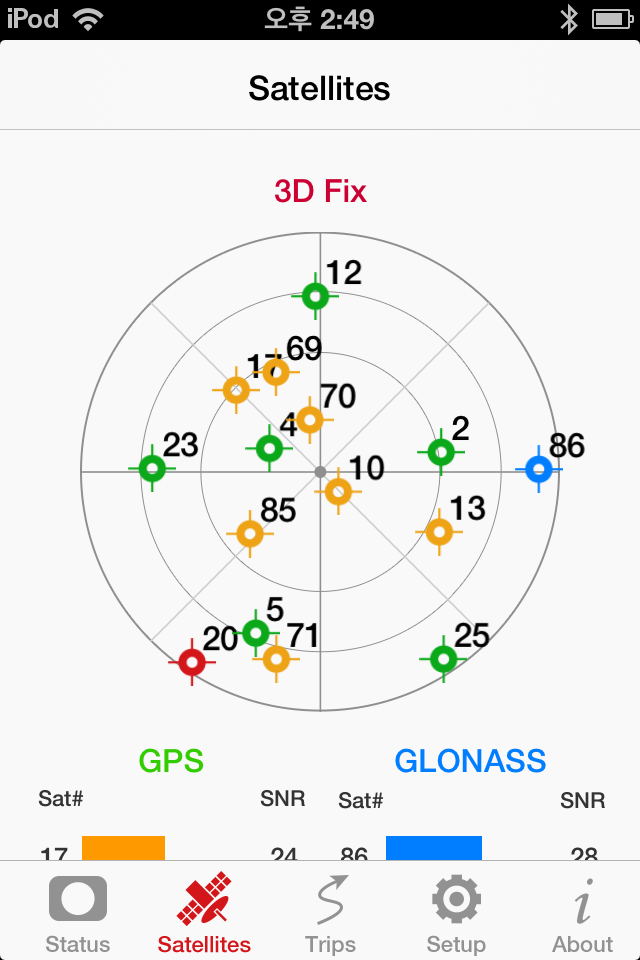

Yes, SkyPro GPS Status Tool is completely free and it doesn't have any in-app purchases or subscriptions.
🤔 The SkyPro GPS Status Tool app's quality is mixed. Some users are satisfied, while others report issues. Consider reading individual reviews for more context.
SkyPro GPS Status Tool is free.
To get estimated revenue of SkyPro GPS Status Tool app and other AppStore insights you can sign up to AppTail Mobile Analytics Platform.

2 out of 5
4 ratings in Germany
This is not an app that's just using the GPS information of your iPhone. Instead it needs a certain device to connect to. Useless if you don't own one of these.
Auswahlmöglichkeiten unter Setup nur ausgegraut und nicht anwählbar. iPhone 8, iOS 13.3 mit XGPS160
Pro: * Das Interface ist sehr gut strukturiert und übersichtlich * Standort, Ladezustand, Satelliten. Alle Parameter des XGPS 160 werden in Echtzeit angezeigt. * Man kann das Device mit Updates versorgen und die Settings einstellen. * Man kann die Trips/Logs verwalten, herunterladen und auf einer Map anzeigen. Contra: * Die App crasht sehr sehr oft. Auf dem iPhone und auch auf dem iPad. * Die App crasht immer(!) beim ersten Öffnen des Trip-Tabs. Danach bei jedem 2 oder 3 Tap auf den Trip-Tab. Permanent reproduzierbar. * Die Trip-Daten könne nur im KML-Format exportiert werden. Nicht in den nützlicheren Formaten GPX, GeoJSON oder NMEA.
Eine sinnvolle Ergänzung zum XGPS160, die neben detaillierten Navigationsdatenanzeige des Empfängers auch eine Bedienhilfe bietet. Unerlässlich zum Laden zukünftiger Firmware Updates. Leider scheint die App nicht ganz zu Ende entwickelt und stürzt hin und wieder ab, wobei sie im Hintergrund weiter läuft. Es scheint zudem, dass Daten manchmal nicht durchgängig aktualisiert werden. Ein Beenden und Neustarten der App zeigte mehrere Male drastische Wertveränderungen in der Batteriestandsanzeige. Mir ist es bisher übrigens nicht gelungen den Empfänger auf 100 % zu laden. Hardwaredefekt oder Softwarefehler? Hier kann vom Entwickler sicherlich noch nachgebessert und optimiert werden. Irritierend ist die Abfrage der aktuellen Firmware. Es wird nicht deutlich, ob ein Update verfügbar ist. Zeigt die Versionsnummer nun die interne Version oder das verfügbare Update? Beim Versuch die Firmware von 1.2.0 auf die aktuelle Version 1.3.0 zu updaten, bin ich nach zahllosen vergeblichen Versuchen eher durch Zufall darauf gekommen, in der Voreinstellung "when memory is full:" auf "overwrite old" umzustellen. denn nur und ausschließlich dann wird die Firmware aktualisiert, was allerdings nirgendwo Anwenderfreundlich dokumentiert ist. Die Standardeinstellung "stop recording" verhindert rigoros ein Firmware-Update. Hier sollte also unbedingt nachgebessert werden, damit zukünftig die Firmware-Updates unabhängig von dieser Voreinstellung gemacht werden können.
I’m impressed with the hardware side of the Dual SkyPro. For the software, there are still a few issues. From an iPhone, one *CAN* change the recording interval. On an iPad, it crashes if you try to change it. (Minor for me, but annoying). There’s not really a switch to toggle data logging on or off. Instead, one uses a switch called “Always record position when turned on” YES/NO. So it’s not just setting the default, it is, in effect, a toggle. It’s a little confusing. (Minor issue). GPS lock seems good even when flying at Mach .85 across the ocean and as well as from inside my own home. So no issues with basic positioning, which tells me that it’s a pretty decent receiver. Nice feature is that it can broadcast Bluetooth GPS to multiple people (pilots on same crew for example) so that all iPads will have a good position. Other than these minor issues, the XGPS160 is just fine!
Was wondering does it work on apple and google maps or the device is able to just connect to those apple and android products?
I bought the XGPS150 to link with my iPad Pro 10.5. It worked great for a few years, then would not link to its own APP. IN FRUSTRATION, I downloaded the Owner’s Manual. While reading I came across the Mode Switch part, about choosing between Android and iOS. Looking at mine, the switch was set for iOS. But, I moved it to Android position and back to iOS position. EUREKA! It connects to the APP again. Okay, I love it again.
The app barely functions. Expect to go up to 1/2 hour to pair with the receiver. B/T looks forever and most of the time never finds the unit.
Upgraded the firmware to 4.2.4 and nothing works anymore. Piece of garbage.
Works with my iPad pro but not iPhone 12.
