Mockup - UI/UX Design

Sketch, Wireframe, Prototype

Veröffentlicht von: Apprime Studio sarl

Beschreibung

Bring your boldest ideas to life with Mockup—the ultimate UI/UX design tool for iOS.
Whether you're ideating your next app or web design, sketch fluidly with Apple Pencil, create detailed wireframes, and build interactive prototypes—all in one app.
Join over 500,000 designers, developers, and team managers worldwide who trust Mockup for their design process.
Key Features:
Flexible Canvas for UI/UX Design
- Visualize your ideas effortlessly with 45+ device frames in both portrait and landscape orientations.
- Explore limitless design possibilities with a flexible canvas and abundant frames.
- Customize the grid, frame, and background colors for a tailored workflow.
Sketch & Perfect Your Ideas
- Shape your designs with a variety of drawing tools & a full color palette.
- Draw perfect shapes with Shape Detection and Snap-to-grid for precise alignment.
- Move, resize, recolor, and adjust objects easily using the lasso tool.
- Write and edit text directly on the canvas using the Scribble tool.
Wireframe with Ease
- Access a Library of preset elements or create, save, and reuse your own.
- Insert images and visuals from your files into your designs
- Add text, customize, and save text styles for a consistent look.
- Drag & drop text or images from any app directly into your canvas.
- Elevate your designs with 4000+ symbols from Apple's SF Symbols library.
- Add and customize shapes like rectangles, ellipses, and lines.
Stay in Control of Your Objects
- Cut, copy, or paste selections anywhere in the canvas or from other apps.
- Arrange, align, and distribute objects for precise layouts.
- Select or deselect multiple objects at once with Select Objects mode.
Bring Your Ideas to Life with Prototypes
- Connect frames to create interactive flows.
- Preview prototypes in full-screen mode for an immersive experience.
Export, Share, & Collaborate
- Export in high-quality PDF or PNG, or share Mockup files with other users.
- Collaborate in real time and share ideas with colleagues directly from the app using SharePlay.
Streamline Your Workflow
- Group sketches into projects and create nested projects for better organization.
- Multitask with multiple windows for enhanced productivity.
- Control your canvas with expand, rotate, lock, and zoom options.
- Use quick actions to duplicate a sketch across multiple frames, switch two frames, hide frames to create space or add notes, clear, or export a frame.
Access Your Sketches Anywhere, Anytime
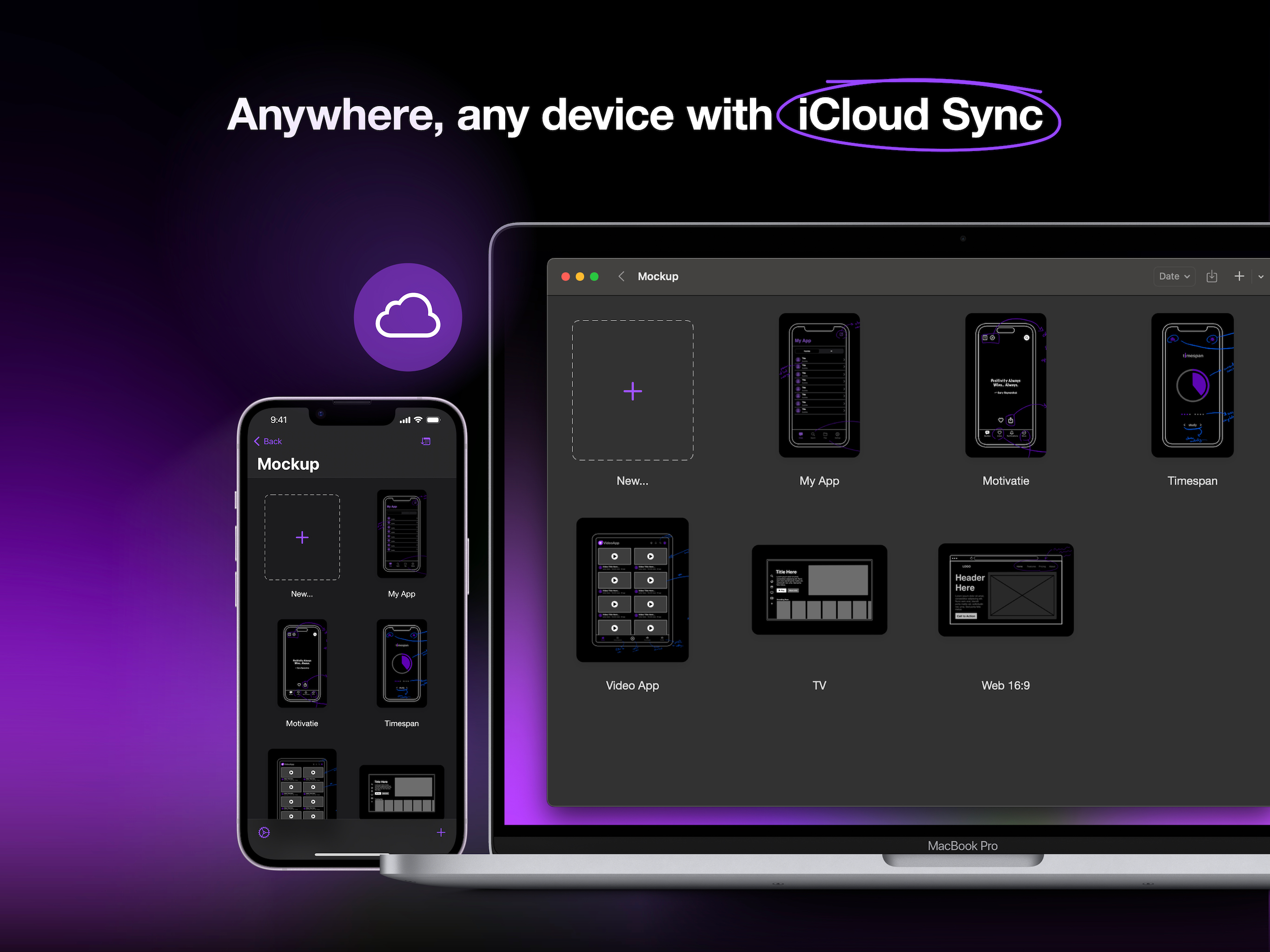
- Sync your sketches and projects across all your devices via iCloud sync.
- Access your recent sketches with the Recents Widget.
- Display sketches directly on your home screen with Preview Widgets.
Optimized for Apple Pencil & iPad
- Apple Pencil Hover: Use Apple Pencil Hover to preview and switch between drawing tools for enhanced precision and control.
- Use Apple Pencil Pro’s squeeze gesture to open the canvas menu to add/remove frames, lock/unlock canvas, adjust tool properties, select multiple objects, or undo/redo.
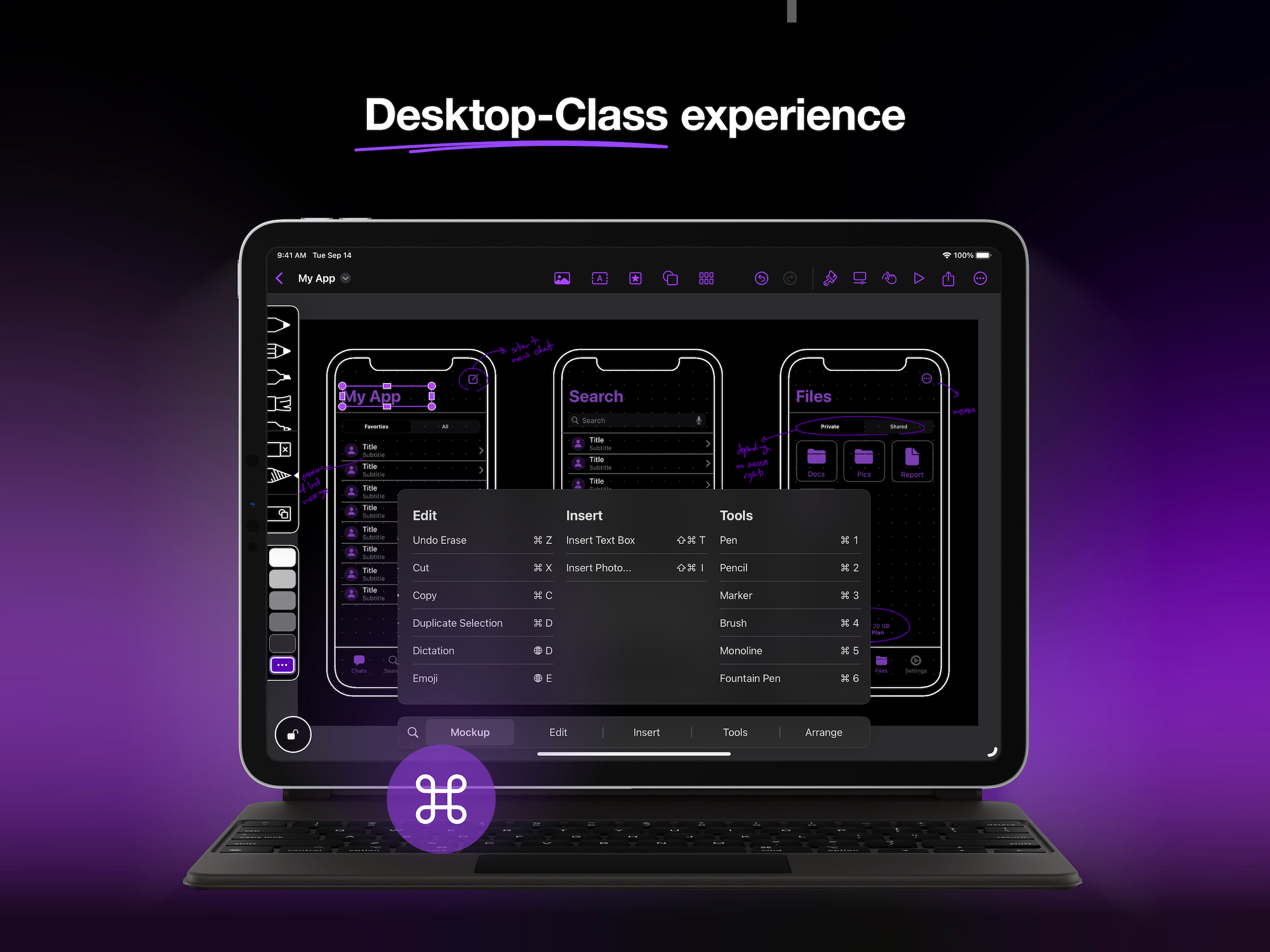
- Enjoy a desktop-class experience with an external keyboard and trackpad support.
Start free and create unlimited projects and sketches, or unlock the premium features with one of our paid plans.
Premium features include:
Start Strong
- Nested Projects
- All Device Frames
- Shape Detection
Work Smarter
- Unlimited Element Sets
- 4000+ Customizable Symbols
- Exclusive Elements
Prototype & Ship
- Prototype
- Watermark-free PDF Exports
- PNG export
- Priority Support.
Terms of Service:
https://apprime.studio/terms-of-service/
Privacy Policy:
https://apprime.studio/privacy-policy/
Ausblenden Mehr anzeigen...

In-App-Käufe

Mockup Studio Yearly
₹2.50
Mockup Studio Monthly
₹449.00
Mockup Studio Lifetime
₹9.90

Screenshots

Mockup Häufige Fragen

  • Ist Mockup kostenlos?

    Ja, Mockup ist kostenlos herunterzuladen, enthält jedoch In-App-Käufe oder Abonnements.

  • Ist Mockup seriös?

    🤔 Die Qualität der Mockup-App ist gemischt. Einige Nutzer sind zufrieden, während andere Probleme melden. Ziehen Sie in Betracht, einzelne Bewertungen für mehr Kontext zu lesen.

    Danke für die Stimme

  • Wie viel kostet Mockup?

    Mockup bietet mehrere In-App-Käufe/Abonnements, der durchschnittliche In-App-Preis beträgt ₹153.80.

  • Wie hoch ist der Umsatz von Mockup?

    Um geschätzte Einnahmen der Mockup-App und weitere AppStore-Einblicke zu erhalten, können Sie sich bei der AppTail Mobile Analytics Platform anmelden.

Benutzerbewertung

4.15 von 5

104 Bewertungen in Indien

5 star
67
4 star
15
3 star
6
2 star
3
1 star
13
Bewertungsverlauf

Mockup Bewertungen

Syncing issues

ishitajain95 on

Indien

syncing b/w ipad & macbook needs a lot of work

Too expensive

Dahotre on

Indien

Even though it is solving a problem, it is too expensive for it.

Unnecessary subscription model

purpleproject on

Indien

The default set of premium features it offers are just software limitations behind a subscription. None of features provided are something that I should constantly pay for a service.

Best tool to get things done

Riyansh96 on

Indien

1 feedback I can give is the canvas is touch sensitive. Even i’m using pencil it moves away because of my palm. If you can fix that it would be great!. Rest the whole app is great.

Good to have this app on macOS

AceNeerav on

Indien

Separete zoom in and zoom out controls would be good. Grids are not working.

In love with this app.

AceNeerav on

Indien

Makes designing small apps really easy. Please include entire UIKit elements set especially Sheets. Great job!

nice

ftf. gvvvjtfu on

Indien

nice

Great app but please fix few issues

designcraveyard on

Indien

- Make adding new pages easier. Gesture thing doesn't work well most times - Please add transform controls (flip rotate scale etc) post lasso selection Rest everything is super cool 👌🏻

Worst app

raghav49 on

Indien

Don't know why it just stops working.And still it demands Rs700 monthly. First focus on making the UX better then take money for it.

Just a blank page

subhasish.070 on

Indien

there was nothing. Opened on my mac Air. Only thing I could see was My projects and a pen image with a text saying ios projects will appear here. There was no clear indication what should I do next. There was nothing as such on the menu bar as well.

Store-Rankings

Ranking-Verlauf
Kategorien-Rankings
Diagramm
Kategorie
Rang
Top Umsatz
44
Top Kostenlos
89
Top Kostenlos
161
Top Kostenlos
180
Top Kostenlos
249

Schlüsselwörter

Mockup Konkurrenten

Mockup Installationen

Letzte 30 Tage

Mockup Umsatz

Letzte 30 Tage

Mockup Einnahmen und Downloads

Gewinnen Sie wertvolle Einblicke in die Leistung von Mockup mit unserer Analytik.
Melden Sie sich jetzt an, um Zugriff auf Downloads, Einnahmen und mehr zu erhalten.
This page includes copyrighted content from third parties, shared solely for commentary and research in accordance with fair use under applicable copyright laws. All trademarks, including product, service, and company names or logos, remain the property of their respective owners. Their use here falls under nominative fair use as outlined by trademark laws and does not suggest any affiliation with or endorsement by the trademark holders.