PDF Viewer by Nutrient

Powerful Editor, Fill & Sign

Veröffentlicht von: PSPDFKit

Beschreibung

PDF Viewer is a fast and beautiful app, allowing you to view, search and annotate PDF documents with ease on your iPhone and iPad.
Access your files from iCloud, Dropbox, Box, OneDrive, Google Drive or any other cloud solution via Apple's familiar Document Browser interface.
+++ Listed as “Productivity lifesaver” on the App Store +++
"A streamlined interface packed with powerful features - it’s like having a desktop-quality PDF toolkit wherever we go" – App Store Editor Notes
“I'm impressed by how the folks at PSPDFKit have been able to fine-tune the document browser to the app's needs.” – MacStories.net
"If you want a PDF viewer that is designed for reading PDF books, this is it." – App Review
VIEW DOCUMENTS ON THE GO
• Easily import a PDF from your favourite cloud service provider, email or directly off a website.
• Supports Open In Place, Drag & Drop and features the familiar Apple Document Browser interface from the Files app.
• Search for the exact text you are looking for within the document.
• Double tap on the screen to Smart Zoom directly to the text you want to read.
• Annotate images (JPEG, PNG) non-destructive, just like PDF documents. (PRO)
ANNOTATE WITH EASE
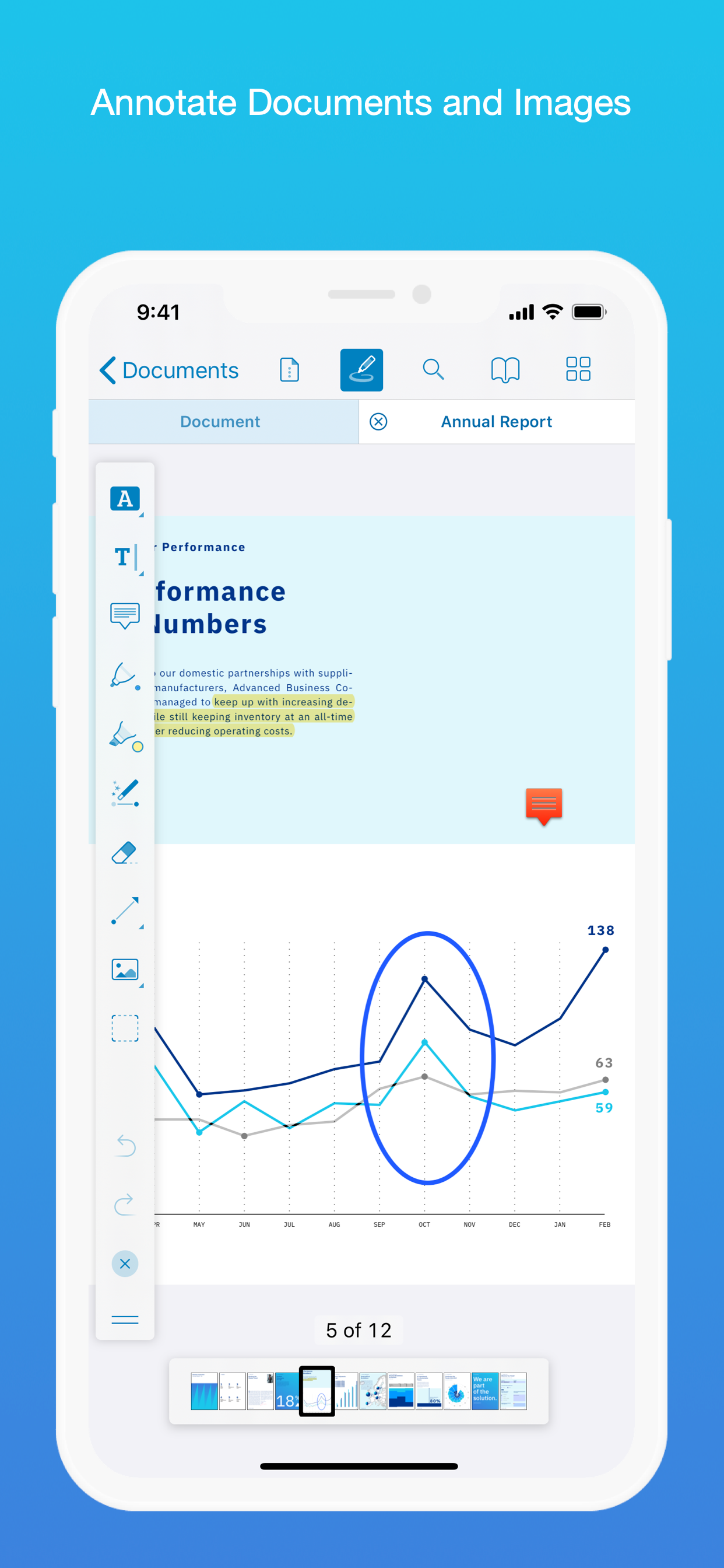
• While reviewing a document, use your finger or Apple Pencil to highlight and markup text.
• Leave comments by adding a note, text or drawing directly on the PDF.
• Add images or audio.
• Reply to notes. (PRO)
SIGN DOCUMENTS ANYWHERE
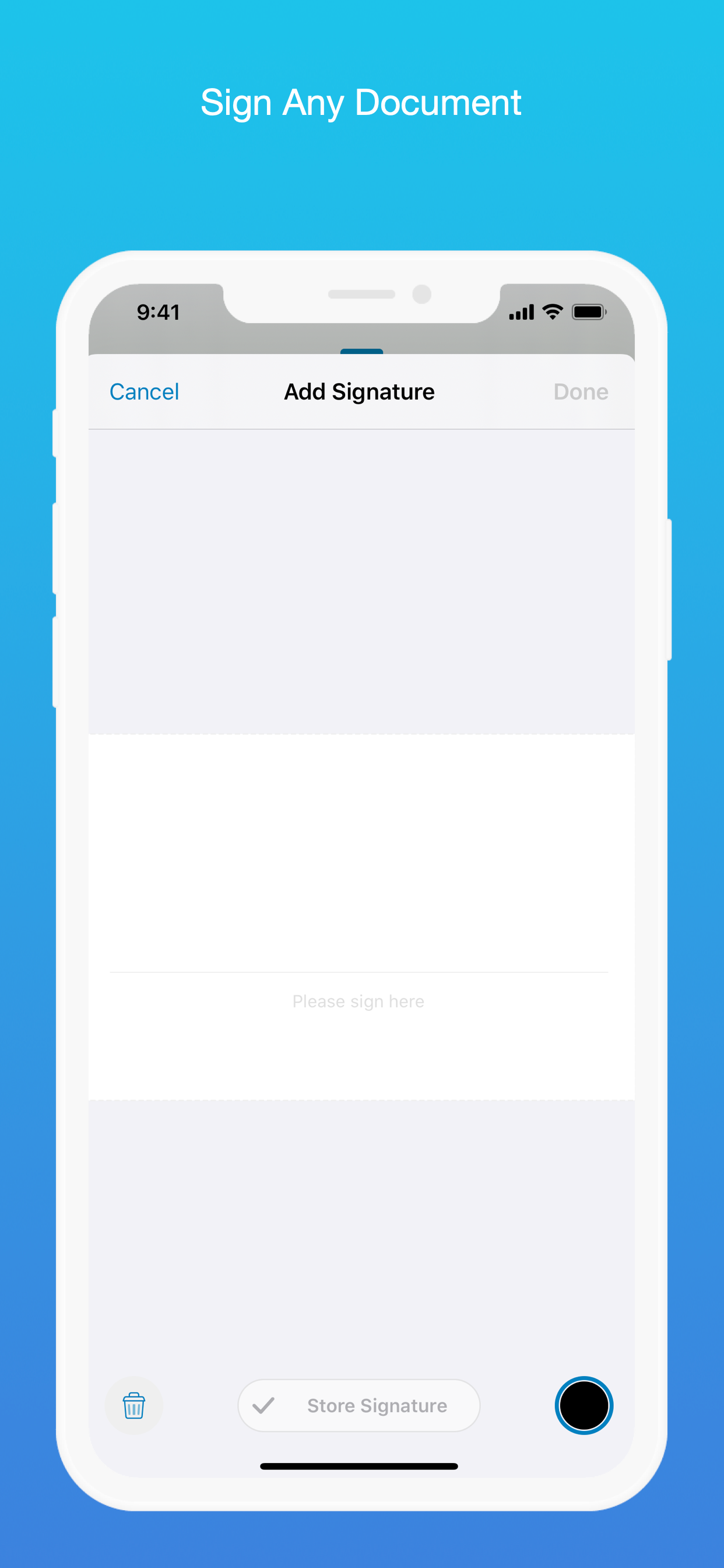
• Add your signature to any document using your finger or Apple Pencil.
• Move and resize your signature as needed.
• Flatten a document to ensure the signature doesn’t change.
CREATE AND EDIT PDFs
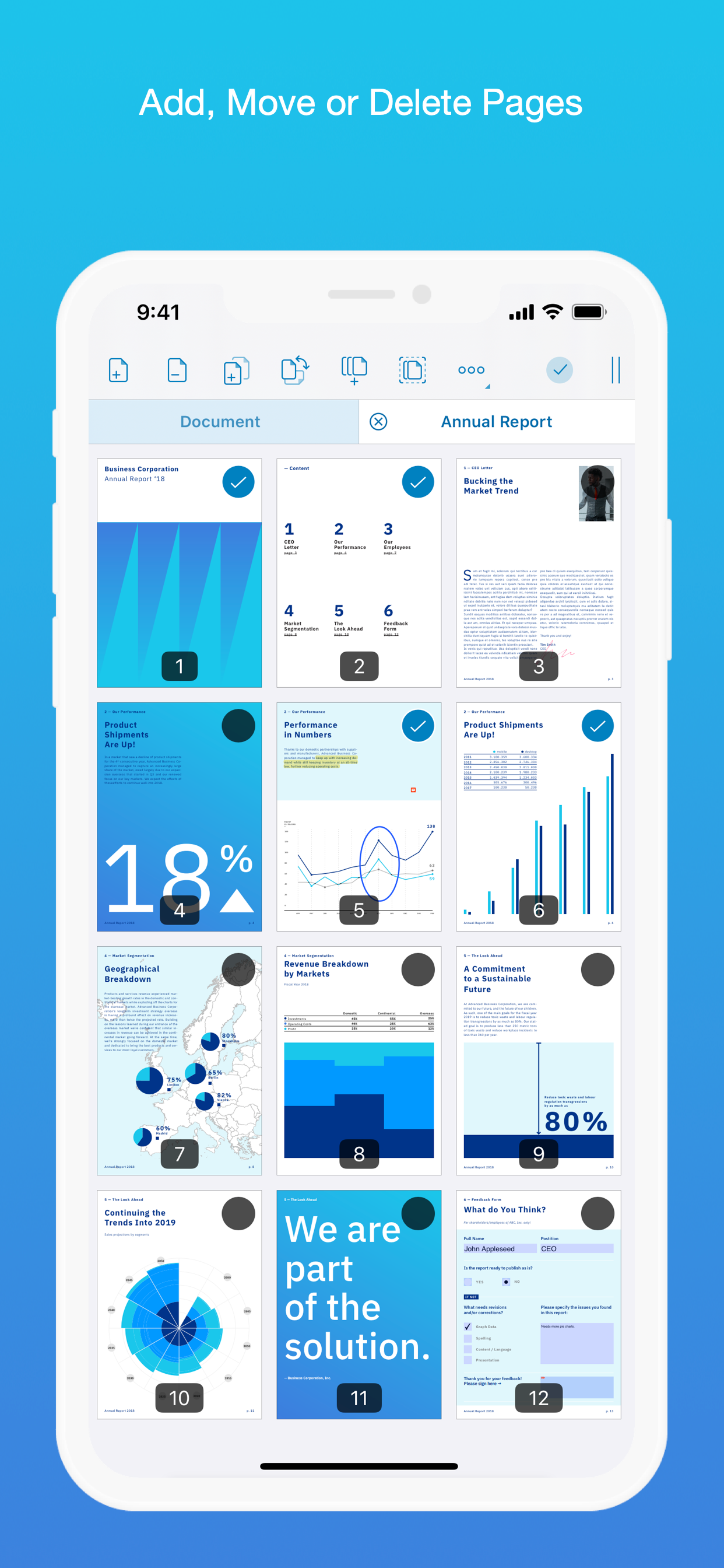
• Create new documents from existing documents by moving, rotating, deleting or adding new pages.
• Combine multiple documents into a single one. (PRO)
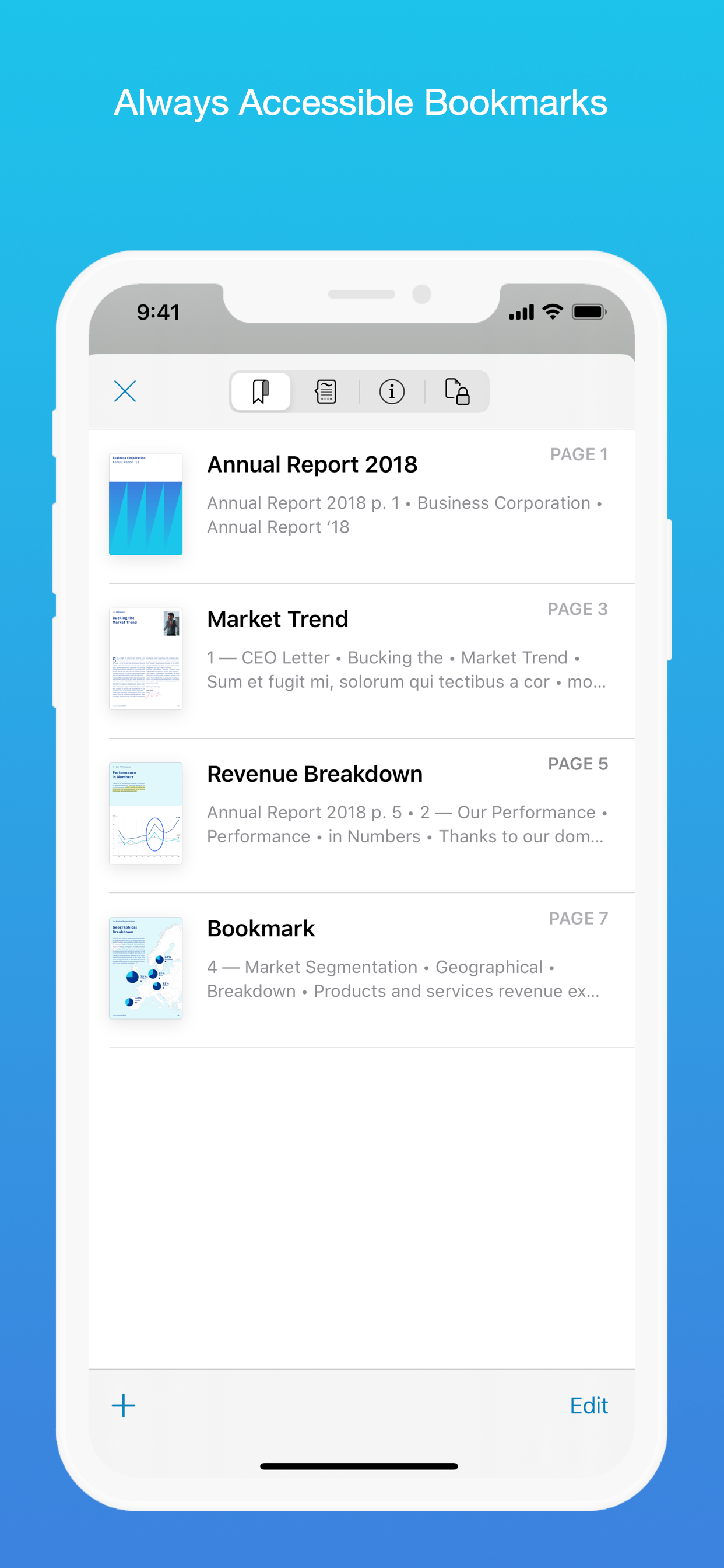
• Add bookmarks to easily return to certain pages in large documents.
FILL OUT FORMS
• Quickly fill out PDF Forms by adding text to the fields.
• Flatten and secure the form once you’re done to ensure the document doesn’t change.
• Add a signature to any Form.
STORE, ORGANISE AND SHARE
• Store documents, create folders and organise your documents.
• Share documents by printing, emailing or saving your edits back any cloud service.
PASSWORD PROTECT DOCUMENTS
• Read document metadata, title and keywords.
• Protect documents with user and owner passwords and limit permissions. (PRO)
AND SO MUCH MORE
• Conveniently switch to night mode when viewing your documents at night.
• Present on external screens without the distraction of toolbars. (PRO)
• Have the text from a PDF read out loud to you with text-to-speech.
• PDF Viewer remembers where you were down to the page/position where you left off - even across devices.
PRICING
PDF Viewer comes with a large feature set, completely free. Some advanced features require the purchase of PDF Viewer Pro, available as a subscription. We offer 3-monthly and yearly subscription plans. There’s also a fully functional 7-day trial, so you can test PDF Viewer Pro (including document merging and password editing) before you commit. All plans unlock the app on iPhone and iPad.
TRUSTED BY COMPANIES YOU KNOW
PDF Viewer is built on top of and powered by PSPDFKit, the same PDF engine trusted around the world by companies like Dropbox, Box, IBM, Atlassian, SAP and Lufthansa.
BE PART OF THE PDF VIEWER COMMUNITY
pdfviewer.io
twitter.com/pdfviewerapp
LEGAL
Duration and price of each subscription are displayed in PDF Viewers’ storefront, updated at the time of purchase. Payment will be charged to iTunes account at confirmation of purchase. Subscriptions automatically renew unless auto-renew is turned off no later than 24 hours before the end of the current period. Subscriptions and auto-renewal can be managed/turned off in the iTunes account settings. Any unused portion of a free trial period is forfeited as soon as a subscription is purchased.
Terms of Use: https://pdfviewer.io/terms
Privacy Policy: https://pdfviewer.io/privacy
Ausblenden Mehr anzeigen...

In-App-Käufe

PDF Viewer Pro 3 Months
369.00 ₱
PDF Viewer Pro Yearly
1,050.00 ₱

Screenshots

PDF Viewer by Nutrient Häufige Fragen

  • Ist PDF Viewer by Nutrient kostenlos?

    Ja, PDF Viewer by Nutrient ist kostenlos herunterzuladen, enthält jedoch In-App-Käufe oder Abonnements.

  • Ist PDF Viewer by Nutrient seriös?

    🤔 Die Qualität der PDF Viewer by Nutrient-App ist gemischt. Einige Nutzer sind zufrieden, während andere Probleme melden. Ziehen Sie in Betracht, einzelne Bewertungen für mehr Kontext zu lesen.

    Danke für die Stimme

  • Wie viel kostet PDF Viewer by Nutrient?

    PDF Viewer by Nutrient bietet mehrere In-App-Käufe/Abonnements, der durchschnittliche In-App-Preis beträgt 709.50 ₱.

  • Wie hoch ist der Umsatz von PDF Viewer by Nutrient?

    Um geschätzte Einnahmen der PDF Viewer by Nutrient-App und weitere AppStore-Einblicke zu erhalten, können Sie sich bei der AppTail Mobile Analytics Platform anmelden.

Benutzerbewertung

4.71 von 5

393 Bewertungen in Philippinen

5 star
320
4 star
48
3 star
14
2 star
5
1 star
6
Bewertungsverlauf

PDF Viewer by Nutrient Bewertungen

BEST PDF APP EVER

Euleriann on

Philippinen

I’ll have to admit that this is just the best app available view and annotate PDF files in iPad. I really like the clean and fast interface, also the feature where I can open files immediately; I couldn’t find any other apps that could do this with such speed and stability! I also like how the free version offers nice(and usable) experience. Thank you so much devs, it’s not been that long since I downloaded this but I couldn’t suppress the amazement.

Just a few more and its perfect

BL00Dwater on

Philippinen

I like almost everything about the annotations and gestures that I can do. The highlight feature is awesome and very easy to use. The things that I would love to be added are: The addition of a separate button space for the underline feature. Increase of saved colors from 4 to 8. In bigger screens like the iPad these added buttons would be well integrated into the large screens and would not cause crowding. Customization of app theme colors and graphics. I hope we get to enjoy these added buttons for our favorite highlight colors soon.

gagged

pringalingles on

Philippinen

excellent app truly!! (huge thank u to that Reddit user who recommended this) but i wish the app doesn’t crash when i try to load large documents ;( that’s my only complaint tho overall i really like the app as it does the simple things when im studying like annotating and highlighting. its interface is also simple enough and very friendly. i actually had bought an app for notes and the likes (iykyk) but i still find myself coming back to this. kudos to the devs! keep up the good work guys love u sm i hope both sides of ur pillow is cold

My go to annotation app for my pdfs

and-ioop on

Philippinen

Really wish it supported windows pc 🥹

Excellent app

Solana_Shade on

Philippinen

‼️GLITCH: pages sometimes turn upside down. I have to exit just to fix it.‼️ Recommendations: *Can you have the 4 highlight colors displayed all at once in the bar so we can change colors directly? *Can there be a freeform highlight that automatically straightens so we can have a straight highlight on non-text content?

Does not crash

kooleenie on

Philippinen

I’ve been finding an app that let’s me edit large sizes of files. This was recommended by my friend. It’s easy to use too.

This is what the Files app should be

Olivia Imperial on

Philippinen

It fits nicely like an app that was pre-installed in my iPad. Great synching with onedrive too. Some suggestions for improvement: Better palm rejection, Straighten free form highlights, and more buttons for one-click switching between tools and colors.

Best PDF app ever!

Rcvelasco on

Philippinen

I’ve been switching between PDF viewers in the past… but this app is by far the best I’ve seen.

Highlight

Rtp04t on

Philippinen

Why cant I highlight a text

Always Laggy, Crashing

-aesth on

Philippinen

No issues until now that it has become extremely inconvenient to use due to frequent lagging, delayed annotation, and occasional crashing of the application. Used to be my go-to app but right now, I am just unimpressed and frustrated. Thought that maybe my device was the problem but when I tried other apps, I did not witness any such issues so I just hope you fix this.

Store-Rankings

Ranking-Verlauf
App-Ranking-Verlauf noch nicht verfügbar
Kategorien-Rankings
App ist noch nicht gerankt

Schlüsselwörter

PDF Viewer by Nutrient Konkurrenten

PDF Viewer by Nutrient Installationen

Letzte 30 Tage

PDF Viewer by Nutrient Umsatz

Letzte 30 Tage

PDF Viewer by Nutrient Einnahmen und Downloads

Gewinnen Sie wertvolle Einblicke in die Leistung von PDF Viewer by Nutrient mit unserer Analytik.
Melden Sie sich jetzt an, um Zugriff auf Downloads, Einnahmen und mehr zu erhalten.

App-Informationen

Kategorie
Productivity
Herausgeber
PSPDFKit
Sprachen
English, Arabic, Croatian, Czech, Danish, Dutch, Finnish, French, German, Greek (modern), Hebrew (modern), Indonesian, Italian, Japanese, Korean, Malay, Norwegian Bokmål, Polish, Portuguese, Russian, Chinese, Slovak, Spanish, Swedish, Thai, Turkish, Ukrainian
Letzte Veröffentlichung
2025.13 (vor 2 Tagen )
Veröffentlicht am
Oct 24, 2016 (vor 9 Jahren )
Zuletzt aktualisiert
vor 1 Monat
This page includes copyrighted content from third parties, shared solely for commentary and research in accordance with fair use under applicable copyright laws. All trademarks, including product, service, and company names or logos, remain the property of their respective owners. Their use here falls under nominative fair use as outlined by trademark laws and does not suggest any affiliation with or endorsement by the trademark holders.