Beschreibung

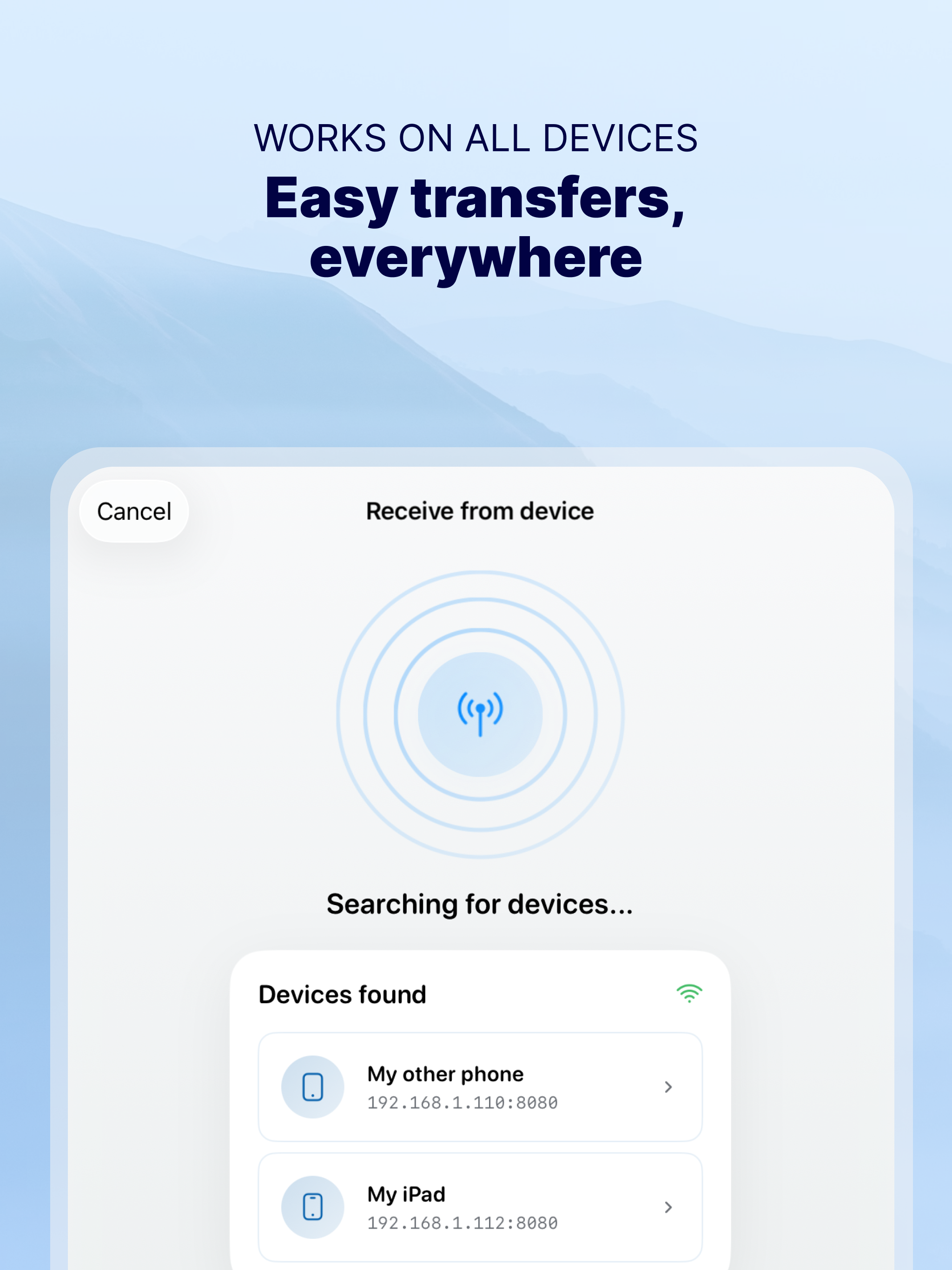
Photo Transfer allows you to easily send and share photos and videos through your WiFi. Make a backup of your photos and videos quickly and move your files from other mobile devices to iOS, iPad or computer and vice versa.
With over 2,5M downloads, more than 9k reviews in the App Store coming from happy users and millions of photo transfers made, this app is an indispensable tool for your iOS device.
Photo Transfer enables easy wifi transfer to send photos and videos between devices. It also allows users to make a backup. Whether you're an experienced user or a novice, you'll find it easy to use.
To send photos and videos, you will only need to have the app installed in both devices and a stable WiFi connection. You don’t need any cable!
▶ Main features:
· Download multiple photos from your iPad, iPhone or iPod touch to your computer.
· Upload photos and videos from your computer to your iOS or other mobile devices.
· Transfer and delete photos and videos stored on your iOS or other devices via WiFi.
· Transfer full-resolution photos and videos without losing quality and preserve files metadata in all transfer directions.
▶ More features you will love:
· Drag & drop photos from the app to any folder on your Mac and create new albums to upload photos.
· Use Photo Transfer with any web browser and preview your photos.
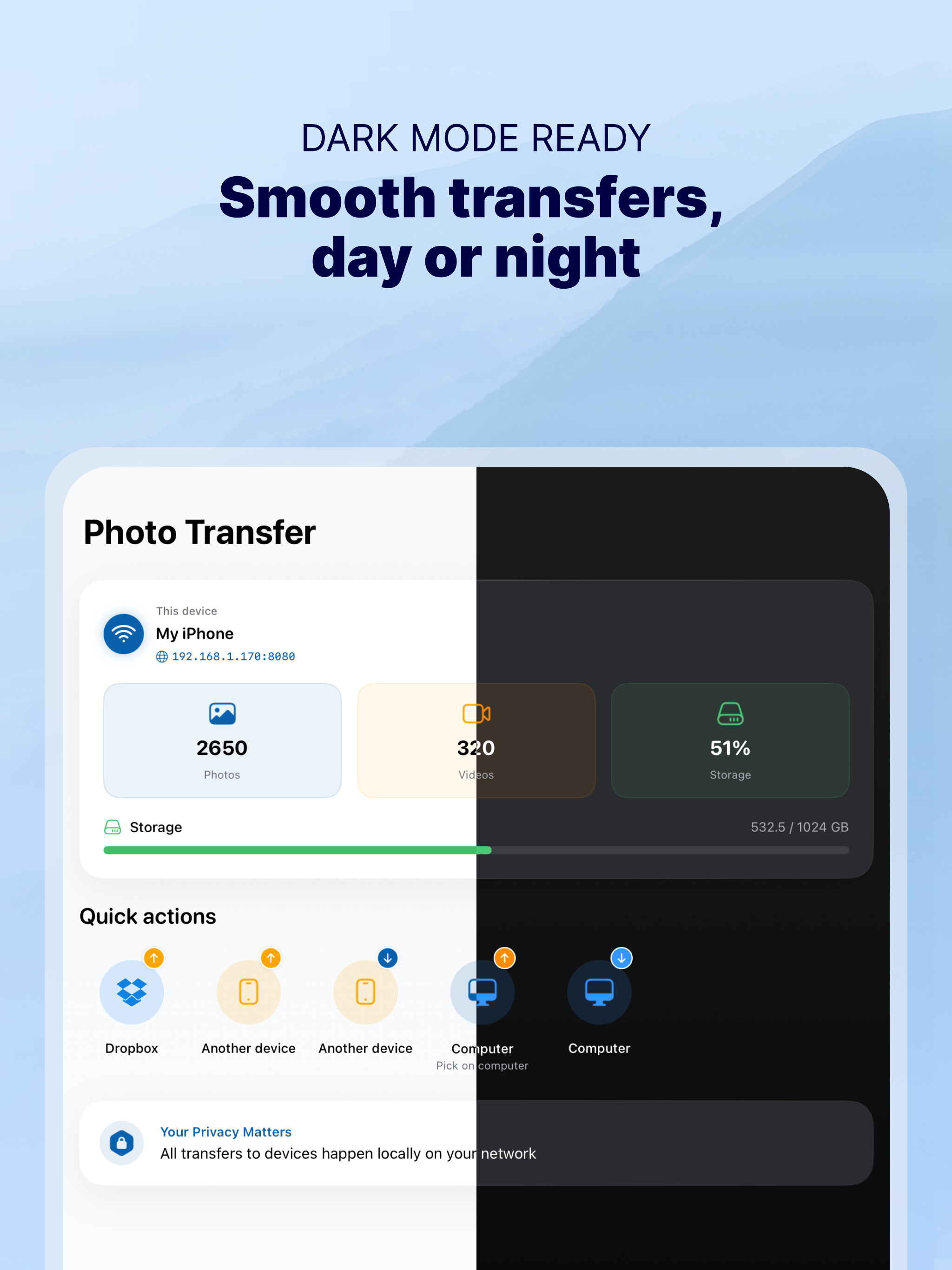
· Transfer your photos and videos directly from device to device using your local WiFi network. They are not stored in an external server and they never leave your local WiFi network, so your pictures will be safe!
· Use the USB cable to transfer photos between your Mac and your device when there is no access to a valid or stable WiFi signal.
· Pay only once when both devices use the same Apple account to purchase apps.
· Support to automatically convert HEIC files (High-Efficiency Image) to JPG when transferring from iPhone to any device or cloud service that we support.
With Photo Transfer you can transfer photos and videos from:
◉ Mobile device to iPhone:
· Transfer photos and videos from mobile device to iOS via wifi.
◉ iOS to another device:
· Move your photos and videos from your gallery to any mobile device.
· Send photos from an iPhone or iPad to your mobile device (photos and videos are saved on the default folder of Photo Transfer, but you can set your own album Gallery as destination).
◉ Any device or iOS to a computer (and vice versa):
· Use the wifi transfer feature to share photos and videos between Windows or Mac and Iphone, iPad, or another mobile device. You can also use the desktop app while transferring to Windows or MAC, or use the web browser as an alternative.
· Upload photos from your computer to your device.
Some requirements for using Photo Transfer:
· Access to a stable wifi network
· Public or private WiFi networks usually block communication between devices preventing the transfer connection.
· The app should be installed and opened on your devices when you transfer files.
Subscriptions:
► If you choose to purchase the PRO Upgrade subscription for 1 year, payment will be charged to your Apple account, and your account will be charged for renewal 24 hours before the end of the current period.
► Auto-renewal may be turned off at any time by going to your Apple ID settings after purchase.
► Any unused portion of a free trial period, if offered, will be forfeited when the user purchases a subscription to that publication, where applicable.
Privacy Policy: phototransferapp.com/privacy/app/
Terms of Service: phototransferapp.com/terms/app/
IMPORTANT: Free version allows you to transfer up to 5 photos in full resolution. Upgrade to PRO version and transfer more photos and videos at once! If you have any issue, visit phototransferapp.com or contact us at: [email protected]
Download Photo Transfer to send and share photos, pictures, images and videos via wifi transfer.
Ausblenden Mehr anzeigen...

Screenshots

Häufige Fragen

  • Ist Photo Transfer kostenlos?

    Ja, Photo Transfer ist komplett kostenlos und enthält keine In-App-Käufe oder Abonnements.

  • Ist Photo Transfer seriös?

    🤔 Die Qualität der Photo Transfer-App ist gemischt. Einige Nutzer sind zufrieden, während andere Probleme melden. Ziehen Sie in Betracht, einzelne Bewertungen für mehr Kontext zu lesen.

    Danke für die Stimme

  • Wie viel kostet Photo Transfer?

    Photo Transfer ist kostenlos.

  • Wie hoch ist der Umsatz von Photo Transfer?

    Um geschätzte Einnahmen der Photo Transfer-App und weitere AppStore-Einblicke zu erhalten, können Sie sich bei der AppTail Mobile Analytics Platform anmelden.

Benutzerbewertung

4.67 von 5

332 Bewertungen in Niederlande

5 star
257
4 star
55
3 star
10
2 star
5
1 star
5
Bewertungsverlauf

Bewertungen

Taal

hoezo water on

Niederlande

Was altijd prima app. Nu een hele poos niet gebruikt, taal op iphone veranderd jn Duits en kan ook geen verbinding meer maken met computer.


Na update is het slechter geworden

Maximus2012! on

Niederlande

Na de recente grote update is het gebruiksgemak en de mogelijkheden ervan sterk achteruit gegaan helaas. Ook als betalende klant zelfs. Eerst was ik fan nu ben ik toch aan het denken om wat anders te gaan zoeken.

Makes even your dog happy

John Primble on

Niederlande

This app is so good, it even makes your dog happy. And who doesn’t want their dog to be happy?

Efficient to download / transfer

Cmm cynth on

Niederlande

Great tool to WiFi or connected download / transfer photos from ie iPhone to MacBook. Selection max 200 at the time. Unfortunately not an option to quickly delete the transferred photos after transferring. Otherwise great and using this for many years

Jkff

PiAsH419 on

Niederlande

Good app indeed. Kerp it up

Outdated

arttext on

Niederlande

Works still with Adobe Flash, which is blocked by all browsers, so no transfer from ur Mac or PC to mobile device

Eindelijk een transfer app die werkt

Vonketrekker73 on

Niederlande

Heerlijk makkelijk programma die precies doet wat je wilt. Zowel met WiFi als bekabeld te gebruiken. Ik gebruik hem om albums met foto’s van de iPhone naar de laptop te verplaatsen en ik heb nog geen beter programma gevonden. Vandaag een upgrade gedaan. Houd wel je iPhone en Windows geüpdatet.

Photo Transfer

Sjieske on

Niederlande

Tijdsparend snel en makkelijk.

Snelste manier

b3utus on

Niederlande

Als professioneel fotograaf maak ik ook privé foto’s met mijn smartphone en ben iedere keer blij met de snelle en betrouwbare overzetting naar mijn laptop.

Perfect

jennifer 27 on

Niederlande

Eenvoudig en makkelijk

Store-Rankings

Ranking-Verlauf
App-Ranking-Verlauf noch nicht verfügbar
Kategorien-Rankings
Diagramm
Kategorie
Rang
Top Umsatz
78

Schlüsselwörter

Photo Transfer Installationen

Letzte 30 Tage

Photo Transfer Umsatz

Letzte 30 Tage

Einnahmen und Downloads

Gewinnen Sie wertvolle Einblicke in die Leistung von Photo Transfer mit unserer Analytik.
Melden Sie sich jetzt an, um Zugriff auf Downloads, Einnahmen und mehr zu erhalten.
This page includes copyrighted content from third parties, shared solely for commentary and research in accordance with fair use under applicable copyright laws. All trademarks, including product, service, and company names or logos, remain the property of their respective owners. Their use here falls under nominative fair use as outlined by trademark laws and does not suggest any affiliation with or endorsement by the trademark holders.