Skyflow – Cámara de time-lapse

Veröffentlicht von: Andrei Kovalev

Beschreibung

Skyflow es una herramienta potente y de nivel profesional para creadores que buscan la máxima calidad en time-lapse y stop-motion.
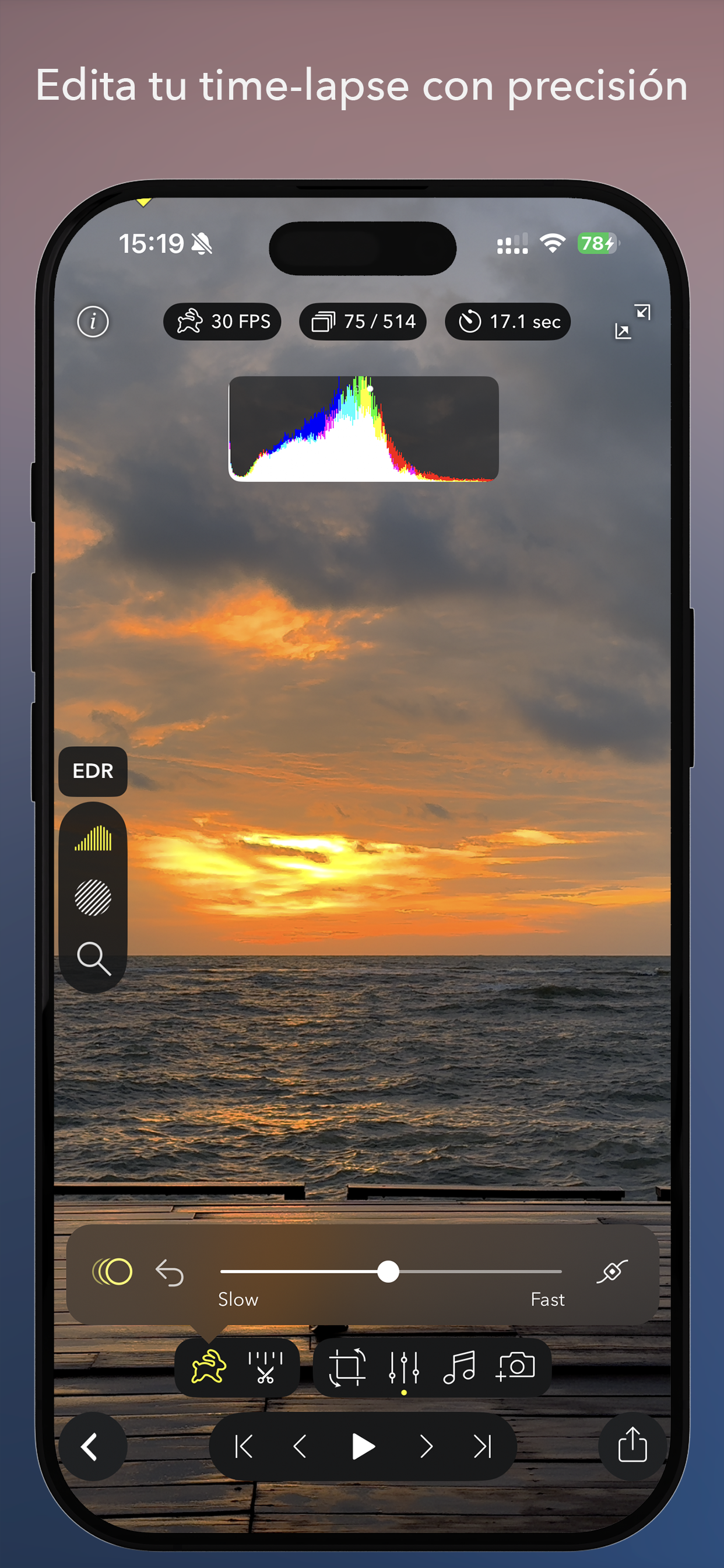
La función destacada de Skyflow es la capacidad de cambiar la velocidad de reproducción del time-lapse incluso después de haber terminado la captura.
Con potentes controles de cámara, amplio soporte de formatos y un editor totalmente equipado, Skyflow te ofrece control total desde la captura hasta la exportación.
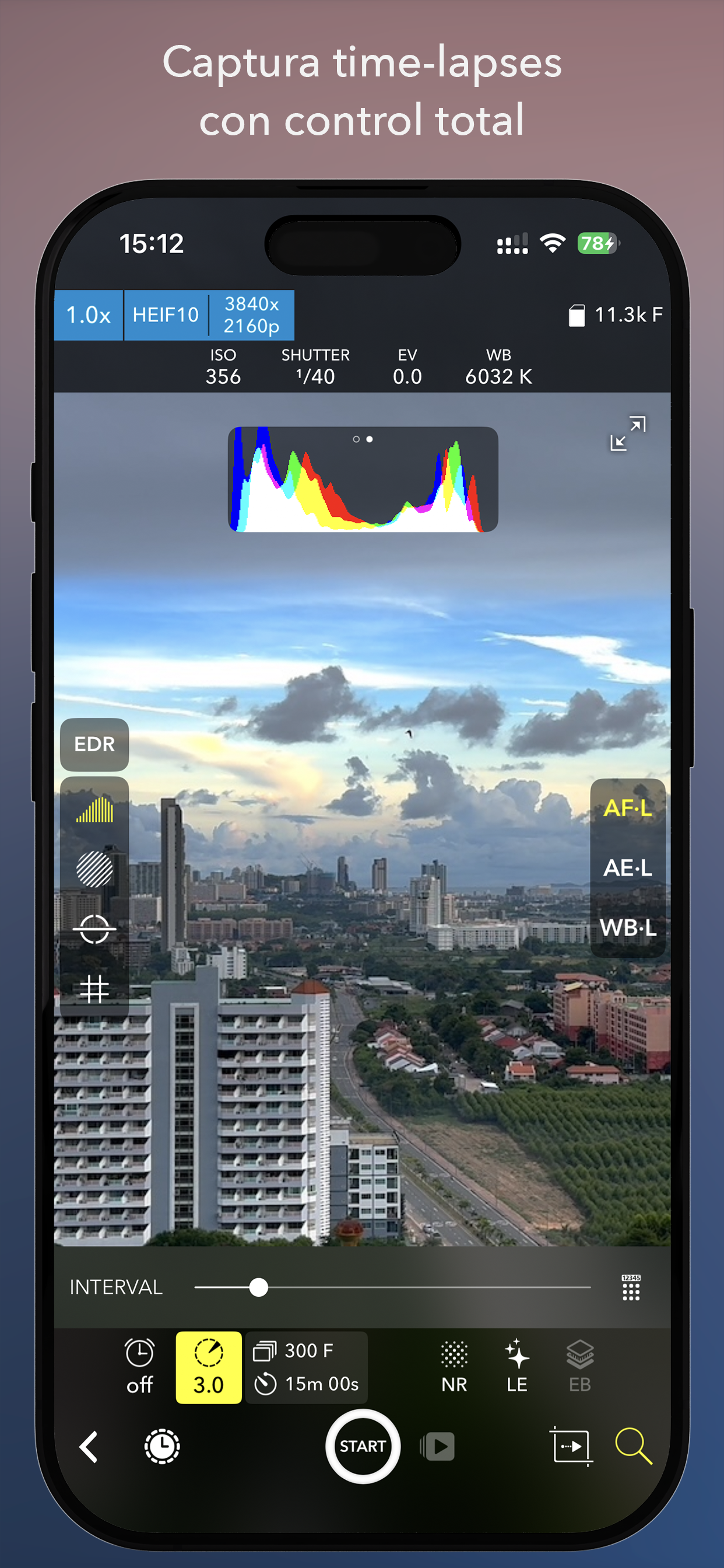
Experiencia de captura altamente configurable:
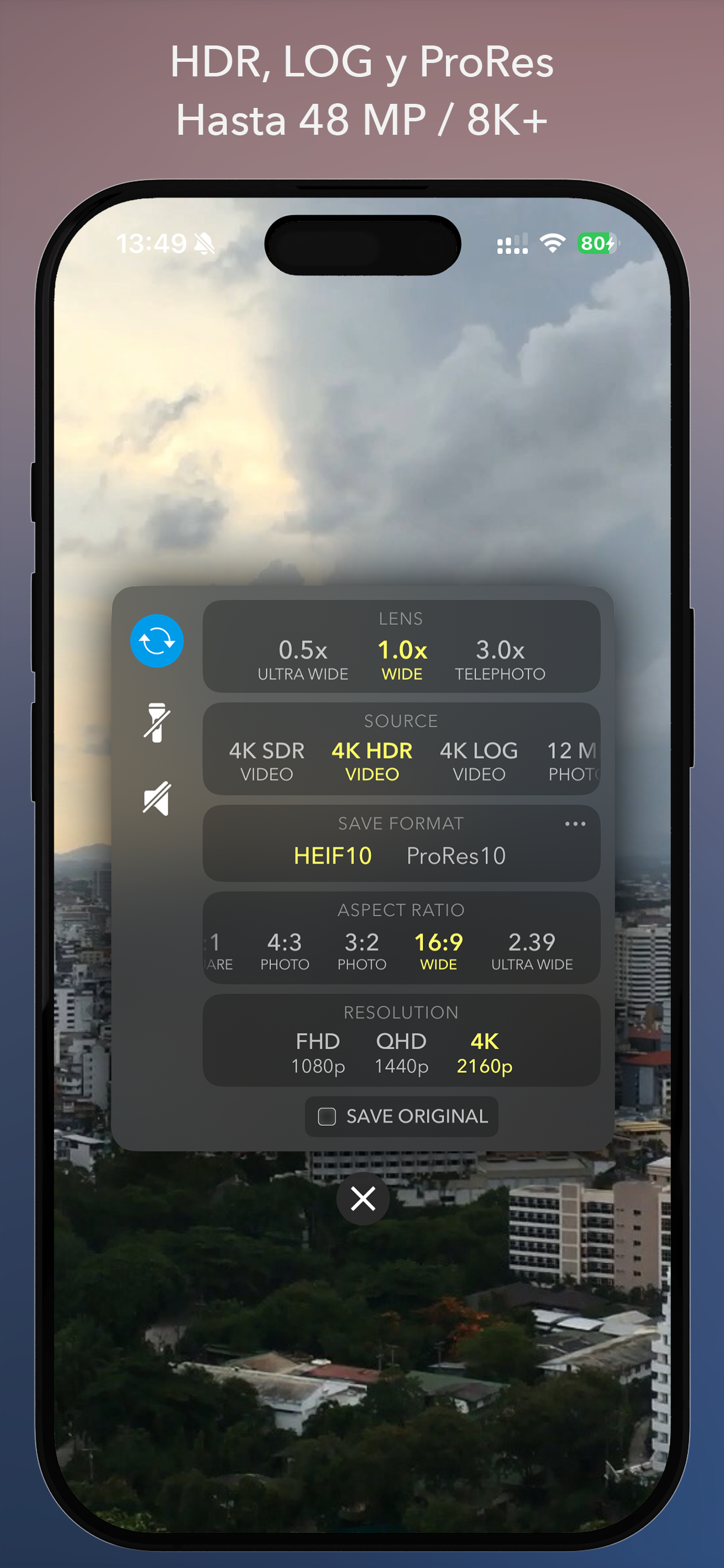
• Selección de fuente: vídeo SDR, vídeo HDR, Apple Log, foto de 12 MP y 48 MP
• Formatos de guardado ampliados: HEIF, HEIF (10 bits), ProRes, ProRAW
• Modos de disparo: time-lapse y stop motion
• Ajuste de hora de inicio, intervalo y duración
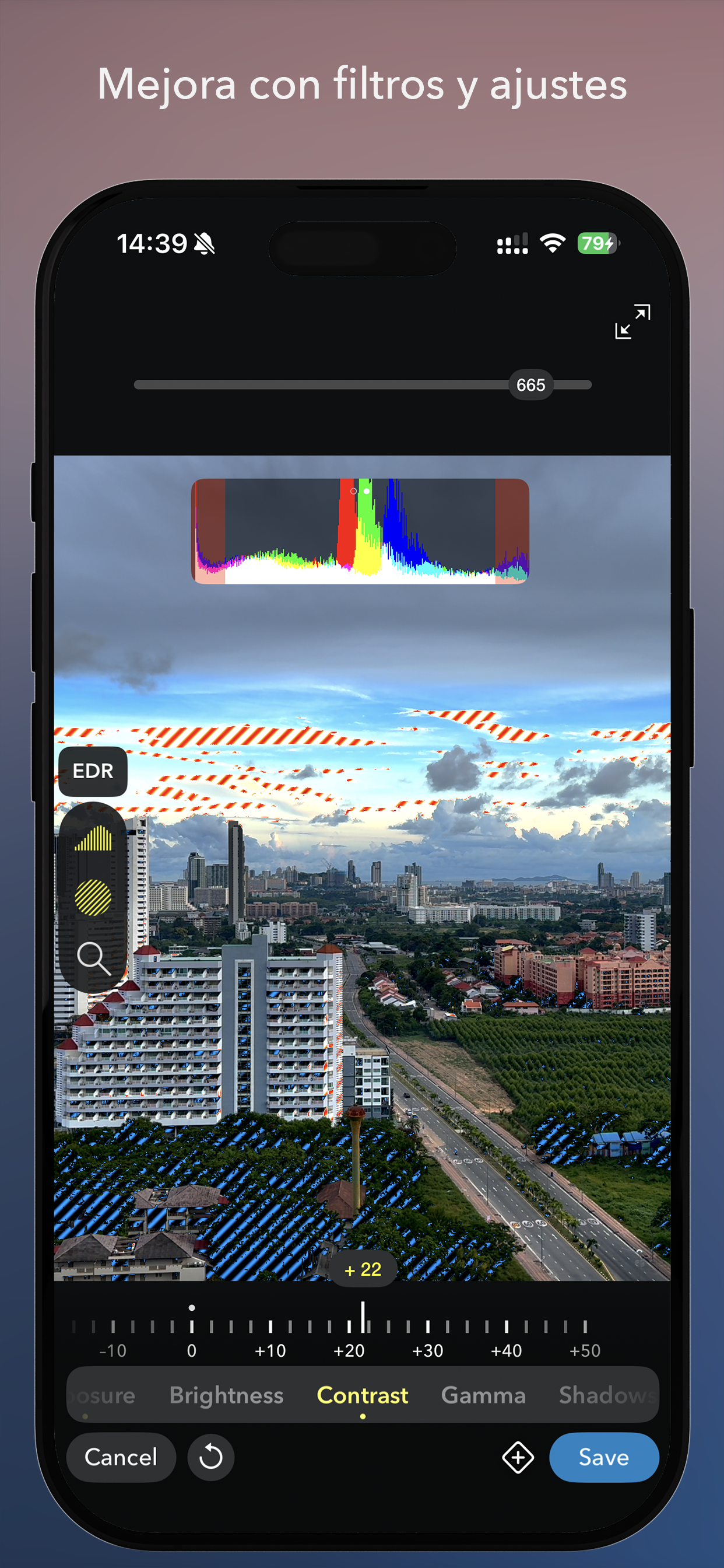
• Herramientas Pro: histograma, zebra, vista previa de LUT de Apple Log
• Control manual de ISO, velocidad de obturación, EV, balance de blancos y enfoque
• Reducción de ruido para tomas nocturnas limitando la velocidad de obturación
• Efectos de larga exposición: estelas de luz y desenfoque de movimiento
• Horquillado de exposición (EB) de 3 pasos / 2 pasos
• Movimiento panorámico para un desplazamiento cinematográfico
• Nivelación del horizonte y cuadrículas superpuestas
Editor de time-lapse con muchas funciones:
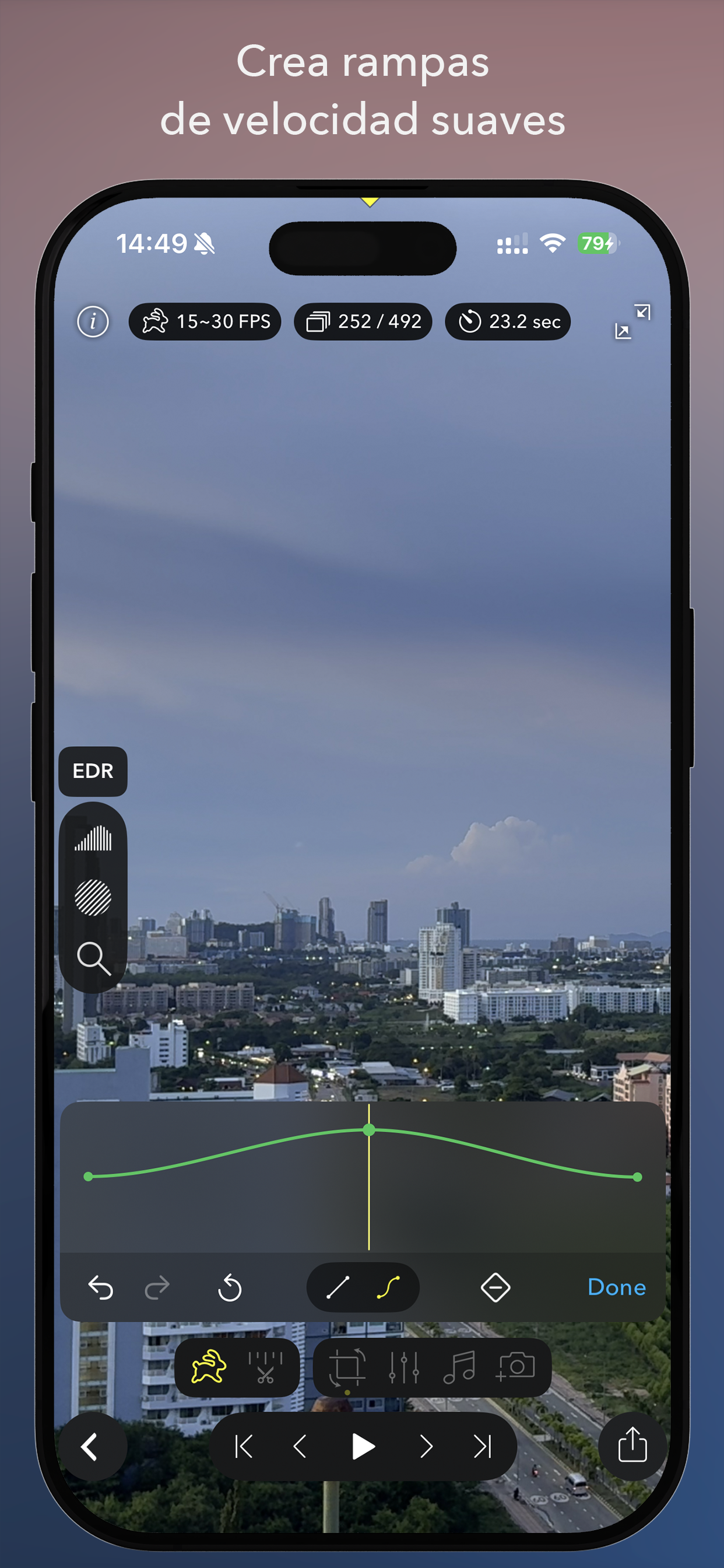
• Ajuste de velocidad de reproducción con opción de inversión y rampas de velocidad
• Recorte avanzado con corrección de perspectiva
• Edición y uso compartido completos para archivos (Pro)RAW
• Fusión de imágenes mejorada para secuencias con horquillado de exposición (EB)
• Ajustes de exposición y color
• Ramping basado en puntos clave para velocidad de reproducción, recorte, exposición y color
• Recorte de clips, añadir música, continuar un time-lapse y más
Exportación y uso compartido:
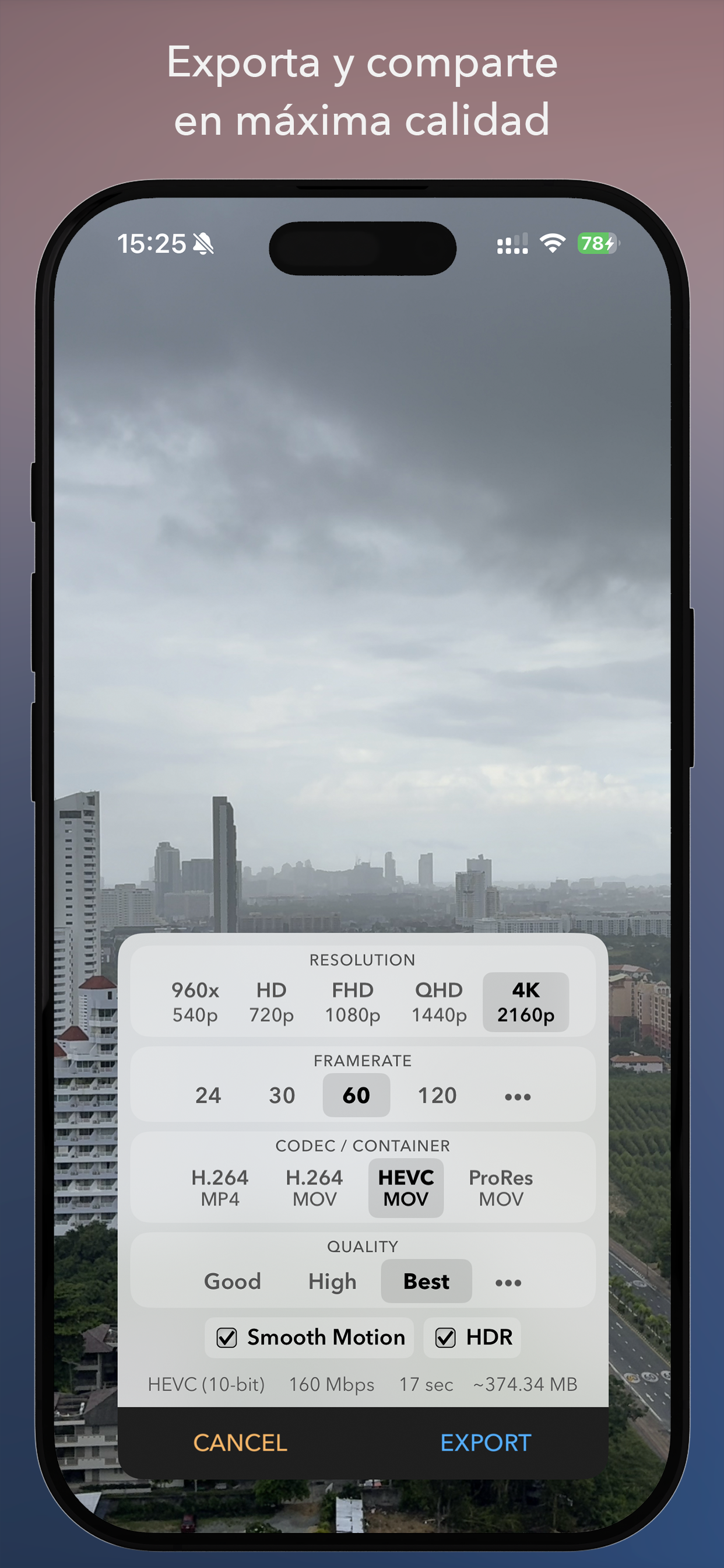
• Exportación hasta 8K (según el modelo del dispositivo)
• Formatos de vídeo, incluidos ProRes
• Frecuencia de fotogramas y bitrate personalizados
• Compatibilidad con exportación HDR / Dolby Vision
• Guardar en Fotos, Archivos o compartir con otras apps
Otras funciones
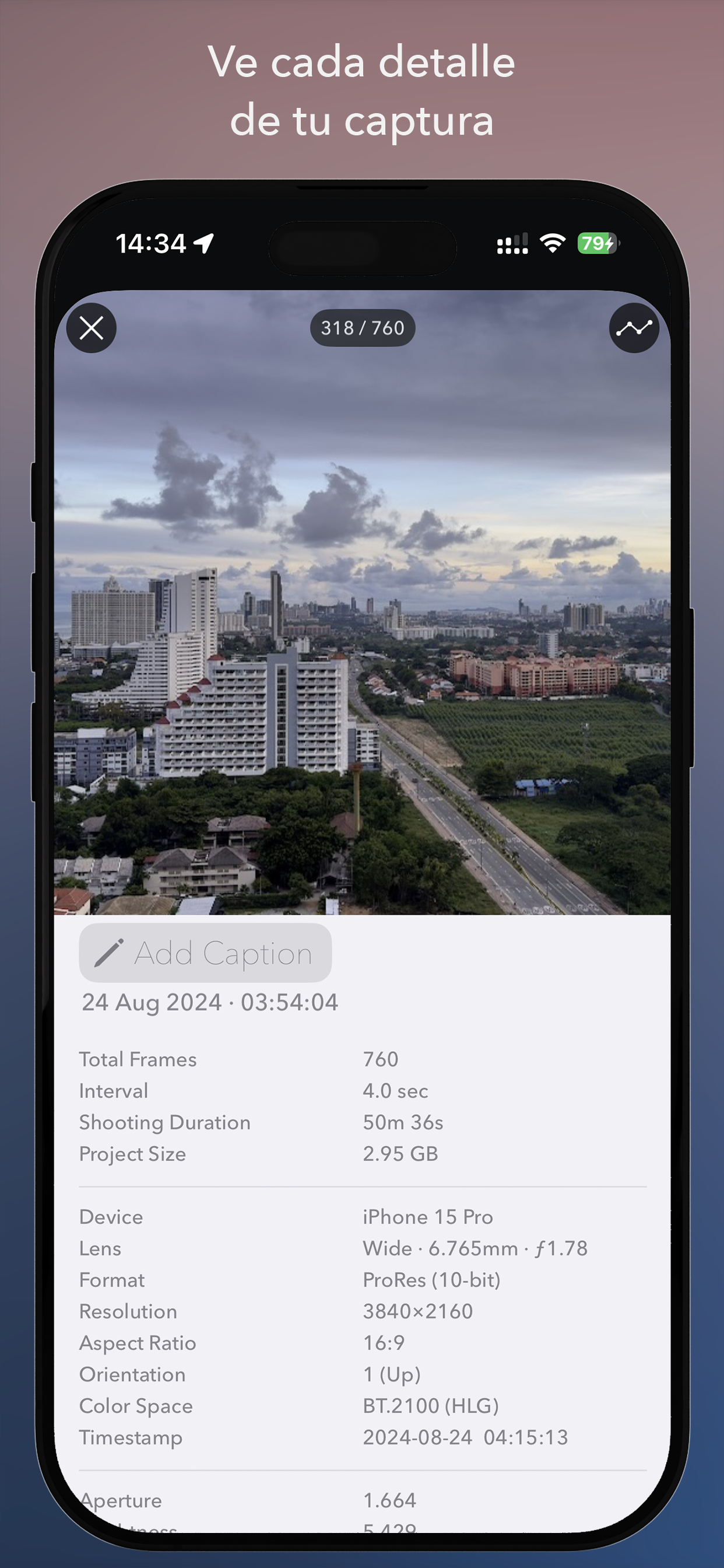
• Vista detallada de información del time-lapse con metadatos y gráficos de métricas de captura
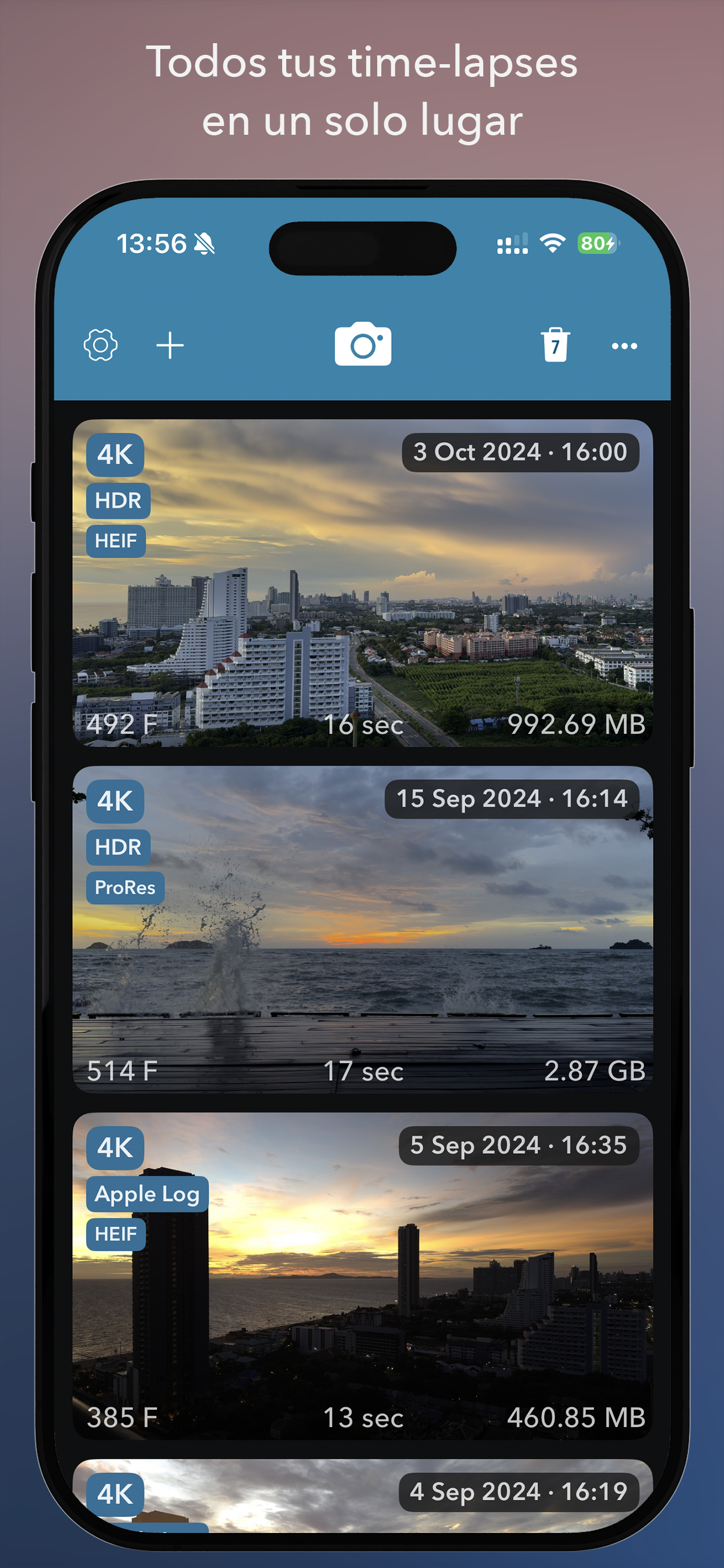
• Crear proyectos de time-lapse desde álbumes de fotos, ráfagas, vídeos o carpetas importadas
• Compatibilidad con los gimbals DJI OSMO Mobile y DJI OSMO Mobile 2
Ten en cuenta: ¡DJI OSMO Mobile 3 y posteriores no son compatibles por factores fuera de nuestro control!
Versión gratuita
Puedes capturar time-lapses ilimitados sin restricciones.
Las exportaciones, sin embargo, se limitan a 540p y llevan una marca de agua.
Estas limitaciones pueden eliminarse con una compra única dentro de la app.
Ausblenden Mehr anzeigen...

Screenshots

Skyflow Häufige Fragen

  • Ist Skyflow kostenlos?

    Ja, Skyflow ist komplett kostenlos und enthält keine In-App-Käufe oder Abonnements.

  • Ist Skyflow seriös?

    🤔 Die Qualität der Skyflow-App ist gemischt. Einige Nutzer sind zufrieden, während andere Probleme melden. Ziehen Sie in Betracht, einzelne Bewertungen für mehr Kontext zu lesen.

    Danke für die Stimme

  • Wie viel kostet Skyflow?

    Skyflow ist kostenlos.

  • Wie hoch ist der Umsatz von Skyflow?

    Um geschätzte Einnahmen der Skyflow-App und weitere AppStore-Einblicke zu erhalten, können Sie sich bei der AppTail Mobile Analytics Platform anmelden.

Benutzerbewertung

3 von 5

1 Bewertungen in Dominikanische Republik

5 star
0
4 star
0
3 star
1
2 star
0
1 star
0
Bewertungsverlauf

Skyflow Bewertungen

Does not export Timelapse

saschatieke on

Vereinigte Staaten

Doesn't work on latest iOS 18.6, will not export finished Timelapse to photo library. I purchased the full version and it's worthless


Photos not saving on iPhone 16

h5teria on

Vereinigte Staaten

*Solved* Turn off Frame Blending in the clip speed settings before export! I used it on iPhone 14 with iOS 17.5.1 but not with iPhone 16 iOS 18.1.1

No updates in 5 years???

Brigadierul Vasile on

Vereinigte Staaten

No updates in more than 5 years???

Why do i have no permission to save to photos?

2artsy4u on

Vereinigte Staaten

Can't save the photos any longer, and no option to change options on the app. Used to work fine now it doesn't. Why does it even want to have access to all my photos to begin with which is another issue of mine. There's a few flaws, this could've been a great app. Perhaps the developer needs to have a look and see what they might be, or i could be nice.... need more room for my finger to edit frame by frame, it keeps touching functions next to it. Lets see how long this will take to fix.... thank you.

Needs to be updated

Noefresh on

Vereinigte Staaten

Abandonware that doesn’t work with iOS 18 and up- do not buy!

Phenomenal Time-lapse Product

Tenabra444 on

Vereinigte Staaten

This program has allowed me to make the best Time-lapses of my life! The interface is simple, minimalist in appearance, and very easy to use! I recommend it 10/10! The only thing to watch out for is when exporting time-lapse files will take some serious space, this is not a dig at the program, just a notice! When you export your files you get every individual frame, which is awesome!

Impressive!

Steve clock fan on

Vereinigte Staaten

Beautifully and logically worked out. Thank you for the option to save as jpg’s. Steve Hines

Scam!

chocolate-penguins on

Vereinigte Staaten

Full version was supposed to be 2.99 but charged 29.99 to my account!!!

Does not currently work with iOS 18

lembeckstudios on

Vereinigte Staaten

After the update to iOS 18, the software does not work. The files will not export any longer and the software “locked up”. I contacted the software developer and he is aware of the problem, but is unable to state when, OR IF, a proper fix is available. (See their FB page for the comments) I DO NOT recommend this until it is compatible with iOS 18 and the developer can address known issues in a timely manner.

Can’t save

anon9999 on

Vereinigte Staaten

App works, but can’t save to Photos

Store-Rankings

Ranking-Verlauf
App-Ranking-Verlauf noch nicht verfügbar
Kategorien-Rankings
Diagramm
Kategorie
Rang
Top Kostenlos
468
Top Kostenlos
473

Schlüsselwörter

Skyflow – Time Installationen

Letzte 30 Tage

Skyflow – Time Umsatz

Letzte 30 Tage

Skyflow Einnahmen und Downloads

Gewinnen Sie wertvolle Einblicke in die Leistung von Skyflow – Time mit unserer Analytik.
Melden Sie sich jetzt an, um Zugriff auf Downloads, Einnahmen und mehr zu erhalten.

App-Informationen

Kategorie
Photo Video
Herausgeber
Andrei Kovalev
Sprachen
English, Czech, Dutch, French, German, Hindi, Indonesian, Italian, Japanese, Korean, Polish, Portuguese, Russian, Chinese, Spanish, Swedish, Thai, Turkish, Ukrainian, Vietnamese
Letzte Veröffentlichung
2.0.3 (vor 1 Woche )
Veröffentlicht am
Nov 22, 2014 (vor 11 Jahren )
Zuletzt aktualisiert
vor 8 Stunden
This page includes copyrighted content from third parties, shared solely for commentary and research in accordance with fair use under applicable copyright laws. All trademarks, including product, service, and company names or logos, remain the property of their respective owners. Their use here falls under nominative fair use as outlined by trademark laws and does not suggest any affiliation with or endorsement by the trademark holders.