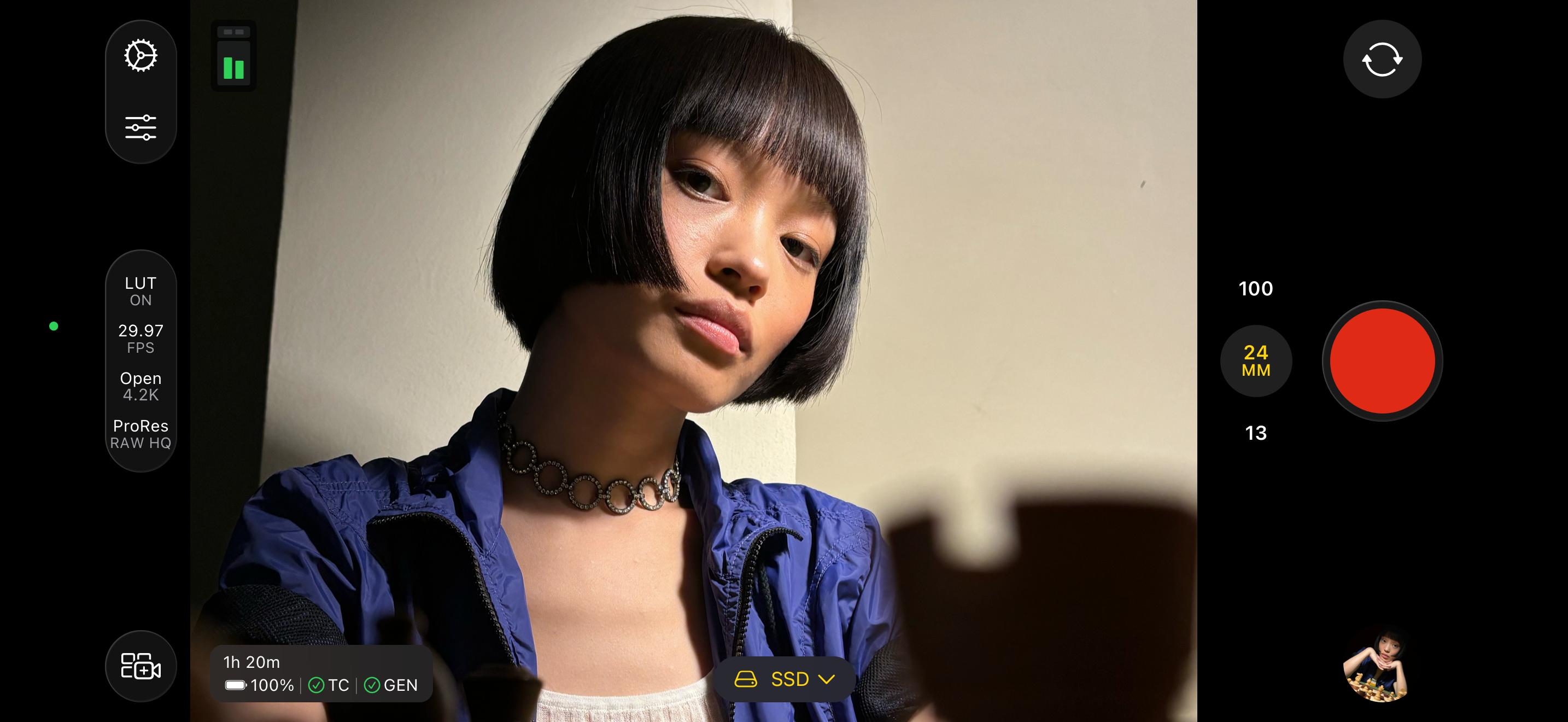
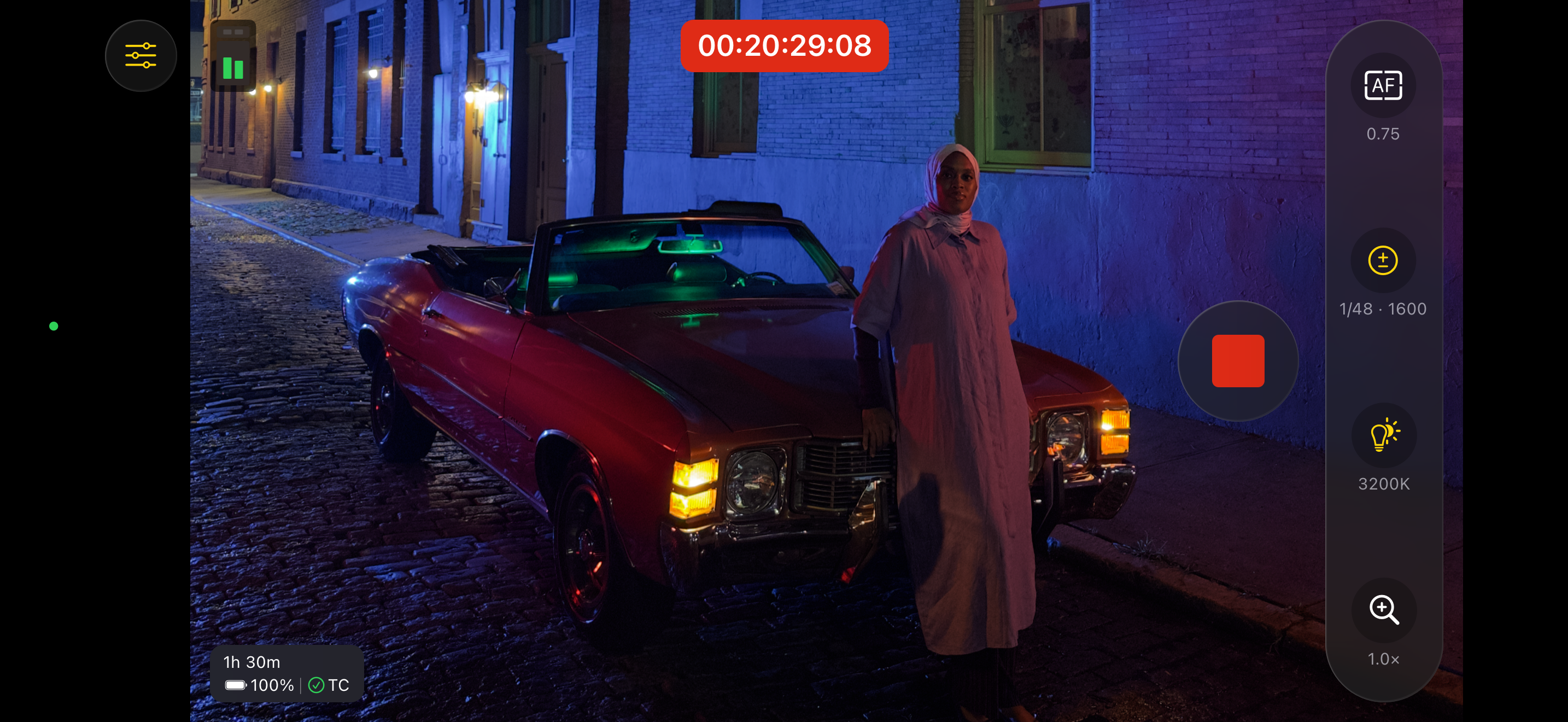
Final Cut Camera puts you in the director’s chair with intuitive pro controls for your entire video production. Seamlessly start a Live Multicam session by connecting up to four devices running Final Cut Camera to preview, record and sync your video angles in Final Cut Pro for iPad. Capture with powerful settings including shutter speed, ISO, white balance and manual focus. Easily customise your resolution, frame rate, colour space and more. Quickly monitor your video with focus peaking and overexposure indicators. Dial in the perfect shot for your professional videos with Final Cut Camera.
Capture professional footage with full manual control
• Easily record in a range of resolutions, frame rates and codecs including ProRes and Log colour encoding*
• Set your exposure with ISO and shutter speed controls
• Adjust your white balance using presets or set a custom colour temperature
• Pull focus to follow the action and keep subjects sharp
• Lock orientation to ensure your framing is consistent regardless of device position
• Record with Spatial Audio for videos with even more immersive sound**
• Reduce shakiness and movement during capture by enabling stabilisation
Preview, record and sync up to four devices with Live Multicam in Final Cut Pro for iPad
• Quickly start a Live Multicam session by connecting your device to Final Cut Pro for iPad***
• Remotely preview, adjust pro controls and initiate recording on all your connected devices directly in Final Cut Pro
• Instantly edit your multicam clips with preview media that is automatically synced in the Final Cut Pro browser
• Save time in post with background media transfer that seamlessly replaces preview media with originals as you work
Confirm videos look and sound perfect with powerful monitoring tools
• Level videos with tilt and roll indicators or crosshairs for overhead shots
• Preview your Log video in SDR or HDR by applying the Apple Log LUT*
• Enable focus peaking to ensure footage looks sharp*
• Properly expose videos using zebra indicators*
• Frame your shot with aspect ratio guides or grid overlays
• Monitor available recording time and audio meters
Easily review and transfer media directly in the browser
• Save videos to Files or record onto a connected external storage device*
• Browse and review your footage directly in the Final Cut Camera browser
• Quickly connect to Final Cut Pro for iPad and transfer media directly into a project
• Conveniently pause and resume media transfers
Upgrading to the latest iOS or iPadOS is recommended
* Requires iPhone 15 Pro or later
** Requires iPhone 16 or later
*** Requires Final Cut Pro for iPad subscription
**** Focus peaking and overexposure indicators require iPhone or iPad models with A13 Bionic chip or later
СкрытьПоказать больше...
Скриншоты
Final Cut Camera Частые Вопросы
Приложение Final Cut Camera бесплатное?
Да, Final Cut Camera полностью бесплатное и не содержит встроенных покупок или подписок.
Является ли Final Cut Camera фейковым или мошенническим?
🤔 Качество приложения Final Cut Camera спорное. Некоторые пользователи довольны, в то время как другие сообщают о проблемах. Рекомендуем ознакомиться с отдельными отзывами для получения более полной картины.
Спасибо за ваш голос
Сколько стоит Final Cut Camera?
Приложение Final Cut Camera бесплатное.
Сколько зарабатывает Final Cut Camera?
Чтобы получить оценку дохода приложения Final Cut Camera и другие данные AppStore, вы можете зарегистрироваться на платформе мобильной аналитики AppTail.
Оценки пользователей
4.68 из 5
81 оценок в Южно-Африканская Республика
5 star
69
4 star
5
3 star
3
2 star
1
1 star
3
История оценок
Final Cut Camera Отзывы Пользователей
Request
Please add the ability to change aspect ratios when filming or at least an overlay (like a grid) to show what’s in frame in a certain aspect ratio like 2:1 or wider formats. It’s the ONE thing I need right now to make this my main filming app.
Absolutely disappointing
Im a media professional who was so excited when apple launched this app, unfortunately, I’ve experienced countless glitches that make the app unusable. I thought it was a device issue, but now I’m on a new iPhone (16 pro) and still experiencing constant issues.
This app has so much potential, it’s utterly disappointing to see that it’s not getting any updates to fix these issues.
Okay but Buggy
Using iPhone 14 Pro, almost every second film clip at the 1:30 second mark there is a jolt in the clip , does it hand held and with gimbal so definitely a software issue
Great video recording app.
This app is great for video recording on both the front and back cameras. It gives you better frames and is better than the main camera app on your phone. The zoom feature is also very good. I just wish we had an option to take photos also or maybe apple will create a separate app where we can can more options and filters and stuff to use for taking photos.
Needs flash
The default camera program can record video while the camera LED is on, this should be able to as well
Laggy / unreliable
It’s hard to believe this app was created by Apple because it’s extremely laggy / unreliable.
On an iPhone 15 Pro with lots of available storage this app has lots of problems:
* app becomes laggy. Sometimes the record button won’t work. You’ll press it but you may need to press it again
* it records in the wrong orientation. You could be recording horizontally but it still saves vertically
* the worst bug: stabilization will mess up the first two seconds of almost every clip! The whole frame will jump. Almost like it kicks in late. This makes this part of the video unusable.
This app records nice video but these issues make the app unpredictable / unreliable
Fantastic update, However
(Update)
This release is super buggy.
Certain camera settings just reset randomly after closing out the app like stabilization and preview lut and leveler and I’ll start to record and not realize my footage is super shaky.
Also I shot about 7 fairly important clips yesterday and chose 4k 60 and when I bought them into post they were 32 fps.
We need updates more often.
(Original review)
The addition of h.265, lut preview and levelers are great but I can’t believe Apple doesn’t let you launch from the capture button. Please add this so I can map the capture button to launch Final Cut camera!
AirPods Pro 2 cannot be found as a source
As in the title - AirPods Pro 2 cannot be found as an input source in Audio Settings
Settings randomly change
My active stabilization turns from on and off. Its ruined plenty of my videos. I don’t know why anyone would want the stabilization turned off. Fix it!
تطبيق جيد
خيار جيد خصوصا ان تطبيقات مثله تكون مدفوعة
بنسبة لتحكم في الاعددات سهل وغير معقد لكن هناك مشكلة هي المساحة فيجب على تطبيق
وضع فيوديوات في مكان كاميرة وليس
في تطبيق نفسه فتصبح مساحة مضاعفة فمثل لو شخص سجل فيوديو 4k
حجمه 10 gb فيحتج الى 20gb هذا مشكل لن يسمح بستعمال مدة اطول
Получите ценные инсайты о производительности Final Cut Camera с помощью нашей аналитики. Зарегистрируйтесь сейчас, чтобы получить доступ к статистика загрузок и доходов и многому другому.
This page includes copyrighted content from third parties, shared solely for commentary and research in accordance with fair use under applicable copyright laws. All trademarks, including product, service, and company names or logos, remain the property of their respective owners. Their use here falls under nominative fair use as outlined by trademark laws and does not suggest any affiliation with or endorsement by the trademark holders.