1Password: Password Manager

Save & share passwords safely

Published by: AgileBits

Description

1Password has been helping folks forget their passwords since 2006. Trusted by millions of people and more than 175,000 businesses, "1Password offers the best combination of features, compatibility, security, and ease of use" among password managers, according to The New York Times Wirecutter.
== Generate strong passwords ==
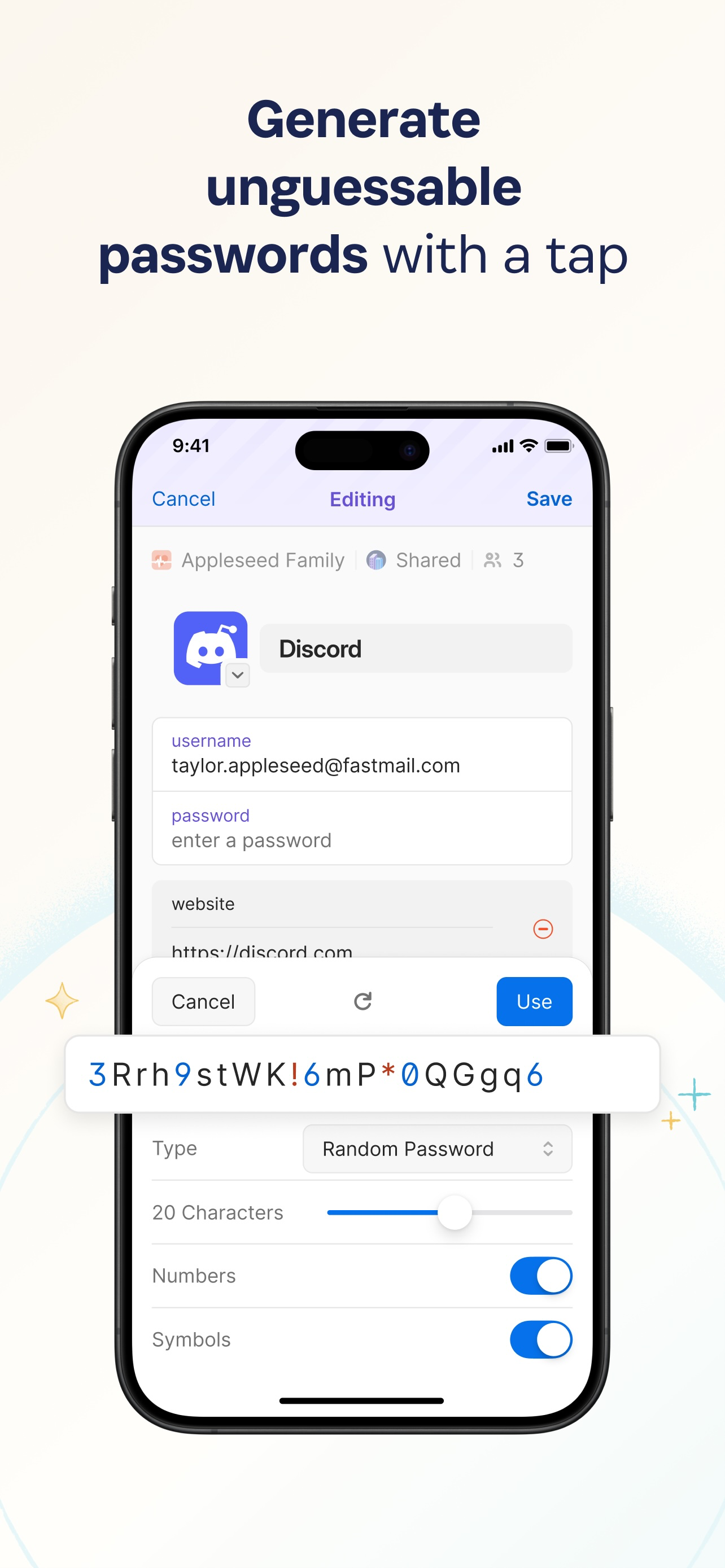
Use the built-in password generator to create strong, unguessable passwords with a tap, then access those secure passwords on any device. 1Password works across popular operating systems as a browser extension, mobile app, or desktop app.
== Sign in automatically ==
Autofill your username and saved passwords when signing in to websites or apps. 1Password for iPhone and iPad works with Safari and apps so you can sign in to your online accounts without the hassle. You can even download a dedicated 1Password for Safari browser extension for even more seamless integration.
== Built-in two-factor authentication ==
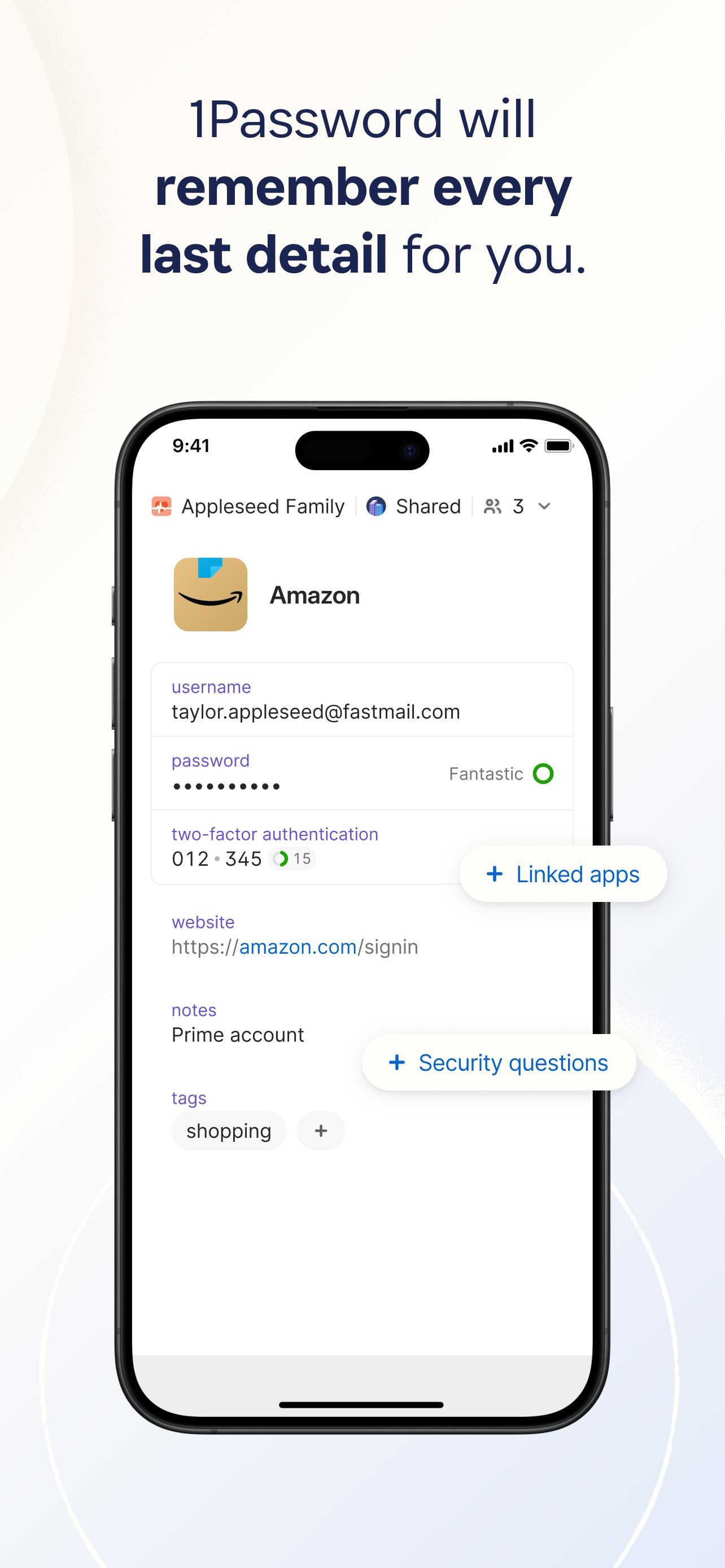
1Password can also create and autofill one-time two-factor authentication codes for services that support 2FA, so there’s no need for a separate authenticator app – and no more copying and pasting.
== Industry-leading passkey support ==
Did you know there’s a more convenient and secure alternative to passwords? They’re called passkeys, and you can generate and save those in 1Password, too – and even use them to unlock 1Password. For sites that support passkeys, you’ll never have to generate another password.
== Sign in with other providers ==
If you sign in to websites or apps with Apple or other providers in a web browser, you can store and sign in with those logins in 1Password, too.
== Secure and organize your digital life ==
Faster sign-ins are only the beginning. In addition to managing passwords and passkeys, you can store credit cards, secure notes, banking info, medical records, and anything else you want to protect in 1Password, so your most valuable personal information is always available on any device.
== Share anything, securely ==
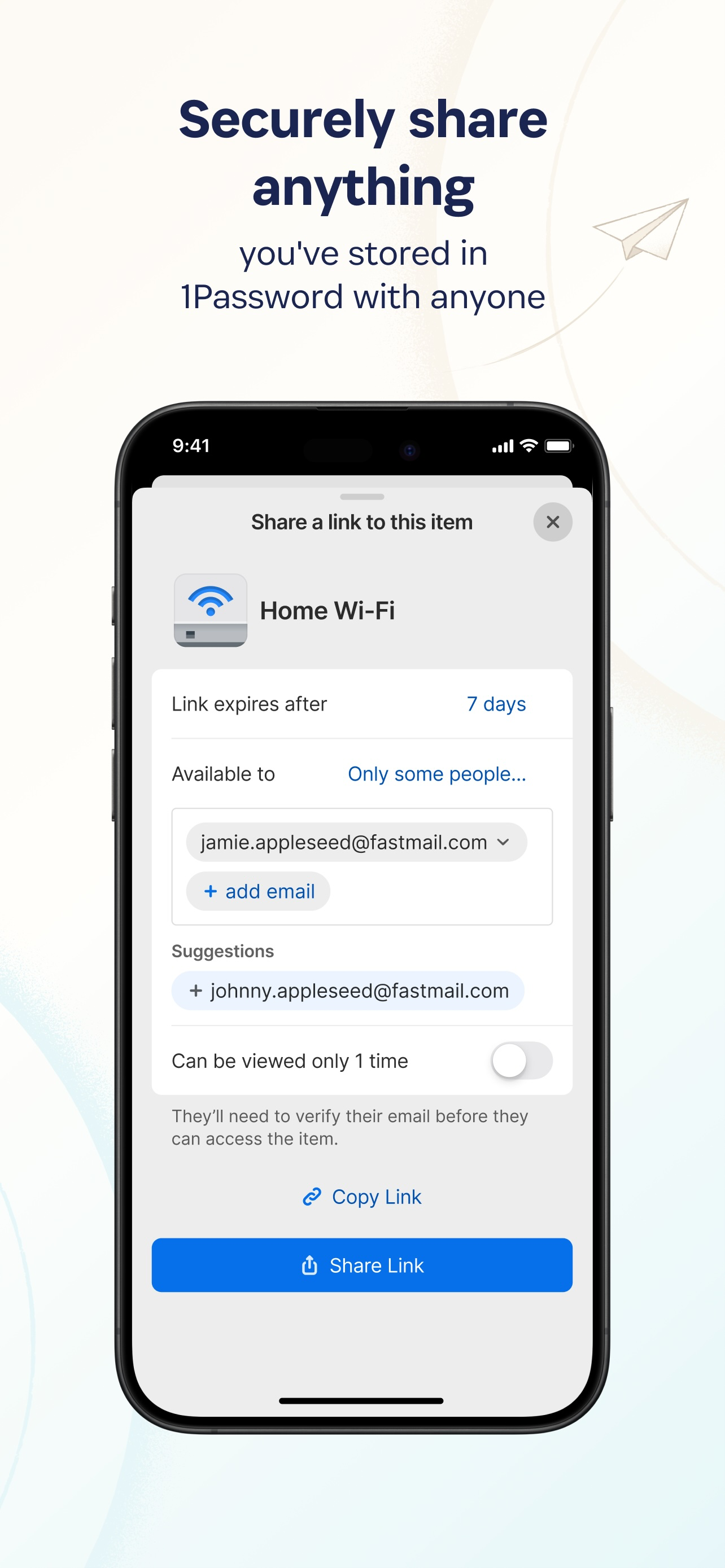
Share passwords and anything you store in 1Password with anyone, even if they don’t use 1Password. Securely (and temporarily) share Wi-Fi details, financial information, and other sensitive info with friends, family, or colleagues to keep that information out of insecure channels like email and messaging apps.
== Security made easy ==
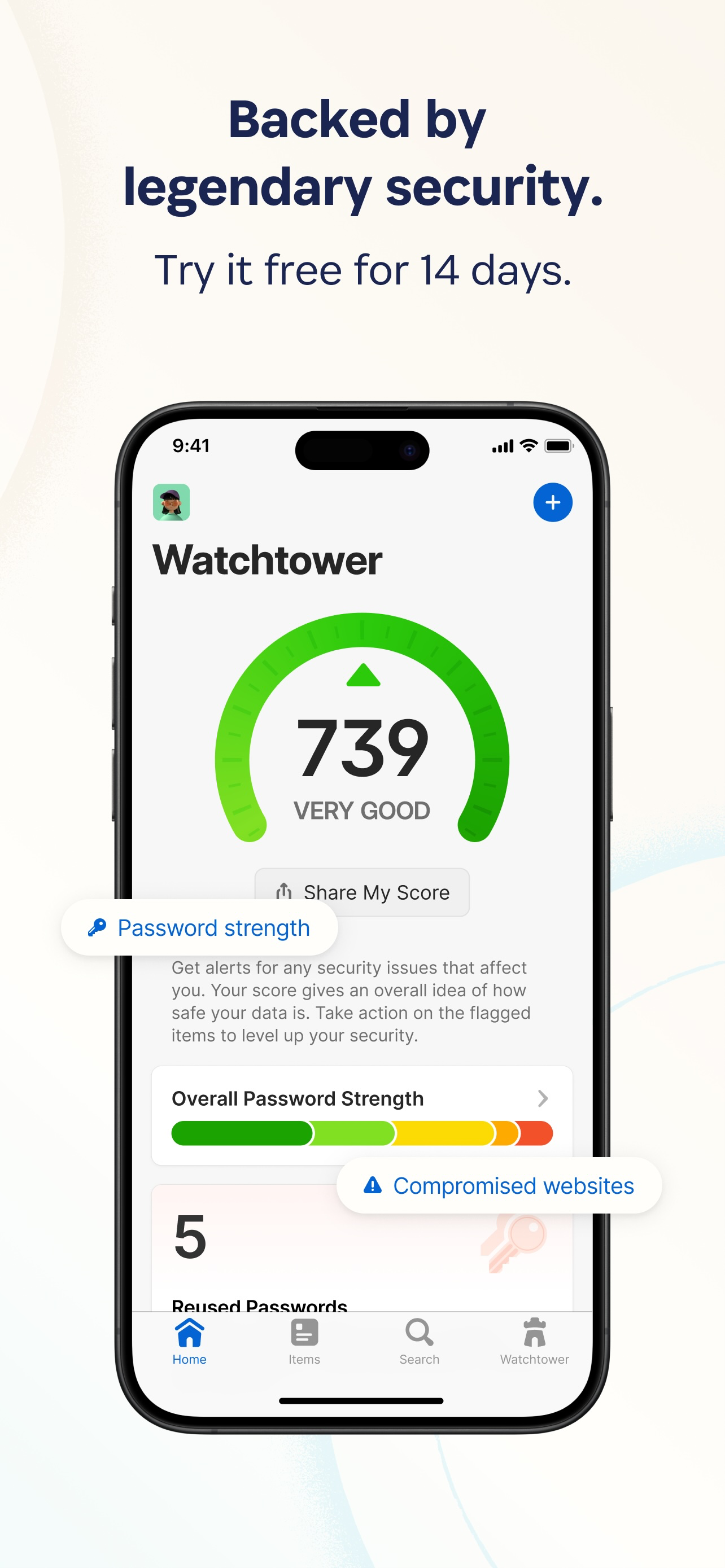
Strong password generation is a big win for your personal security, but 1Password is much more than a password vault. Security features include unlocking 1Password with biometric authentication (including Touch ID or Face ID), and real-time security alerts and reporting through Watchtower. You’ll know immediately if your accounts are compromised in a data breach, so you can take the necessary action.
== Travel Mode ==
Protect your data from prying eyes while traveling with Travel Mode. Temporarily hide vaults containing sensitive information and restore them when you’re home.
== Uniquely secure, completely private ==
Protect yourself and your family from cyber criminals with 1Password’s unique, industry-leading security. We can’t see your 1Password data, so we can’t use it, share it, or sell it. Learn more about our security model at 1Password.com/security.
== Get started for free ==
Try 1Password free for 14 days, then find the plan that's right for you or your business.
Terms of Use: https://1password.com/legal/terms-of-service/.
Hide Show More...

In-Apps

1Password Individual Monthly
$6.49
1Password Family Monthly
$11.49
1Password Individual Annual
$58.99
1Password Family Annual
$97.99
1Password Teams Monthly
$34.99
1Password Teams Annual
$399.99

Screenshots

1Password FAQ

  • Is 1Password free?

    Yes, 1Password is free to download, however it contains in-app purchases or subscription offerings.

  • Is 1Password legit?

    🤔 The 1Password app's quality is mixed. Some users are satisfied, while others report issues. Consider reading individual reviews for more context.

    Thanks for the vote

  • How much does 1Password cost?

    1Password has several in-app purchases/subscriptions, the average in-app price is $101.66.

  • What is 1Password revenue?

    To get estimated revenue of 1Password app and other AppStore insights you can sign up to AppTail Mobile Analytics Platform.

User Rating

4.76 out of 5

196 ratings in New Zealand

5 star
173
4 star
12
3 star
4
2 star
1
1 star
6
Ratings History

1Password Reviews

A rare 5 stars

TakaheNZ on

New Zealand

I moved from LastPass to 1Password. Wow what a dramatic improvement. Fast, reliable, intuitive, seemingly simple yet sophisticated… the list goes on. 100% recommended.

LAGGY KEYBOARD

Saxasianguy on

New Zealand

Updated to recent iOS version, when I enter my password after 2 weeks, the keyboard is extremely laggy to the point that it misses keys that I touch. It's been laggy since end of 2023. I thought they'd fix it by now but no. iPhone 13 Pro Max

Works well mostly

Burfot on

New Zealand

Use it all the time and works well. Passkeys not ready for wide use yet - still very inconsistent behaviour…

Great app for years now

AFroggatt on

New Zealand

Solid performer everyday across multiple devices and use cases. Great app.

Can’t navigate the tabs

bgg1987 on

New Zealand

I am running the app on my iPhone 8 with iOS 16 installed and I can’t navigate the tabs. The apps stays stuck on the home tab. When after 30 seconds it does move, then I can’t select the vaults. Clicking one vault will open another one. The full navigation seems completely broken, this is quite disappointing.

Working fine

arcfox72 on

New Zealand

Works as expected and migration from other password managers was smooth. Especially like the ability to assign SSO logins.

Face ID still not working

talida567 on

New Zealand

Really annoying after 3 months - come on guys -this isn’t good enough

Horrible experience when using FaceID

jimmymasaru on

New Zealand

First time 1 star on the AppStore and I wish there is a 0 star option. Upon googling I found issues started from early 2022 and still not fixed. I guess these developers are busy with stand ups, refinement meetings and refactoring. They are not focusing on fixing critical bugs. The PM should also be fired for such great prioritisation skills.

The Best Password Manager Choice January 2023

Mycenius on

New Zealand

1Password is a very reliable and high integrity application that securely stores passwords and other critical information. Unlike most other password managers it does actually fully encrypt _all_ of the data you enter into it. And includes security features that ensure a highly secure level of key encryption. At the time of writing this I have been a 2 year user who is about to renew for a further period after reassessing 1Password against the best of the alternative Password Managers. New users should note that with the release of 1Password 8 there has been a temporary regression of features compared to version 7 as the new version is a full rebuild from the ground up - it is expected version 8 will eventually incorporate all the features and more of version 7 over the course of 2023.

Face ID doesn’t work

che8n on

New Zealand

It’s a good app. Face ID not working is very annoying

Store Rankings

Ranking History
Category Rankings
Chart
Category
Rank
Top Grossing
18
Top Grossing
19
Top Grossing
20
Top Grossing
22
Top Grossing
23

Keywords

1Password Competitors

1Password Installs

Last 30 days

1Password Revenue

Last 30 days

1Password Revenue and Downloads

Gain valuable insights into 1Password performance with our analytics.
Sign up now to access downloads, revenue, and more.

App Info

Publisher
AgileBits
Languages
English, Dutch, French, German, Italian, Japanese, Korean, Portuguese, Russian, Chinese, Spanish
Recent release
8.11.22 (1 week ago )
Released on
Aug 9, 2022 (3 years ago )
Last Updated
1 day ago
This page includes copyrighted content from third parties, shared solely for commentary and research in accordance with fair use under applicable copyright laws. All trademarks, including product, service, and company names or logos, remain the property of their respective owners. Their use here falls under nominative fair use as outlined by trademark laws and does not suggest any affiliation with or endorsement by the trademark holders.