Apple App Store Möbius Sync icon

Möbius Sync

File sync with Syncthing

Published by: Pickup Infinity

Description

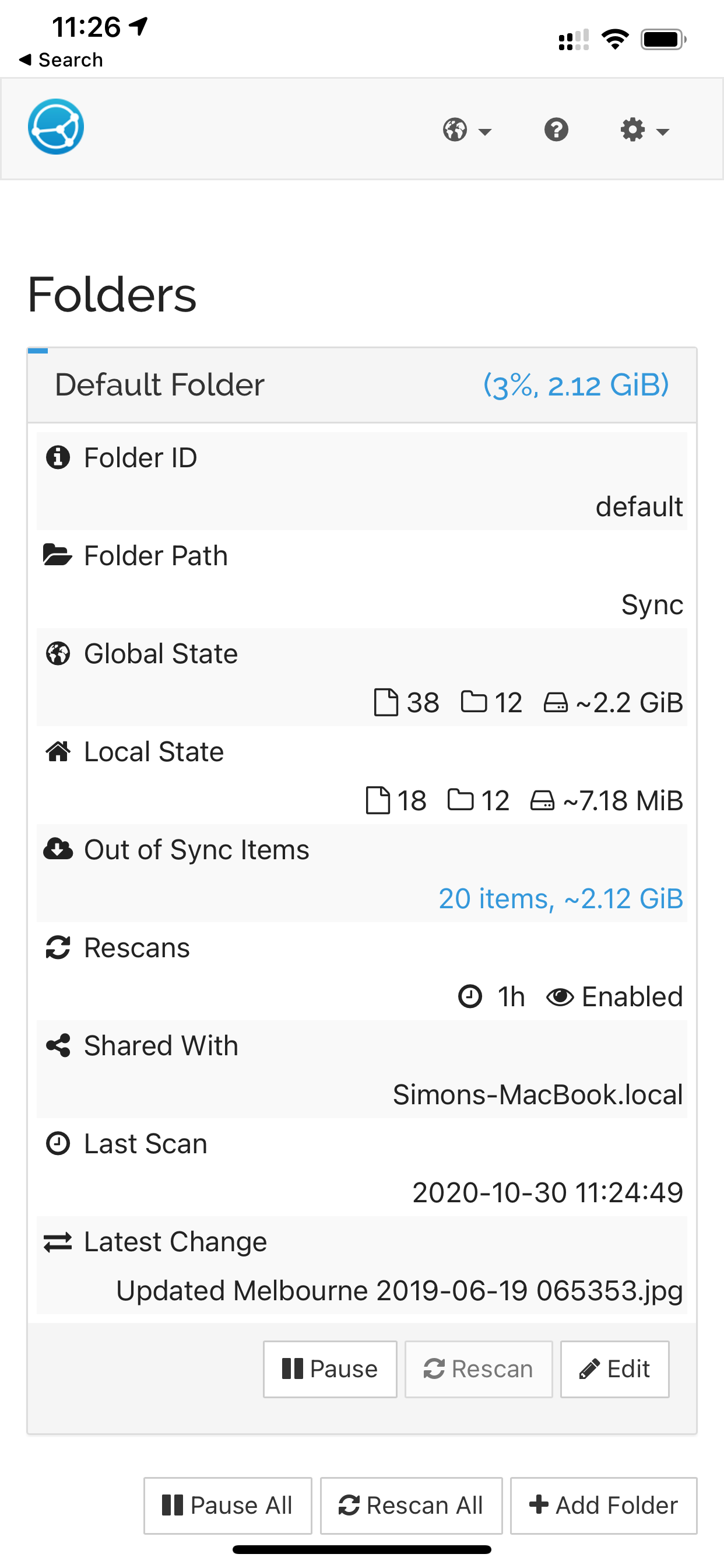
Möbius Sync brings Syncthing to your iPhone or iPad, allowing you to synchronize selected files between iOS devices and other devices supported by Syncthing, without the need for any cloud service.
Supports multiple folders and multiple remote devices. Synchronized folders can be created either:
1. in the Möbius Sync sandbox and files can be added to and retrieved from shared folders via the iOS Files app; or
2. (PAID feature) by accessing other apps' sandboxes. This feature is EXPERIMENTAL and may break other app's functionality.
Uses the open-source Syncthing engine internally.
Usage within the Möbius Sync sandbox is free up to 20MB. Unlimited file sync, including files in other apps' sanboxes is available for a one-time purchase.
NOTE: The functionality unlocked by in-app purchase is identical to that in Möbius Sync Pro (which is purchased up-front).
Hide Show More...

In-Apps

Unlimited file sync
¥700.00

Screenshots

Möbius Sync FAQ

  • Is Möbius Sync free?

    Yes, Möbius Sync is free to download, however it contains in-app purchases or subscription offerings.

  • Is Möbius Sync legit?

    🤔 The Möbius Sync app's quality is mixed. Some users are satisfied, while others report issues. Consider reading individual reviews for more context.

    Thanks for the vote

  • How much does Möbius Sync cost?

    Möbius Sync has several in-app purchases/subscriptions, the average in-app price is ¥700.00.

  • What is Möbius Sync revenue?

    To get estimated revenue of Möbius Sync app and other AppStore insights you can sign up to AppTail Mobile Analytics Platform.

Japan
User Rating

4.18 out of 5

11 ratings in Japan

5 star
8
4 star
1
3 star
0
2 star
0
1 star
2
Ratings History

Möbius Sync Reviews

Free but not

Kressmr on

Japan

Syncthing is a free app but mobius caps at a ridiculously low 20mb.

any news about the photo sync? thank u!

angel tiny on

Japan

a good app but not support photo upload

auto upload

nanaya2000 on

Japan

need photo auto upload functionality before this can replace other cloud file service apart of seemingly slow startup, it works fine otherwise

Love this app!

no0927711 on

United States

Thank you, I love this app! But what is the difference between the purchase and the pro version?

Not voiceover accessible

SkylaTheFox on

United States

I absolutely love syncthing on my desktop machines. It’s lightweight, fast, and once it’s set up it just works. I am sorely disappointed that I can’t bring that to my phone. I am blind and I use voiceover. I can’t make it past the splash screen. If I enable screen recognition, I can make it to the next screen where it appears to be something about notifications, but everything is unlabeled and broken. Shame

iOS kind of limits its potential

fgitfjhf on

United States

Background sync works but iOS limits how often it can run

Works with syncthing

mattspeer on

United States

Works with syncthing

Tight integration

samuelrad on

United States

Thanks for making this! Works exactly as I’d expect . Files synced and then removed when deleted This is better than sending all my stuff via iMessage !

Rarely updated

priller01 on

United States

Functionaly it works. However, the actual Syncthing component is nearly a year behind. That is pretty poor.

a couple of frustrating bugs

lookalivesoftware on

United States

When I go to add a folder, if I first add an external folder (outside the mobius sync folder) it creates the bookmark:xxx identifier as "file path", but when I add a "folder label" (the first text field in the general tab of the add folder modal) the file path is overwritten by your new label, you have to type a label and then select your external folder Also I deleted the default folder because I didn't need it, when my only folder was that external folder and I tried to sync, there would be no error, the file path would be correct, the state of the folder on my other machine would be correct ("3 directories, 500kb" etc) but nothing would appear on that filesystem. When I added a file on the remote folder, it showed up in the mobius sync folder on my iphone as if it was treating the default folder as the external folder. very screwy and I cried and reinstalled everything before getting it to work. 4 stars because once its setup it works smooth and i know iOS is a PITA so thanks for your work

Store Rankings

Ranking History
App Ranking History not available yet
Category Rankings
App is not ranked yet

Möbius Sync Competitors

Möbius Sync Installs

Last 30 days

Möbius Sync Revenue

Last 30 days

Möbius Sync Revenue and Downloads

Gain valuable insights into Möbius Sync performance with our analytics.
Sign up now to access downloads, revenue, and more.

App Info

Publisher
Pickup Infinity
Languages
English, Arabic, Basque, Bulgarian, Catalan, Croatian, Czech, Danish, Dutch, Finnish, French, German, Greek (modern), Hebrew (modern), Hindi, Hungarian, Indonesian, Italian, Japanese, Korean, Lithuanian, Malay, Norwegian Bokmål, Polish, Portuguese, Romanian, Russian, Chinese, Slovak, Slovenian, Spanish, Swedish, Thai, Turkish, Ukrainian, Vietnamese
Recent release
1.28.0 (1 year ago )
Released on
Nov 22, 2020 (5 years ago )
Last Updated
9 months ago
This page includes copyrighted content from third parties, shared solely for commentary and research in accordance with fair use under applicable copyright laws. All trademarks, including product, service, and company names or logos, remain the property of their respective owners. Their use here falls under nominative fair use as outlined by trademark laws and does not suggest any affiliation with or endorsement by the trademark holders.