Sony | Imaging Edge Mobile

Published by: Sony

Description

Imaging Edge Mobile allows images/videos to be transferred to a smartphone/tablet, enables remote shooting, and provides location information to images captured by a camera.
■ Transfer images from a camera to a smartphone
- You can transfer images/videos.
- The selection and transfer of images after shooting are no longer needed as the automatic background transfer function allows images to be transferred to a smartphone as they are captured. *1
- High bit rate video files including 4K can be transferred. *2
- You can view and transfer images in your camera from your smartphone even when the camera is turned off. *2
- After transferring, you can immediately share your high quality images on social networks or through email.
*1 See here for supported cameras. Files are imported in 2MP size when using this function.
https://www.sony.net/dics/iem12/
*2 See here for supported cameras. Availability of video transfer and playback varies depending on smartphone in use.
https://www.sony.net/dics/iem12/
■ Remote shooting of a camera using a smartphone
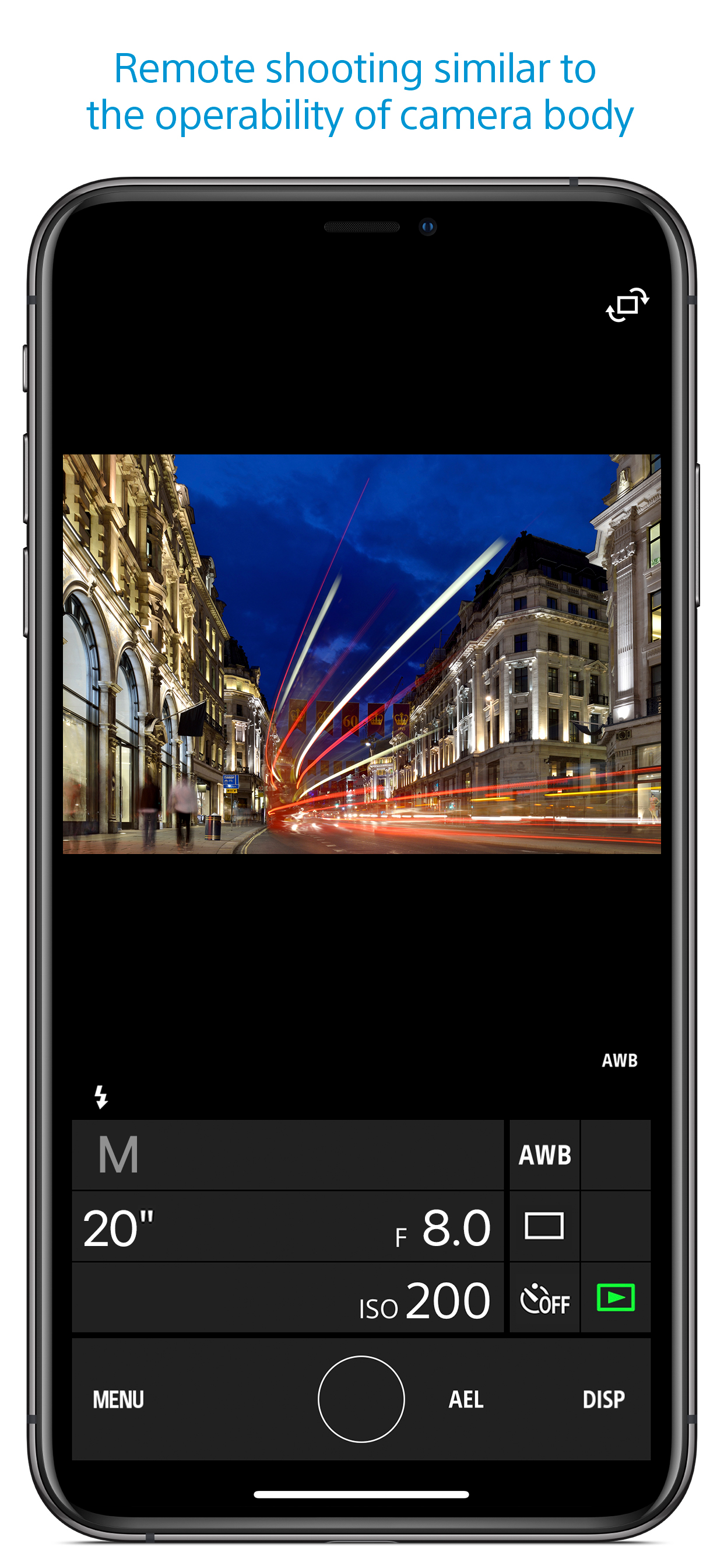
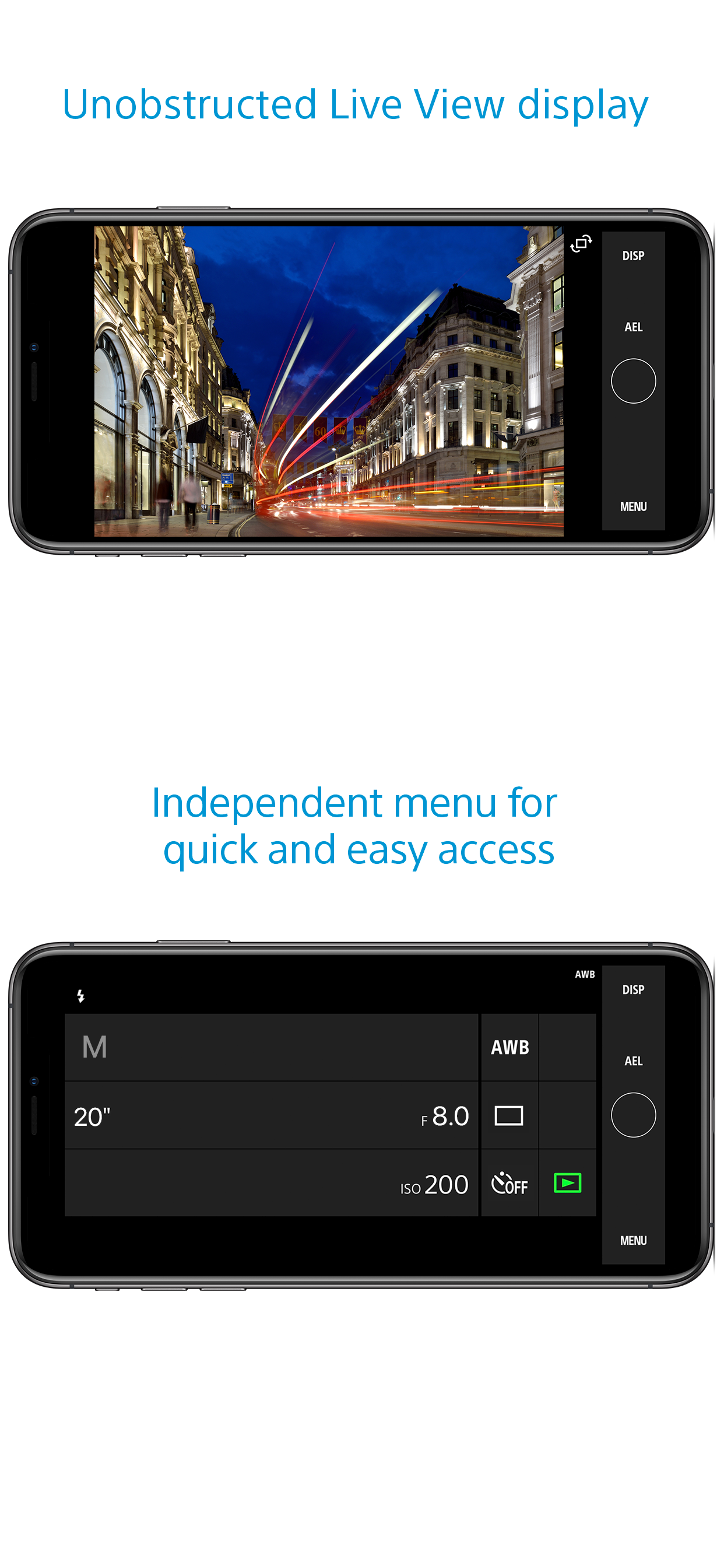
- You can capture photos/videos remotely while checking the live view of a camera on a smartphone. *3
This is convenient for capturing night views or water flowing scenes which need long-exposure, or macro shooting in which you need to avoid to directly touch the camera.
*3 Models that support PlayMemories Camera Apps can use this feature by installing "Smart Remote Control" (in-camera app) on your camera in advance.
http://www.sony.net/pmca/
■ Record location information
- With cameras that have a location information linkage function, the location information acquired by the smartphone can be added to the captured image in your camera.
For supported models and detailed operation methods, see the support page below.
https://www.sony.net/dics/iem12/
- Even with cameras that do not have a location information linkage function, it is possible to add location information acquired by your smartphone to the photos saved on your smartphone during remote shooting.
■Save and Apply Settings
- You can save up to 20 camera settings in Imaging Edge Mobile.
You can also apply a saved setting to a camera. *4
*4 See here for supported cameras. Save and Apply Settings are supported only for cameras with the same model name.
https://www.sony.net/dics/iem12/
■ Notes
- Supported operating systems: iOS17.7-18.6
- This app is not guaranteed to work with all smartphones/tablets.
- Features/Functions available for this app vary depending on the camera you are using.
- For supported models and information on features/functions, see the support page below.
https://sony.net/iem/
Hide Show More...

Screenshots

Sony FAQ

  • Is Sony free?

    Yes, Sony is completely free and it doesn't have any in-app purchases or subscriptions.

  • Is Sony legit?

    ⚠️ The Sony app has poor ratings and negative feedback. Users seem unsatisfied with its performance or features.

    Thanks for the vote

  • How much does Sony cost?

    Sony is free.

  • What is Sony revenue?

    To get estimated revenue of Sony app and other AppStore insights you can sign up to AppTail Mobile Analytics Platform.

User Rating

1.82 out of 5

11 ratings in Uruguay

5 star
2
4 star
0
3 star
0
2 star
1
1 star
8
Ratings History

Sony Reviews

iOS 13

germanpci on

Uruguay

Still doesn’t work on iOS 13.

No sirve para enfocar...

Ale ury on

Uruguay

Esta bien para transferir imágenes, aunque lento... pero no puedo usar la app para enfocar la cámara, lo cual la hace inútil. A7iii

Vamo arriba ñe!

Siberhaha on

Uruguay

Sin lugar a dudas la peor app de cámaras

Imposible tranferir imágenes

M Penot on

Uruguay

Luego de actualizar a iOS 13.1.2 no he logrado transferir imágenes de la cámara al iPhone. El wifi se conecta pero la aplicación no responde.

Why cant see videos from de app?

Croco.m! on

Uruguay

Is it so difficult to be able to see the videos from the app? Come on guys, you are Sony! A basic functionality

程序员请问能链接iwatch吗?

yinaho on

China

遥控拍照的话,手机太大了会出镜。请问能让iwatch安装并使用这个软件吗?求求了,谢谢。

app打开不了

小盛000 on

China

打开不了

无语了

照东山 on

China

哥,咱能不能把这个连接系统更新一下,我刚买回来qx1,拍了两张照片,等我在用就再也连接不上了,什么毛病啊这是

怎么删除已导入的照片呀

桥墩上最开始记得那年暑假苏秦的就是开幕式 on

China

求助 如题 有人知道吗

本地网络打开还是不行咋办

瓜神伟大 on

China

求更新求解决

Store Rankings

Ranking History
App Ranking History not available yet
Category Rankings
Chart
Category
Rank
Top Free
67
Top Free
86
Top Free
88
Top Free
91
Top Free
93

Sony Competitors

Sony Installs

Last 30 days

Sony Revenue

Last 30 days

Sony Revenue and Downloads

Gain valuable insights into Sony performance with our analytics.
Sign up now to access downloads, revenue, and more.

App Info

Category
Photo Video
Publisher
Sony
Languages
Spanish, German, Chinese, Korean, French, Indonesian, English, Italian, Japanese, Dutch, Norwegian Bokmål, Portuguese, Russian, Swedish, Thai, Turkish, Vietnamese
Recent release
7.8.2 (2 months ago )
Released on
Sep 18, 2012 (13 years ago )
Last Updated
1 month ago
This page includes copyrighted content from third parties, shared solely for commentary and research in accordance with fair use under applicable copyright laws. All trademarks, including product, service, and company names or logos, remain the property of their respective owners. Their use here falls under nominative fair use as outlined by trademark laws and does not suggest any affiliation with or endorsement by the trademark holders.