KineMaster - Edytor Wideo

Narzędzie do vlogów i wideo

Veröffentlicht von: KineMaster

Beschreibung

[ Narzędzia AI do Twojego następnego wideo ]
Złożone filmy można szybko tworzyć dzięki tym funkcjom AI.
● Automatyczne napisy AI: Dodaj napisy natychmiast z wideo lub audio
● AI Tekst-na-Mowę: Utwórz nagranie mowy z tekstu jednym dotknięciem
● Głos AI: Uczyń swój dźwięk unikalnym dzięki zastosowaniu głosów AI
● AI Music Match: Szybko otrzymuj rekomendacje utworów
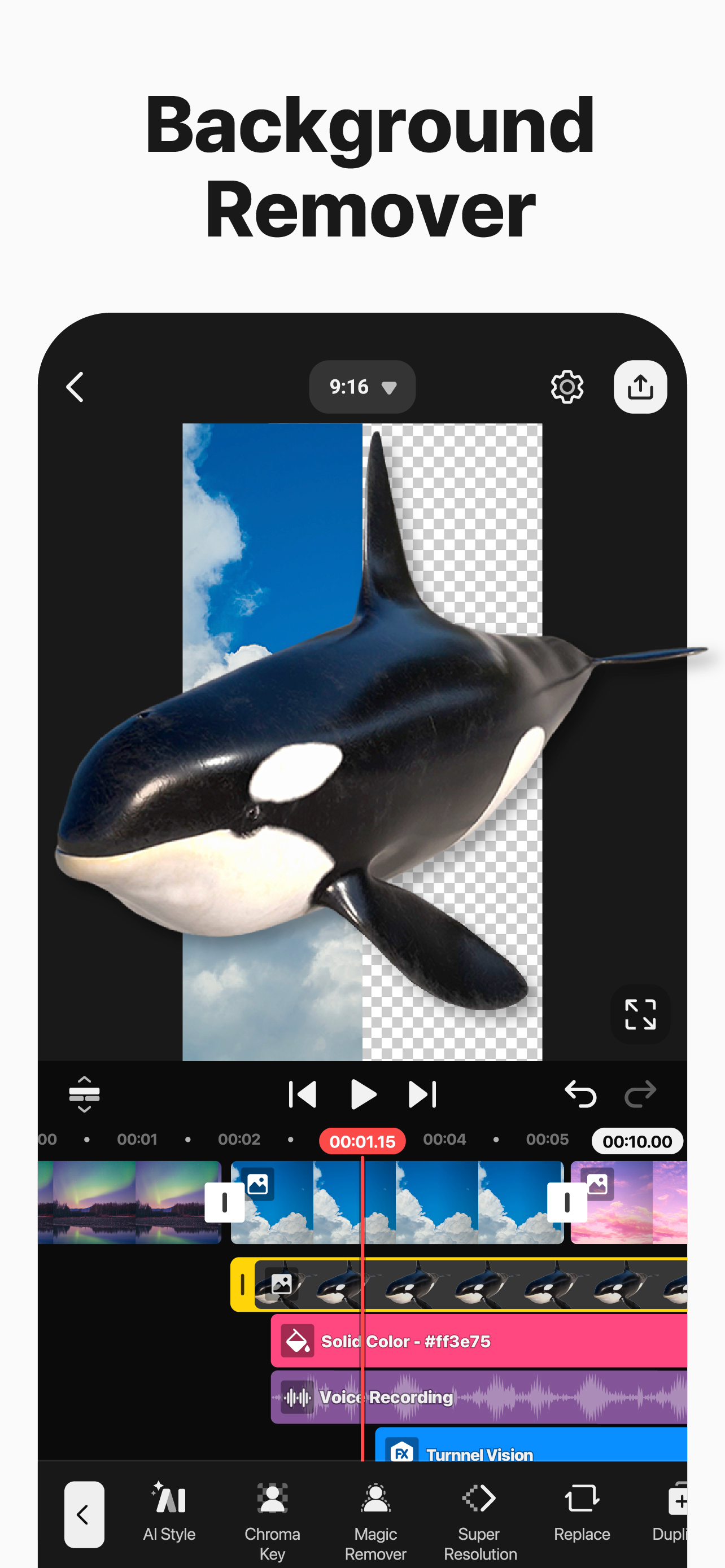
● Magiczne usuwanie AI: Usuń tło wokół osób i twarzy
● Usuwanie szumów AI: Wyeliminuj rozpraszające dźwięki z wideo lub audio
● Separator wokalu AI: Podziel utwór na wokale i muzykę
● Śledzenie AI: Spraw, aby teksty i naklejki podążały za poruszającymi się obiektami
● AI Upscaling: Zwiększ rozdzielczość mediów niskiej jakości
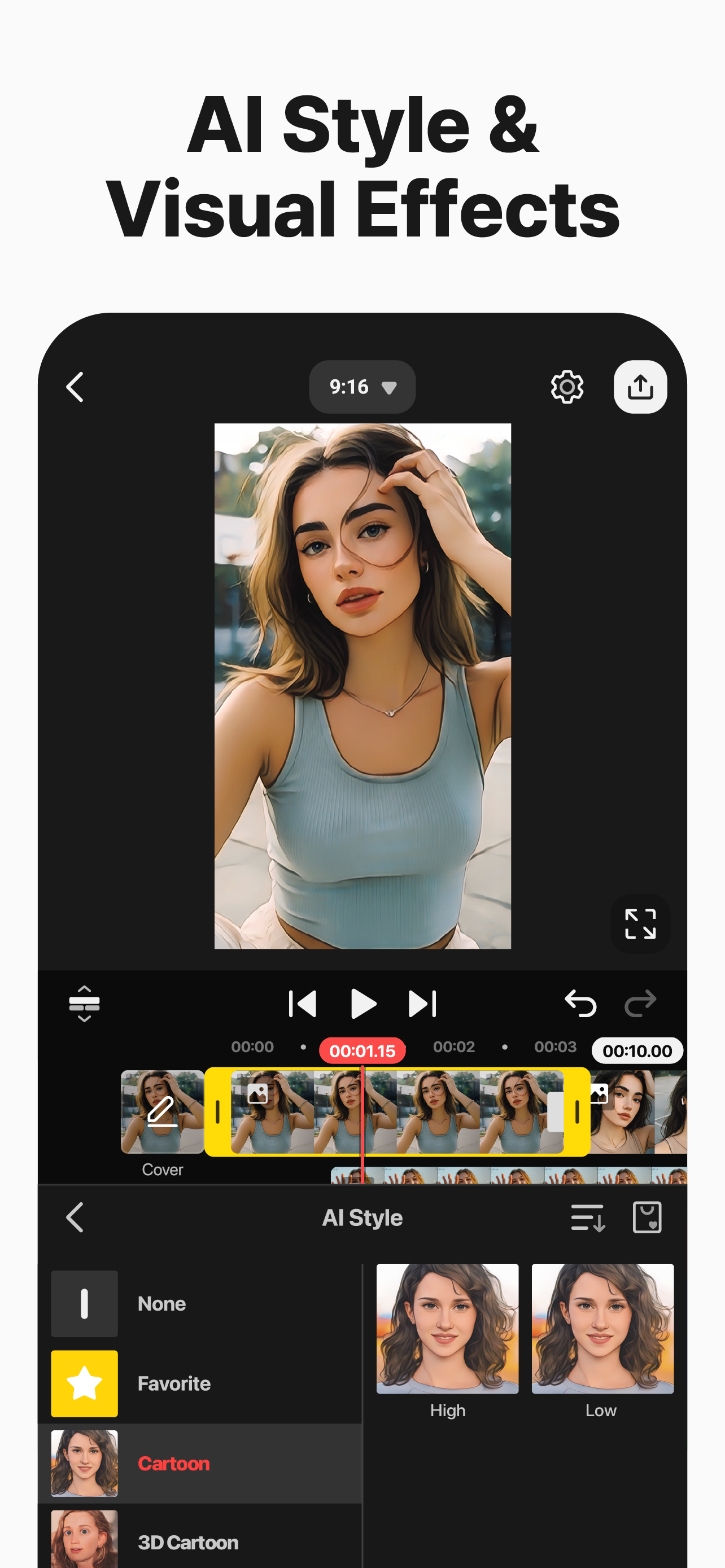
● Styl AI: Dodaj artystyczne efekty do swoich filmów i obrazów
[ Profesjonalna edycja wideo dla każdego ]
KineMaster sprawia, że zaawansowane narzędzia są łatwe w użyciu.
● Animacja klatek kluczowych: Dostosuj rozmiar, pozycję i obrót każdej warstwy
● Chroma Key (Zielone Tło): Usuń tła i łącz filmy jak profesjonaliści
● Kontrola prędkości: Odwracaj, zwalniaj lub twórz dzieła w technice poklatkowej
[ Rozpocznij swoją kreatywność ]
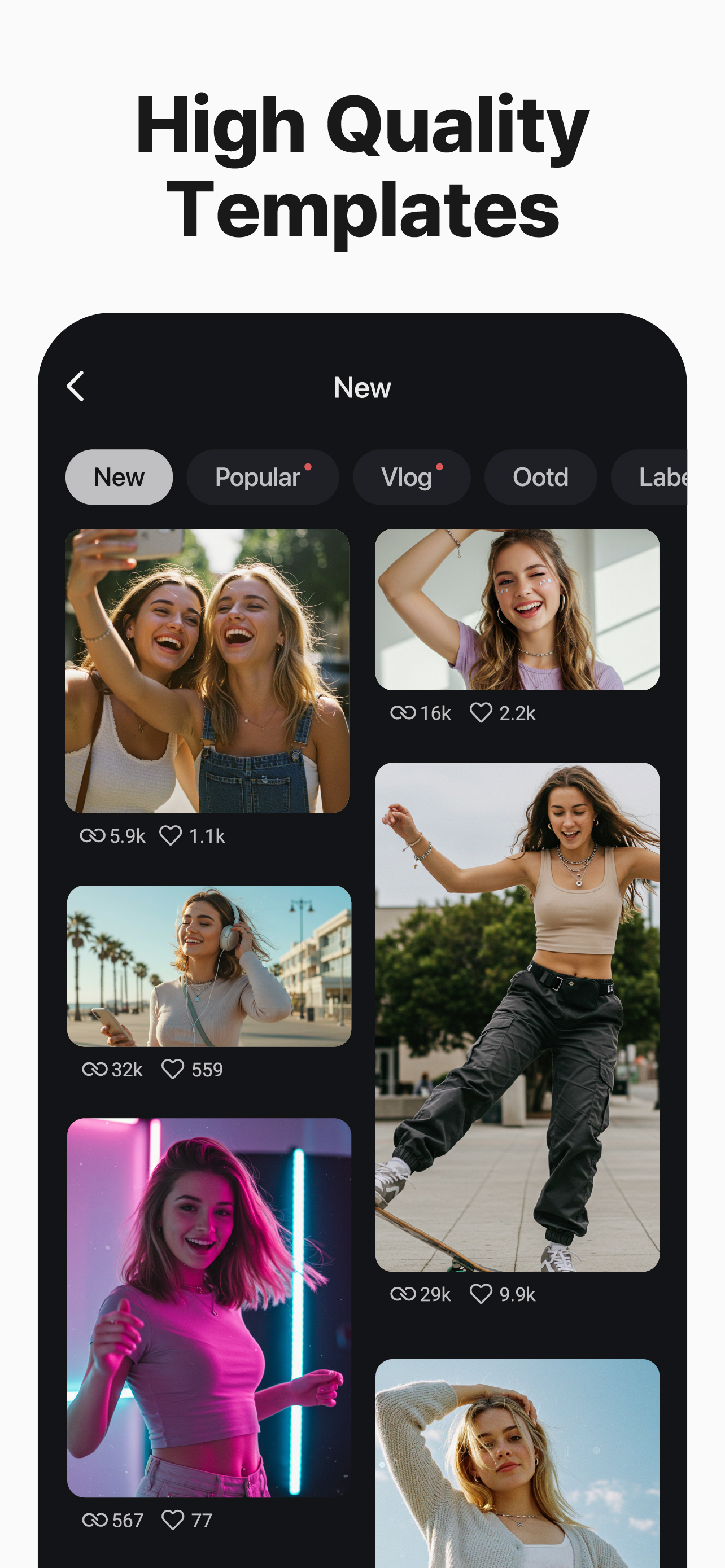
Wybierz szablon, podmień zdjęcia i filmy – i gotowe!
● Tysiące szablonów: Buduj własne projekty z gotowych szablonów wideo
● Mix: Zapisz swój projekt wideo jako szablon i udostępnij go edytorom KineMaster na całym świecie
● KineCloud: Kopiuj zapasowe projekty w chmurze, aby kontynuować edycję później lub na innym urządzeniu
[ Wyróżnij swoje wideo dzięki zasobom ]
Sklep z zasobami KineMaster ma dziesiątki tysięcy materiałów, aby Twoje następne wideo było niesamowite! Efekty, naklejki, muzyka, czcionki, przejścia i VFX – wszystko gotowe do użycia.
● Efekty i przejścia: Ulepsz swoje filmy dzięki niesamowitym efektom wizualnym
● Naklejki i grafiki: Dodaj animacje graficzne i elementy projektu
● Muzyka i efekty dźwiękowe: Stwórz film, który brzmi tak dobrze, jak wygląda
● Wideo i obrazy stockowe: Uzyskaj gotowe efekty green screen, darmowe nagrania i mnóstwo teł wideo
● Różnorodność czcionek: Używaj stylowych czcionek gotowych do projektowania
● Filtry kolorów: Wybierz spośród szerokiej gamy filtrów kolorów, aby uzyskać idealny wygląd
[ Wysokiej jakości eksport lub zoptymalizowane wideo: Ty decydujesz ]
Zapisuj swoje edytowane filmy w wysokiej rozdzielczości lub obniż jakość, aby szybciej ładowały się w mediach społecznościowych.
● Niesamowite 4K 60 FPS: Produkuj filmy w 4K i 60 klatkach na sekundę
● Zoptymalizowane do udostępniania w mediach społecznościowych: Zapisuj filmy gotowe do przesyłania na YouTube, TikTok, Instagram i inne
● Obsługa przezroczystego tła: Twórz filmy gotowe do łączenia z innymi materiałami
[ Najlepsze narzędzia do szybkiej i precyzyjnej edycji ]
KineMaster jest pełen narzędzi, które sprawiają, że edycja jest prosta i przyjemna.
● Oferuje edycję w pionie i poziomie – najlepsze z obu światów
● Wiele warstw: Dodawaj i nakładaj zdjęcia, filmy i GIF-y do jednoczesnego odtwarzania
● Wielokrotne Cofnij/Ponów: Przywracaj lub ponownie stosuj historię edycji
● Prowadnice magnetyczne: Wyrównuj elementy do prowadnic i przyciągaj warstwy do osi czasu
● Podgląd na pełnym ekranie: Oglądaj edycje na pełnym ekranie przed zapisaniem
[ Warunki korzystania z KineMaster i Sklepu Zasobów ]
https://resource.kinemaster.com/document/tos.html
Kontakt: [email protected]
Ausblenden Mehr anzeigen...

In-App-Käufe

Premium (Monthly)
29.99 zł
Premium (Annual)
199.99 zł
KineMaster's Premium (Annual)
699.99 zł
KineMaster's Premium(Monthly)
57.99 zł

Screenshots

KineMaster Häufige Fragen

  • Ist KineMaster kostenlos?

    Ja, KineMaster ist kostenlos herunterzuladen, enthält jedoch In-App-Käufe oder Abonnements.

  • Ist KineMaster seriös?

    🤔 Die Qualität der KineMaster-App ist gemischt. Einige Nutzer sind zufrieden, während andere Probleme melden. Ziehen Sie in Betracht, einzelne Bewertungen für mehr Kontext zu lesen.

    Danke für die Stimme

  • Wie viel kostet KineMaster?

    KineMaster bietet mehrere In-App-Käufe/Abonnements, der durchschnittliche In-App-Preis beträgt 246.99 zł.

  • Wie hoch ist der Umsatz von KineMaster?

    Um geschätzte Einnahmen der KineMaster-App und weitere AppStore-Einblicke zu erhalten, können Sie sich bei der AppTail Mobile Analytics Platform anmelden.

Benutzerbewertung

4.65 von 5

302 Bewertungen in Polen

5 star
250
4 star
26
3 star
9
2 star
6
1 star
11
Bewertungsverlauf

KineMaster Bewertungen

👍🏼

len3CITY on

Polen

przechodzę bez żalu z POWERdirectora .. wierząc, że WY będziecie wspierać w przypadku gdy pojawiają się problemy techniczne .. nad a HAPPY new year 🙏🏿

*EVA STAR*

wow is key kinemaster on

Polen

I like kinemaster play

could use some work.

Oblino4ka27 on

Polen

(i use the free version) the app overall is pretty good even when free, but what the hell is the lag? and there could be more free options. i’ve been using kinemaster for a long while now but it’s getting quite annoying. simple things such as exporting a lot of images at once would be incredibly useful.

MUCH BIGGER WATERMARK!!!

Miki_Gamer PL on

Polen

DECREASE THE WATERMARK, BECAUSE IT IS BIGGER THAN USED NOW, GIVES 3 STARS FOR THIS CHANGE!!! 🤬

Stop being so pushy!

Kubimizer on

Polen

I bet the app is good but I don’t wanna switch from kinemaster 5 stop pushing it in my face!

Why should I pay twice?

PatrykB22 on

Polen

Well. I don’t see any difference between “old” and “new” KineMaster. Why I need to pay again?

Move subscription from KineMaster 5

NETRISMASTER on

Polen

I will give 5 stars when you will add an function that allows to move subscription from KineMaster 5 to 6 for free

It’s really good

Hakusome issues. on

Vereinigte Staaten

It’s good app and i use it. It’s easy to use and fun. But sometimes, when i look on TikTok I get jealous of CapCut users because they get more good stuff like it’s hard for me to do a edit of an anime character but for them they just need to use a feature and a few photos. So it’s very good but maybe get CapCut instead.

Please Respond!

28DaAnimator on

Vereinigte Staaten

The app itself is extremely powerful and is overall a good video editor. However, there’s just ONE problem in the “Handwriting” tool in the Layers menu. In older, 2020 versions, if you were to draw a circle or a square or a line (etc.), applying the “Draw By Stroke” or “Draw By Order” in/out animation would make the shape actually have the drawing animation. But today, in 2025, doing that same thing I listed would just appear. No fade in, no drawing stroke effect, no NOTHING. If you can, please take the time to respond to this. It would make my life SO much easier. If you fix the bug, I will give you a 5 star rating. 01/01/2025

Why amazing

:._buzzdabee_.: on

Vereinigte Staaten

This is more simple than CapCut and it when you import some images. KineMaster is my favorite app now, it has so much transitions that look cool and it makes me want to use it more often. My toes are hot happy new years😍😍😍😍🥰🥰🥰🥰

Store-Rankings

Ranking-Verlauf
Kategorien-Rankings
Diagramm
Kategorie
Rang
Top Umsatz
27
Top Kostenlos
36
Top Umsatz
44
Top Umsatz
53
Top Umsatz
54

Schlüsselwörter

KineMaster Konkurrenten

KineMaster Installationen

Letzte 30 Tage

KineMaster Umsatz

Letzte 30 Tage

KineMaster Einnahmen und Downloads

Gewinnen Sie wertvolle Einblicke in die Leistung von KineMaster mit unserer Analytik.
Melden Sie sich jetzt an, um Zugriff auf Downloads, Einnahmen und mehr zu erhalten.
This page includes copyrighted content from third parties, shared solely for commentary and research in accordance with fair use under applicable copyright laws. All trademarks, including product, service, and company names or logos, remain the property of their respective owners. Their use here falls under nominative fair use as outlined by trademark laws and does not suggest any affiliation with or endorsement by the trademark holders.