KineMaster - Vlog影片編輯

Vlog & 視頻編輯應用

Veröffentlicht von: KineMaster

Beschreibung

[ AI 工具助力你的下一支影片 ]
利用這些 AI 功能,可以快速製作複雜影片。
● AI 自動字幕:從影片或音訊中即時生成字幕
● AI 文字轉語音:一鍵將文字生成語音
● AI 語音:套用 AI 聲音,讓你的音訊獨一無二
● AI 音樂匹配:快速獲取歌曲推薦
● AI 魔法去背:去除人物與臉部周圍的背景
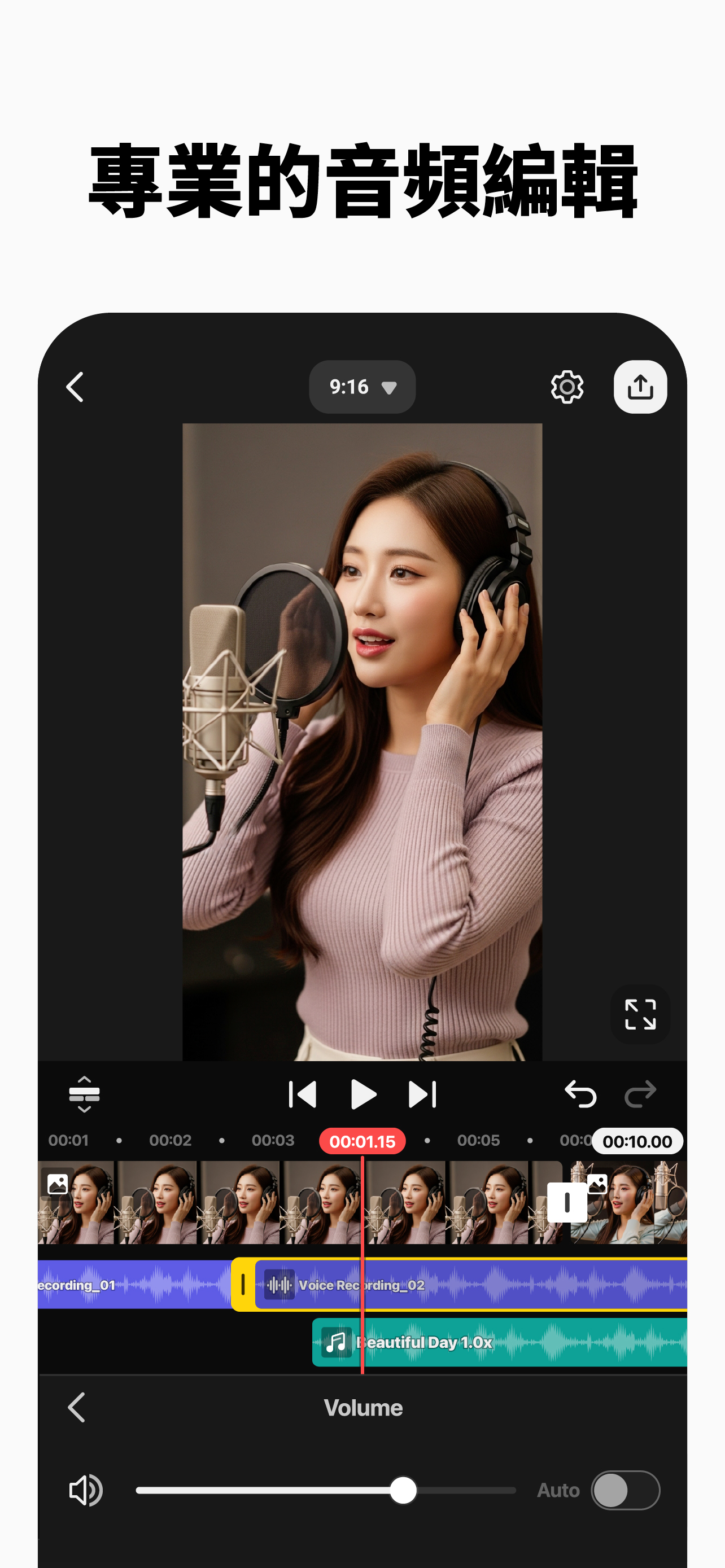
● AI 降噪:清除影片或音訊中的干擾聲音
● AI 人聲分離:將歌曲拆分為人聲與伴奏
● AI 追蹤:讓文字與貼紙跟隨移動物件
● AI 超解析:提升低解析度媒體的尺寸
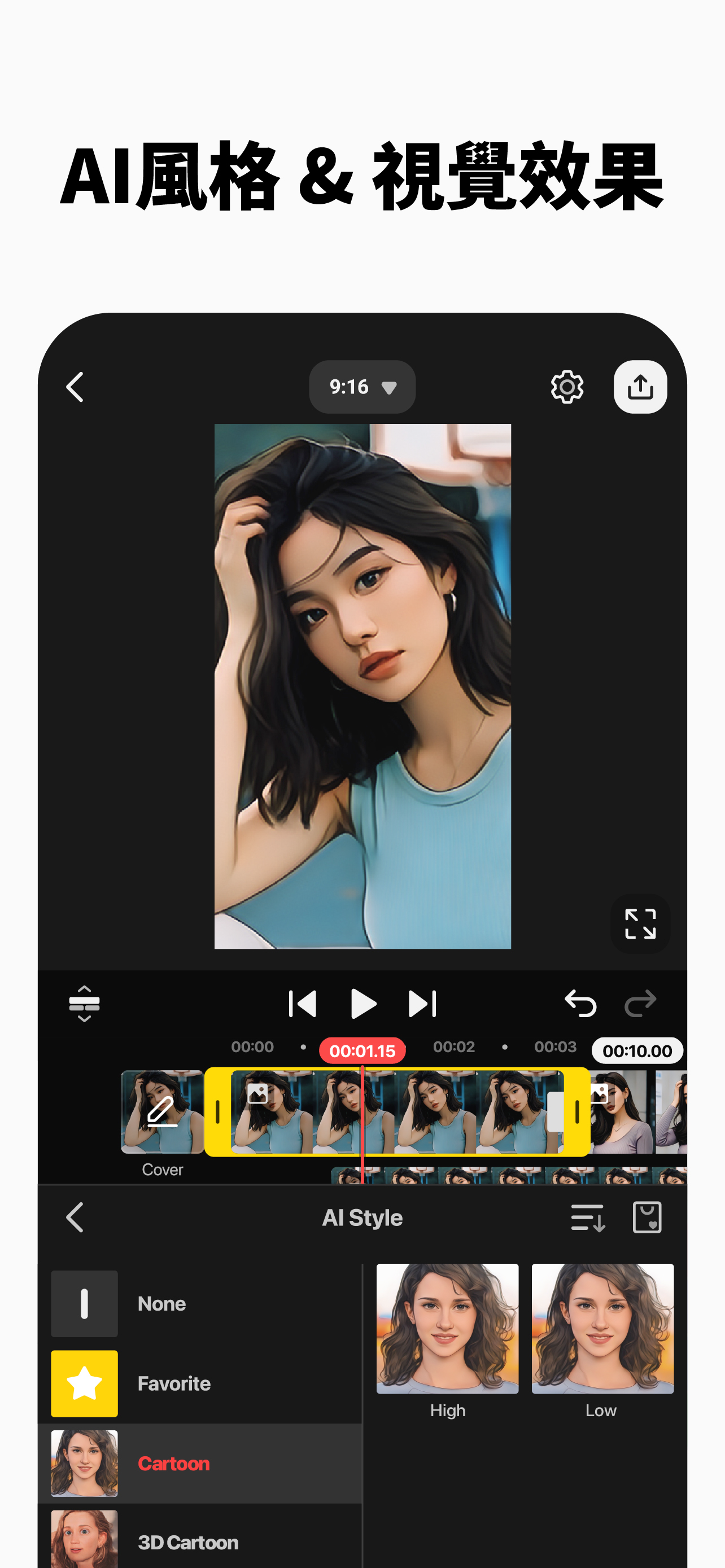
● AI 風格:為影片與圖片新增藝術效果
[ 專業影片編輯,人人都能上手 ]
KineMaster 讓進階工具也能輕鬆使用。
● 關鍵影格動畫:調整每一層的大小、位置與旋轉
● 色度鍵(綠幕):去除背景並像專業人士一樣合成影片
● 速度控制:倒放、慢放或製作縮時攝影作品
[ 激發你的創意 ]
選擇一個範本,替換其中的照片與影片,就完成了!
● 數千個範本:從預先製作的影片專案中打造你的作品
● Mix:將你的影片專案存成範本,與全球 KineMaster 使用者分享
● KineCloud:將個人專案備份到雲端,以便日後或在其他裝置繼續編輯
[ 讓你的影片脫穎而出 ]
KineMaster 素材商店擁有數以萬計的資源,讓你的下一支影片更加精彩!特效、貼紙、音樂、字體、轉場與 VFX:一切皆可立即使用。
● 特效與轉場:用炫酷視覺效果強化影片
● 貼紙與圖形:新增動畫與設計元素
● 音樂與音效:讓影片看起來和聽起來一樣出色
● 素材影片與圖片:取得預製綠幕特效、免費素材影片與大量影片背景
● 多樣字體:套用設計感十足的時尚字體
● 色彩濾鏡:從各式色彩濾鏡中選擇理想效果
[ 高品質輸出或最佳化影片:由你決定 ]
將編輯後的影片儲存為高解析度,或調低品質以便在社群媒體上快速載入。
● 令人驚豔的 4K 60FPS:以 4K 和 60fps 製作影片
● 為社群媒體分享最佳化:儲存可直接上傳至 YouTube、TikTok、Instagram 等平台的影片
● 透明背景支援:製作可與其他影片合成的素材
[ 快速精準編輯的最佳工具 ]
KineMaster 內建了讓編輯變得輕鬆有趣的工具。
● 提供縱向與橫向編輯,兩全其美
● 多圖層:同時堆疊新增照片、影片與 GIF
● 多次復原與重做:撤銷或重做你的編輯歷史
● 磁性輔助線:對齊元素並在時間軸上自動吸附圖層
● 全螢幕預覽:儲存前先全螢幕查看編輯成果
[ KineMaster 與素材商店服務條款 ]
https://resource.kinemaster.com/document/tos.html
聯絡方式: [email protected]
Ausblenden Mehr anzeigen...

In-App-Käufe

高級版(月度)
$190.00
高級版(年度)
$1,290.00
KineMaster's Premium (Annual)
$3,890.00
KineMaster's Premium(Monthly)
$360.00

Screenshots

KineMaster Häufige Fragen

  • Ist KineMaster kostenlos?

    Ja, KineMaster ist kostenlos herunterzuladen, enthält jedoch In-App-Käufe oder Abonnements.

  • Ist KineMaster seriös?

    🤔 Die Qualität der KineMaster-App ist gemischt. Einige Nutzer sind zufrieden, während andere Probleme melden. Ziehen Sie in Betracht, einzelne Bewertungen für mehr Kontext zu lesen.

    Danke für die Stimme

  • Wie viel kostet KineMaster?

    KineMaster bietet mehrere In-App-Käufe/Abonnements, der durchschnittliche In-App-Preis beträgt $1,432.50.

  • Wie hoch ist der Umsatz von KineMaster?

    Um geschätzte Einnahmen der KineMaster-App und weitere AppStore-Einblicke zu erhalten, können Sie sich bei der AppTail Mobile Analytics Platform anmelden.

Benutzerbewertung

4.78 von 5

342 Bewertungen in Taiwan

5 star
301
4 star
25
3 star
5
2 star
3
1 star
8
Bewertungsverlauf

KineMaster Bewertungen

Udehnciohdncthuienkfckruiy

BanyoEC2 on

Taiwan

JUST GREAT

一坨

不想說名字. on

Taiwan

老子好不了終於做好影片結果他#的文件失效檢查了圖片庫結果都找不到沒問題出在哪

Please remove the ads

GamerIrene on

Taiwan

The ads kept coming up every time I chose a video I made to edit or export, it’s getting annoying and more ridiculous as time passes, so please fix it

關於整體動畫的問題

苦瓜我去西雅圖 on

Taiwan

嗨,可不可以麻煩幫我一下把「整體動畫」的「動畫速度」改成「手動式」,就是整體動畫的「動畫速度可以自己調」,拜託了😖😖😖

無法識別的錯誤代碼

21@NuS on

Taiwan

我已經訂閱了會員,但卻無法消除水印,說是出現了無法識別的錯誤代碼

???

Anajjcoslak on

Taiwan

我有下載自己的音樂,資料庫找不到

It’s really good

Hakusome issues. on

Vereinigte Staaten

It’s good app and i use it. It’s easy to use and fun. But sometimes, when i look on TikTok I get jealous of CapCut users because they get more good stuff like it’s hard for me to do a edit of an anime character but for them they just need to use a feature and a few photos. So it’s very good but maybe get CapCut instead.

Please Respond!

28DaAnimator on

Vereinigte Staaten

The app itself is extremely powerful and is overall a good video editor. However, there’s just ONE problem in the “Handwriting” tool in the Layers menu. In older, 2020 versions, if you were to draw a circle or a square or a line (etc.), applying the “Draw By Stroke” or “Draw By Order” in/out animation would make the shape actually have the drawing animation. But today, in 2025, doing that same thing I listed would just appear. No fade in, no drawing stroke effect, no NOTHING. If you can, please take the time to respond to this. It would make my life SO much easier. If you fix the bug, I will give you a 5 star rating. 01/01/2025

Why amazing

:._buzzdabee_.: on

Vereinigte Staaten

This is more simple than CapCut and it when you import some images. KineMaster is my favorite app now, it has so much transitions that look cool and it makes me want to use it more often. My toes are hot happy new years😍😍😍😍🥰🥰🥰🥰

Kinemaster is amazing!!

Wonderful game But one fix on

Vereinigte Staaten

I love Kinemaster!!! I used to do capcut (and still does, I just don't use it as much) but know that I make Gacha reaction videos l, it became so much easier!!!!!!!

Store-Rankings

Ranking-Verlauf
App-Ranking-Verlauf noch nicht verfügbar
Kategorien-Rankings
Diagramm
Kategorie
Rang
Top Umsatz
27
Top Kostenlos
36
Top Umsatz
44
Top Umsatz
53
Top Umsatz
54

Schlüsselwörter

KineMaster Konkurrenten

KineMaster Installationen

Letzte 30 Tage

KineMaster Umsatz

Letzte 30 Tage

KineMaster Einnahmen und Downloads

Gewinnen Sie wertvolle Einblicke in die Leistung von KineMaster mit unserer Analytik.
Melden Sie sich jetzt an, um Zugriff auf Downloads, Einnahmen und mehr zu erhalten.
This page includes copyrighted content from third parties, shared solely for commentary and research in accordance with fair use under applicable copyright laws. All trademarks, including product, service, and company names or logos, remain the property of their respective owners. Their use here falls under nominative fair use as outlined by trademark laws and does not suggest any affiliation with or endorsement by the trademark holders.