View, Sign & Read PDF | Xodo

Doc Reader | Annotate & Edit

Veröffentlicht von: Xodo Technologies

Beschreibung

Transform your PDFs. Get your work done quickly with Xodo's all-in-one PDF editor and reader with over 30+ features - all available on your iPhone or iPad. Safely store and sync your files on your iCloud, OneDrive, Google Drive and Dropbox so you can easily view, edit, convert, e-sign and compress your files anytime, anywhere on your device.

Edit PDFs:
Intuitive, easy-to-use PDF editor for any user in mind.
• Compress PDF: Quickly reduce PDF file size for ease of sharing
• Flatten PDF: All annotations in PDF like fillable forms will be locked and merged into a single layer for protection
• Rotate & crop PDF: Add, remove, rearrange, rotate, crop PDF pages with ease
• Split & extract PDF: Instantly split PDF or extract pages to a new PDF file
• Create new PDF: Create PDFs from scratch or use one of our ready-made templates and edit file

Scan PDFs:
Seamlessly scan images and save as PDFs.
• PDF scanner: Scan image with your camera or open an existing image or file and save as a new PDF
• Edit scanned PDF: Edit, annotate, send your documents to iCloud, share via AirDrop, or any available app on your device

Fill & Sign PDF Forms:
Fill out, sign, and share your PDF forms.
• Create your e-signature: E-sign your documents by hand or type in your signature, and save to reuse for later
• Stylus-friendly: Supports Apple Pencil

Convert PDFs:
Convert files to PDF in seconds.
• PDF converter: Convert any MS Office (Word, Excel, PowerPoint) to PDF, iWork (Pages, Numbers, Keynote) to PDF
• Additional file formats: Convert JPG to PDF, PNG to PDF, PDF to JPG, PDF to PNG

View & print PDFs:
Quick and convenient PDF reader for e-books, reports, digital planner.
• Viewing mode: View in light, dark, and sepia color modes for comfort reading
• Bookmark feature: Tag your favorite PDF pages
• Multiple tabs: Use tabs to work across multiple PDF documents
• Print PDFs directly from your device
• Fully searchable text: Search text within PDF to save time

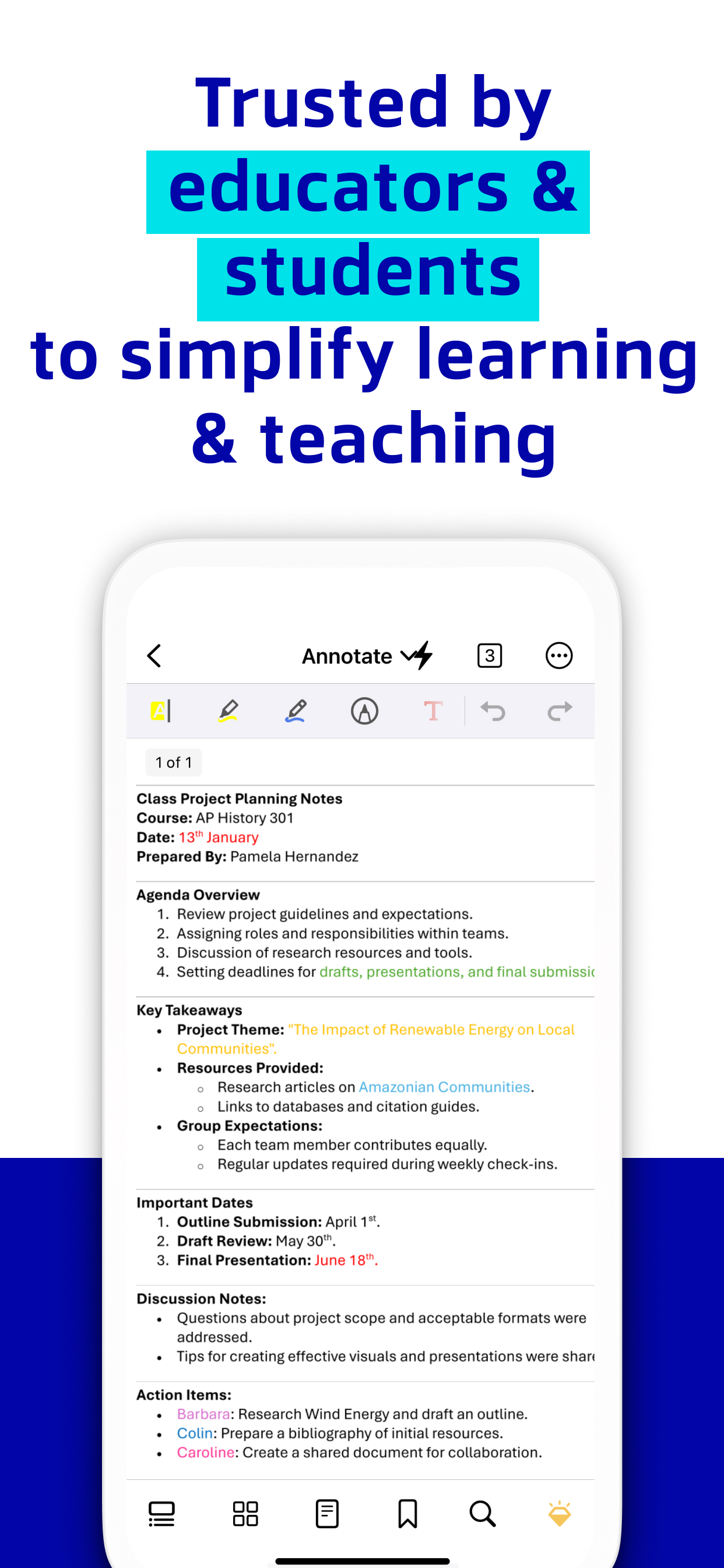
Annotate & Draw PDFs:
Utilize Xodo's annotation tools configured to you.
• Fully-featured mark-up tools: Add images, links, stamp or highlight text directly on PDF documents
• Arrange pages: Thumbnail browser for deleting pages, extracting, and inserting pages
• Scrolling mode: See all annotations at a glance with the touch of your finger

Store & Manage Files Securely:
Integrate with popular cloud apps and safely store your important files so you can pick up where you left off.
• Built-in file manager: Rename, copy, move, or delete docs and folders locally
• Cloud integration: Sync your files directly on iCloud, OneDrive, Google Drive and Dropbox to view in multiple devices
• Protected features: Protect your PDF files with password encryption and unlock your protected PDF with PDF password remover tool

Upgrade to Xodo Mobile Subscription:
Get unlimited access to all 30+ tools with custom toolbar for quick access.
• Free trial available in supported regions
• Convert PDF to MS Office (Word, Excel, PowerPoint)
• Remove sensitive content with PDF Redaction tool
• High compression file size
• Easily merge multiple documents to a single PDF
• Create fillable PDF forms to fill out and sign while you're on the go
• Support Smart pen to streamline and enhance note taking experience
• Annotate in Reader mode - When viewing a PDF in reader mode, you can highlight, underline and strikeout text.
• View and manage files with nesting layers - PDFs that include multi-level layers can be viewed individually
• Scanned images can save as PDFs with searchable text (OCR) option
• Flexible monthly and annual subscription options
• Cancel anytime

For Support and Feedback:
[email protected]

Visit Homepage:
xodo.com

Xodo is powered by Apryse | https://apryse.com
Ausblenden Mehr anzeigen...

In-App-Käufe

Xodo PDF Converter & Editor
¥88.00
Xodo Mobile (Yearly)
¥798.00
Xodo Pro (Yearly)
¥798.00

Screenshots

View Häufige Fragen

  • Ist View kostenlos?

    Ja, View ist kostenlos herunterzuladen, enthält jedoch In-App-Käufe oder Abonnements.

  • Ist View seriös?

    🤔 Die Qualität der View-App ist gemischt. Einige Nutzer sind zufrieden, während andere Probleme melden. Ziehen Sie in Betracht, einzelne Bewertungen für mehr Kontext zu lesen.

    Danke für die Stimme

  • Wie viel kostet View?

    View bietet mehrere In-App-Käufe/Abonnements, der durchschnittliche In-App-Preis beträgt ¥561.33.

  • Wie hoch ist der Umsatz von View?

    Um geschätzte Einnahmen der View-App und weitere AppStore-Einblicke zu erhalten, können Sie sich bei der AppTail Mobile Analytics Platform anmelden.

Benutzerbewertung

4.47 von 5

538 Bewertungen in China

5 star
398
4 star
74
3 star
23
2 star
9
1 star
34
Bewertungsverlauf

View Bewertungen

需要切换中文

7i👌 on

China

想问怎么切换中文

还不错

kiss4817 on

China

还不错

闪退

Yo-youy on

China

安装之后打不开,闪一下就关闭了,这个版本有问题。我是16.7系统

没有中文且需要订阅

Mars-moon on

China

没有简体中文却有繁体中文的软件,充分表达了作者的偏见,但却在国内市场上架,匪夷所思

希望增加设置中文!!!别丫的中英文混起来!!!要么全英文,要么全中文!!!!!!

莫洛迪!!! on

China

如标题

不适合复杂的工作

d v x x x x on

China

合并文件的时候 不能排序。选取文件的时候不能排序最近使用的文件列表不能清除 也不能排序。小打小闹还行 却做不了正经事情,不配这个价格

啥时候能修好闪退

文汇,文苑 on

China

电脑端一样的毛病

手机与电脑同步

fhibcfg on

China

手机和电脑有没有同步,我找了半天没找到,设置里面咋没有中文。

不支持中文

大兵彬彬 on

China

没有中文

更新成了垃圾

CHANGNEW on

China

本来就是一个高级点的文档应用,因为iPad自带的文件应用看文档保存不了观看记录所以才用的。现在更新后打开一个文档要180年,我真的有那么闲吗

Store-Rankings

Ranking-Verlauf
App-Ranking-Verlauf noch nicht verfügbar
Kategorien-Rankings
Diagramm
Kategorie
Rang
Top Kostenlos
45
Top Umsatz
56
Top Umsatz
60
Top Umsatz
73
Top Umsatz
75

Schlüsselwörter

View Konkurrenten

PDF Reader & Editor | Xodo Installationen

Letzte 30 Tage

PDF Reader & Editor | Xodo Umsatz

Letzte 30 Tage

View Einnahmen und Downloads

Gewinnen Sie wertvolle Einblicke in die Leistung von PDF Reader & Editor | Xodo mit unserer Analytik.
Melden Sie sich jetzt an, um Zugriff auf Downloads, Einnahmen und mehr zu erhalten.
This page includes copyrighted content from third parties, shared solely for commentary and research in accordance with fair use under applicable copyright laws. All trademarks, including product, service, and company names or logos, remain the property of their respective owners. Their use here falls under nominative fair use as outlined by trademark laws and does not suggest any affiliation with or endorsement by the trademark holders.