PDF Reader & Editor | Xodo

Veröffentlicht von: Xodo Technologies

Beschreibung

Transform your PDFs. Get your work done quickly with Xodo's all-in-one PDF editor and reader with 30+ features - all available on your iPhone or iPad. Safely store and sync your files on your iCloud, OneDrive, Google Drive and Dropbox so you can easily view, edit, convert, e-sign and compress your files anytime, anywhere on your device.

Edit PDFs:
Intuitive, easy-to-use PDF editor for any user in mind.
• Compress PDF: Quickly reduce PDF file size for ease of sharing
• Flatten PDF: All annotations in PDF like fillable forms will be locked and merged into a single layer for protection
• Rotate & crop PDF: Add, remove, rearrange, rotate, crop PDF pages with ease
• Split & extract PDF: Instantly split PDF or extract pages to a new PDF file
• Create new PDF: Create PDFs from scratch or use one of our ready-made templates and edit file

Scan PDFs:
Seamlessly scan images and save as PDFs.
• PDF scanner: Scan image with your camera or open an existing image or file and save as a new PDF
• Edit scanned PDF: Edit, annotate, send your documents to iCloud, share via AirDrop, or any available app on your device

Fill & Sign PDF Forms:
Fill out, sign, and share your PDF forms.
• Create your e-signature: E-sign your documents by hand or type in your signature, and save to reuse for later
• Stylus-friendly: Supports Apple Pencil

Convert PDFs:
Convert files to PDF in seconds.
• PDF converter: Convert any MS Office (Word, Excel, PowerPoint) to PDF, iWork (Pages, Numbers, Keynote) to PDF
• Additional file formats: Convert JPG to PDF, PNG to PDF, PDF to JPG, PDF to PNG

View & print PDFs:
Quick and convenient PDF reader for e-books, reports, digital planner.
• Viewing mode: View in light, dark, and sepia color modes for comfort reading
• Bookmark feature: Tag your favorite PDF pages
• Multiple tabs: Use tabs to work across multiple PDF documents
• Print PDFs directly from your device
• Fully searchable text: Search text within PDF to save time

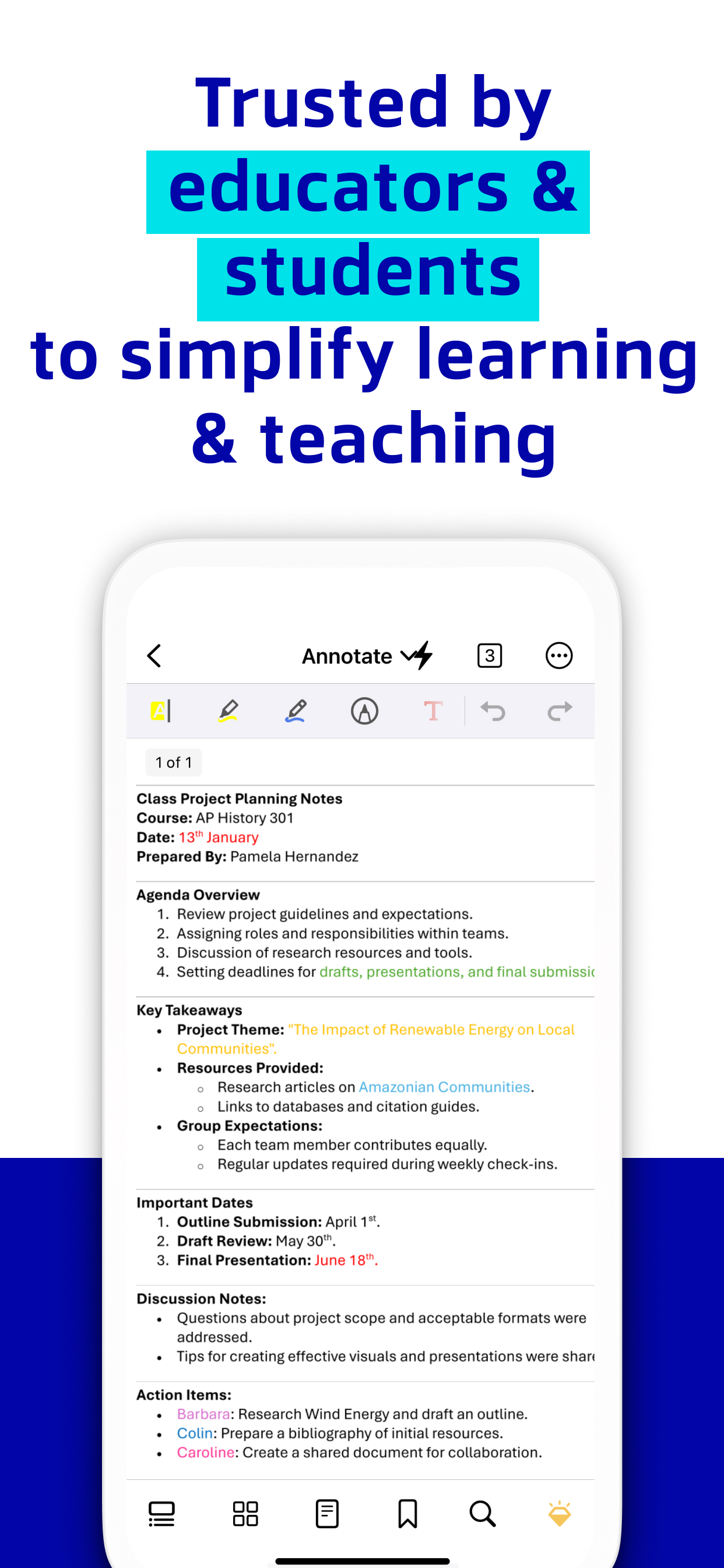
Annotate & Draw PDFs:
Utilize Xodo's annotation tools configured to you.
• Fully-featured mark-up tools: Add images, links, stamp or highlight text directly on PDF documents
• Arrange pages: Thumbnail browser for deleting pages, extracting, and inserting pages
• Scrolling mode: See all annotations at a glance with the touch of your finger

Store & Manage Files Securely:
Integrate with popular cloud apps and safely store your important files so you can pick up where you left off.
• Built-in file manager: Rename, copy, move, or delete docs and folders locally
• Cloud integration: Sync your files directly on iCloud, OneDrive, Google Drive and Dropbox to view in multiple devices
• Protected features: Protect your PDF files with password encryption and unlock your protected PDF with PDF password remover tool

Upgrade to Xodo Mobile Subscription:
Get unlimited access to all 30+ tools with custom toolbar for quick access.
• Free trial available in supported regions
• Convert PDF to MS Office (Word, Excel, PowerPoint)
• Remove sensitive content with PDF Redaction tool
• High compression file size
• Easily merge multiple documents to a single PDF
• Create fillable PDF forms to fill out and sign while you're on the go
• Support Smart pen to streamline and enhance note taking experience
• Annotate in Reader mode - When viewing a PDF in reader mode, you can highlight, underline and strikeout text.
• View and manage files with nesting layers - PDFs that include multi-level layers can be viewed individually
• Scanned images can save as PDFs with searchable text (OCR) option
• Flexible monthly and annual subscription options
• Cancel anytime

For Support and Feedback:
[email protected]

Visit Homepage:
xodo.com

Xodo is powered by Apryse | https://apryse.com
Ausblenden Mehr anzeigen...

In-App-Käufe

Xodo Pro (Yearly)
¥15.00
Xodo Mobile (Yearly)
¥14.80
Xodo PDF Converter & Editor
¥1.65

Screenshots

PDF Reader & Editor | Xodo Häufige Fragen

  • Ist PDF Reader & Editor | Xodo kostenlos?

    Ja, PDF Reader & Editor | Xodo ist kostenlos herunterzuladen, enthält jedoch In-App-Käufe oder Abonnements.

  • Ist PDF Reader & Editor | Xodo seriös?

    🤔 Die Qualität der PDF Reader & Editor | Xodo-App ist gemischt. Einige Nutzer sind zufrieden, während andere Probleme melden. Ziehen Sie in Betracht, einzelne Bewertungen für mehr Kontext zu lesen.

    Danke für die Stimme

  • Wie viel kostet PDF Reader & Editor | Xodo?

    PDF Reader & Editor | Xodo bietet mehrere In-App-Käufe/Abonnements, der durchschnittliche In-App-Preis beträgt ¥10.48.

  • Wie hoch ist der Umsatz von PDF Reader & Editor | Xodo?

    Um geschätzte Einnahmen der PDF Reader & Editor | Xodo-App und weitere AppStore-Einblicke zu erhalten, können Sie sich bei der AppTail Mobile Analytics Platform anmelden.

Benutzerbewertung

3.93 von 5

98 Bewertungen in Japan

5 star
55
4 star
15
3 star
8
2 star
6
1 star
14
Bewertungsverlauf

PDF Reader & Editor | Xodo Bewertungen

ゴミ

らまらみはまはまはた on

Japan

ちょっと前までは難なく使えたのにファイルは勝手に削除されるし、テキスト挿入もできなくなりとても不便になりました、 なんなら全く使い物にならない! 2022年までのバージョンの方が使いやすかった!ほんとに最悪です!ゴミとしか言いようがない

Scroll bar

[BLANK0909] on

Japan

I love this app but can you please remove the scroll bat. It’s distracting even to scroll a little bit.

Please improve this app

Ayamedyy on

Japan

It is a wonderful application, but it needs a page in which the files are organized so that the files are not lost and that they are easy to access, organized and ready. I hope you add the feature of arranging the files and the application will be perfect.

使いやすい

ぎkxksydんlゔgーh on

Japan

Androidタブレットで使ってましたがこの度iPadを購入したのでこちらでも引き続きxodoを使用。pdf編集も一通りできるし手書きも十分やり易い。ファイル代わりもシンプルでこれで無料だからダウンロードしたら試さなきゃ損ですね。 ところで、このxodoってなんて読むのが正解なん?

It failed to save and overwritten the file with 0 bytes one

S-ed on

Japan

Completely destroyed my work.

It has been useless since the latest update.

I loved Xodo on

Japan

(1) The procedure to select a PDF file became complicated (2) Whenever a PDF file is selected, the software shuts down once. (3) Cannot keep multiple files open (4) When I use other apps, I have to re-select PDF files from scratch in Xodo. I have an iPad pro 11", 2nd generation, iPadOS version 16.3. ——->Add 2023/02/23 (3) and (4) got better in 7.0.2. Thank you! But the rest is still no good.

Crash too often after the update

yms4 on

Japan

I loved the app before the update. Now it’s almost impossible to use this, since it crash too often when I try to open a new PDF using iPad pro

The new UI is really bad.

a_nervous_guy on

Japan

The latest update changed the UI significantly and it sucks. 今回のアップデートで前より、特定のファイルにアクセスするのに、階層が増えた。非常に面倒くさい。 類似アプリを模索中。→kedamangaというアプリが、漫画を読むのに最高だと判明。xodoは削除しました。

ダメになった

オオアリクイ @ on

Japan

アプリ切り替えで開いていたファイルが閉じて、再度開くのがとても面倒に

Keeps freezing

usersunny78 on

Japan

I have in on windows system and iPad , I like this application but it freezes or completely crashes very frequently on both devices.

Store-Rankings

Ranking-Verlauf
App-Ranking-Verlauf noch nicht verfügbar
Kategorien-Rankings
Diagramm
Kategorie
Rang
Top Kostenlos
45
Top Umsatz
56
Top Umsatz
60
Top Umsatz
73
Top Umsatz
75

Schlüsselwörter

PDF Reader & Editor | Xodo Konkurrenten

PDF Reader & Editor | Xodo Installationen

Letzte 30 Tage

PDF Reader & Editor | Xodo Umsatz

Letzte 30 Tage

PDF Reader & Editor | Xodo Einnahmen und Downloads

Gewinnen Sie wertvolle Einblicke in die Leistung von PDF Reader & Editor | Xodo mit unserer Analytik.
Melden Sie sich jetzt an, um Zugriff auf Downloads, Einnahmen und mehr zu erhalten.
This page includes copyrighted content from third parties, shared solely for commentary and research in accordance with fair use under applicable copyright laws. All trademarks, including product, service, and company names or logos, remain the property of their respective owners. Their use here falls under nominative fair use as outlined by trademark laws and does not suggest any affiliation with or endorsement by the trademark holders.