Fill and Sign PDF Docs | Xodo

Upload, scan & edit documents

Veröffentlicht von: Xodo Technologies

Beschreibung

Simplify tasks with Xodo, the all in one PDF editor, reader and converter to ease the paperwork process and boost daily productivity. Whether you aim to boost everyday productivity at work or school, use Xodo to scan, edit, sign, annotate and convert PDF documents with ease!
Designed for all types of PDF users, business big or small, Xodo PDF offers over 30+ features to boost efficiency. Simplify tasks and optimise daily business productivity by safely storing and syncing your PDF files on Xodo Drive, Dropbox, Google Drive, and OneDrive so you can easily view, add comments, edit, convert, sign, redact, compress, merge and organise your files anytime, anywhere on your device.
Edit PDFs on any platform:
Enhance daily business productivity with Xodo’s fully featured, easy-to-use PDF editor where you can create PDFs from scratch or edit directly.
• Flatten PDF: All annotations in PDF like fillable forms will be locked and merged into a single layer for protection
• Compress PDF: Quickly reduce PDF file size for sharing
• Merge PDF: Easily combine multiple documents to a single PDF
• Rotate PDF: Add, remove, rearrange, rotate, crop PDF pages with ease
• Split & extract PDF: split PDF or extract pages to a new PDF file
View & print PDFs for efficient document handling:
Convenient PDF reader for e-books, reports, digital planner, and more even when you're offline.
• Viewing mode: Single and double page viewing modes, Dark Modes for comfortable reading, Reflow Reading Mode tailors the PDF text size of your choice
• Multiple tabs: Use tabs to work across multiple PDF documents
• Bookmark feature: Tag your favourite PDF pages
• Print PDFs directly from your device
• Fully searchable text: Show detailed list of search results for maximum efficiency
Organise & Store Files Securely:
Efficiently manage & access PDF documents:
Built-in file manager to organise files
Protected features: password encryption and removal tool
Grid view mode for thumbnail previews and quick access to file details.
Scan & Convert PDFs:
Convert files to PDF accurately in seconds.
• Optimise your workflow with PDF scanner: Scan image with your camera or open an existing image and save as a new PDF
• PDF converter: Convert any files from MS Office (Word, Excel, PowerPoint) to PDF
• Text recognition (OCR): Convert images and PDFs into searchable text files
• Additional file formats: Convert PDF to PDF/A, JPG or PNG to PDF, PDF to JPG or PNG
Add comments, Annotate & Draw PDFs:
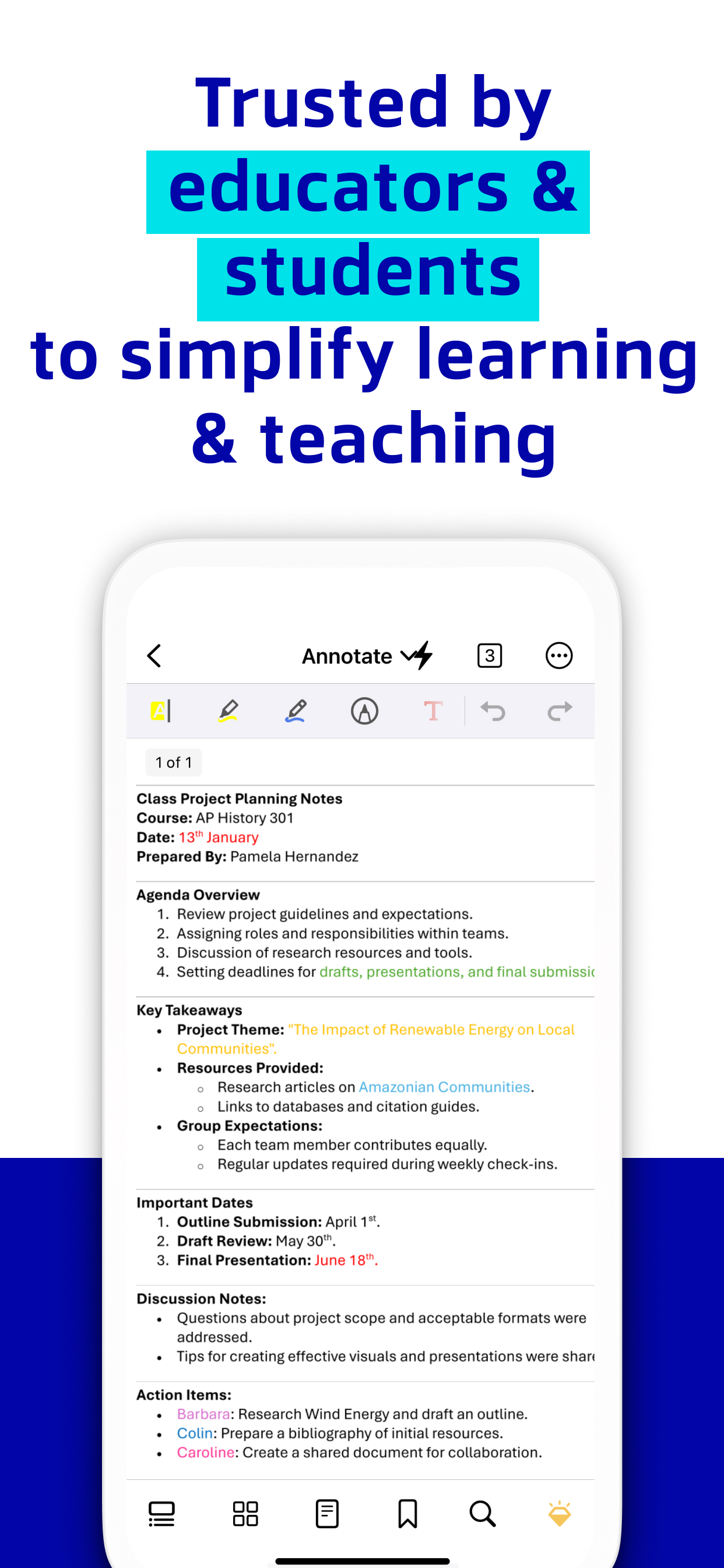
Simplify tasks with smart annotations with Xodo's versatile tools:
Mark-up suite for highlighting, stamping, and note-taking on PDFs
Page arrangement with a thumbnail browser for deletion, reordering, and blank page insertion
Scrolling mode to view all annotations at a glance and navigate pages with two-finger gestures
Stylus-friendly design for optimal use with S Pen and other styluses.
Fill & Sign PDF Forms:
Fill out, sign, and share your PDF forms and sync them with online storage like Xodo Drive, Google Drive, Dropbox or OneDrive.
• Create your e-signature: E-sign your documents by hand or type in your signature, and save to reuse for later
Upgrade to Xodo Pro Subscription:
Unlimited access to 30+ tools
Shared subscription for mobile, desktop, and web
Free trial available in supported regions
Bulk document processing
Smart pen tool for streamlined note taking
PDF to MS Office conversion (Word, Excel, PowerPoint), PDF to HTML
High compression file size
Advanced annotation filtering
Annotation in reading mode
Customisable toolbar for bookmarking favourite tools
Selection of app themes for different viewing environments
Advanced options for image to PDF tool, including OCR and file compression
PDF Redaction tool to remove sensitive content
Flexible monthly and annual subscription options
Cancel anytime
For Support and Feedback:
[email protected]
Visit Homepage:
xodo.com
Xodo is powered by Apryse | https://apryse.com
Ausblenden Mehr anzeigen...

In-App-Käufe

Xodo PDF Converter & Editor
USD 11.99
Xodo Mobile (Yearly)
USD 107.99
Xodo Pro (Yearly)
USD 107.99

Screenshots

Fill and Sign PDF Docs | Xodo Häufige Fragen

  • Ist Fill and Sign PDF Docs | Xodo kostenlos?

    Ja, Fill and Sign PDF Docs | Xodo ist kostenlos herunterzuladen, enthält jedoch In-App-Käufe oder Abonnements.

  • Ist Fill and Sign PDF Docs | Xodo seriös?

    ⚠️ Die Fill and Sign PDF Docs | Xodo-App hat schlechte Bewertungen und negatives Feedback. Die Nutzer scheinen mit der Leistung oder den Funktionen unzufrieden zu sein.

    Danke für die Stimme

  • Wie viel kostet Fill and Sign PDF Docs | Xodo?

    Fill and Sign PDF Docs | Xodo bietet mehrere In-App-Käufe/Abonnements, der durchschnittliche In-App-Preis beträgt USD 75.99.

  • Wie hoch ist der Umsatz von Fill and Sign PDF Docs | Xodo?

    Um geschätzte Einnahmen der Fill and Sign PDF Docs | Xodo-App und weitere AppStore-Einblicke zu erhalten, können Sie sich bei der AppTail Mobile Analytics Platform anmelden.

Benutzerbewertung

4.44 von 5

80 Bewertungen in Sri Lanka

5 star
61
4 star
9
3 star
2
2 star
0
1 star
8
Bewertungsverlauf

Fill and Sign PDF Docs | Xodo Bewertungen

Worst update ever

IURMS on

Sri Lanka

Can’t even edit a pdf without premium

Superb

Nizshahi21 on

Sri Lanka

Very convenient to use

Versatile

HP51198 on

Sri Lanka

This has all the features I need but the app has gotten much buggier recently. It is very slow to open files and sometimes the annotations get disappeared.

Bad

rylkn on

Sri Lanka

The latest update is worse. The app is not user friendly anymore. Please cancel this update

The app closes suddenly

aravindi1993 on

Sri Lanka

The app closes suddenly and doesn’t open for long😒

Regarding the update 5.3.0

Ch4niya on

Sri Lanka

One of the worst apps. Lots of bugs. Can’t do the works smoothly. Try to improve.

Not opening at all

Makegeyalak on

Sri Lanka

After the new update, the app is not opening at all. Forced to ues another PDF reader

App closes automatically

KCB1990 on

Sri Lanka

App closes automatically after using for a brief period of time. Could not open some PDFs which I worked before using Xodo

Great app but has a lot to improve

Hivikyke on

Sri Lanka

I use the dark mode a lot so this app is great. But I still experience a lag after annotating until the colors are processed. Also the colors in the dark mode need better refinement.

Annotations are missing

Roosh Ak on

Sri Lanka

Thanks for fixing the remember last page bug. Now the annotations are going missing. Please fix.

Store-Rankings

Ranking-Verlauf
App-Ranking-Verlauf noch nicht verfügbar
Kategorien-Rankings
Diagramm
Kategorie
Rang
Top Umsatz
53
Top Umsatz
64
Top Umsatz
73
Top Umsatz
79
Top Umsatz
83

Fill and Sign PDF Docs | Xodo Konkurrenten

PDF Reader & Editor | Xodo Installationen

Letzte 30 Tage

PDF Reader & Editor | Xodo Umsatz

Letzte 30 Tage

Fill and Sign PDF Docs | Xodo Einnahmen und Downloads

Gewinnen Sie wertvolle Einblicke in die Leistung von PDF Reader & Editor | Xodo mit unserer Analytik.
Melden Sie sich jetzt an, um Zugriff auf Downloads, Einnahmen und mehr zu erhalten.
This page includes copyrighted content from third parties, shared solely for commentary and research in accordance with fair use under applicable copyright laws. All trademarks, including product, service, and company names or logos, remain the property of their respective owners. Their use here falls under nominative fair use as outlined by trademark laws and does not suggest any affiliation with or endorsement by the trademark holders.