
need webdav support
need webdav support



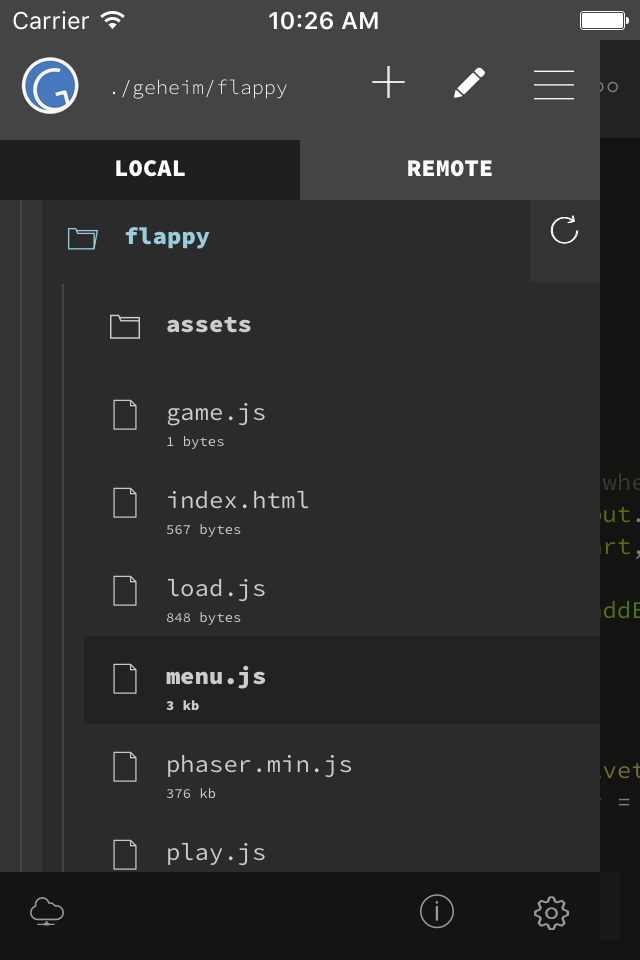


Yes, GoCoEdit is completely free and it doesn't have any in-app purchases or subscriptions.
🤔 The GoCoEdit app's quality is mixed. Some users are satisfied, while others report issues. Consider reading individual reviews for more context.
GoCoEdit is free.
To get estimated revenue of GoCoEdit app and other AppStore insights you can sign up to AppTail Mobile Analytics Platform.

3.75 out of 5
4 ratings in Hong Kong SAR China
need webdav support
Can not select folder using “open from ...”
If you’re an old-school text editing coder, this app is a great bridge between touch screen and raw text editing. It will also integrate with several cloud storage solutions, so you can use any storage you already use. The only problem is: it doesn’t remember your preferences across updates (like every other app on the planet does). A simple, but important detail that is the reason I can’t give it a 5/5. My workaround: I have a note in the Notes app where I keep track of whatever settings I change in this app. Otherwise it would be like reinventing the wheel every time this app (or the OS) updates. But this shouldn’t be necessary. The app should remember settings across updates. It seems like it should also be able to remember your last position in a file, and take you there instead of the top of the file every time you re-open a file. A setting for “top, bottom, previous” location on open would be nice. My other (less important) feature request would be that if you’re using an external keyboard, being able to set VI or Emacs key bindings would be a bit awesome. (I’m an old vi / vim user)
This is so useful. Stop working with Google Drive recently though. Is there someway around this?
My teams workflow, we do everything on the server… I know, I know, git commit push pull… Not in a wordpress shop. This is fantastic for loading up all of your SFTP client server accounts for easy access and simple editing of their style.css or functions.php. The addition of our standard color themes for the IDE is nice to make it universal feel to set your VSCode or Nova/Panic IDE similarly. I’m so excited about this I’m probably not even making sense. This is it. I’ve purchased all of the expensive guys, Txtastic, Co da, all of them, this is worth every penny.
Needed something to quickly edit some files on my home server from my iPad. Took a chance on this app, and did not regret it. It’s simple, useful (brings me right to my last connection upon launch), and beautiful. Thank you.
Easy the best code editor for iOS. The sidebar design and easy access to files/folders puts it above all others.
When I connect to Dropbox, not all the text files in my directories are listed, so I can't edit them with this editor. I've contacted the developer, but this defect remains. I re-downloaded the app because it claims an updated Dropbox interface this revision, but there's been no change. Two stars because I really like the editor for the files I *can* access, but until I can access *all* files in a Dropbox directory, it's useless.
Update: Developer finally responded, so changing to three stars. If printing is enabled, I'll increase to 5 stars. Developer said it's not that easy to implement, but as a former developer, it seems like it should just be a call to existing IOS routines; not completely having to write new code? Anyway, I appreciate finally getting a response, and look forward to that function. --- Overall, I think GoCoEdit is a well-written, and very functional text editor. I was excited when I purchased it, because it had a look and feel the professional editors that I used during my programming career. I am only giving it three stars because it seems to be missing the basic IOS print capability, which I believe should just be a call to existing iPhone/iPad code? Many times, if I have gone to the trouble to format a special list or document, I may want a printed copy. I can't do this. If I try to take the GoCoEdit formatted text, and copy/paste it into another app that WILL print, invariably, the formatting of the text does not port properly to the other app, so my document becomes skewed. I really don't understand why print capability is missing? The developer listed and email address for questions, comments, or suggestions. I have sent an email to that address two or three times, just to ask 1) if I was just not seeing the print method, or 2) if he could consider adding that function. Sadly, I have never even gotten an acknowledgment of my email or question. I also suggested one other addition (that is available in PC packages such as UltraEdit), and that is the 'block' move or edit function. Especially when creating/reformatting complex lists or code, I always found the 'block editing' function to be invaluable. Again, I believe the PRINT function 'should' be a fairly simple call to available IOS code? If this was fixed, I would easily give this 5 stars, instead of one.
Good dark mode. One of the few apps that work over ssh. I wish there was a way to hide tab bar and everything above it, like the developer’s other app gtw does. Fonts are good, but options are limited, only fixed width fonts.
|
Chart
|
Category
|
Rank
|
|---|---|---|
|
Top Paid
|

|
120
|
|
Top Paid
|

|
124
|
|
Top Paid
|

|
165
|
|
Top Paid
|

|
167
|
|
Top Paid
|

|
168
|
