Miro: Dein visueller Workspace

Für das nächste große Ding

Published by: Realtimeboard

Description

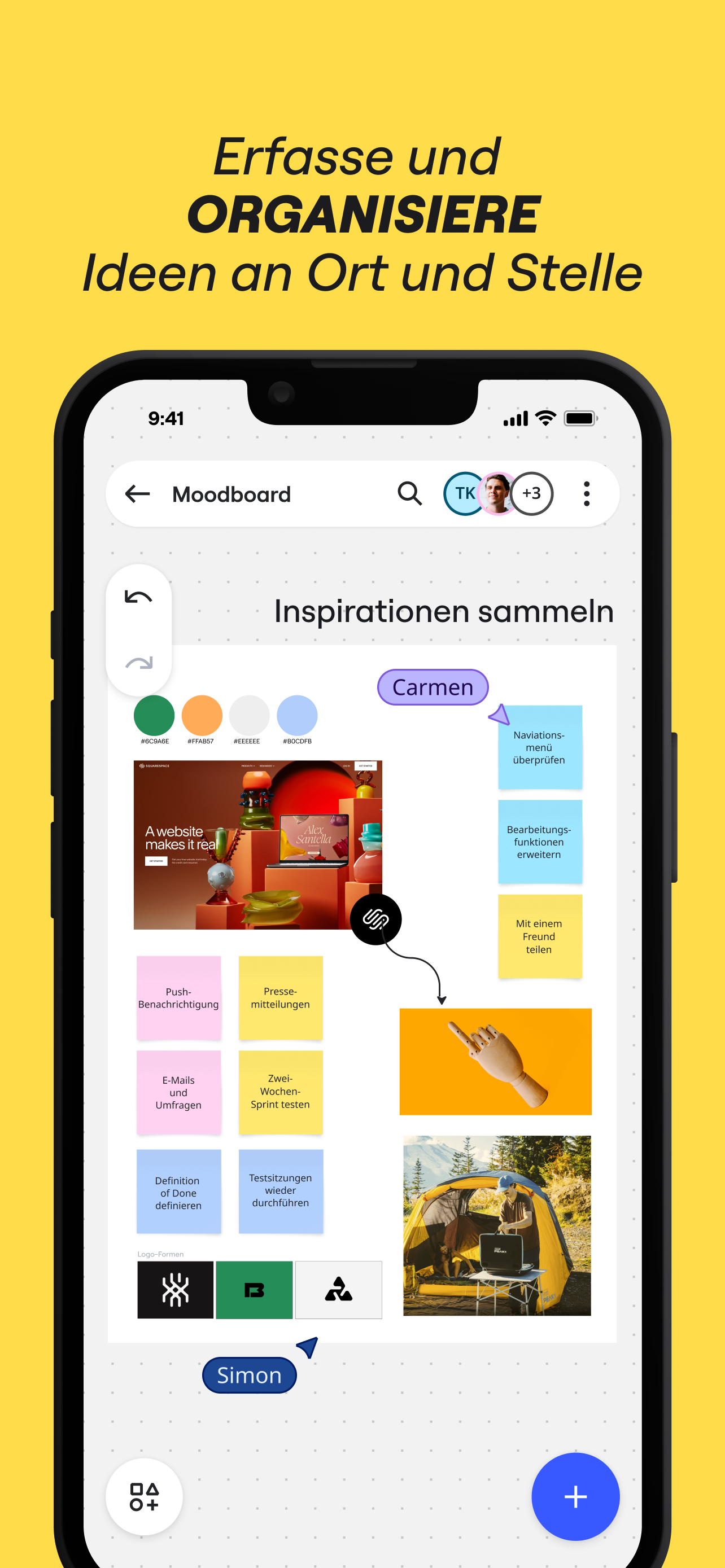
Miro ist ein visueller Workspace für Innovation, der verteilte Teams jeder Größenordnung gemeinsam ihre Vision der Zukunft planen und verwirklichen lässt. Mit dem intelligenten Canvas von Miro können Teams Konzepte, Ideen und Lösungen überall und jederzeit visualisieren und gemeinsam daran arbeiten. So bleiben alle eng verbunden und aufeinander abgestimmt – unabhängig davon, ob sie gerade im selben Raum oder am anderen Ende der Welt sind.
Die Miro-App für iPad und iPhone ermöglicht dir die Zusammenarbeit mit Boards, auf denen Projekte und damit verbundene Informationen an einem Ort festgehalten werden.
Unsere Kundinnen und Kunden können mit Miro besonders gut:
• Online-Besprechungen und Team-Workshops durchführen
• Neue Ideen und Entwürfe auf einem grenzenlosen Board entwickeln
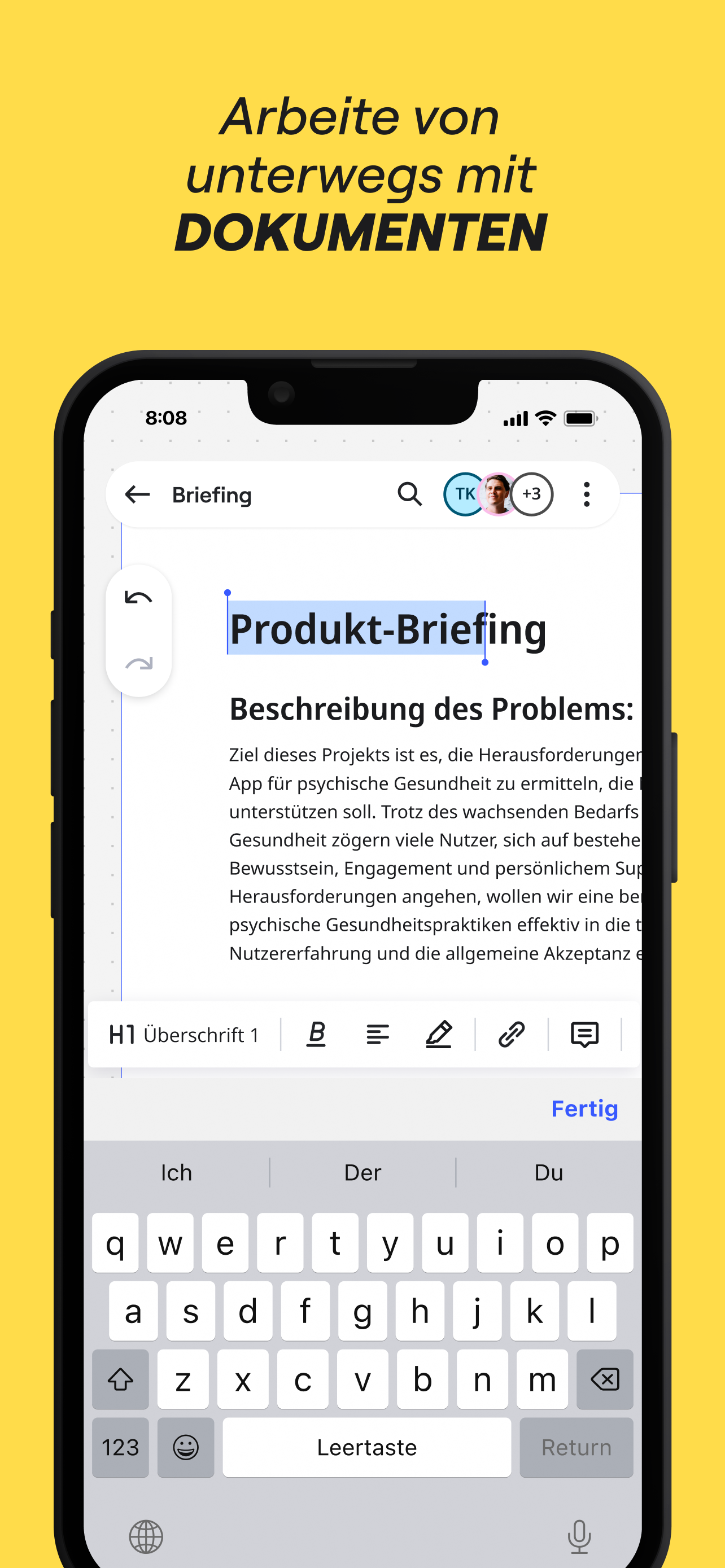
• Dokumente und PDFs bearbeiten, kommentieren und markieren
• Digitale Notizen mit einem Apple Pencil festhalten (und Papier sparen)
• Ganz unkompliziert Ressourcen, Fotos, Dokumente, Links und Referenzen sammeln
• Agile Workflows und Scrum-Rituale planen und verwalten
• User Journeys erstellen, Prozesse abbilden und Personas entwickeln
• Interaktiven Unterricht in einem kollaborativen Raum abhalten
• Ein Visionboard mit Ideen und Inspirationen erstellen
Mit Miro kannst du jederzeit und überall kreativ sein. Mit über 2.500 einsatzbereiten Vorlagen, einer Drag-and-Drop-Oberfläche und einer unbegrenzten Anzahl an Mitwirkenden geht die Arbeit auf einem Miro-Board schnell von der Hand und macht zudem noch Spaß.

Mit der mobilen App von Miro kannst du:
• Haftnotizen scannen und sie in bearbeitbare digitale Notizen umwandeln
• Boards erstellen, aufrufen und bearbeiten
• Deine Ideen auch von unterwegs aus festhalten und organisieren
• Boards öffentlich freigeben und Teammitglieder zur Bearbeitung einladen
• Bilder, Dokumente, Tabellen und mehr hochladen
• Boards freigeben und Teammitglieder zur Bearbeitung einladen
• Kommentare lesen, schreiben und beantworten

Auf Tablets kannst du mit Miro auch:
• Konzepte, Entwürfe und Ideen mit einem Apple Pencil skizzieren
• Mit einem Pencil oder Eingabestift gemachte Zeichnungen in Formen, Notizen und Diagramme umwandeln
• Dein Tablet bei Zoom oder Microsoft Teams als zweiten Bildschirm einrichten
- Mindmaps erstellen, um deine Ideen zu visualisieren
• Skizzen, Zeichnungen oder Text an beliebiger Stelle auf dem Board mit dem Lasso auswählen und verschieben
• Den Textmarker einsetzen, um die Aufmerksamkeit deines Teams während einer Besprechung zu erhöhen

Verwendest du Miro gerne, um mit anderen zusammenzuarbeiten? Dann schreib uns bitte eine Bewertung.
Falls etwas nicht richtig funktioniert oder du etwas fragen oder anregen möchtest, kontaktiere uns einfach über dieses Formular: https://help.miro.com/hc/de/requests/new?referer=store
Hide Show More...

Screenshots

Miro FAQ

  • Is Miro free?

    Yes, Miro is completely free and it doesn't have any in-app purchases or subscriptions.

  • Is Miro legit?

    ⚠️ The Miro app has poor ratings and negative feedback. Users seem unsatisfied with its performance or features.

    Thanks for the vote

  • How much does Miro cost?

    Miro is free.

  • What is Miro revenue?

    To get estimated revenue of Miro app and other AppStore insights you can sign up to AppTail Mobile Analytics Platform.

User Rating

4.7 out of 5

257 ratings in Austria

5 star
218
4 star
23
3 star
5
2 star
0
1 star
11
Ratings History

Miro Reviews

sehr cool

Darkdoki on

Austria

wirklich sehr cool

Unstable app, horrible UX

bobsalterego on

Austria

I am using Miro professionally every day, on desktop it is very convenient through the browser. The mobile app however is TERRIBLE. Want to edit a text box? The app moves your whole UI around to a place where the formatting tools are not on screen anymore. Once you pan back, you are outside the text box unable to edit. Click back in and the UI moves again. You do this a couple times, then it looses connection to the server, telling you to wait 30sec. and reconnect. And then all your changes of the last 10 minutes are GONE. Great, thank you! Why am I writing this here? Because submitting feedback through the app also doesn’t work, you only get an error code. Shame my boss has to pay a license for this!

Maybe a bad patch?

hmatiasweb on

Austria

Guys I’m writing to help. Apparently the app keeps updating randomly on iPad. I like the web app a lot but the experience here got weird. I’ll make a different if it improves but please keep going. Cheers

nach 30 Sek. sync -> tut sich nichts mehr

Micky_R on

Austria

ich teste gerade am iPad. nach ca 5 min kommt Fenster mit Sync Meldung -> nach 30 Sek. sync -> tut sich nichts mehr und wenn ich dann auf reload gehe, sind die letzten Minuten Arbeit weg …. 3x innerhalb von ca 15 min. Update: bei neuer Version, dürfte der Fehler behoben sein.

Very useful

Tmes Up Tim on

Austria

We Keep finding new ways to use it.

Besser auf Deutsch verfügbar!

Jolly 63 on

Austria

Tolles Tool, aber wann gibt es die German-version? Helmut

Stürzt ab größerer Tafel ständig ab

anna.e.n on

Austria

Sowohl in der App (iPad) und Browser (Safari)

Mind mapping wie ich es immer wollte!

Iamjot on

Austria

Das ist sie! Ich habe sehr lange gesucht und jetzt hab ich sie gefunden - die perfekte App um meine Projekte zu ordnen!

I never write reviews but for this I had too

King J$$$$$ on

United States

Wow. Just wow. I recently started a small media agency and I can’t begin to tell you how easy this app has made things for me. I can storyboard and script for clients. I can plan and strategize for the future. I can take notes. It doesn’t matter this app does it all and does it so well. I hope they continue to update and add cool features to this app even though its already great. I’ve only tried this on my IPad as that’s typically where I do most of my notes and plans however I’m sure it’s just as great or if not better on laptop. However we need more access to more than just 3 boards!!!!!

One Issue

Israelshaw on

United States

This is the best tool that exists for collaboration, with one issue. It places images in the size of their resolution. Meaning a high res image will drop in huge on the workspace, while a low res one will come it very small. Once a large image is placed, everyone zooms out, and increases their font and lineweights and other images to match. Pretty soon, everyone is using font size 1500, and maxing out the lineweights, which makes it hard to use certain tools. Solution: have all images come in the same size, but with different resolutions. Or, have a max frame size.

Store Rankings

Ranking History
Category Rankings
Chart
Category
Rank
Top Free
73
Top Free
77
Top Free
80
Top Free
86
Top Free
86

Keywords

Miro Competitors

Miro Installs

Last 30 days

Miro Revenue

Last 30 days

Miro Revenue and Downloads

Gain valuable insights into Miro performance with our analytics.
Sign up now to access downloads, revenue, and more.
This page includes copyrighted content from third parties, shared solely for commentary and research in accordance with fair use under applicable copyright laws. All trademarks, including product, service, and company names or logos, remain the property of their respective owners. Their use here falls under nominative fair use as outlined by trademark laws and does not suggest any affiliation with or endorsement by the trademark holders.