Miro: your visual workspace

Published by: Realtimeboard

Description

Miro is a visual workspace for innovation that enables distributed teams of any size to dream, design, and build the future together. With the magic of Miro's Intelligent Canvas™, visualizing concepts, ideas, and solutions as a team can happen anywhere — no dry-erase markers needed. Sync, flow, and feel the connection of working side by side with your team — even in remote, distributed, or hybrid work environments.
The Miro app for iPad and iPhone gives you the tools to collaborate with boards that put projects and context all in one place.
Our customers love using Miro to:
• Run online meetings and team workshops
• Brainstorm new ideas and designs on a limitless board
• Edit, annotate and mark up documents and PDFs
• Take digital notes with an Apple Pencil (and reduce paper use!)
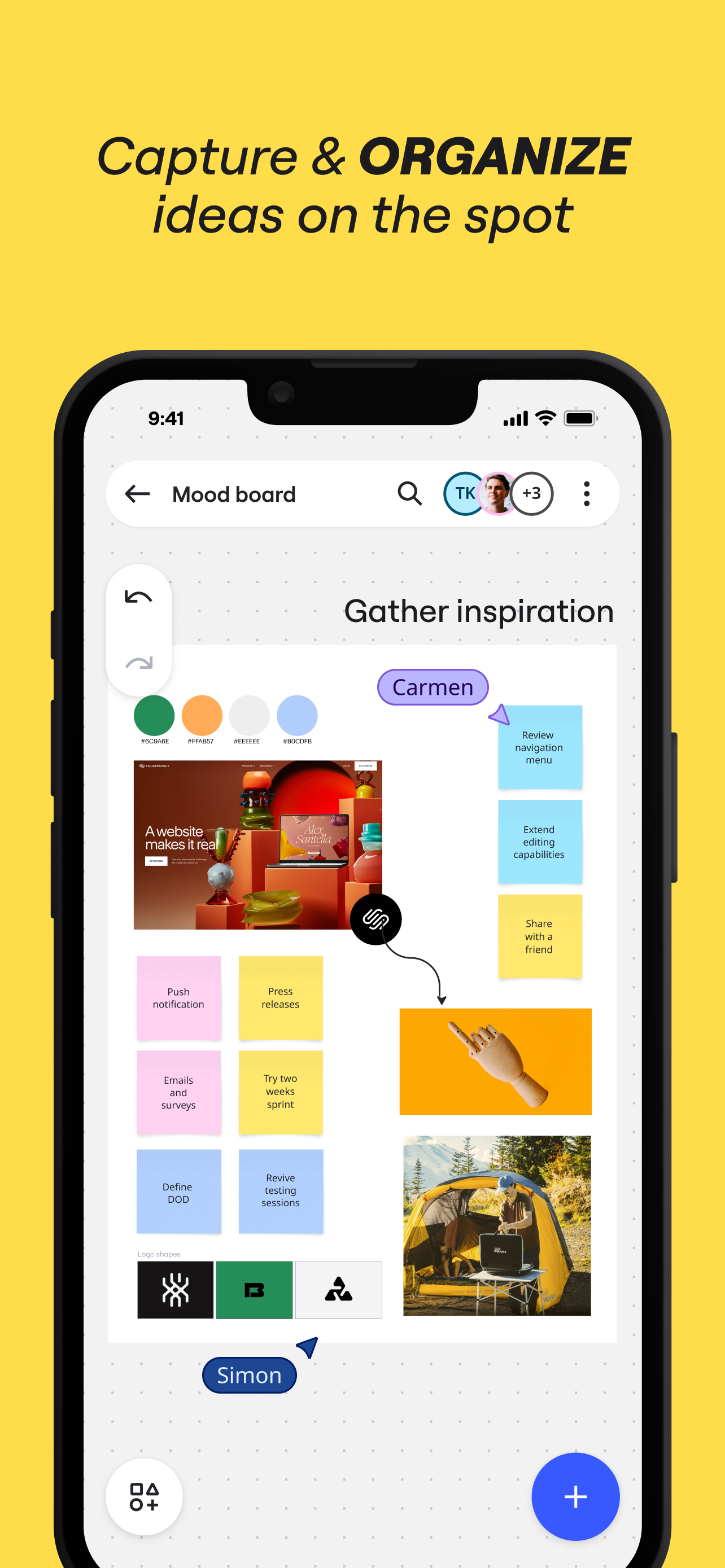
• Easily collect resources, photos, docs, links, and references
• Plan and manage agile workflows and scrum rituals
• Create user journeys, map processes, and develop personas
• Teach and facilitate interactive classes in a collaborative space
• Create a vision board of ideas and inspiration
Miro allows you to create anytime, anywhere. With over 200+ pre-made templates, a drag-and-drop interface, and no limit on collaborators, working on a Miro board is fast and fun.

With Miro’s mobile app, you can:
• Scan paper post-it notes and convert them into editable digital notes
• Create, view, and edit all your boards
• Capture and organize your ideas on the go
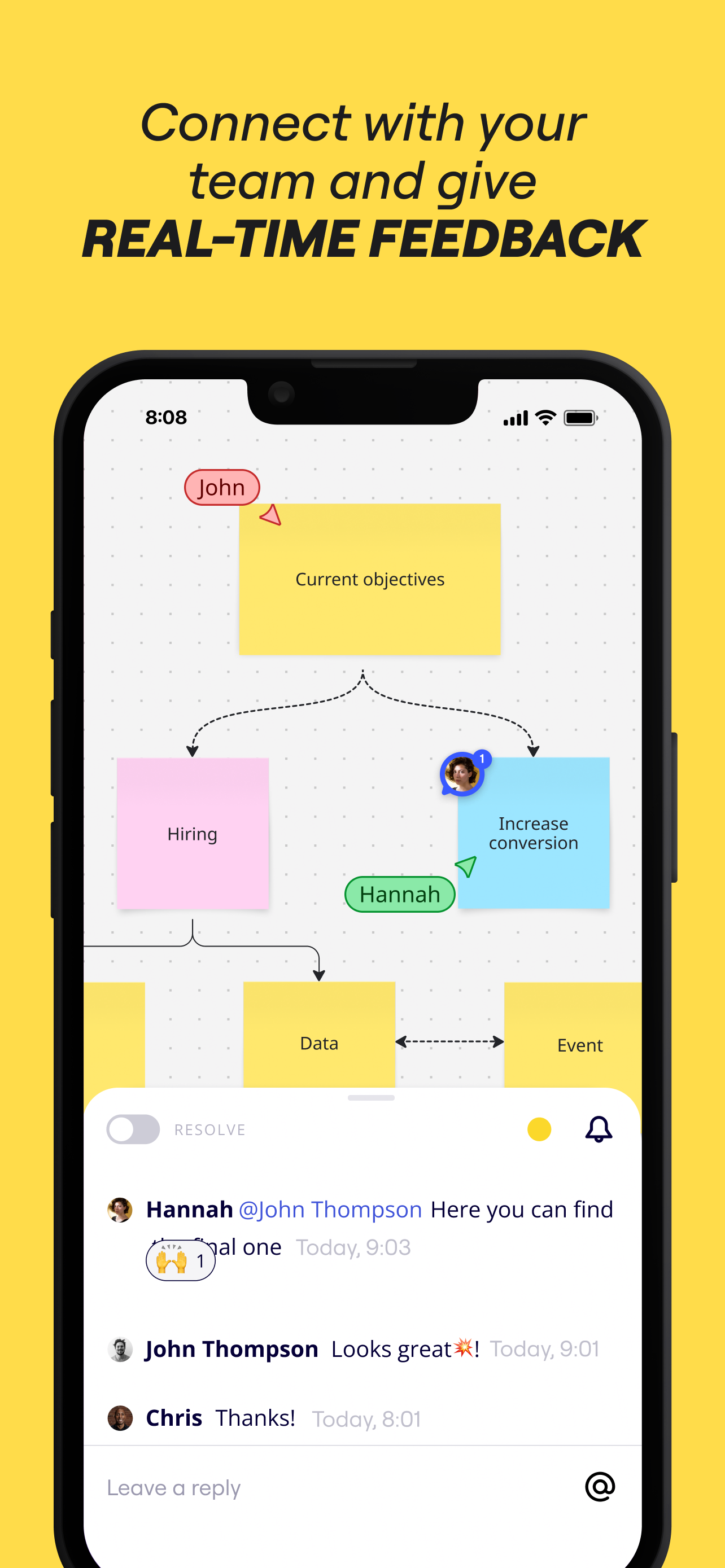
• Share boards publicly or invite team members to edit
• Upload images, pictures, docs, spreadsheets, and more
• Share boards and invite team members to edit
• Review, add and resolve comments

On tablets, you can also use Miro to:
• Draw concepts and sketch new design ideas with an Apple Pencil
• Convert pencil or stylus drawings into shapes, notes, and diagrams
• Set up your tablet as the second screen with Zoom or Microsoft Teams
- Create Mind Maps to visualize your ideas
• Use Lasso to select and move sketches, drawings, or text anywhere on the board
• Use Highlighter to capture the attention of your team during a meeting

If you enjoy using Miro for collaboration, please leave us a review.
If something’s not working right or if you have a question or comment, get in touch with us using this form: https://help.miro.com/hc/en-us/requests/new?referer=store
Hide Show More...

Screenshots

Miro FAQ

  • Is Miro free?

    Yes, Miro is completely free and it doesn't have any in-app purchases or subscriptions.

  • Is Miro legit?

    🤔 The Miro app's quality is mixed. Some users are satisfied, while others report issues. Consider reading individual reviews for more context.

    Thanks for the vote

  • How much does Miro cost?

    Miro is free.

  • What is Miro revenue?

    To get estimated revenue of Miro app and other AppStore insights you can sign up to AppTail Mobile Analytics Platform.

User Rating

4.68 out of 5

506 ratings in Netherlands

5 star
420
4 star
52
3 star
10
2 star
7
1 star
17
Ratings History

Miro Reviews

Mobile app not working

nien010 on

Netherlands

Absolutely frustrating to use the app on an iPhone. Just don’t let people download it if you’re not able to have it function. Incannot open any template, cannot quickly try anything. Doesn’t work on small screens. Doesn’t have to, but then just don’t offer it.

Not compatible with Lockdown Mode

blarwetoem on

Netherlands

The Miro app does not work if you have Lockdown Mode enabled. After contacting support, they recommended I turn it off.

Not compatible with Lockdown Mode

blarwetoem on

Netherlands

The Miro app does not work if you have Lockdown Mode enabled.

Navigation buttons disappeared from screen

PND_P on

Netherlands

After opening an existing board, all navigation items entirely disappeared from the screen, making it impossible to edit/add any item or returning to home screen. Had to restart the app to continue.

Duplicate

katrine.pil on

Netherlands

Hi! The Miro is my favorite app to work with my creative tasks!! But — is it possible to make a button “duplicate” in the phone?

The lines

n ftfycy on

Netherlands

The arrow making process is AWESOME. I love to use it. It’s fun learning app some how. I normally find learn so boring but writing it all down, drawing arrows, making mind maps, it’s just so perfect. P.S. Thanks for the A+ in history.

iPad+keyboard experience is awful

RubyByte on

Netherlands

Biggest annoyances: Ctrl+C Ctrl+V does not duplicate a note, there is no way to open two instances (windows) of the app which I need sometimes to manage several boards.

App kan niet openen

500927498284 on

Netherlands

Ik weet niet of het aan mijn telefoon ligt of niet, maar ik kan de app niet openen.

Great product but the app is buggy

Juliadesmid on

Netherlands

I love Miro for working together or alone on structuring and visualising projects! However, the app (I’m using it on my iPad Air 4) seems very buggy, I don’t like working in it. For example, copying and pasting don’t seem to work, the integration with Bluetooth keyboard and mouse is really bad and sometimes, the app just stops working and I have to close and open it again to continue working.

Great platform but app doesn’t work on my devices

Hullie84 on

Netherlands

The platform is great to work on projects etc but me and my colleagues have repeating problems with the app on our phones or tablets. It seems the app doesn’t load at all or it loads and starts over and over when it almost finishes

Store Rankings

Ranking History
Category Rankings
Chart
Category
Rank
Top Free
67
Top Free
70
Top Free
76
Top Free
95
Top Free
106

Keywords

Miro Competitors

Miro Installs

Last 30 days

Miro Revenue

Last 30 days

Miro Revenue and Downloads

Gain valuable insights into Miro performance with our analytics.
Sign up now to access downloads, revenue, and more.
This page includes copyrighted content from third parties, shared solely for commentary and research in accordance with fair use under applicable copyright laws. All trademarks, including product, service, and company names or logos, remain the property of their respective owners. Their use here falls under nominative fair use as outlined by trademark laws and does not suggest any affiliation with or endorsement by the trademark holders.