Miro: your visual workspace

Build the next big thing

Published by: Realtimeboard

Description

Miro is a visual workspace for innovation that enables distributed teams of any size to dream, design, and build the future together. With the magic of Miro's Intelligent Canvas™, visualizing concepts, ideas, and solutions as a team can happen anywhere — no dry-erase markers needed. Sync, flow, and feel the connection of working side by side with your team — even in remote, distributed, or hybrid work environments.
The Miro app for iPad and iPhone gives you the tools to collaborate with boards that put projects and context all in one place.
Our customers love using Miro to:
• Run online meetings and team workshops
• Brainstorm new ideas and designs on a limitless board
• Edit, annotate and mark up documents and PDFs
• Take digital notes with an Apple Pencil (and reduce paper use!)
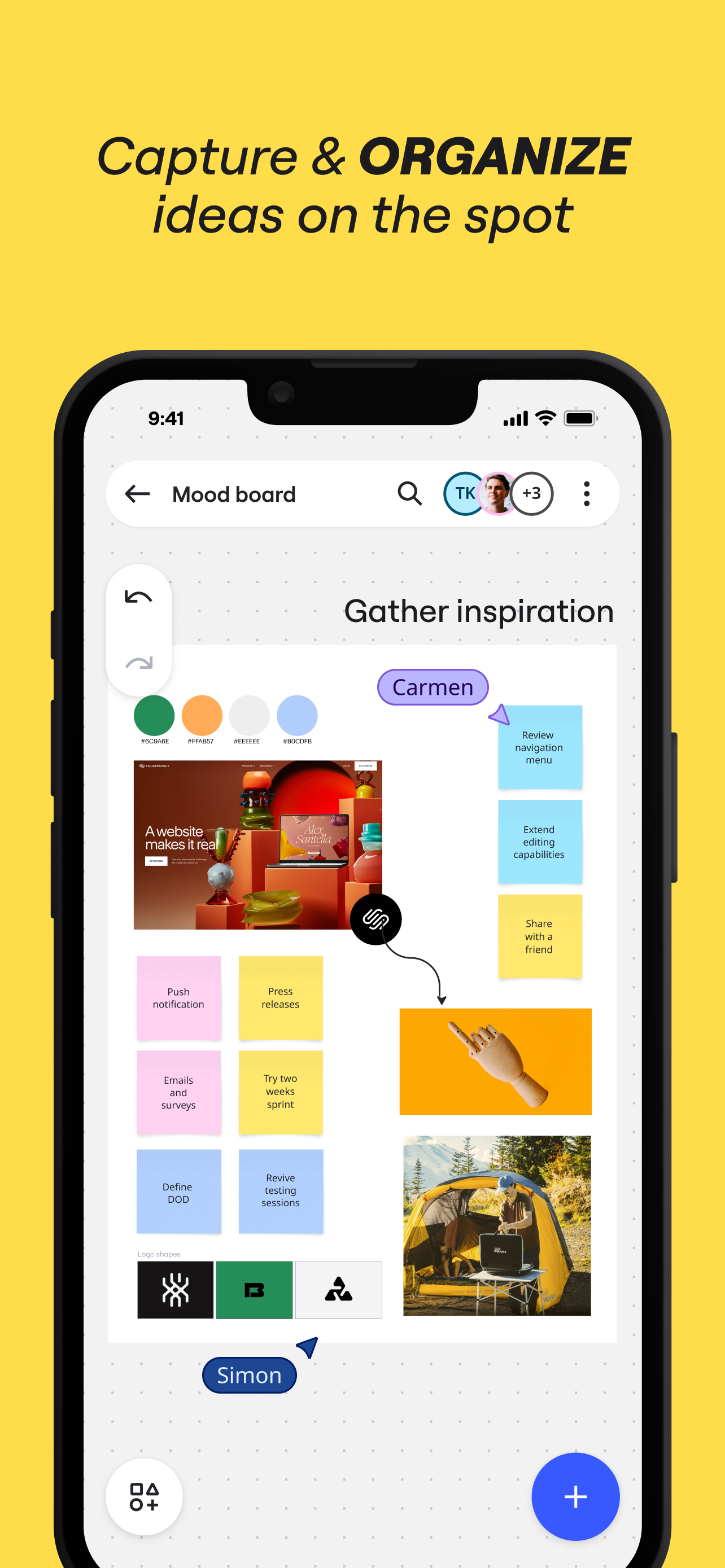
• Easily collect resources, photos, docs, links, and references
• Plan and manage agile workflows and scrum rituals
• Create user journeys, map processes, and develop personas
• Teach and facilitate interactive classes in a collaborative space
• Create a vision board of ideas and inspiration
Miro allows you to create anytime, anywhere. With over 200+ pre-made templates, a drag-and-drop interface, and no limit on collaborators, working on a Miro board is fast and fun.

With Miro’s mobile app, you can:
• Scan paper post-it notes and convert them into editable digital notes
• Create, view, and edit all your boards
• Capture and organize your ideas on the go
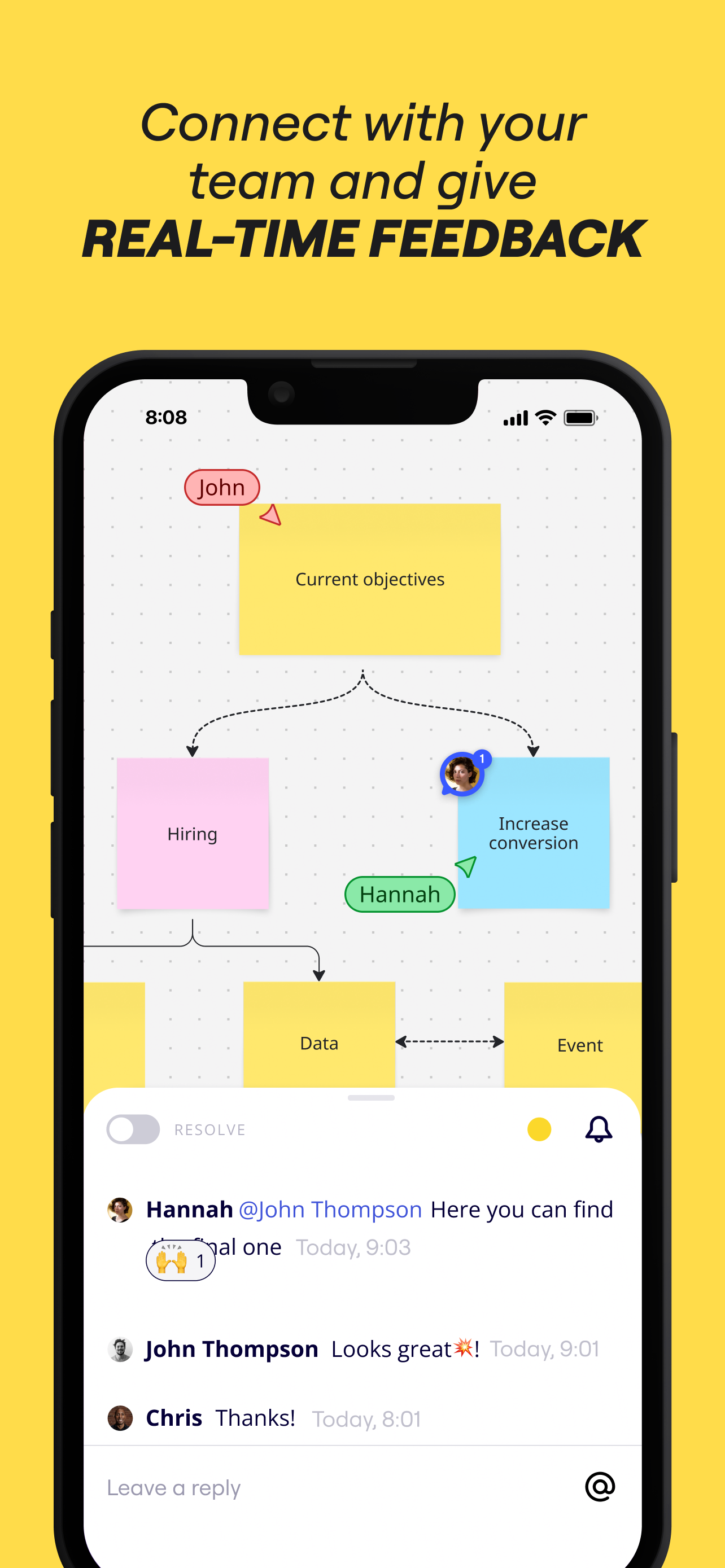
• Share boards publicly or invite team members to edit
• Upload images, pictures, docs, spreadsheets, and more
• Share boards and invite team members to edit
• Review, add and resolve comments

On tablets, you can also use Miro to:
• Draw concepts and sketch new design ideas with an Apple Pencil
• Convert pencil or stylus drawings into shapes, notes, and diagrams
• Set up your tablet as the second screen with Zoom or Microsoft Teams
- Create Mind Maps to visualize your ideas
• Use Lasso to select and move sketches, drawings, or text anywhere on the board
• Use Highlighter to capture the attention of your team during a meeting

If you enjoy using Miro for collaboration, please leave us a review.
If something’s not working right or if you have a question or comment, get in touch with us using this form: https://help.miro.com/hc/en-us/requests/new?referer=store
Hide Show More...

Screenshots

Miro FAQ

  • Is Miro free?

    Yes, Miro is completely free and it doesn't have any in-app purchases or subscriptions.

  • Is Miro legit?

    🤔 The Miro app's quality is mixed. Some users are satisfied, while others report issues. Consider reading individual reviews for more context.

    Thanks for the vote

  • How much does Miro cost?

    Miro is free.

  • What is Miro revenue?

    To get estimated revenue of Miro app and other AppStore insights you can sign up to AppTail Mobile Analytics Platform.

User Rating

4.77 out of 5

301 ratings in Indonesia

5 star
273
4 star
9
3 star
5
2 star
5
1 star
9
Ratings History

Miro Reviews

Syncing every 1 minutes

Tituserfand on

Indonesia

I can’t even barely making any updates. Kept showing syncing popupevery 1 minutes, and then back to previous state. Very annoying.

Update BUG

sholah123 on

Indonesia

Can I undo the update? there is anoying bug, when I make 2 rectangle suddenly appear copy of first rectangle but cropped in some area, when i tried to delete it, it deleted the second rectangle

Easy to change on the go

Alim Akhsan on

Indonesia

With Miro mobile I can easily change and add comment or sticky notes on the go. Even the loading time is fast on mobile app

Improve Magic Keyboard Trackpad Support

Bsrfffgggff on

Indonesia

Hi! I love using your apps, but I can’t pan/move the camera with 2 finger gesture using a trackpad. Please fix it!

Miro on Ipad

OD144 on

Indonesia

Miro is a great app, but its very buggy theirs is no way to reach tech support I constantly need to restart the Ipad since the Miro App freezes and is not responding

Broken experience on iPad

HansenHansenHan on

Indonesia

Incomplete feature on the iPad. Can’t copy and paste image to Miro. The Apple Pencil feature does not work as advertised on the Miro ad. Sometimes I can’t even write using the Apple Pencil on Miro app on my iPad.

Lag and slow for collaboration

artfreak00 on

Indonesia

We love the concept and the features of MIRO but when it comes to collaboration work and or presentation, the lag becomes unbearable. At times some of the board is just missing from the screen and had to refresh the browser several times.

Apple pencil support are awesome

Nalhide on

Indonesia

I am always wonderng if there was an ipad app that make me can draw flowchart easily and this is what i looking for, apple pencil support are awesome, only sometime bug when writing text using pencil and my pencil tip touch rectangle object, it will shift my rectangle object. Would be better if we can focus on writing when entering text write context ignoring object in the background so it wont shift my background.

Merge cell

bagaswibowo_o on

Indonesia

Please add merge cell for a grid in Miro app next update

Unwanted scratch

Aulia Alfahmy on

Indonesia

I use Ipad for Miro. Please make Apple Pencil mode feature, so whenever I write something on Miro, there no more scratch/dots coming from my hand touches the screen unintentionally.

Store Rankings

Ranking History
Category Rankings
Chart
Category
Rank
Top Free
73
Top Free
77
Top Free
80
Top Free
86
Top Free
86

Keywords

Miro Competitors

Miro Installs

Last 30 days

Miro Revenue

Last 30 days

Miro Revenue and Downloads

Gain valuable insights into Miro performance with our analytics.
Sign up now to access downloads, revenue, and more.
This page includes copyrighted content from third parties, shared solely for commentary and research in accordance with fair use under applicable copyright laws. All trademarks, including product, service, and company names or logos, remain the property of their respective owners. Their use here falls under nominative fair use as outlined by trademark laws and does not suggest any affiliation with or endorsement by the trademark holders.