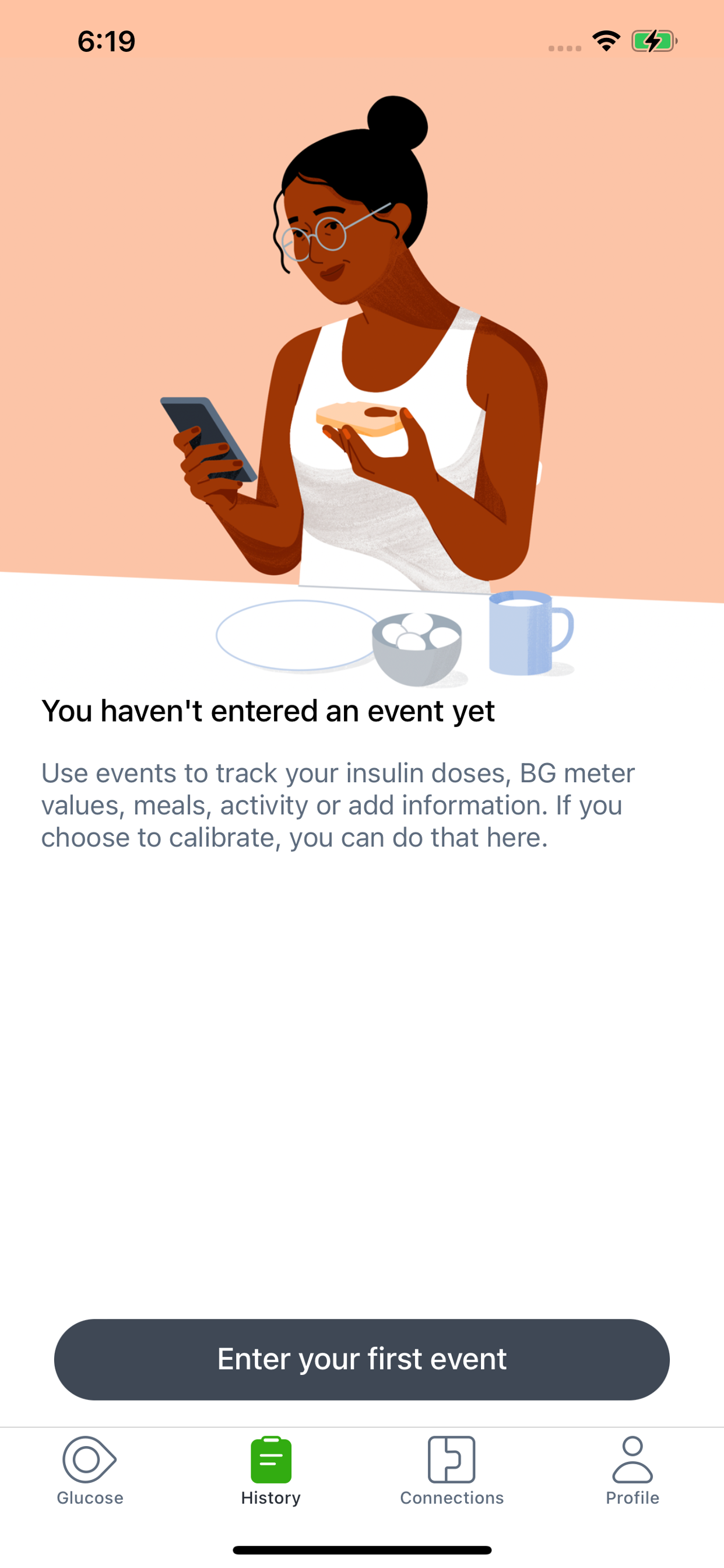
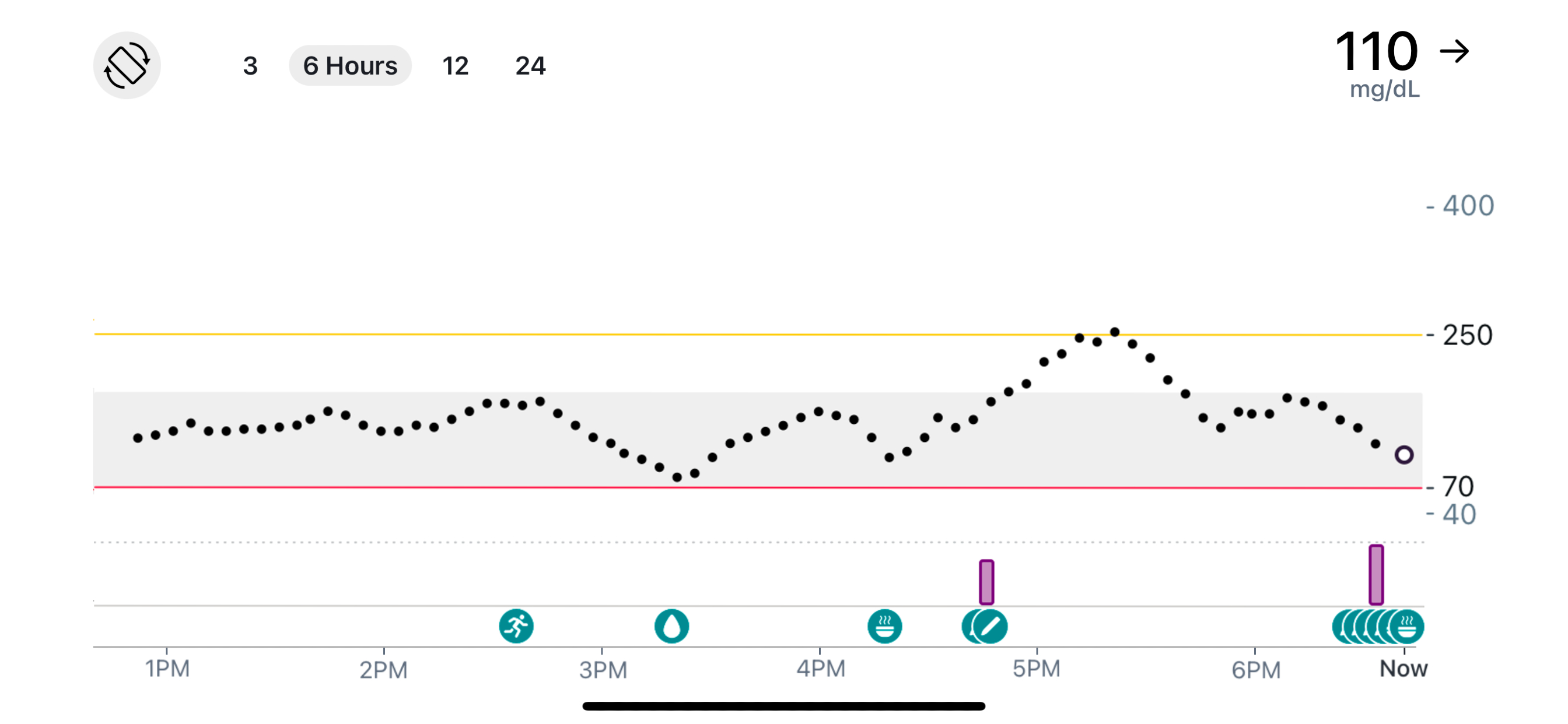
Know your glucose number and where it’s heading with the Dexcom G7 Continuous Glucose Monitoring (CGM) System.
Only use this app if you have the Dexcom G7 CGM System.* Before you start making treatment decisions with Dexcom G7, work with your healthcare professional to learn how.
The Dexcom G7 Continuous Glucose Monitoring (CGM) System supports more empowered and integrated diabetes management. Its low-profile, wearable sensor provides real-time glucose data to a user’s compatible display device, no fingersticks required.†
Dexcom G7 also offers customizable alerts that can help warn of high or low glucose levels, as well as remote monitoring and reporting options that help keep users connected to their loved ones and care teams anytime, anywhere.
*To view a list of compatible devices, visit dexcom.com/compatibility.
†If your glucose alerts and readings from Dexcom G7 do not match symptoms or expectations, use a blood glucose meter to make diabetes treatment decisions.
In addition to the accurate performance provided by the Dexcom Sensor, you’ll receive other valuable features:
• Share your glucose data with up to 10 followers who can monitor your glucose data and trends on their compatible smart device with the Dexcom Follow app. Share and Follow functions require an internet connection
• Clarity Clinic is now integrated into the G7 connections tab, making it easy to share data with your Clarity healthcare team
• Now you can log your estimated fasting glucose in the Dexcom G7 app. Regularly tracking your fasting glucose allows you and your healthcare team to identify trends in your glucose levels
• Connect G7 Sensor directly to your Apple Watch, giving you the freedom and convenience of real-time glucose readings on your wrist even when you’re not near your phone**
• Digital Health app integrations allow you to share your glucose data with third-party health apps and lifestyle devices
• Now you can see your health and activity data from connected apps and devices on your G7 trend graph
• Add a shortcut so you can ask Siri to read your current glucose value, using a custom phrase
• Dexcom Clarity summary insights are integrated into the G7 app, so that you can see both real-time and retrospective glucose insights from the same app
Apple Watch:
• View your glucose information, trend graph, and alerts right from your wrist with the Dexcom G7 Apple Watch app. Watches require compatible smart device to use app.
G7 app features and partner integrations may differ by region. Refer to your user guide for more information.
**Compatible smartphone is required to pair a new Dexcom G7 sensor with a compatible Apple Watch. Dexcom G7 users must continuously have their smartphone within 20 feet / 6 meters to utilize the Share/Follow features. Apple Watch is not capable of Share/Follow.
AusblendenMehr anzeigen...
Screenshots
Dexcom G7 Häufige Fragen
Ist Dexcom G7 kostenlos?
Ja, Dexcom G7 ist komplett kostenlos und enthält keine In-App-Käufe oder Abonnements.
Ist Dexcom G7 seriös?
⚠️ Die Dexcom G7-App hat schlechte Bewertungen und negatives Feedback. Die Nutzer scheinen mit der Leistung oder den Funktionen unzufrieden zu sein.
Danke für die Stimme
Wie viel kostet Dexcom G7?
Dexcom G7 ist kostenlos.
Wie hoch ist der Umsatz von Dexcom G7?
Um geschätzte Einnahmen der Dexcom G7-App und weitere AppStore-Einblicke zu erhalten, können Sie sich bei der AppTail Mobile Analytics Platform anmelden.
Benutzerbewertung
2.4 von 5
137 Bewertungen in Vereinigtes Königreich
5 star
31
4 star
7
3 star
14
2 star
19
1 star
66
Bewertungsverlauf
Dexcom G7 Bewertungen
Notifications don’t always send
For whatever reason I don’t always get alerts when I’m high. All of the alerts are turned on in the app, and notifications are turned on in settings, but it seems like the app just doesn’t want to send notifications all of the time
Was great but they are trying to take over u app settings to much
It’s a shame the app was actually just perfect and the latest update has made it even worse now every time you open the app you have to dismiss warnings that you have set your alert settings to a certain way some of us don’t want to be constantly constantly reminded of being a diabetic why can’t they have just left it the way it was sometimes Decon doesn’t realise that being Blooming stressful that the last thing we need is constant noise constant reminding that it’s happening why can’t they just leave it the way it was?
Great app
Honestly don’t understand all the negative reviews here for this app. I’ve been on the G7 sensor for a couple of months and found the app the be so much better than the one for the Libre sensor I was on before. Also the sensor is a lot more reliable at working with the app and the alerts and notifications are clear and informative
Constant issues
Never an issue with G6. With G7, every other sensor has issues. Either doesn’t set up at all or fails a few hours in.
The app randomly logs out and fails to log in. No one from Dexcom could help, I had to turn to Reddit to find a solution!
Dexcom’s only solution to any issue is to delete and reinstall the app.
Ready to give up on Dexcom altogether.
Broken
App gets suspended every hour or two and sounds the missing readings alarm. Then as soon as the app is opened, it gets the readings within 10 seconds. Probably poorly coded.
Awful app.
Constant lost signal. I get 100 notifications a day saying my storage is low when it’s barely low. If you have urgent low notifications turned on, you will get 4 notifications on your phone and another 4 notifications on your watch - talk about alarm fatigue, don’t even bother with G7 if you want to be attacked by nuisance notifications that they NEVER FIX. Avoid. Go with Freestyle Libre.
Why mandatory alerts?
As someone who bought an Apple Watch to use the “direct to watch” function whilst I train, it is absolutely ridiculous that the watch app simply will NOT FUNCTION unless I enable both normal alerts and critical alerts on my iPhone? It is incredibly humiliating and embarrassing to be in public, class or with friends and have very loud blaring alerts go off, I’m hypo aware, I sort out issues without needing this ludicrous function and sometimes going low is unavoidable due to the nature of exercise I do, so having silly alarms go off really just makes me feel humiliated and a bother to others to be around because of my diabetes. I really hope Dexcom can work around some kind of setting that lets me use their products and apps without these alerts, I understand they are there for safety but I don’t need them personally and I would rather just stop using the products altogether rather than annoy everyone around me for no reason.
Other than that it’s quite useful, but the DTW loses connection when I swim (I think Bluetooth is weak in water?) which is rather annoying.
Out of range
The sensors appear to have VERY limited range.
The Dexcom quote you need to be within 6 meters.
The signal from the sensor to the iPhone will not even pass through your body.
If I put a sensor on my left arm and the iPhone in my right shirt breast pocket, the signal from the sensor is lost.
I’ve had replacement sensors and tried two new iPhones and the problem remains.
I have a background in RF engineering and can only conclude the sensors are incapable of working over a 6 meter distance especially if you have a human body in between.
App might be good-ish - questionable, but G7 sensors are appalling and lack the ability to work over a 6 meter.
Over the time I have seen these problems since the G7 sensor came out, I have been in contract with Dexcom countless times and it’s not one single sensor that has this range problem but all sensors and Dexcom have no idea how to fix it.
It appears to be down to the design of the G7 sensor that’s the cause of its short range and inability to get a signal from one side of your body to the other.
update 2.11
they still have not fives the target range shade box on the man screen on this app it has now been 3 updates and it still the same, reporting to yellow card in the UK the app is rubbish
Dexcom shady app updates!
What is it with Dexcom and their updates appearing to hide shady activity?
In the last six months they’ve removed the BG calibration history, so you can no longer compare manually entered BG and Dexcom results in the history section. Why would Dexcom choose to no longer choose to display the BG data for the entries? I can only think they don’t want users to be able to easily compare reality (BG) and how far out of calibration their results are in the G7.
The same applies for when you calibrate. Historically the calibration would be used and the resultant figure in the G7 app would align to the BG. Now Dexcom don’t appear to even use the calibrated BG entry and just pretty much ignore it in the app (even though they state it has been accepted). Again, why would Dexcom choose to do this? Are Dexcom trying to hide the reality of their data being wildly out and attempt to portray a nice linear graph rather than the erratic results when you have a dodgy sensor.
Maybe Dexcom will respond with plausible reasoning for these odd changes to their app….but nearly every recent update appears to contain a means to hide the fact that Dexcom G7 sensors have way too many accuracy issues…
Gewinnen Sie wertvolle Einblicke in die Leistung von Dexcom G7 mit unserer Analytik. Melden Sie sich jetzt an, um Zugriff auf Downloads, Einnahmen und mehr zu erhalten.
This page includes copyrighted content from third parties, shared solely for commentary and research in accordance with fair use under applicable copyright laws. All trademarks, including product, service, and company names or logos, remain the property of their respective owners. Their use here falls under nominative fair use as outlined by trademark laws and does not suggest any affiliation with or endorsement by the trademark holders.