Snap Markup-Outil d'Annotation

Annoter Photos, Images & Pics

Veröffentlicht von: Raghvendra Bhargava

Beschreibung

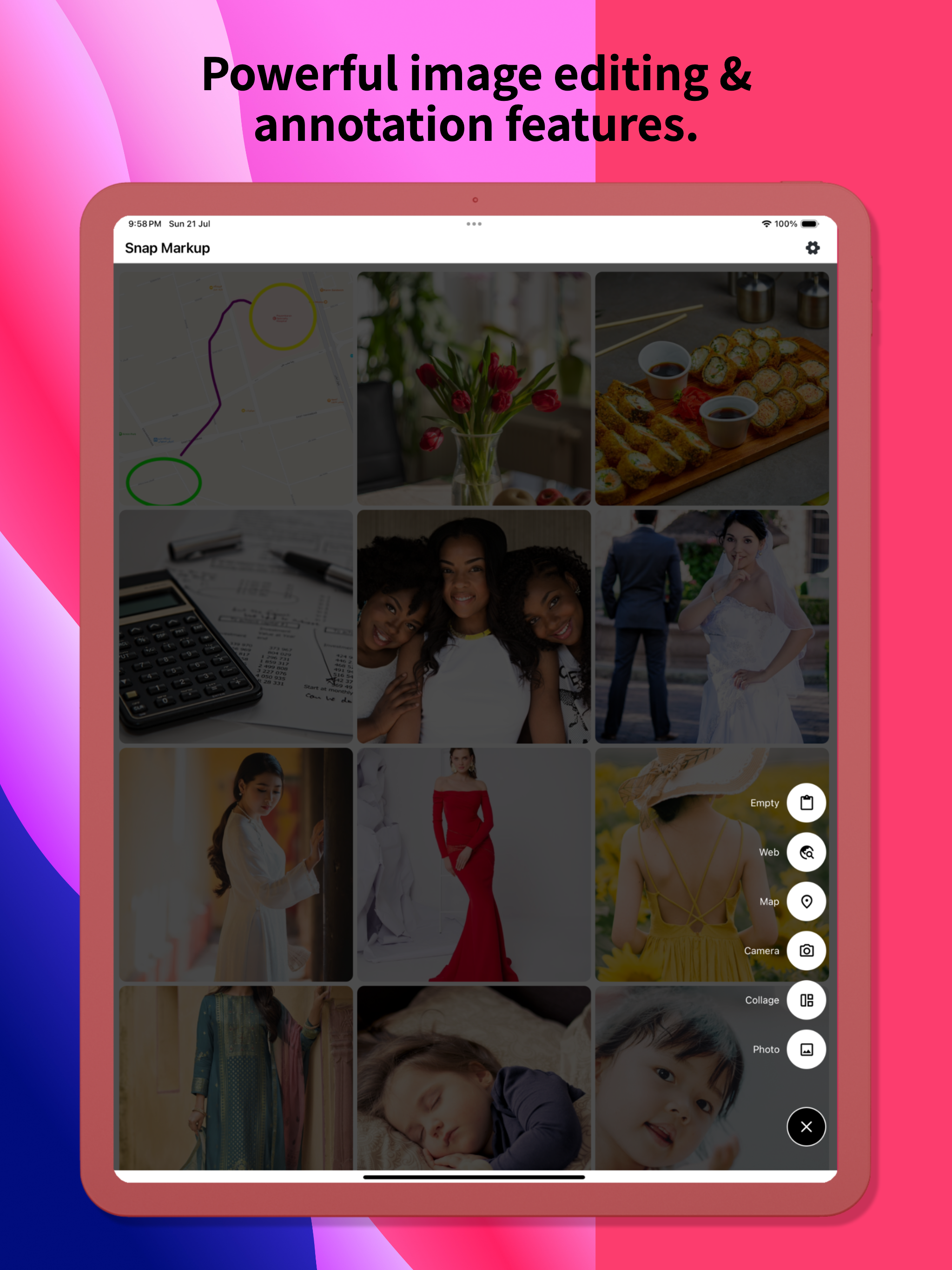
Snap Markup est un outil de balisage de photos facile à utiliser et puissant. Il offre une variété de fonctionnalités d'annotation telles que le recadrage, l'ajout de texte, la pixellisation d'images, le dessin de flèches, de rectangles, de cercles, de lignes, le dessin à main levée, de courbes, de triangles, etc. Il vous permet de modifier et d'annoter vos photos sans effort et de les partager rapidement avec vos amis !
Principales caractéristiques:
- Recadrer et faire pivoter les images : peuvent être découpées en formes rectangulaires, rondes, en étoile, en triangle et autres
- Mettre en surbrillance les informations clés : mettre en évidence les détails importants
- Flou des images : pixellisez pour couvrir les zones que vous ne souhaitez pas afficher
- Agrandir les images : zoomer sur les sections sélectionnées avec une loupe
- Ajoutez des autocollants emoji : rendez vos photos vivantes et intéressantes
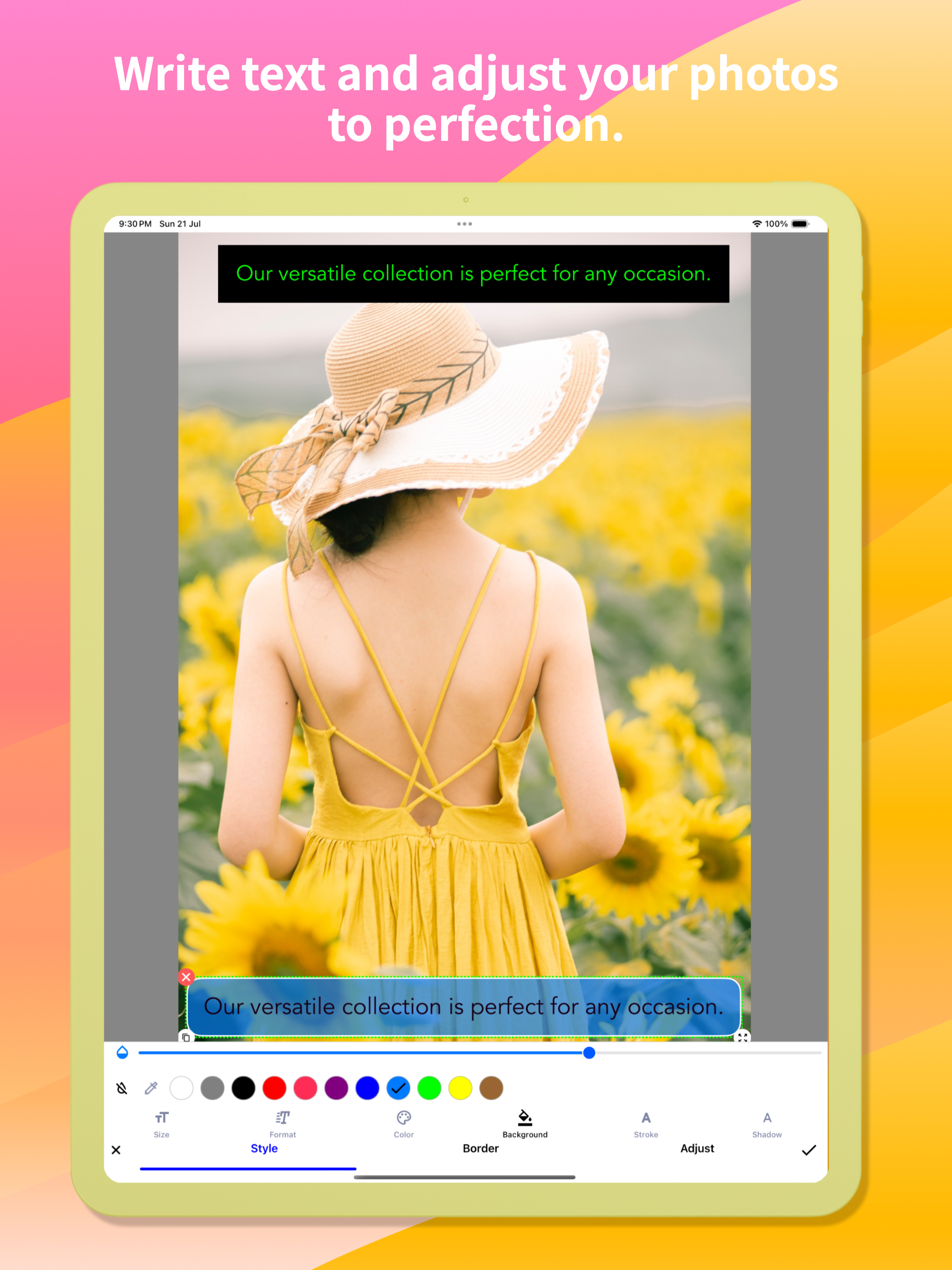
- Ajoutez du texte sur les photos : personnalisez la couleur du texte, l'arrière-plan, l'ombre, le contour, le style, la taille, etc.
- Annotez des images avec tous les outils nécessaires : Flèche, Rect, Cercle, Stylo
- Annotation directe de grandes images sans avoir besoin de les recadrer au préalable
- Importez des photos de votre galerie, enregistrez-les en HD et partagez-les avec vos amis
- Enregistrement de haute qualité et sans perte aux formats PNG et JPG
- Prise en charge de plusieurs langues
Photos de couture :
Assemblez facilement plusieurs photos en images panoramiques, horizontalement et verticalement.
Annotation de pages Web et de cartes :
Annotez facilement des pages Web et des cartes et partagez vos idées avec vos amis.
Création d'images vierges :
Créez des images vierges et dessinez selon vos besoins.
Pour des commentaires ou des suggestions sur Snap Markup, veuillez nous contacter à [email protected]. Nous apprécions vos commentaires!

Ausblenden Mehr anzeigen...

Screenshots

Snap Markup Häufige Fragen

  • Ist Snap Markup kostenlos?

    Ja, Snap Markup ist komplett kostenlos und enthält keine In-App-Käufe oder Abonnements.

  • Ist Snap Markup seriös?

    🤔 Die Qualität der Snap Markup-App ist gemischt. Einige Nutzer sind zufrieden, während andere Probleme melden. Ziehen Sie in Betracht, einzelne Bewertungen für mehr Kontext zu lesen.

    Danke für die Stimme

  • Wie viel kostet Snap Markup?

    Snap Markup ist kostenlos.

  • Wie hoch ist der Umsatz von Snap Markup?

    Um geschätzte Einnahmen der Snap Markup-App und weitere AppStore-Einblicke zu erhalten, können Sie sich bei der AppTail Mobile Analytics Platform anmelden.

Benutzerbewertung

4.63 von 5

163 Bewertungen in Frankreich

5 star
120
4 star
30
3 star
9
2 star
3
1 star
1
Bewertungsverlauf

Snap Markup Bewertungen

Génial !

Jlm61 on

Frankreich

Enfin une appli qui va a l’essentiel avec une ergonomie parfaite. Il n’y a pas besoin d’apprendre, on utilise les outils de façon naturelle car tout va dans le sens de l’utilisateur . Un grand merci au développeur qui a fait un travail exemplaire. Beaucoup de programmes devraient s’en inspirer !

Parfait

valentine760 on

Frankreich

Très simple à utiliser et fonctionne très bien. Rien à redire, super !

Très simple

IBounty on

Frankreich

Très facile à utiliser avec beaucoup de possibilités. Fonctionne parfaitement.

Belle application

Solnitak on

Frankreich

Sobre, intuitive efficace. Très belle application. Je recommande.

Accéder aux photos sans autorisation !

SurycSoMuch on

Frankreich

Cette application accède à vos photos sans votre autorisation !

Utilisation facile

Alban75006 on

Frankreich

Belle qualité de réalisation.

Update killed this app.

mypaperstuff on

Vereinigte Staaten

I’m so sorry I was on auto-update. This was a great app, now filled with clutter. And what isn’t clutter is ugly. It once had nice small rounded numbers to number objects. No more: big ugly blobs. I only WISH I COULD GO BACK!

Great Value, Almost the Perfect Mark-Up Tool

Petit_Ours on

Vereinigte Staaten

I started hunting for a solid screenshot-mark-up app very recently, and Snap Markup is easily the front-runner at this price point. A handful of small adjustments would lock in the fifth star: • Curved arrows & arrowheads
The existing curved-line tool (ideal for conversation tails) is terrific; it would be even better if we could attach an arrowhead—either a gently curved tip or a classic sharp point—while keeping the entire shaft bendable. A little curve on the tail end would polish things further. • Rounded rectangles
A ready-made rounded-rectangle shape would give call-outs softer edges without extra effort. • Smooth cloud shape
A fully rounded “cloud” outline—something more fluid than a comic bubble—would be perfect for friendly notes. • Blank page background colour
When starting from a blank canvas, it would be great to choose the page colour (grey, pastel, etc.) instead of pure white. • Text without auto-frame on photos
On a blank page you can type plain text, but when editing a photo the text box locks itself into a frame as soon as you tap “Done.” A toggle to remove that frame everywhere would be handy. • Underlining in colour
Underlining has always been available, yet the French UI calls the colour picker “accident,” which hides the feature (it’s labelled “stroke” in English). A clearer term—“trait” or “underline”—plus a thickness slider would make the tool far easier to use. • Colour memory & picker search
Right now any chosen colour disappears the moment you pick another shade. If I draw a pale-pink triangle, switch to a pale-green rectangle, and then want another pale-pink shape, finding the exact hue again is tedious. Most iOS apps keep recent or favourite swatches automatically; a small row of saved colours—or even a search box for codes like #FFB6C1—would fix this instantly. • Extra fonts (especially cursive)
One built-in typeface is limiting. A tidy handwritten/cursive font that supports French accents would be wonderful. Access to Google Fonts or the option to import my own .ttf/.otf files would open endless possibilities. • Other text tweaks
– Adjustable line spacing for longer notes.
– Underline thickness and colour controls, as mentioned above. • Highlighting & redaction
Straight, tidy highlighter bars in any saved colour, plus a solid black option for complete redaction, would be very useful. A blur/pixelate tool for phone numbers and faces would round out the privacy features. With these refinements, Snap Markup w

Looks great - But please …

WiildBill on

Vereinigte Staaten

Could you make it so your app shows as an option under editing pictures? (an extension.). It’s too cumbersome to find your app, then the picture I want to edit. vs already on the picture in Photos. Thanks so much for the request and keep up the great work !

Functionality review.

n7secops on

Vereinigte Staaten

I actually use this to mark and make notes on maps using a stylus with my phone while on the roads exploring like I can scribble an X or whatever to mark a spot and write little notes, but also with video game maps, etc. and I just like how smooth it is to use. I also use it to scribble lists and such from time to time.

Store-Rankings

Ranking-Verlauf
App-Ranking-Verlauf noch nicht verfügbar
Kategorien-Rankings
Diagramm
Kategorie
Rang
Top Bezahlt
10
Top Bezahlt
49
Top Bezahlt
83
Top Bezahlt
99
Top Bezahlt
102

Schlüsselwörter

Snap Markup Konkurrenten

Snap Markup Installationen

Letzte 30 Tage

Snap Markup Umsatz

Letzte 30 Tage

Snap Markup Einnahmen und Downloads

Gewinnen Sie wertvolle Einblicke in die Leistung von Snap Markup mit unserer Analytik.
Melden Sie sich jetzt an, um Zugriff auf Downloads, Einnahmen und mehr zu erhalten.
This page includes copyrighted content from third parties, shared solely for commentary and research in accordance with fair use under applicable copyright laws. All trademarks, including product, service, and company names or logos, remain the property of their respective owners. Their use here falls under nominative fair use as outlined by trademark laws and does not suggest any affiliation with or endorsement by the trademark holders.