Snap Markup - Annotation Tool

Annotate Photos, Images & Pics

Veröffentlicht von: Raghvendra Bhargava

Beschreibung

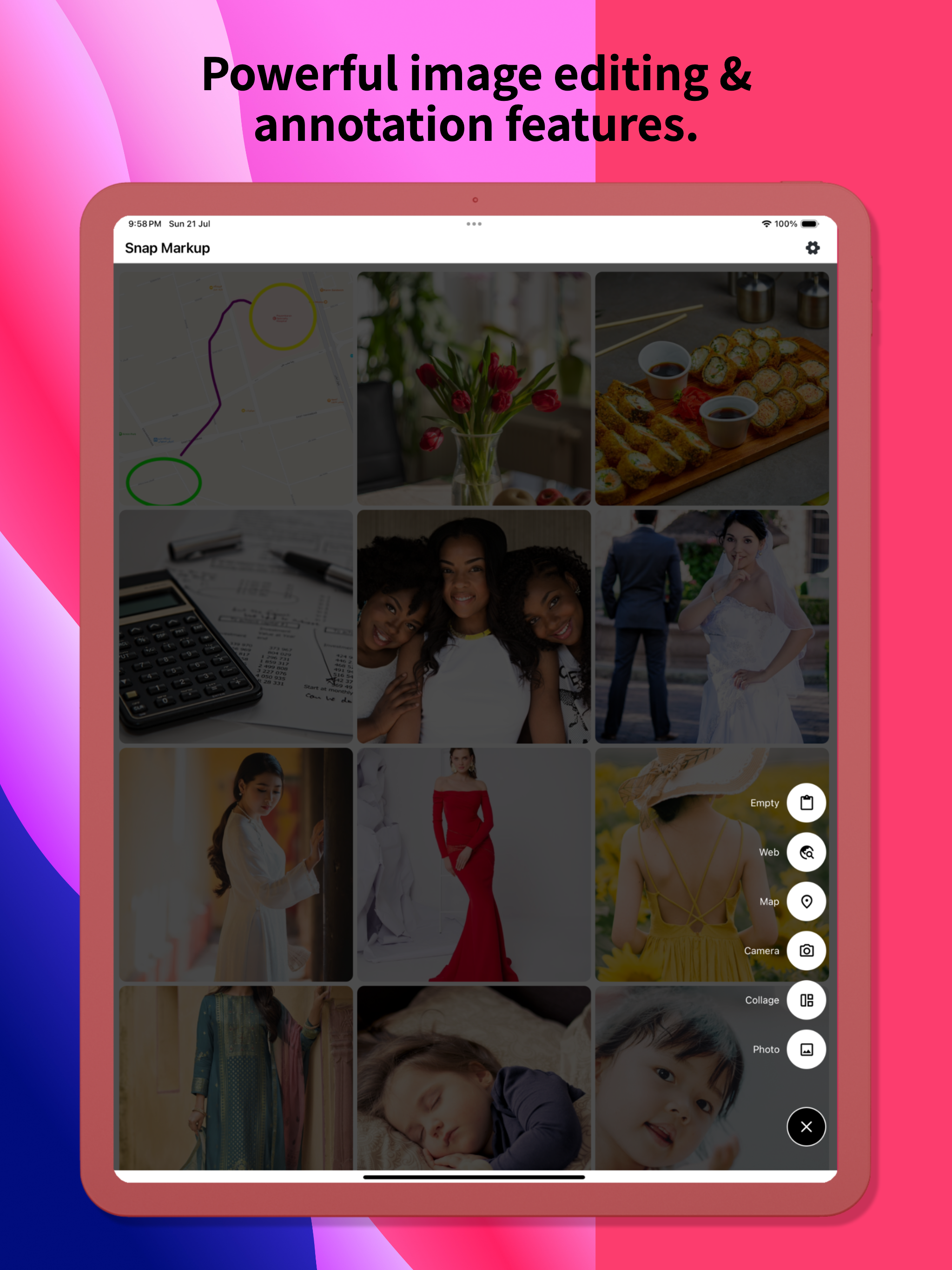
Snap Markup — простой в использовании и мощный инструмент для разметки фотографий. Он предлагает различные функции аннотаций, такие как обрезка, добавление текста, пикселизация изображений, рисование стрелок, прямоугольников, кругов, линий, рисование от руки, кривые, треугольники и многое другое. Он позволяет вам легко редактировать и размечать ваши фотографии и быстро делиться ими с друзьями!
Ключевая особенность:
- Обрезка и поворот изображений: можно разрезать на прямоугольные, круглые, звездчатые, треугольные и другие формы.
- Выделите ключевую информацию: выделите важные детали
- Размытие изображений: пикселизируйте, чтобы покрыть области, которые вы не хотите показывать.
- Увеличение изображений: увеличивайте выбранные участки с помощью лупы.
- Добавляйте стикеры-эмодзи: сделайте свои фотографии яркими и интересными.
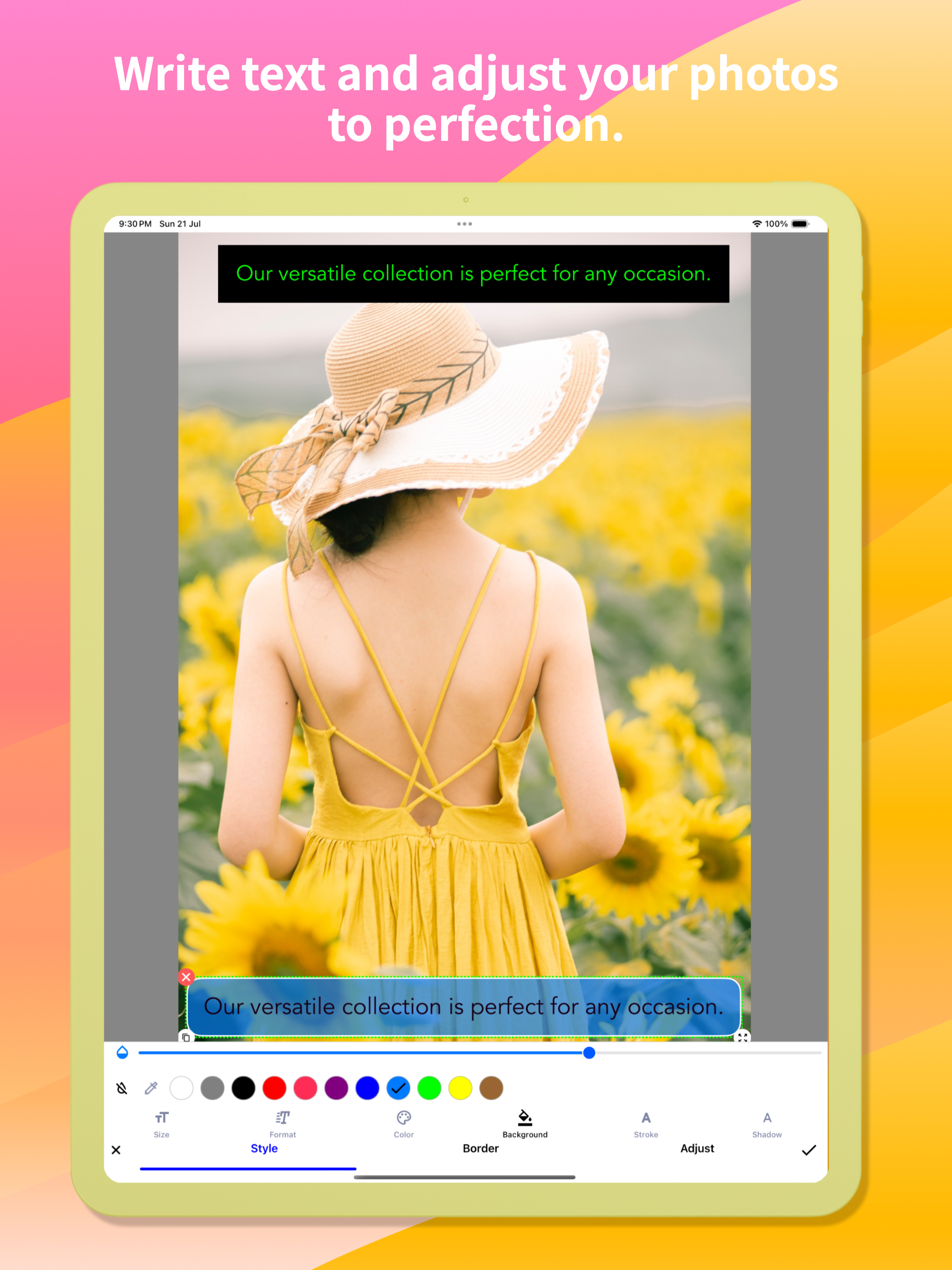
- Добавляйте текст на фотографии: настраивайте цвет текста, фон, тень, обводку, стиль, размер и многое другое.
- Аннотируйте изображения всеми необходимыми инструментами: Стрелка, Прямоугольник, Круг, Перо.
- Прямые аннотации к большим изображениям без необходимости предварительной обрезки
- Импортируйте фотографии из своей галереи, сохраняйте их в формате HD и делитесь ими с друзьями.
- Высококачественное сохранение без потерь в форматах PNG и JPG.
- Поддержка нескольких языков
Фотографии вышивки:
Легко объединяйте несколько фотографий в панорамные изображения по горизонтали и вертикали.
Аннотации на веб-странице и карте:
Размечайте веб-страницы и карты без особых усилий и делитесь своими идеями с друзьями.
Создание пустого изображения:
Создавайте пустые изображения и рисуйте в соответствии со своими потребностями.
Чтобы получить комментарии или предложения по Snap Markup, свяжитесь с нами по адресу [email protected]. Мы ценим Ваш отзыв!

Ausblenden Mehr anzeigen...

Screenshots

Snap Markup Häufige Fragen

  • Ist Snap Markup kostenlos?

    Ja, Snap Markup ist komplett kostenlos und enthält keine In-App-Käufe oder Abonnements.

  • Ist Snap Markup seriös?

    🤔 Die Qualität der Snap Markup-App ist gemischt. Einige Nutzer sind zufrieden, während andere Probleme melden. Ziehen Sie in Betracht, einzelne Bewertungen für mehr Kontext zu lesen.

    Danke für die Stimme

  • Wie viel kostet Snap Markup?

    Snap Markup ist kostenlos.

  • Wie hoch ist der Umsatz von Snap Markup?

    Um geschätzte Einnahmen der Snap Markup-App und weitere AppStore-Einblicke zu erhalten, können Sie sich bei der AppTail Mobile Analytics Platform anmelden.

Benutzerbewertung

4.7 von 5

80 Bewertungen in Russland

5 star
64
4 star
10
3 star
4
2 star
2
1 star
0
Bewertungsverlauf

Snap Markup Bewertungen

ничего примечательного

Busla.ru on

Russland

Приложение свою функцию выполняет, но в самом простейшем формальном варианте. Нужно всё нарисовать с первого раза — правки не предусмотрены. Инструменты типа треугольника и «круга» (на самом деле эллипс) неудачные: неудобно прицеливаться, наклонить эллипс нельзя и т.д. и т.п.

Комент

армслм on

Russland

Добавьте пожалуйста Русский язык! Приложение будет топ!

Хороший инструмент

Tihonoviliya on

Russland

Требуется больше шрифтов. И возможность вставлять водяные знаки

Очень хорошо!

88md88 on

Russland

Хотелось бы иметь возможность редактирования, перемещения и предварительной настройки толщины нарисованных элементов на фотографии. Спасибо за приложение!

Not Added Photo Extension directly from Stock Photos App.

Gadjii on

Russland

Added Photo Extension directly from Stock Photos App.

Update killed this app.

mypaperstuff on

Vereinigte Staaten

I’m so sorry I was on auto-update. This was a great app, now filled with clutter. And what isn’t clutter is ugly. It once had nice small rounded numbers to number objects. No more: big ugly blobs. I only WISH I COULD GO BACK!

Great Value, Almost the Perfect Mark-Up Tool

Petit_Ours on

Vereinigte Staaten

I started hunting for a solid screenshot-mark-up app very recently, and Snap Markup is easily the front-runner at this price point. A handful of small adjustments would lock in the fifth star: • Curved arrows & arrowheads
The existing curved-line tool (ideal for conversation tails) is terrific; it would be even better if we could attach an arrowhead—either a gently curved tip or a classic sharp point—while keeping the entire shaft bendable. A little curve on the tail end would polish things further. • Rounded rectangles
A ready-made rounded-rectangle shape would give call-outs softer edges without extra effort. • Smooth cloud shape
A fully rounded “cloud” outline—something more fluid than a comic bubble—would be perfect for friendly notes. • Blank page background colour
When starting from a blank canvas, it would be great to choose the page colour (grey, pastel, etc.) instead of pure white. • Text without auto-frame on photos
On a blank page you can type plain text, but when editing a photo the text box locks itself into a frame as soon as you tap “Done.” A toggle to remove that frame everywhere would be handy. • Underlining in colour
Underlining has always been available, yet the French UI calls the colour picker “accident,” which hides the feature (it’s labelled “stroke” in English). A clearer term—“trait” or “underline”—plus a thickness slider would make the tool far easier to use. • Colour memory & picker search
Right now any chosen colour disappears the moment you pick another shade. If I draw a pale-pink triangle, switch to a pale-green rectangle, and then want another pale-pink shape, finding the exact hue again is tedious. Most iOS apps keep recent or favourite swatches automatically; a small row of saved colours—or even a search box for codes like #FFB6C1—would fix this instantly. • Extra fonts (especially cursive)
One built-in typeface is limiting. A tidy handwritten/cursive font that supports French accents would be wonderful. Access to Google Fonts or the option to import my own .ttf/.otf files would open endless possibilities. • Other text tweaks
– Adjustable line spacing for longer notes.
– Underline thickness and colour controls, as mentioned above. • Highlighting & redaction
Straight, tidy highlighter bars in any saved colour, plus a solid black option for complete redaction, would be very useful. A blur/pixelate tool for phone numbers and faces would round out the privacy features. With these refinements, Snap Markup w

Looks great - But please …

WiildBill on

Vereinigte Staaten

Could you make it so your app shows as an option under editing pictures? (an extension.). It’s too cumbersome to find your app, then the picture I want to edit. vs already on the picture in Photos. Thanks so much for the request and keep up the great work !

Functionality review.

n7secops on

Vereinigte Staaten

I actually use this to mark and make notes on maps using a stylus with my phone while on the roads exploring like I can scribble an X or whatever to mark a spot and write little notes, but also with video game maps, etc. and I just like how smooth it is to use. I also use it to scribble lists and such from time to time.

Cook. But…..

DYE FVI on

Vereinigte Staaten

Please read carefully: I thought this app had some sort of AUTOMATIC counter, like you tap and starts with the number 1, then 2, 3 and so on? I think it had this in the past? I used to have this app a few years ago. There’s a Mac App called Cleanshot X that has this count option, hope you understand this time.

Store-Rankings

Ranking-Verlauf
App-Ranking-Verlauf noch nicht verfügbar
Kategorien-Rankings
Diagramm
Kategorie
Rang
Top Bezahlt
19
Top Bezahlt
25
Top Bezahlt
27
Top Bezahlt
29
Top Bezahlt
29

Schlüsselwörter

Snap Markup Konkurrenten

Snap Markup Installationen

Letzte 30 Tage

Snap Markup Umsatz

Letzte 30 Tage

Snap Markup Einnahmen und Downloads

Gewinnen Sie wertvolle Einblicke in die Leistung von Snap Markup mit unserer Analytik.
Melden Sie sich jetzt an, um Zugriff auf Downloads, Einnahmen und mehr zu erhalten.
This page includes copyrighted content from third parties, shared solely for commentary and research in accordance with fair use under applicable copyright laws. All trademarks, including product, service, and company names or logos, remain the property of their respective owners. Their use here falls under nominative fair use as outlined by trademark laws and does not suggest any affiliation with or endorsement by the trademark holders.