
Update killed this app.
I’m so sorry I was on auto-update. This was a great app, now filled with clutter. And what isn’t clutter is ugly. It once had nice small rounded numbers to number objects. No more: big ugly blobs. I only WISH I COULD GO BACK!


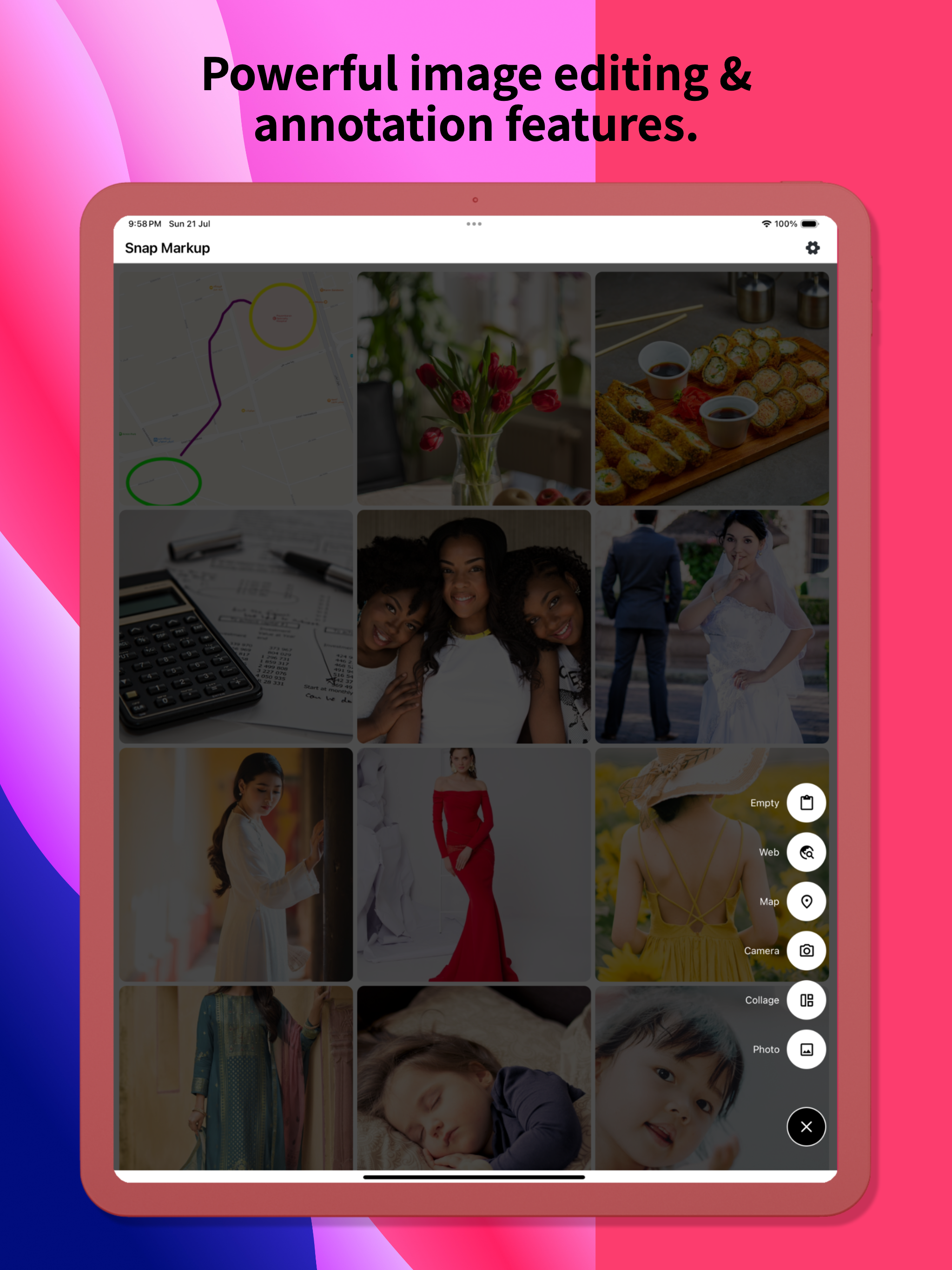


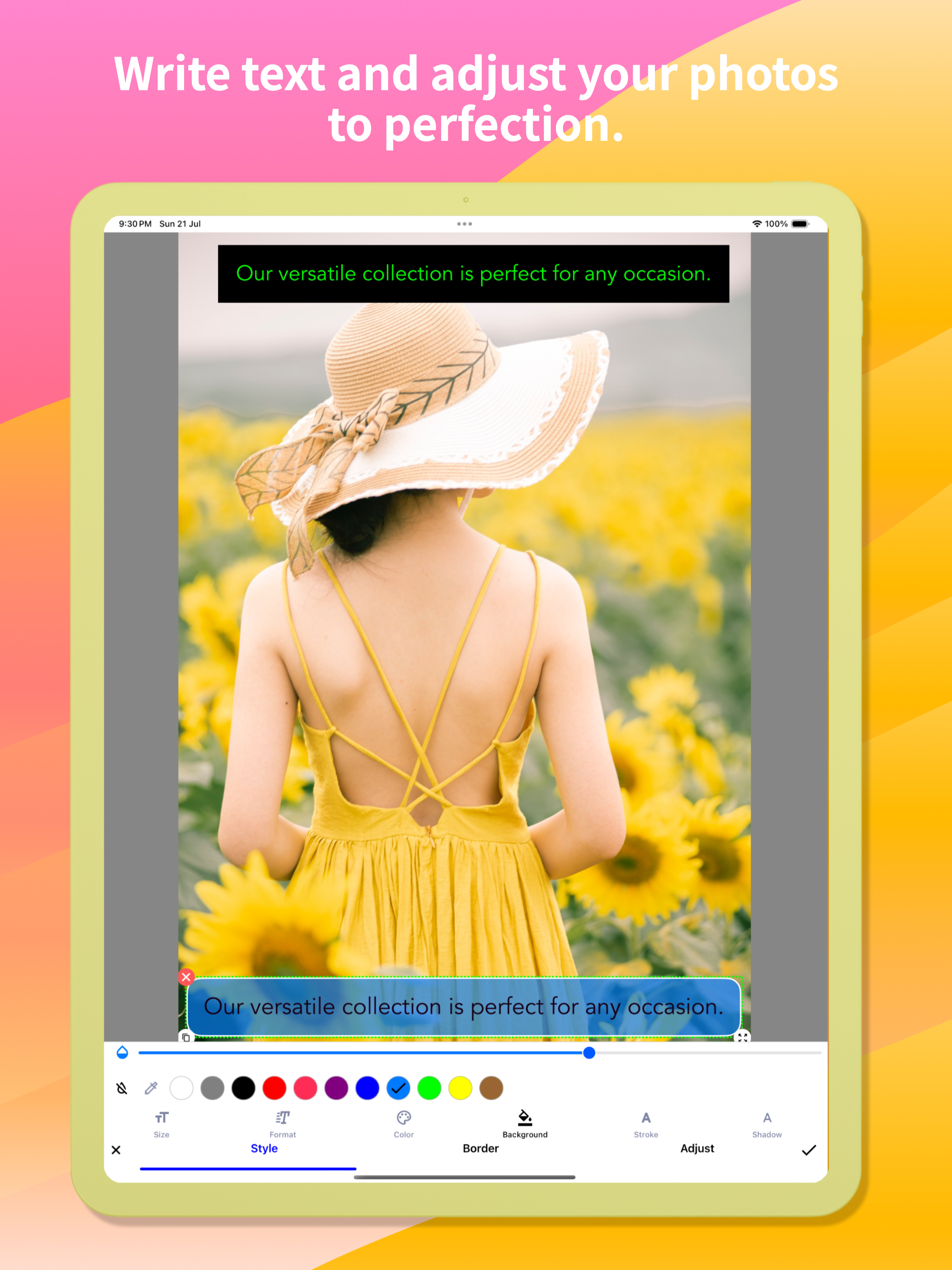


Ja, Snap Markup ist komplett kostenlos und enthält keine In-App-Käufe oder Abonnements.
🤔 Die Qualität der Snap Markup-App ist gemischt. Einige Nutzer sind zufrieden, während andere Probleme melden. Ziehen Sie in Betracht, einzelne Bewertungen für mehr Kontext zu lesen.
Snap Markup ist kostenlos.
Um geschätzte Einnahmen der Snap Markup-App und weitere AppStore-Einblicke zu erhalten, können Sie sich bei der AppTail Mobile Analytics Platform anmelden.

5 von 5
1 Bewertungen in Libanon
I’m so sorry I was on auto-update. This was a great app, now filled with clutter. And what isn’t clutter is ugly. It once had nice small rounded numbers to number objects. No more: big ugly blobs. I only WISH I COULD GO BACK!
I started hunting for a solid screenshot-mark-up app very recently, and Snap Markup is easily the front-runner at this price point. A handful of small adjustments would lock in the fifth star: • Curved arrows & arrowheads The existing curved-line tool (ideal for conversation tails) is terrific; it would be even better if we could attach an arrowhead—either a gently curved tip or a classic sharp point—while keeping the entire shaft bendable. A little curve on the tail end would polish things further. • Rounded rectangles A ready-made rounded-rectangle shape would give call-outs softer edges without extra effort. • Smooth cloud shape A fully rounded “cloud” outline—something more fluid than a comic bubble—would be perfect for friendly notes. • Blank page background colour When starting from a blank canvas, it would be great to choose the page colour (grey, pastel, etc.) instead of pure white. • Text without auto-frame on photos On a blank page you can type plain text, but when editing a photo the text box locks itself into a frame as soon as you tap “Done.” A toggle to remove that frame everywhere would be handy. • Underlining in colour Underlining has always been available, yet the French UI calls the colour picker “accident,” which hides the feature (it’s labelled “stroke” in English). A clearer term—“trait” or “underline”—plus a thickness slider would make the tool far easier to use. • Colour memory & picker search Right now any chosen colour disappears the moment you pick another shade. If I draw a pale-pink triangle, switch to a pale-green rectangle, and then want another pale-pink shape, finding the exact hue again is tedious. Most iOS apps keep recent or favourite swatches automatically; a small row of saved colours—or even a search box for codes like #FFB6C1—would fix this instantly. • Extra fonts (especially cursive) One built-in typeface is limiting. A tidy handwritten/cursive font that supports French accents would be wonderful. Access to Google Fonts or the option to import my own .ttf/.otf files would open endless possibilities. • Other text tweaks – Adjustable line spacing for longer notes. – Underline thickness and colour controls, as mentioned above. • Highlighting & redaction Straight, tidy highlighter bars in any saved colour, plus a solid black option for complete redaction, would be very useful. A blur/pixelate tool for phone numbers and faces would round out the privacy features. With these refinements, Snap Markup w
Could you make it so your app shows as an option under editing pictures? (an extension.). It’s too cumbersome to find your app, then the picture I want to edit. vs already on the picture in Photos. Thanks so much for the request and keep up the great work !
I actually use this to mark and make notes on maps using a stylus with my phone while on the roads exploring like I can scribble an X or whatever to mark a spot and write little notes, but also with video game maps, etc. and I just like how smooth it is to use. I also use it to scribble lists and such from time to time.
Please read carefully: I thought this app had some sort of AUTOMATIC counter, like you tap and starts with the number 1, then 2, 3 and so on? I think it had this in the past? I used to have this app a few years ago. There’s a Mac App called Cleanshot X that has this count option, hope you understand this time.
This app used to be very easy to use and everything had its place. Now recently, things have been more grouped and confusing. The functions aren’t anything like they were, and there are spelling errors in it like “rotetion” instead of “rotation.” Whoever took over this app has completely ruined it. I will most likely be deleting this and look for something much better. What a shame.
I miss the eraser.
... in iPhone 12 mini with large zoom display setting. :(
“New features” killed the beauty of this previously streamlined markup app. Too much clutter now means extra scrolling of taps to get at the essential markup features. Other apps stitch photos, etc: this was for markups! I guess I can’t go back to the previous version, so…. it’s still useful, but IMO not as clean and simple. I appreciate the devs efforts to add more features nobody wanted, but I am still sorry I “upgraded”
This app was perfect up until the most recent update (week of 7/22). The menus are now too large, you can’t change the line size and then minimize the menu so it gets in the way of marking up an image, and it’s just not as intuitive as before. I use this app every day and unfortunately now I’ll need to find a replacement.
|
Diagramm
|
Kategorie
|
Rang
|
|---|---|---|
|
Top Bezahlt
|

|
2
|
|
Top Bezahlt
|

|
12
|
|
Top Bezahlt
|

|
15
|
|
Top Bezahlt
|

|
19
|
|
Top Bezahlt
|

|
30
|
