LastPass Authenticator

Veröffentlicht von: LastPass US LP

Beschreibung

LastPass Authenticator offers effortless two-factor authentication for your LastPass account and other supported apps. With one-tap verification and secure cloud backup, LastPass Authenticator gives you all the security, without any of the frustration.
ADD MORE SECURITY
Safeguard your LastPass account by requiring two-factor authentication codes when signing in. Two-factor authentication improves your digital security by protecting your account with an additional login step. Even if your password is compromised, your account can’t be accessed without the two-factor authentication code.
You can even mark a device as “trusted”, so you won’t be prompted for codes on that device while your account remains protected by two-factor authentication.
TURNING IT ON
To turn on LastPass Authenticator for your LastPass account:
1. Download LastPass Authenticator to your mobile device.
2. Log in to LastPass on your computer and launch “Account Settings” from your vault.
3. In “Multifactor Options”, edit LastPass Authenticator and view the barcode.
4. Scan the barcode with the LastPass Authenticator app.
5. Set your preferences and save your changes.
LastPass Authenticator can also be turned on for any service or app that supports Google Authenticator or TOTP-based two-factor authentication.
LOGGING IN
To login to your LastPass account or other supported vendor service:
1. Open the app to generate a 6-digit, 30-second code OR approve/deny an automated push notification
2. Alternatively, send SMS code
3. Enter the code into the login prompt on your device OR hit approve/deny request
FEATURES
- Generates 6-digit codes every 30 seconds
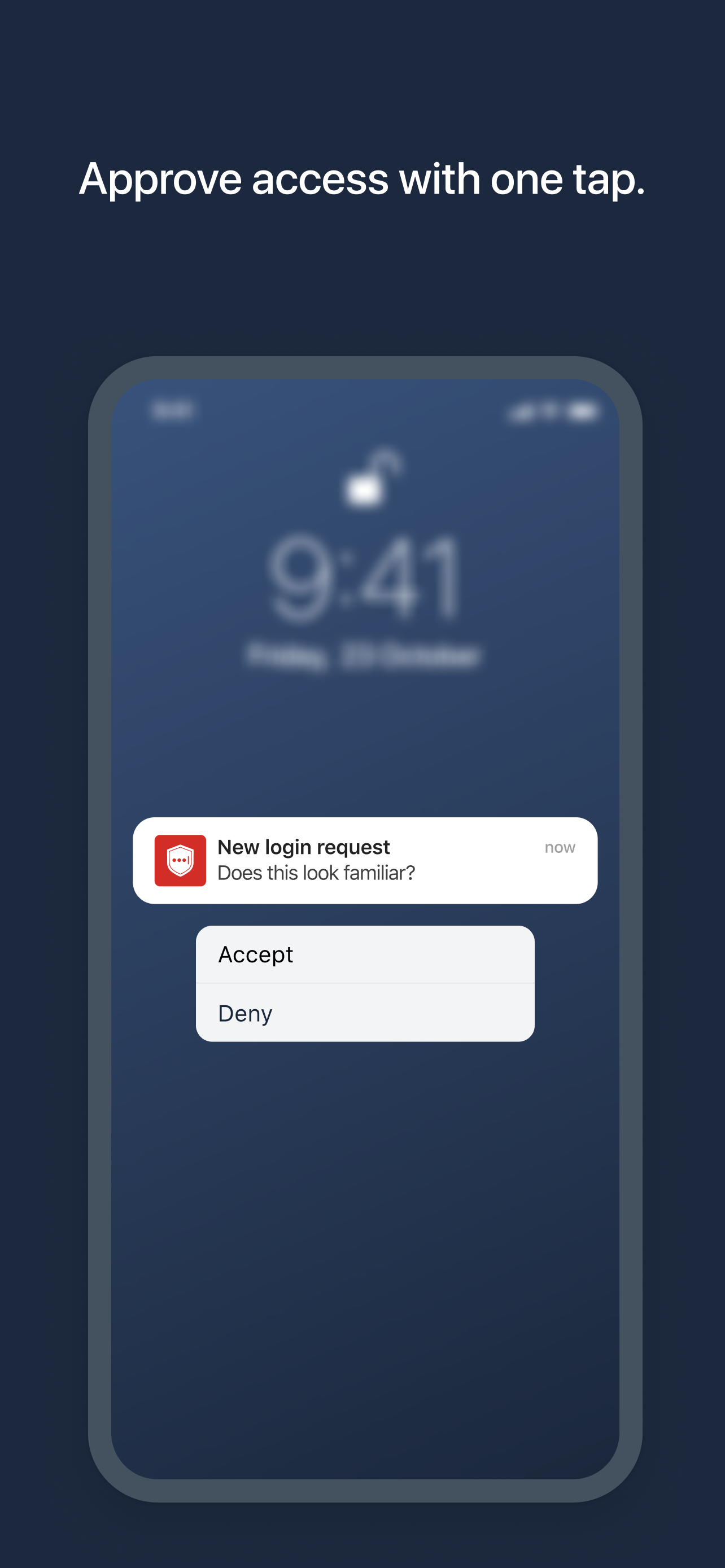
- Push notifications for one-tap approval
- Free encrypted backup to restore your tokens on a new/reinstalled device
- Support for SMS codes
- Automated set-up via QR code
- Support for LastPass accounts
- Support for other TOTP-compatible services and apps (including any that support Google Authenticator)
- Add multiple accounts
Ausblenden Mehr anzeigen...

Screenshots

LastPass Authenticator Häufige Fragen

  • Ist LastPass Authenticator kostenlos?

    Ja, LastPass Authenticator ist komplett kostenlos und enthält keine In-App-Käufe oder Abonnements.

  • Ist LastPass Authenticator seriös?

    🤔 Die Qualität der LastPass Authenticator-App ist gemischt. Einige Nutzer sind zufrieden, während andere Probleme melden. Ziehen Sie in Betracht, einzelne Bewertungen für mehr Kontext zu lesen.

    Danke für die Stimme

  • Wie viel kostet LastPass Authenticator?

    LastPass Authenticator ist kostenlos.

  • Wie hoch ist der Umsatz von LastPass Authenticator?

    Um geschätzte Einnahmen der LastPass Authenticator-App und weitere AppStore-Einblicke zu erhalten, können Sie sich bei der AppTail Mobile Analytics Platform anmelden.

Benutzerbewertung

4.59 von 5

1,959 Bewertungen in Niederlande

5 star
1,509
4 star
282
3 star
61
2 star
22
1 star
85
Bewertungsverlauf

LastPass Authenticator Bewertungen

Crash in opening app

Trouw lezer on

Niederlande

Since new iPhone iOS 18 update the app doesn’t work anymore. Please fix it!!!

Can be used only on a single device

BBootje on

Niederlande

Cannot use on both iPad and iPhone, only one of the two will work. Not even when using Microsoft Authenticator for Lastpass on one device and Lastpass authenticator on another device.

Crash on opening

KeysiesUp on

Niederlande

When I open the app I get an error message “please restart the app” so I can’t authenticate anything 😡

Serverfouten

Wandel123 on

Niederlande

Ik kan nog maar in één browser inloggen in de app met dubbele authenticatie. Overal elders krijg ik foutmelding op foutmelding. En geen hulp te verkrijgen ondanks een betaald abonnement. Compleet waardeloos geworden.

Werkt nooit en altijd foutmeldingen

EdwinVossen on

Niederlande

Deze app heeft nog nooit gewerkt op mijn smartphone. In eerste instantie dacht ik dat het misschien aan mijn telefoon zou liggen, maar zelfs op een gloednieuwe iPhone 14 doet deze app helemaal niets. Ik krijg continue foutmeldingen.

Hulpmiddel.

JohannesCarolina on

Niederlande

Prima instrument om het account veilig te houden.

Smaller buttons are not an improvement

dull1967 on

Niederlande

I wonder why someone could think that smaller buttons to approve an authentication request would be an improvement 🤨

Bugs it still has bugs

r7885 on

Niederlande

Fix the bugs app crashes

Lost all codes

ashy1-1-1 on

Niederlande

For the last few days every time I’ve tried to open the authenticator app I receive a popup that says: “error: please restart the app” tried the FAQ and other resources on the site because every time I tried to delete the app it said I’d lose my data. After searching I came across someone with the same issue as me and someone in the community (idk whether they are support or not) said you won’t lose data if you delete the app. Well, I did that and now, my account is apparently not found, so I can’t log in anymore, and much to my luck I still can’t find any way to talk to a real human being to get some actual human help. Great.

Almost Perfect

Méow on

Niederlande

You guys need to make the clowd functionality better. If you have the authenticator on multiple devices, it doesnt update properly. If i add a 2fa to device A, i expect it to be added to device B that functiones on the same apple account

Store-Rankings

Ranking-Verlauf
Kategorien-Rankings
Diagramm
Kategorie
Rang
Top Kostenlos
344
Top Kostenlos
379
Top Kostenlos
467
Top Kostenlos
474

Schlüsselwörter

LastPass Authenticator Installationen

Letzte 30 Tage

LastPass Authenticator Umsatz

Letzte 30 Tage

LastPass Authenticator Einnahmen und Downloads

Gewinnen Sie wertvolle Einblicke in die Leistung von LastPass Authenticator mit unserer Analytik.
Melden Sie sich jetzt an, um Zugriff auf Downloads, Einnahmen und mehr zu erhalten.
This page includes copyrighted content from third parties, shared solely for commentary and research in accordance with fair use under applicable copyright laws. All trademarks, including product, service, and company names or logos, remain the property of their respective owners. Their use here falls under nominative fair use as outlined by trademark laws and does not suggest any affiliation with or endorsement by the trademark holders.