Description

Connect your IoT home appliances to the LG ThinQ app.
Enjoy effortless product control, smart care, and convenient automation in one simple solution.
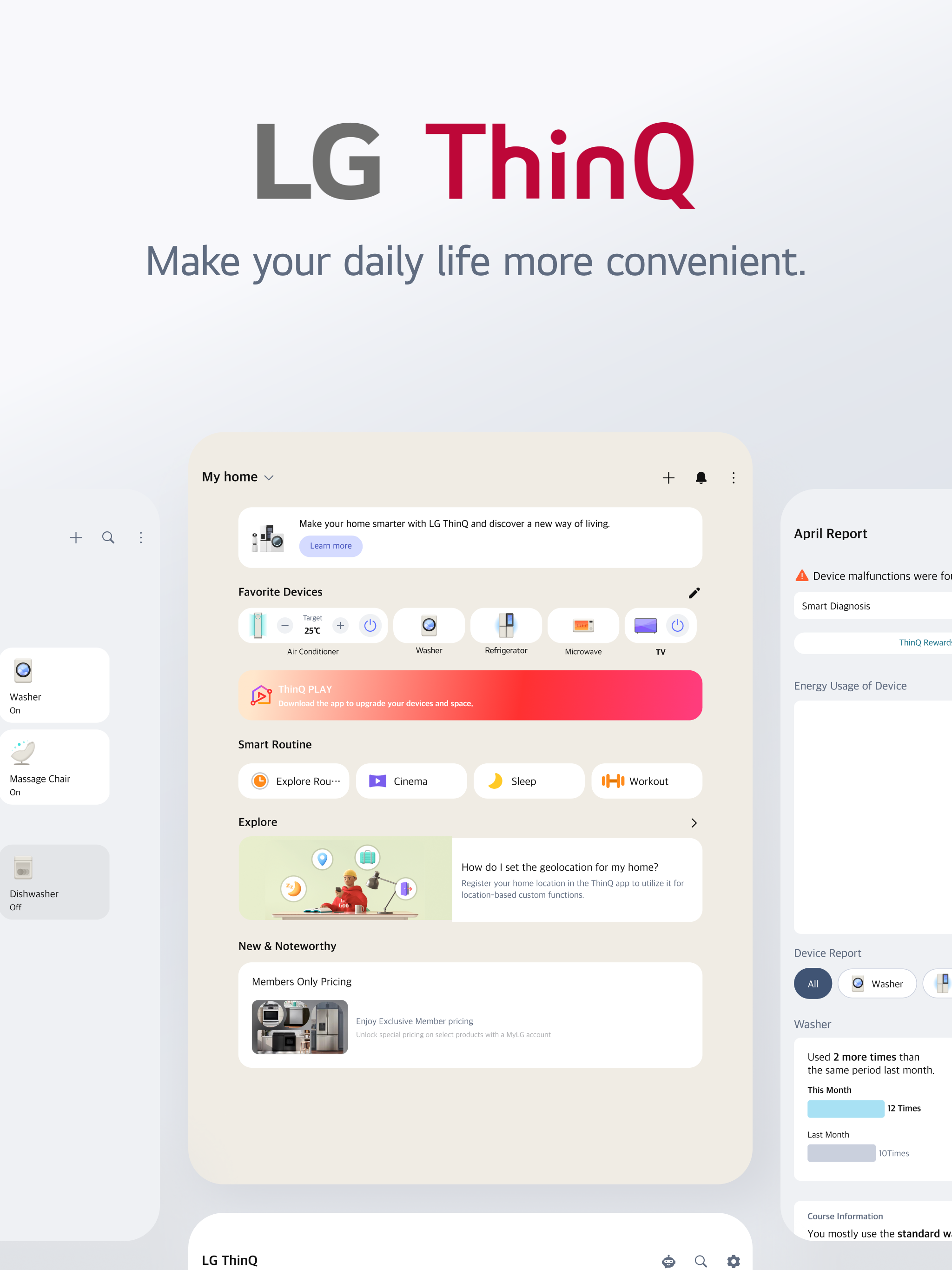
■ Discover the convenience of smart home appliances through the Home tab.
 - Control your IoT home appliances from anywhere with our app.
 - Get personalized recommendations for managing appliances based on usage history.
- Find out ways to better make use of the app's features from ""Explore""
■ Upgrade your products and your living spaces from ThinQ Play.
- Download a variety of apps available for use from LG ThinQ On(AI Home Hub)
- Use your products more efficiently and with greater ease by introducing new features to products you are currently using.
- Upgrade your products based on your lifestyle and personal preferences.
■ Create smart routines to match your needs.
 - Automatically turn on the lights and air purifier when it’s time to wake up.
 - When you’re on vacation, automatically turn off products to save energy.
■ Monitor your energy consumption data quickly.
 - Use Energy Monitoring to compare your power usage with your neighbors’.
 - Set energy saving goals and get usage status notifications to help save energy more efficiently.
- Receive care services for your products all in one place.
■ Handle everything from troubleshooting to service requests directly from the app.
 - Use the Smart Diagnosis function to check your product’s status.
 - Book a service visit from a professional engineer for an accurate diagnosis and inspection.
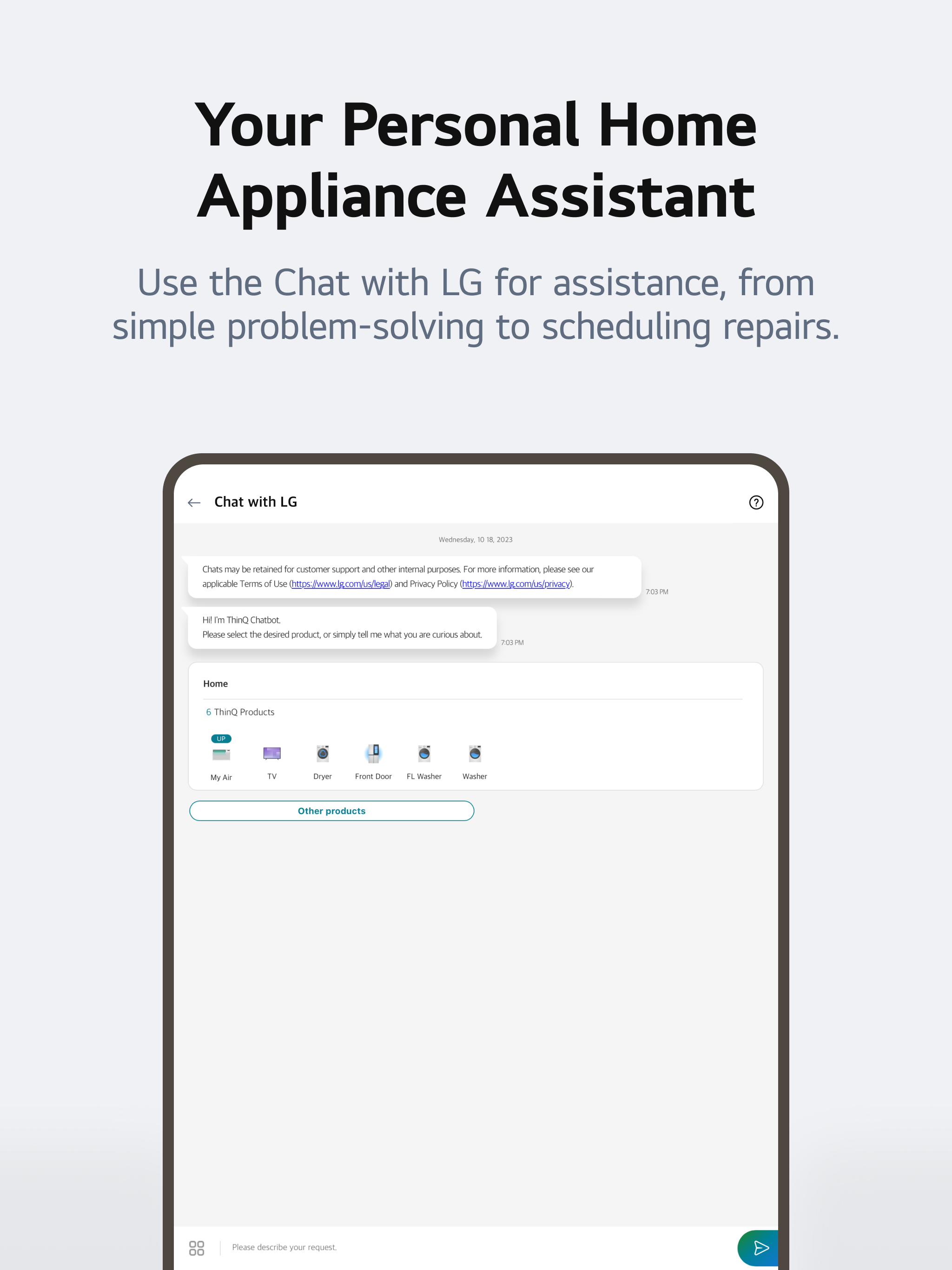
■ Ask our AI-powered 'Chat with LG' about ThinQ home appliances.
 - Our 'Chat with LG' provides answers tailored to your product’s situation and condition.
※ Services and features may vary depending on your product model and your country or region of residence.
The following access permissions are necessary for the ThinQ app.
All the access permissions requested are optional access permission, so even if you do not allow them, you can still use the app except for the related services. (Including OS Request Permissions such as ""Siri & Search"", ""Notification"", ""Background App Refresh"", and ""Cellular Data"")
[Optional Access Permissions]
• Location
- To find and connect to nearby Wi-Fi when registering the product.
- To set and save the home location in Manage Home
- To search for and use information about current locations, such as weather.
- To check your current location in the ""Smart Routines"" function.
• Camera
- To take a profile picture
- To share a home or account scanned from a QR code.
- To take and attach photos in ""1:1 Inquiry.""
- To record and store purchase receipts when registering additional information about the product..(미국 Only)
- To use the AI oven Cooking Record feature.
- To use in “Chat with LG” when entering the product and serial number information
• Photo, Media, File
- To use the smartphone's storage when downloading the information of the product to be connected
- To take and attach photos in ""1:1 Inquiry.""
- To record and store purchase receipts when registering additional information about the product.
- To view photo/video on your smartphone on the TV.
- To use in “Chat with LG” to save photos/videos of product symptoms or proof of purchase
- To use in “Chat with LG” when entering the product and serial number information
• Media and Apple Music
- To view photo/video on your smartphone on the TV.
• Microphone
- To check product status via Smart Diagnosis
- To use in “Chat with LG” when inputting through the microphone in the input window and using STT.
• Local Network
- To obtain the device connecting Wi-Fi info when adding devices
• Bluetooth
- To find and connect to nearby Bluetooth devices when adding a product to the app.
• HomeKit
- To add IoT-based products
• Notifications
- Notifications are essential for receiving updates on product status, important notices, benefits, and information.
Hide Show More...

Screenshots

FAQ

  • Is LG ThinQ free?

    Yes, LG ThinQ is completely free and it doesn't have any in-app purchases or subscriptions.

  • Is LG ThinQ legit?

    ⚠️ The LG ThinQ app has poor ratings and negative feedback. Users seem unsatisfied with its performance or features.

    Thanks for the vote

  • How much does LG ThinQ cost?

    LG ThinQ is free.

  • What is LG ThinQ revenue?

    To get estimated revenue of LG ThinQ app and other AppStore insights you can sign up to AppTail Mobile Analytics Platform.

User Rating

4.21 out of 5

2,213 ratings in China

5 star
1,663
4 star
89
3 star
70
2 star
45
1 star
346
Ratings History

Reviews

不显示洗衣时间了

nicolemeng on

China

更新完了app不能看洗衣时间了,也不能看正在运行的程序,还没试过能不能用手机下载程序,怎么回事。只有洗完了会推送一个通知。

好用

@8023哥 on

China

确实不错

希望更加改进

琰宝长大 on

China

比初始要好用,也不容易掉线了

无法更新软件

maviscenery111 on

China

一直停留在更新状态,软件无法使用。重启手机/还原网络设置都不好用

卸载后还是闪退

狐狸胖 on

China

自从更新后就闪退,卸载重装还是不行。苹果iso18.5最新版本,软件一直提示日期设置为自动,又设置不了,怎么回事啊

一直转圈圈

越水 on

China

网络很好,设备也很靠近路由器,但app无论点击什么功能都只会一直转圈圈,不知道在加载什么

新版一添加设备就报错,没法用

4•1 on

China

一添加新设备软件就报错,无法添加

apple id 无法登陆

tangkaixiong on

China

重新下载程序apple id无法登陆账号,提示未完成注册

如何将语言设置成中文

方法纷纷扰扰 on

China

我的使用地区是韩国。但是我想看中文。在设置里面无法设置

苹果id不能登陆

我爱李涵 on

China

苹果ID不能登陆 显示无法注册

Store Rankings

Ranking History
App Ranking History not available yet
Category Rankings
Chart
Category
Rank
Top Free
6
Top Free
6
Top Free
6
Top Free
7
Top Free
7

Keywords

Competitors

LG ThinQ Installs

Last 30 days

LG ThinQ Revenue

Last 30 days

Revenue and Downloads

Gain valuable insights into LG ThinQ performance with our analytics.
Sign up now to access downloads, revenue, and more.

App Info

Category
Lifestyle
Publisher
LG Electronics
Languages
English, Albanian, Amharic, Arabic, Bosnian, Bulgarian, Burmese, Catalan, Croatian, Czech, Danish, Dutch, Estonian, Finnish, French, German, Greek (modern), Hebrew (modern), Hindi, Hungarian, Indonesian, Italian, Japanese, Kazakh, Korean, Latvian, Lithuanian, Macedonian, Malay, Norwegian Bokmål, Persian, Polish, Portuguese, Romanian, Russian, Serbian, Chinese, Slovak, Slovene, Spanish, Swedish, Thai, Turkish, Ukrainian, Uzbek, Vietnamese
Recent release
5.1.21331 (2 weeks ago )
Released on
Sep 8, 2016 (9 years ago )
Last Updated
2 months ago
This page includes copyrighted content from third parties, shared solely for commentary and research in accordance with fair use under applicable copyright laws. All trademarks, including product, service, and company names or logos, remain the property of their respective owners. Their use here falls under nominative fair use as outlined by trademark laws and does not suggest any affiliation with or endorsement by the trademark holders.